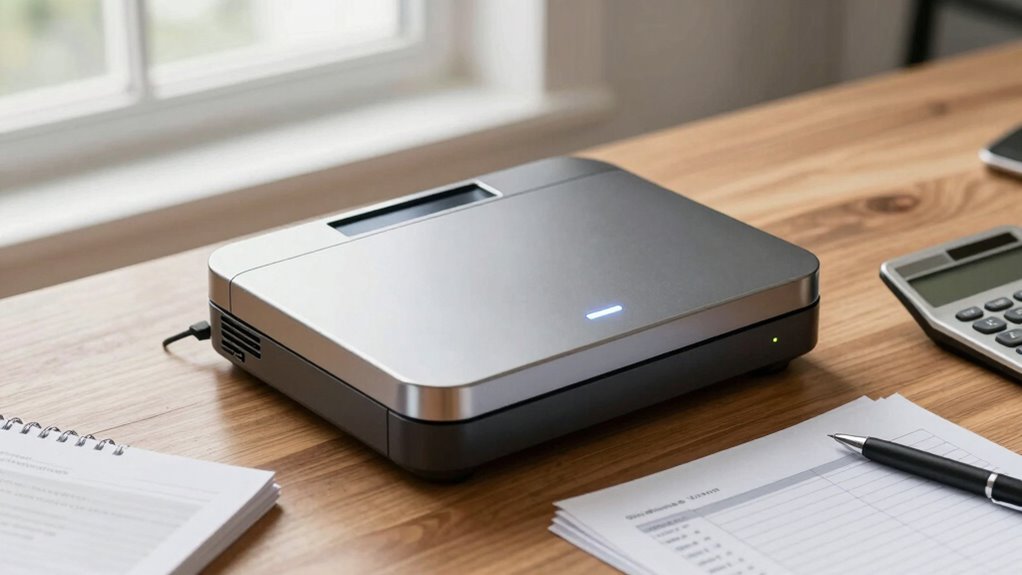

A check scanner for small business banking should match your deposit volume and your bank’s remote-deposit requirements, not just scan quickly. I rank the Digital Check TellerScan TS250-55IJ as the best overall for businesses seeking a dedicated desktop check-scanning workflow; the Epson TM-S2000 stands out for its 110 DPM rating, while the CheXpress CX35-NIJ is a simpler remote-deposit option. The main tradeoffs are throughput and feeder capacity versus footprint, inkjet printing, and the need to confirm software and bank support. Read on for how these ten models differ and which one best fits your business.

Get smart everyday buys delivered free — and shop member deals
- Fast, free delivery on millions of items
- Access to Prime Big Deal Days deals on October 6–7
- Prime Video, Amazon Music and more included
Key Takeaways
- The TellerScan TS250-55IJ leads the roundup as a dedicated small-business deposit scanner, but buyers still need to confirm their bank supports its connection and capture software.
- The Epson TM-S2000 has the highest stated speed here at 110 DPM, making it the standout for heavier batches when its one-pocket setup suits the workflow.
- Inkjet is a workflow choice, not an automatic upgrade: the TS250-55IJ and TS240-50IJ include inkjet, while their non-inkjet counterparts avoid that maintenance requirement.
- Capacity and model details differ within the Panini Vision X family: the VX5050IJ lists a 50-document feeder and inkjet, while the VX5050NJ is non-inkjet; the latter listing does not state a feeder count.
- The CX30 versions serve different needs: the standard CX30 is the simpler imager choice, while the CX30 with printer and rear franking suits businesses that need those functions built into the workflow.
| Digital Check TellerScan TS250-55IJ Check Scanner |  | Best for High-Volume Small Businesses | Scanner type: Check scanner | Connection: USB and Ethernet | Resolution: 800 dpi | VIEW ON AMAZON | See Our Full Breakdown |
| Digital Check TS240-50IJ Check Scanner – 50 DPM, with Inkjet |  | Best Value for USB-Based Deposit Workflows | Scanner type: Bank check and document | Connection: USB | Resolution: 300 dpi | VIEW ON AMAZON | See Our Full Breakdown |
| Digital Check CheXpress CX35-NIJ Remote Deposit Check Scanner |  | Best for Low-Volume Remote Deposits | Scanner type: Check scanner | Feed style: Single-check feed | Connection: USB; Ethernet available with optional module | VIEW ON AMAZON | See Our Full Breakdown |
| Epson TM-S2000 Desktop Check Scanner, 110DPM, USB, 1 Pocket, Dark Gray |  | Best for Retail Check-Processing Counters | Scanner type: Bank check | Connection: USB | Stated speed: 110 documents per minute | VIEW ON AMAZON | See Our Full Breakdown |
| Digital Check CX30 Check Scanner |  | Best for Basic Bank-Quality USB Scanning | Scanner type: Bank check | Connection: USB | Resolution: 600 dpi | VIEW ON AMAZON | See Our Full Breakdown |
| Digital Check CX30 Check Imager with Printer and Rear Franker |  | Best for Low-Volume Banking Desks | Brand: Digital Check | Model: CX30 | Connection: Ethernet | VIEW ON AMAZON | See Our Full Breakdown |
| Panini VX 5050IJ Check Scanner – 50 dpm, 50 doc feeder, ink jet (Renewed) | 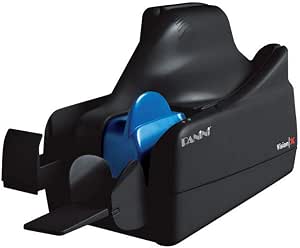 | Best Renewed Batch-Scanning Pick | Scanner type: Bank check | Connection: Ethernet | Stated scanning speed: 50 documents per minute | VIEW ON AMAZON | See Our Full Breakdown |
| Panini Vision X VX5050NJ Bank Check and Document Scanner – 50 DPM, 50‑Sheet Feed, Black |  | Best for Check and Document Flexibility | Scanner type: Bank check and document | Connection: USB | Stated scanning speed: 50 DPM | VIEW ON AMAZON | See Our Full Breakdown |
| Canon CR-120 Check Scanner |  | Best for High-Volume Check Runs | Model: imageFORMULA CR-120 | Scanner type: Bank check | Connection: USB | VIEW ON AMAZON | See Our Full Breakdown |
| Digital Check TellerScan TS250-55NJ Non Ink Jet Check Scanner |  | Best for Scalable Check-Processing Workflows | Scanner type: Check scanner | Connection listed in specifications: USB | Connectivity in product description: Network connectivity also described | VIEW ON AMAZON | See Our Full Breakdown |
| check scanner for small business banking | Resolution | Scanner type | Connection | Color depth |
|---|---|---|---|---|
| Digital Check TellerScan TS250 | 800 dpi | Check scanner | USB and Ethernet | 24 bits per pixel |
| Digital Check TS240-50IJ Check | 300 dpi | Bank check and document | USB | 24 bpp |
| Digital Check CheXpress CX35-N | 800 dpi | Check scanner | USB; Ethernet available with optional module | — |
| Epson TM-S2000 Desktop Check S | 100, 120, 200, 240 dpi interpolated, and 300 dpi optical | Bank check | USB | 24 bpp |
| Digital Check CX30 Check Scann | 600 dpi | Bank check | USB | — |
| Digital Check CX30 Check Image | 600 x 600 dpi | — | Ethernet | — |
| Panini VX 5050IJ Check Scanner | 10000 dpi (as listed) | Bank check | Ethernet | 48 bits |
| Panini Vision X VX5050NJ Bank | 600 dpi | Bank check and document | USB | — |
| Canon CR-120 Check Scanner | 600 dpi | Bank check | USB | 24 bits |
| Digital Check TellerScan TS250 | 800 dpi | Check scanner | — | — |
More Details on Our Top Picks
Digital Check TellerScan TS250-55IJ Check Scanner
For a small business that deposits checks in frequent batches, the TellerScan TS250-55IJ stands out for its stated speed of up to 120 documents per minute and USB and Ethernet connectivity. Ethernet can suit a shared banking workstation, while 800 dpi imaging and an automated cleaning mode target clear capture and ongoing scanner upkeep. Compared with the USB-only Digital Check TS240-50IJ, this model is the stronger fit when throughput and network access matter more than a compact, straightforward desktop setup. That capacity may be more than a low-volume office needs, though, and the product information calls for confirming compatibility with your bank’s deposit software before buying. Optional accessories such as a rear endorser or receipt printer may add requirements, and this is dedicated check-processing equipment rather than a general-purpose scanner.
Pros:- Stated scanning speed of up to 120 documents per minute suits frequent deposit batches.
- USB and Ethernet connections offer more placement and workstation options than USB-only alternatives.
- 800 dpi resolution supports detailed check images.
- Automated cleaning mode and LED indicator provide maintenance guidance.
Cons:- Banking software compatibility should be confirmed before purchase.
- Rear endorser and receipt-printer features may require additional purchases.
- Limited to check and document processing rather than general-purpose scanning.
Best for: Small businesses depositing checks in frequent batches that need fast processing or a scanner connected over Ethernet.
Not ideal for: Low-volume businesses seeking a basic USB desktop scanner or offices that need to scan general paperwork, photos, or other media.
- Scanner type:Check scanner
- Connection:USB and Ethernet
- Resolution:800 dpi
- Color depth:24 bits per pixel
- Model:TS250-55IJ
- Stated speed:Up to 120 documents per minute
- Unit count:1
Our verdict“Choose the TellerScan TS250-55IJ when check volume and Ethernet connectivity matter more than simplicity or broad scanning use.”
Digital Check TS240-50IJ Check Scanner – 50 DPM, with Inkjet
The Digital Check TS240-50IJ is a practical middle ground for a small business that wants a dedicated deposit scanner without stepping up to the faster, network-ready TellerScan TS250-55IJ. It scans up to 50 documents per minute, provides MICR capability for check processing, and connects by USB, a simple fit for one dedicated workstation. Its four-pound weight and compact desktop design also make it easier to place in a small office than a more bank-oriented setup. The tradeoff is that this model lacks Ethernet, and its listed 50-sheet capacity may constrain batch work; speed claims and sheet capacity are different measures, so confirm how the feeder handles your workflow. It is purpose-built for checks and documents, not a flexible scanner for assorted media.
Pros:- Stated speed of up to 50 documents per minute supports routine deposit processing.
- MICR capability is tailored to bank-check workflows.
- Compact design and four-pound weight suit space-limited desks.
- Full-color 300 dpi scanning captures check images in color.
Cons:- USB-only connectivity does not support a network-connected setup.
- Listed 50-sheet capacity can limit batch handling.
- Primarily designed for checks and documents rather than varied media.
Best for: Small offices with a single USB-connected banking workstation and regular, moderate check deposits.
Not ideal for: Businesses that need network sharing, higher-volume batch handling, or a scanner for a wide range of media.
- Scanner type:Bank check and document
- Connection:USB
- Resolution:300 dpi
- Color depth:24 bpp
- Stated speed:Up to 50 documents per minute
- Standard sheet capacity:50
- Item weight:4 pounds
- Wattage:45 watts
Our verdict“Pick the TS240-50IJ for a compact, single-workstation check workflow, but choose the TS250-55IJ if Ethernet or higher stated speed is a priority.”
Digital Check CheXpress CX35-NIJ Remote Deposit Check Scanner
The CheXpress CX35-NIJ takes a different approach from batch-oriented scanners: its single-check feed keeps operation straightforward for a business that deposits checks one at a time. Bank-grade MICR and OCR accuracy, paired with an 800 dpi sensor, are aimed at dependable remote-deposit capture rather than high-throughput processing. Compared with the Digital Check TS240-50IJ, it gives up batch convenience in favor of a simpler single-item workflow and a smaller-footprint remote-deposit role. The listed USB connection keeps setup familiar, but Ethernet requires an optional module, and optional endorsement adds another configuration decision. Because it handles one check at a time, it is a poor match for busy deposit days; buyers should also verify software compatibility and check the listed operating-system requirements for their workstation.
Pros:- Single-check feeding offers a simple routine for occasional remote deposits.
- MICR and OCR accuracy are designed for bank-check processing.
- 800 dpi sensor supports detailed image capture.
- Optional inkjet endorsement and Ethernet allow selected workflow upgrades.
Cons:- One-at-a-time feeding can slow busy deposit sessions.
- Ethernet connectivity requires an optional module.
- Compatible banking software and system requirements need verification.
Best for: Sole proprietors and small offices depositing a modest number of checks individually through remote deposit.
Not ideal for: Businesses that process checks in large batches or require built-in Ethernet without an optional module.
- Scanner type:Check scanner
- Feed style:Single-check feed
- Connection:USB; Ethernet available with optional module
- Resolution:800 dpi
- Media type:Check
- Item weight:7 pounds
- Minimum system requirements:Mac OS X Snow Leopard
- Warranty:1 year
Our verdict“Choose the CX35-NIJ for a simple, low-volume single-check routine, not for batch-heavy deposit processing like the TS240-50IJ is designed to support.”
Epson TM-S2000 Desktop Check Scanner, 110DPM, USB, 1 Pocket, Dark Gray
The Epson TM-S2000 suits a retail counter or business banking station where fast check handling and a 100-sheet capacity are more useful than network flexibility. Its stated 110 documents-per-minute speed places it closer to the high-throughput TellerScan TS250-55IJ than to the single-feed CheXpress CX35-NIJ, while its USB connection keeps the setup centered on one workstation. Multiple resolution settings, including 300 dpi optical, give the operator choices for capture needs. The main limitation for a growing workflow is its single pocket, which does not provide the sorting flexibility of multi-pocket systems. It also lacks wireless connectivity, and the listed Windows 7-or-higher requirement makes operating-system compatibility a purchase checkpoint for businesses using newer or non-Windows equipment.
Pros:- Stated 110 documents-per-minute speed supports brisk check processing.
- 100-sheet capacity accommodates larger batches than the TS240-50IJ’s listed capacity.
- Multiple resolution settings include 300 dpi optical capture.
- USB connection supports a direct workstation setup.
Cons:- Single pocket limits sorting flexibility.
- No wireless connection is listed.
- Listed system requirement is Windows 7 or higher, so compatibility should be checked.
Best for: Retail businesses and small financial offices processing check batches at a dedicated Windows workstation.
Not ideal for: Businesses that need wireless or network sharing, multiple-pocket sorting, or support for non-Windows workstations.
- Scanner type:Bank check
- Connection:USB
- Stated speed:110 documents per minute
- Standard sheet capacity:100
- Pocket count:1
- Resolution:100, 120, 200, 240 dpi interpolated, and 300 dpi optical
- Color depth:24 bpp
- Model:TM-S2000
Our verdict“Choose the TM-S2000 for fast, counter-based batch processing on a compatible Windows workstation, but favor the TS250-55IJ if Ethernet matters.”
Digital Check CX30 Check Scanner
The Digital Check CX30 is the straightforward choice in this group for a small business that wants a dedicated bank-check scanner with a direct USB connection. Its 600 dpi resolution and CIS/CMOS sensor technology provide a detailed capture setup, while LED illumination supports the imaging system. Compared with the CheXpress CX35-NIJ, the CX30 avoids a single-check-feed description and offers higher listed resolution, but the supplied product details do not state a feed speed or capacity, so I would not rank it for batch throughput. It is also less network-flexible than the TellerScan TS250-55IJ, which offers Ethernet. The CX30 is limited to check media and lists Windows 7 as its minimum system requirement; buyers should verify current software support and scanner reliability for their intended banking workflow.
Pros:- 600 dpi resolution supports detailed check capture.
- CIS and CMOS sensor technology is specified for the imaging system.
- USB connection provides a direct workstation setup.
- Designed as a bank-quality scanner for small-business check processing.
Cons:- Limited to check media rather than general-purpose scanning.
- Windows 7 is listed as the minimum system requirement, so software compatibility should be confirmed.
- Product information does not provide a scan speed or sheet capacity for judging batch needs.
Best for: Small businesses seeking a dedicated USB check scanner for a compatible Windows workstation and a straightforward deposit routine.
Not ideal for: Businesses needing Ethernet, broad document scanning, or documented high-speed batch capacity.
- Scanner type:Bank check
- Connection:USB
- Resolution:600 dpi
- Optical sensor technology:CIS and CMOS
- Light source:LED
- Wattage:24 watts
- Minimum system requirements:Windows 7
- Warranty:See product page
Our verdict“Choose the CX30 for a basic USB check-scanning setup when its software compatibility is confirmed; choose the TS250-55IJ for stated speed and Ethernet.”
Digital Check CX30 Check Imager with Printer and Rear Franker
The Digital Check CX30 suits a small business that scans checks in modest batches and wants imaging plus printing in one compact unit. Its front-and-back capture and MICR reading support remote deposit workflows, while the inkjet printer and rear franker can help with check handling at a POS or banking desk. Compared with the faster Canon CR-120, this is a low-volume choice rather than a throughput tool; its appeal is a smaller footprint and lower-power design, not maximum speed. The tradeoff is setup: it requires a compatible PC and network, and its banking-focused functions offer little value if you need a general-purpose document scanner. I’d choose it for occasional deposits, but not for a business clearing checks in sustained high-volume batches.
Pros:- Captures both sides of checks for remote deposit workflows.
- MICR reading supports check processing.
- Compact, energy-efficient design fits a small desk or POS area.
- Includes inkjet printing and a rear franker.
Cons:- Designed for low-volume processing rather than sustained high throughput.
- Requires a compatible PC and network setup.
- Banking- and POS-focused features have limited use for general document scanning.
Best for: Small businesses or POS counters that make remote deposits in low-volume batches and want check imaging with inkjet printing and rear franking.
Not ideal for: Businesses processing frequent or large check batches, or teams that need a straightforward plug-in setup without PC and network configuration.
- Brand:Digital Check
- Model:CX30
- Connection:Ethernet
- Printer technology:Inkjet
- Resolution:600 x 600 dpi
- Maximum sheet capacity:50 sheets
- Operating system:PC
- Warranty:Limited warranty
Our verdict“Choose the CX30 when a small desk needs low-volume check imaging with printing and franking, not the batch speed of the Canon CR-120.”
Panini VX 5050IJ Check Scanner – 50 dpm, 50 doc feeder, ink jet (Renewed)
The Panini VX 5050IJ Renewed is aimed at a small business that needs a feeder and documented throughput rather than a compact occasional-use scanner. Its stated pace of 50 documents per minute and 50-document capacity can reduce hands-on feeding during deposit runs. Ethernet and Windows 10 support give it a more office-oriented setup than the USB-connected Panini Vision X VX5050NJ, though the two share a 50-sheet feeder and check-focused purpose. The key tradeoff is condition: this is a refurbished unit with a 90-day limited warranty, so buyers should weigh the shorter coverage against choosing a new scanner. It also handles checks only and has no wireless connection. I’d favor it when wired batch processing matters more than new-product status or broader document use.
Pros:- Stated throughput of 50 documents per minute supports batch deposit work.
- 50-document feeder reduces repeated manual loading.
- Ethernet connection suits a wired office setup.
- Listed as compatible with Windows 10.
Cons:- Renewed condition may bring more wear risk than a new unit.
- 90-day limited warranty offers a short coverage period.
- Check-only use and lack of wireless connectivity limit flexibility.
Best for: A small office with a Windows 10 workstation that processes checks in batches and is comfortable buying professionally renewed equipment.
Not ideal for: Businesses that require a new scanner, wireless connectivity, longer warranty coverage, or scanning beyond checks.
- Scanner type:Bank check
- Connection:Ethernet
- Stated scanning speed:50 documents per minute
- Sheet capacity:50
- Operating system:Windows 10
- Resolution:10000 dpi (as listed)
- Color depth:48 bits
- Warranty:90-day limited
Our verdict“Pick this renewed Panini when wired 50-document batch handling matters more than new condition, wireless access, or broader scanning.”
Panini Vision X VX5050NJ Bank Check and Document Scanner – 50 DPM, 50‑Sheet Feed, Black
The Panini Vision X VX5050NJ makes more sense than a check-only device for a small business that wants a feeder scanner for both checks and documents. Its stated 50 DPM speed and 50-sheet feeder are suited to regular deposit batches, while USB connection keeps the hardware setup direct. Compared with the Ethernet-connected renewed Panini VX 5050IJ, this model is described for both check and document capture, but the listing names only Windows 7 as its minimum system requirement. That leaves uncertainty for businesses using newer systems, so I’d confirm software and driver support before buying. The product data also describes financial-institution use, which may exceed the needs of a small office. Choose it for wider media use only if its software fits your current banking workflow.
Pros:- Listed for both bank checks and documents.
- 50 DPM stated speed and 50-sheet feeder support batch work.
- USB connection avoids the Ethernet setup required by the renewed VX 5050IJ.
- 600 dpi resolution and MICR reading support check image and data capture.
Cons:- Windows 7 is the only minimum system requirement listed, leaving newer OS compatibility unclear.
- USB connection may not suit a networked workstation setup.
- Very light listed weight may feel less substantial on a busy desk.
Best for: Small offices that need a feeder scanner for check deposits and occasional document capture, and can confirm compatibility with their Windows setup.
Not ideal for: Businesses that need clearly documented support for newer operating systems, Ethernet networking, or a more robust-feeling scanner body.
- Scanner type:Bank check and document
- Connection:USB
- Stated scanning speed:50 DPM
- Sheet capacity:50 sheets
- Resolution:600 dpi
- Minimum system requirement:Windows 7
- MICR reading:Supported, per product description
- Listed item weight:0.27 g
Our verdict“Choose the VX5050NJ for check batches plus document scanning if its software supports your current Windows system.”
Canon CR-120 Check Scanner
The Canon CR-120 is the throughput pick here: its stated capacity of 120 checks per minute is well above the 50 DPM listed for the Panini Vision X VX5050NJ. That difference matters when deposits arrive in steady batches and staff time spent waiting on scans adds up. It connects by USB and includes a power adapter and cable, keeping the basic hardware list clear for a bank or office workstation. The tradeoff is specialization: it is described as a check scanner, not a general-purpose document feeder, and its 10.5-pound weight makes it less convenient to move than compact options such as the Digital Check CX30. I’d shortlist it for check-heavy operations, but a low-volume business may not benefit from prioritizing speed over footprint and broader utility.
Pros:- Stated throughput of 120 checks per minute exceeds the listed 50 DPM Panini models.
- 600 dpi resolution and CCD sensor support clear check image capture.
- USB connection uses a common wired workstation setup.
- Power adapter and USB cable are included.
Cons:- Check-only purpose limits its use for general office documents.
- At 10.5 pounds, it is less convenient to relocate than the CX30.
- High stated speed may be unnecessary for occasional or very small deposit batches.
Best for: Small businesses, offices, or banking desks that regularly process large check batches and can dedicate a workstation to check scanning.
Not ideal for: Low-volume depositors who want a compact multipurpose scanner or need to move the device between work areas.
- Model:imageFORMULA CR-120
- Scanner type:Bank check
- Connection:USB
- Stated scanning speed:120 checks per minute
- Resolution:600 dpi
- Color depth:24 bits
- Item weight:10.5 pounds
- Included accessories:Power adapter and USB cable
Our verdict“Choose the CR-120 when check volume makes its 120-check-per-minute pace more useful than a compact, multipurpose scanner.”
Digital Check TellerScan TS250-55NJ Non Ink Jet Check Scanner
The Digital Check TellerScan TS250-55NJ stands out for businesses that may grow beyond basic remote deposits: its listed speed options reach 120 documents per minute, and the description adds network connectivity, automated cleaning, and front-feed ID capture. Those workflow features set it apart from the simpler Canon CR-120, which has a higher specified check rate but is described primarily as a USB check scanner. The TS250 data lists USB as its connection, while the description also mentions network connectivity, so buyers should verify the configuration they are purchasing. It is non-inkjet, and endorsement or receipt printing is optional rather than included. Software compatibility may also be restrictive. I’d choose it for a business that values maintenance and ID-capture features, not for a buyer seeking an out-of-box printer or an easy portable setup.
Pros:- Speed options are listed up to 120 documents per minute.
- Automated cleaning mode can simplify routine maintenance.
- Front-feed ID capture adds a workflow option beyond check imaging.
- Product description lists network connectivity alongside USB.
Cons:- Inkjet and endorsement features are not included, while printing options may require an additional configuration.
- Software compatibility is described as limited.
- At 8 pounds, it is not the easiest model to move between workstations.
- Connection details differ between the description and listed USB specification, so configuration should be confirmed.
Best for: A growing business or banking desk handling regular check batches that values automated cleaning, ID capture, and potential network-based workflows.
Not ideal for: Buyers who need included inkjet endorsement or receipt printing, confirmed broad software compatibility, or a lightweight portable scanner.
- Scanner type:Check scanner
- Connection listed in specifications:USB
- Connectivity in product description:Network connectivity also described
- Speed options:55, 75, or 120 documents per minute
- Resolution:800 dpi
- Item weight:8 pounds
- Special features:Automated cleaning and front-feed ID capture
- Warranty:1-year manufacturer warranty
Our verdict“Choose the TS250 when maintenance and ID-capture features matter more than included printing and confirmed plug-and-play software support.”

How We Picked
I compared the ten scanners on factors that affect everyday small-business deposits: stated scan speed, feeder capacity where provided, inkjet or printing functions, desktop fit, and whether the model is positioned for remote deposit or a broader check-and-document workflow. I also treated the product listing details carefully: a feature not stated in a model name or listing should not be assumed, especially for feeder capacity, included software, or bank compatibility.
The ranking favors models that offer a practical balance for routine business banking, then separates more specialized options by throughput, simplicity, and added functions. That puts the TellerScan TS250-55IJ first as a dedicated all-around pick, with the Epson ahead for stated speed and the CheXpress CX35-NIJ for a more direct remote-deposit role. Inkjet, printer, and rear-franker models rank according to whether those extras solve a clear workflow need; renewed status and incomplete listing details call for extra buyer verification.
| check scanner for small business banking | Scanner type | Connection |
|---|---|---|
| Digital Check TellerScan TS250 | Check scanner | USB and Ethernet |
| Digital Check TS240-50IJ Check | Bank check and document | USB |
| Digital Check CheXpress CX35-N | Check scanner | USB; Ethernet available with optional module |
| Epson TM-S2000 Desktop Check S | Bank check | USB |
| Digital Check CX30 Check Scann | Bank check | USB |
| Digital Check CX30 Check Image | — | Ethernet |
| Panini VX 5050IJ Check Scanner | Bank check | Ethernet |
| Panini Vision X VX5050NJ Bank | Bank check and document | USB |
| Canon CR-120 Check Scanner | Bank check | USB |
| Digital Check TellerScan TS250 | Check scanner | — |
Factors to Consider When Choosing Check Scanner For Small Business Banking
Before choosing a scanner, I would map the entire deposit process—from collecting checks to submitting images through the bank—rather than compare speed figures alone. These factors can prevent a mismatch between a capable scanner and the systems or routines your business actually uses.
Confirm Bank and Software Compatibility Before Buying
A scanner can have the right speed and feeder yet still be unusable if your bank’s remote-deposit service does not support its driver or capture software. Ask the bank for its current supported-device list and verify the exact model suffix, operating-system version, and connection requirements. Do not assume that two scanners from the same manufacturer share the same support status. Also check whether the listing includes the required software or whether your bank supplies it. This step matters especially for older, renewed, or specialized models, where compatibility details may not be obvious from the product name.
Choose Capacity for Your Actual Deposit Batches
Think about the largest batch you routinely scan, not just the number of checks you process in a month. A feeder reduces the need to reload during a single deposit, but a larger capacity brings less benefit if checks arrive in small, frequent groups. Speed ratings such as DPM describe a scanner’s stated processing pace; they do not account for sorting, endorsements, image review, or bank submission. Leave room for busy periods and occasional mixed paperwork, but avoid paying for capacity that sits unused. When a listing does not state feeder capacity, verify it with the seller or manufacturer rather than inferring it from a related model.
Decide Whether Inkjet or Added Printing Functions Earn Their Place
Inkjet can support workflows that require printing or marking, but it also adds a consumable and a maintenance task. A non-inkjet model may be a cleaner fit when your bank’s process does not call for scanner-side printing. Models with a printer or rear franker can reduce separate steps for businesses that use those functions, though the added hardware is unnecessary for a simple deposit routine. Ask your bank and bookkeeper what must be printed or endorsed before choosing. Compare the cost and availability of supplies and service as well as the initial feature set.
Match the Scanner to Your Workspace and Staff Routine
A dedicated desktop scanner makes sense when deposits are a regular task at a fixed workstation; a smaller or simpler unit may better suit a shared desk or occasional use. Consider where checks will be staged, who will feed them, and whether the scanner can remain connected to the approved computer. A high-speed device does not save much time if staff need to move it between workstations or troubleshoot setup. For a business with multiple deposit handlers, straightforward setup and repeatable procedures can matter more than peak throughput. Build the device into a secure routine for handling checks and reviewing deposit totals.
Plan for Support, Supplies, and Device Lifecycle
Check how the scanner will be supported after purchase: confirm warranty coverage, driver availability, service options, and the source of replacement rollers or ink where applicable. Renewed equipment can suit a buyer who verifies its condition and return terms, but its age and support path deserve extra scrutiny. Ask whether the seller can confirm the unit’s exact configuration and included accessories. A scanner that is difficult to maintain can interrupt deposits even if its listed specifications look attractive. For a business that depends on daily deposits, predictable support may justify choosing a more established, clearly documented configuration.
Frequently Asked Questions
How can I check whether one of these scanners will work with my bank?
Ask your bank for its supported scanner and software list before ordering, then match the exact model number and suffix rather than relying on the product family name. Confirm supported operating systems, connection type, and whether the bank provides capture software or expects you to obtain it separately. If the scanner is renewed or an older model, ask the bank whether it remains supported for new installations. Keep the bank’s confirmation with the purchase details in case the configuration differs from the listing. A scanner’s hardware features alone do not confirm that it can submit deposits through your bank.
Is a 110 DPM scanner worth choosing over a 50 DPM model?
It can be worthwhile when you process large batches often and the rest of the deposit workflow can keep pace. For occasional deposits, sorting checks, feeding them, reviewing images, and submitting the deposit may take more time than scanning itself. The Epson TM-S2000 has a stated 110 DPM rating, while several listed models specify 50 DPM, but those figures should not be treated as a guarantee of end-to-end deposit time. Consider batch size and deposit frequency together. If your batches are small, a simpler setup may be a better fit than choosing solely by speed.
Should I choose an inkjet scanner or a non-inkjet model?
Choose inkjet only if your bank or internal process benefits from scanner-side printing or marking. Inkjet models in this roundup include the TellerScan TS250-55IJ, TS240-50IJ, and Panini VX 5050IJ; non-inkjet alternatives avoid ink-related upkeep. Check whether the printing function is required, optional, or already handled elsewhere in your office. Ask about ink availability and maintenance instructions before committing to a model that depends on it. If you do not need the function, a non-inkjet configuration may keep the workflow simpler.
Does a larger feeder matter if my business deposits only a few checks at a time?
Usually, feeder capacity matters most when you scan checks in batches large enough to require repeated reloading. If your deposits are consistently small, a high-capacity feeder may not change the time or effort involved. Still, think about seasonal peaks, payroll periods, or occasional customer-payment batches rather than only your average day. Confirm the stated capacity for the exact model, since similar products can have different configurations and some listings omit this detail. A capacity that fits your busiest normal deposit is more useful than the largest number available.
What should I verify before buying a renewed check scanner?
Confirm that the bank supports the exact model and that compatible drivers remain available for your computer’s operating system. Ask what accessories, cables, software, and warranty coverage are included, and review the return process if the unit arrives with a different configuration. Check whether wear parts such as rollers can still be sourced and serviced. For the renewed Panini VX 5050IJ, also verify the inkjet configuration and feeder details directly with the seller. Buying renewed can make sense when support and condition are clear, but an unclear setup can delay deposits.
Conclusion
For the best overall balance in this lineup, I would start with the Digital Check TellerScan TS250-55IJ, subject to confirmation that your bank supports it. The best value in practical features is the Digital Check CX30 when you want a straightforward imager and do not need the printer-and-franker bundle. For a premium, higher-throughput workflow, the Epson TM-S2000 stands apart with its stated 110 DPM rating; verify that its one-pocket design fits your process. Beginners who want a remote-deposit-oriented choice can look at the CheXpress CX35-NIJ, while businesses needing built-in printing and rear franking should consider the CX30 Check Imager with Printer and Rear Franker. Choose the inkjet or non-inkjet version only after confirming that function with your bank, and verify compatibility before placing an order.
Halloween Picks
halloween
As an affiliate, we earn on qualifying purchases.