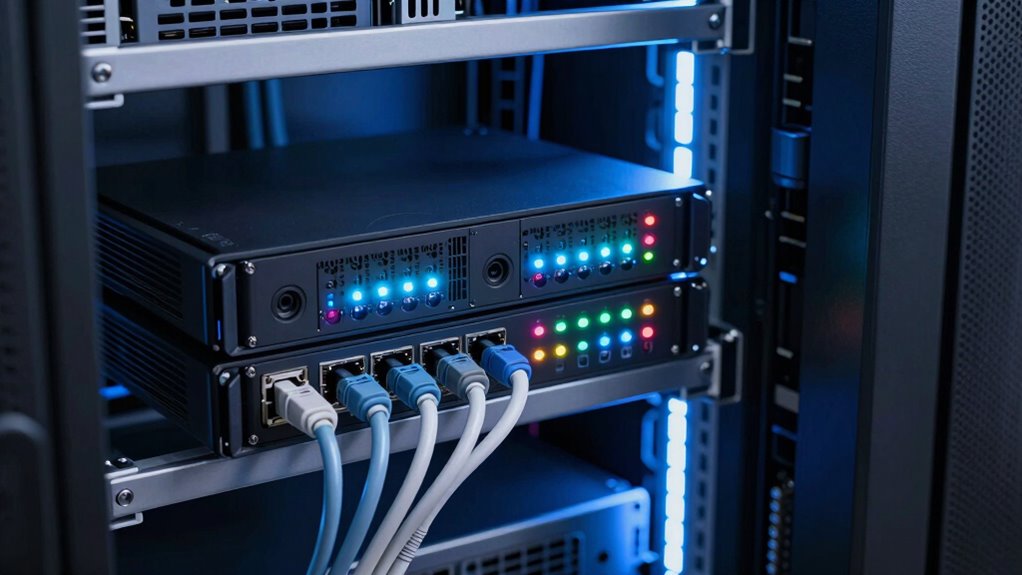

When choosing a failover router for payment terminals, reliability and quick switching are critical to avoid transaction disruptions. The TP-Link ER605 V2 stands out as the best overall due to its robust VPN features and solid performance. For industrial environments, the Teltonika RUTX11 offers excellent LTE failover, while the Cisco RV340 provides dependable dual WAN support for small businesses. The key challenge in this category is balancing cost, ease of use, and failover speed—cheaper models may lack quick switching, while premium options often come with complex setups. Keep reading for a detailed comparison to help you find the best fit for your payment system needs.

Get smart everyday buys delivered free with Prime
- Fast, free delivery on millions of items
- Prime Video, Amazon Music and more included
- Member-only deals all year
Key Takeaways
- The top picks excel in quick failover switching, minimizing transaction downtime during network disruptions.
- Industrial-grade routers like Teltonika RUTX11 offer superior LTE failover, ideal for remote or harsh environments.
- Ease of setup and management varies widely; models with simplified interfaces reduce operational complexity.
- Price often correlates with advanced features like VPN support and multi-WAN load balancing, but not always with failover speed.
- Compatibility with different carriers and network types is crucial—select routers with broad cellular support if needed.
| TP-Link ER605 V2 Wired Gigabit VPN Router |  | Best Overall for Multi-WAN and Security | Ports: 1 WAN, 2 WAN/LAN, 2 LAN, 1 USB | VPN Support: Up to 20 IPsec, 16 OpenVPN, 16 L2TP, 16 PPTP | Speed: 1 Gbps | VIEW ON AMAZON | See Our Full Breakdown |
| Cudy Gigabit Multi-WAN Router, OpenWRT, Load Balancing, 5 Gigabit Ethernet Ports, R700 |  | Best Value for Customizable Multi-WAN Setup | Number of Ports: 5 | Compatible Devices: Laptop, Router | VPN Support: WireGuard, OpenVPN, IPsec | VIEW ON AMAZON | See Our Full Breakdown |
| Teltonika RUTX11 RUTX11340400 Industrial 4G LTE Cat 6 Router |  | Best for Industrial and Remote Environments | Connectivity Technology: LTE, Wi-Fi, Bluetooth, Ethernet | Wireless Standards: 802.11ac, 802.11b, 802.11g, 802.11n | Number of Ports: 4 | VIEW ON AMAZON | See Our Full Breakdown |
| Teltonika RUTM50 5G Industrial Router – Dual SIM Failover, WiFi 5, Gigabit Ethernet, VPN & RMS Support |  | Best for Ultra-Fast 5G Failover in Industrial Settings | Connectivity Technology: 5G, Ethernet, LTE, Wi-Fi | Wi-Fi Generation: WiFi 6 | Maximum Data Transfer Rate: 3.4 Gbps | VIEW ON AMAZON | See Our Full Breakdown |
| Cisco RV340 Dual WAN Gigabit Router (Renewed) |  | Best for Business Redundancy and Load Balancing | Number of Ports: 8 | Management Port: Yes | Network Technology: 10/100/1000Base-T | VIEW ON AMAZON | See Our Full Breakdown |
| Omada ER707-M2 Multi-Gigabit VPN Router |  | Best Overall for Enterprise-Grade Flexibility and Security | WAN Ports: 1 x 2.5Gbps, 1 x 2.5Gbps WAN/LAN, 4 x Gigabit WAN/LAN, 1 x SFP WAN/LAN, 1 x USB 2.0 | Maximum concurrent sessions: 500,000 | Maximum clients: 1000+ | VIEW ON AMAZON | See Our Full Breakdown |
| Omada Fusion 2.5G Multi-WAN Wired VPN Router |  | Best for Simplicity and Quick Deployment with Multi-WAN Load Balancing | Management: Cloud via Omada Cloud portal | Setup: Bluetooth setup with Omada App | Processor: Quad-Core CPU | VIEW ON AMAZON | See Our Full Breakdown |
| D-Link Gigabit VPN Router DSR-250V2 |  | Best for Enterprise Security and Dual WAN Failover in Small Business Settings | Ports: 4 Gigabit Ethernet ports | WAN: Dual Gigabit WAN with failover | VPN Tunnels: Up to 75 | VIEW ON AMAZON | See Our Full Breakdown |
More Details on Our Top Picks
TP-Link ER605 V2 Wired Gigabit VPN Router
The TP-Link ER605 V2 stands out for its robust multi-WAN support, making it ideal for businesses needing reliable failover with high security. Compared to the Cisco RV340, it offers more advanced VPN protocols and better network security features, which are crucial for sensitive transactions. However, its setup can be complex, especially for non-technical users, and it lacks built-in Wi-Fi, limiting its standalone usability. This model is perfect for organizations prioritizing security and wired reliability but not suitable if Wi-Fi is a primary concern.
Pros:- Supports multiple WAN connections for optimized bandwidth and redundancy
- Advanced security features including firewall, DoS defense, and VPN pass-through
- Gigabit ports ensure fast wired connectivity
- Supports multiple VPN protocols for secure remote access
Cons:- Complex setup may require technical expertise
- Limited Wi-Fi features; no integrated wireless access point
Best for: Small to medium-sized businesses requiring secure wired failover with multi-VPN support
Not ideal for: Home users or retail environments needing integrated Wi-Fi and simple setup
- Ports:1 WAN, 2 WAN/LAN, 2 LAN, 1 USB
- VPN Support:Up to 20 IPsec, 16 OpenVPN, 16 L2TP, 16 PPTP
- Speed:1 Gbps
- Wireless Compatibility:Wi-Fi 6 (802.11ax)
- Frequency Band:5 GHz
- Security Features:Firewall, DoS defense, filtering, VPN pass-through
Our verdict“This router is best suited for security-conscious organizations needing wired failover and VPN versatility.”
Cudy Gigabit Multi-WAN Router, OpenWRT, Load Balancing, 5 Gigabit Ethernet Ports, R700
The Cudy R700 offers an attractive balance of flexibility and power, supporting up to five WAN connections with automatic failover and load balancing. Its full OpenWRT support makes it ideal for advanced users who want detailed control over their network, surpassing the basic capabilities of the TP-Link ER605 V2. The main tradeoff is its complex setup, which can be daunting for those without networking experience, and limited pre-configured security features. This pick makes the most sense for tech-savvy environments needing deep customization without the cost of enterprise hardware.
Pros:- Supports up to 5 WAN connections with automatic failover and load balancing
- Full OpenWRT support for advanced customization and management
- Built-in VPN options including WireGuard, OpenVPN, and IPsec
- Web GUI and cloud management for flexible deployment
Cons:- Setup can be complex for users unfamiliar with OpenWRT
- Limited user reviews and update history available
Best for: Network administrators and tech-savvy small business owners seeking flexible multi-WAN management
Not ideal for: Less experienced users or small offices wanting plug-and-play simplicity
- Number of Ports:5
- Compatible Devices:Laptop, Router
- VPN Support:WireGuard, OpenVPN, IPsec
- Data Transfer Rate:1 Gbps
- Interface:RJ45
- Switch Type:Ethernet
Our verdict“This router excels for users who need deep customization and multiple WAN support but requires technical expertise to configure properly.”
Teltonika RUTX11 RUTX11340400 Industrial 4G LTE Cat 6 Router
The Teltonika RUTX11 is engineered for demanding industrial settings, offering LTE Cat 6 with carrier aggregation and dual SIM failover—features that surpass the basic cellular fallback of the Teltonika RUTM50. Its industrial build and secure remote management make it suitable for remote or harsh environments. However, its setup complexity and bulky design mean it’s less suited for typical retail or office use. It’s a strong choice for reliably maintaining payment terminal connections in challenging locations.
Pros:- High-speed LTE Cat 6 with carrier aggregation for fast cellular data
- Dual SIM with automatic failover enhances reliability
- Industrial-grade durability suitable for demanding environments
- Supports secure remote management and VPN
Cons:- Setup can be complex and require technical knowledge
- Bulky and less portable for mobile deployment
Best for: Industrial or remote business environments needing resilient LTE failover
Not ideal for: Small retail shops or home offices where simplicity and portability matter
- Connectivity Technology:LTE, Wi-Fi, Bluetooth, Ethernet
- Wireless Standards:802.11ac, 802.11b, 802.11g, 802.11n
- Number of Ports:4
- Wi-Fi Generation:Wi-Fi 5
- Antenna Type:Fixed
- Maximum Data Transfer Rate:300 Mbps
Our verdict“Ideal for industrial settings requiring robust LTE failover and secure remote management, not for casual or portable use.”
Teltonika RUTM50 5G Industrial Router – Dual SIM Failover, WiFi 5, Gigabit Ethernet, VPN & RMS Support
The Teltonika RUTM50 delivers blazing-fast 5G connectivity, making it ideal for environments where latency and bandwidth are critical. Its dual SIM failover and industrial durability outpace many cellular failover options like the Teltonika RUTX11 in terms of raw speed, supporting up to 3.4 Gbps. Nevertheless, its setup is complex, and its weight and size limit portability. This device makes sense for high-demand environments needing ultra-reliable, ultra-fast cellular backup, not for lightweight or mobile scenarios.
Pros:- Supports ultra-fast 5G with low latency for demanding applications
- Dual SIM failover maintains continuous network access
- Remote management simplifies device control at scale
- Supports high-security protocols like WPA2-Enterprise and EAP-TLS
Cons:- Setup requires advanced networking knowledge
- Heavy and bulky for portable deployment
Best for: Industrial or enterprise users needing ultra-high-speed cellular failover and remote management
Not ideal for: Home or small office users without technical expertise or portability needs
- Connectivity Technology:5G, Ethernet, LTE, Wi-Fi
- Wi-Fi Generation:WiFi 6
- Maximum Data Transfer Rate:3.4 Gbps
- LAN Port Bandwidth:10/100/1000 Mbps
- Number of Antennas:7
- Security Protocol:WPA2-Enterprise, AES-CCMP, TKIP, EAP-TLS
Our verdict“This router is best suited for high-performance industrial environments needing cutting-edge cellular failover, not for casual or portable use.”
Cisco RV340 Dual WAN Gigabit Router (Renewed)
The Cisco RV340 offers reliable dual WAN support for load balancing and redundancy, making it a solid choice for small business networks needing failover. In comparison to the TP-Link ER605 V2, it emphasizes enterprise-level management and security, ideal for organizations with existing Cisco infrastructure. The main limitation is the lack of PoE on LAN ports and the absence of redundant power supply options, which could be drawbacks in certain deployment scenarios. Its renewed status makes it a cost-effective option for those prioritizing brand reliability over cutting-edge features.
Pros:- Dual WAN ports support load balancing and failover
- Multiple LAN ports enable high-performance network segmentation
- Supports secure VPN and web filtering
- Renewed device inspected to work like new at a lower cost
Cons:- No PoE support on LAN ports
- Limited to Ethernet and USB connectivity with no wireless features
Best for: Small businesses seeking dependable dual WAN load balancing with enterprise security features
Not ideal for: Retail environments or setups requiring integrated Wi-Fi or PoE support
- Number of Ports:8
- Management Port:Yes
- Network Technology:10/100/1000Base-T
- PoE:No
- Wireless Compatibility:802.11ac
- Control Method:Remote
Our verdict“This device is well-suited for small businesses prioritizing reliable WAN failover and security, but not ideal if PoE or wireless are necessary.”
Omada ER707-M2 Multi-Gigabit VPN Router
The Omada ER707-M2 stands out for its high-speed multi-gigabit ports that support demanding payment terminal setups requiring substantial bandwidth. Compared with the D-Link DSR-250V2, it offers more advanced load handling and centralized cloud management, making it better suited for larger or more complex networks. However, its setup complexity may challenge smaller teams without technical expertise, and limited Wi-Fi info leaves some questions for wireless integration. Its support for hundreds of thousands of sessions and multiple VPN protocols makes it ideal for organizations needing secure, scalable failover solutions. The tradeoff is that its configuration can be intricate, requiring familiarity with network settings.
Pros:- High-speed multi-gigabit ports enable robust transaction handling
- Supports extensive concurrent sessions and clients
- Cloud management simplifies remote control and updates
- Versatile VPN support for secure remote access
Cons:- Setup process is complex and may require technical expertise
- Limited Wi-Fi capabilities could hinder wireless deployment
Best for: Medium to large businesses with dedicated IT support seeking robust failover and security for payment systems.
Not ideal for: Small retail outlets or single-location setups lacking network management resources, due to setup complexity.
- WAN Ports:1 x 2.5Gbps, 1 x 2.5Gbps WAN/LAN, 4 x Gigabit WAN/LAN, 1 x SFP WAN/LAN, 1 x USB 2.0
- Maximum concurrent sessions:500,000
- Maximum clients:1000+
- VPN support:LAN-to-LAN IPsec, OpenVPN, L2TP, PPTP
- Warranty:5 years
Our verdict“This router suits organizations needing a flexible, high-capacity failover solution with strong security features, but demands technical know-how for optimal setup.”
Omada Fusion 2.5G Multi-WAN Wired VPN Router
The Omada Fusion 2.5G excels in providing fast, reliable failover with its five 2.5G ports and user-friendly setup via Bluetooth and the Omada App. Unlike the Omada ER707-M2, which targets high-end enterprise environments, this router is designed for smaller businesses or retail setups that value ease of use and quick deployment. Its touchscreen feature simplifies troubleshooting, and cloud management ensures remote oversight. However, the limited technical details available make it less suitable for networks with complex security needs, and full functionality depends on compatible Omada devices. Its auto failover and load balancing make it ideal for payment terminals needing continuous connectivity without the complexity of advanced enterprise features.
Pros:- Fast, simple Bluetooth and app-based setup
- Multiple 2.5G ports with load balancing capabilities
- Touchscreen for quick troubleshooting
- Cloud management for remote control
Cons:- Limited technical specs may restrict advanced configurations
- Dependence on compatible Omada devices for full features
Best for: Small to medium-sized retail stores seeking straightforward, effective failover with minimal setup fuss.
Not ideal for: Organizations requiring detailed security policies or advanced routing protocols, due to limited technical customization options.
- Management:Cloud via Omada Cloud portal
- Setup:Bluetooth setup with Omada App
- Processor:Quad-Core CPU
- Ports:Five 2.5G ports
- Features:Load balancing, auto multi-WAN failover, touchscreen troubleshooting
Our verdict“This router is ideal for businesses prioritizing quick, reliable failover without the need for complex setup or extensive network features.”
D-Link Gigabit VPN Router DSR-250V2
The D-Link DSR-250V2 offers a compelling combination of enterprise-grade security with dual WAN failover, making it a solid choice for small organizations with high security requirements. Compared to the Omada ER707-M2, it emphasizes security features like VPN tunnels and firewall throughput, catering to businesses prioritizing data protection. Its dual gigabit WAN ports ensure continuous internet access, but its setup can be complex, especially for teams without dedicated network staff. The router’s limited port count and absence of multi-gig options might restrict future scalability, but its support for up to 75 VPN tunnels and high encryption standards make it well-suited to sensitive payment environments that demand secure, reliable failover.
Pros:- Supports multiple VPN protocols with high tunnel capacity
- Dual WAN failover ensures network resilience
- Enterprise-grade security features and encryption
- Supports VLANs and routing protocols for flexible network segmentation
Cons:- Setup complexity may challenge less technical teams
- Limited to gigabit ports without multi-gig support
Best for: Small businesses with strict security policies needing reliable, secure failover for payment systems.
Not ideal for: Retailers or organizations seeking high throughput or multi-gigabit connections, due to limited port speeds and scalability.
- Ports:4 Gigabit Ethernet ports
- WAN:Dual Gigabit WAN with failover
- VPN Tunnels:Up to 75
- Firewall Throughput:950 Mbps
- Sessions:50,000
- Warranty:Limited Lifetime
Our verdict“This router is best for security-conscious organizations needing dependable failover, though its complexity may require expert setup assistance.”

How We Picked
The selection process focused on evaluating each router’s failover speed, network stability, ease of configuration, and build quality. We prioritized models with proven reliability in maintaining payment terminal connectivity, especially during network disruptions. Cost-effectiveness was also a factor, but only where it did not compromise essential features like quick switching and network management. The ranking reflects a balance between performance, usability, and value—ensuring that each option serves different buyer needs, from small business setups to industrial environments.Factors to Consider When Choosing Failover Router For Payment Terminals
Choosing the right failover router for payment terminals requires considering several key factors. Beyond basic connectivity, you need reliable switching speed, ease of use, and compatibility with your existing network infrastructure. This guide highlights the main considerations to help you avoid common pitfalls and select a router that meets your specific operational needs.Failover Speed and Reliability
The core feature of any failover router is how quickly it switches from primary to backup connection without interrupting payment transactions. Look for models with automatic, seamless failover capabilities and low latency switching. Devices with robust hardware and optimized firmware tend to perform better in real-world scenarios, especially during network outages.
Network Compatibility and Support
Payment terminals often require stable connections with minimal latency. Ensure your chosen router supports the network types used by your service providers, including LTE, 5G, or wired Ethernet. Compatibility with multiple carriers and SIM support can enhance failover flexibility, particularly in areas with variable network coverage.
Ease of Setup and Management
A straightforward setup process and user-friendly management interface save time and reduce errors. Look for routers offering simple configuration tools, clear documentation, and remote management options. Complex interfaces can lead to misconfigurations, risking transaction interruptions.
Security Features
Since payment data is sensitive, prioritize routers with built-in VPN support, firewall options, and regular firmware updates. These features protect your network against cyber threats, ensuring transaction integrity even during failover events. Skimping on security can expose your payment system to vulnerabilities.
Cost and Total Cost of Ownership
While cheaper models may seem attractive initially, they might lack critical features like fast failover or advanced management. Consider the long-term value—investing in a reliable router can reduce downtime and maintenance costs. Balance your budget with the features needed to maintain seamless payment operations.
Frequently Asked Questions
How quickly does a failover router switch connections during an outage?
The speed of failover varies by model, but ideally, a good failover router switches within seconds—often under 10 seconds—to keep payment terminal transactions uninterrupted. Some high-end models can even achieve sub-second failover, which is critical for environments with high transaction volumes or real-time payment processing.
Can I use a single router for both wired and cellular failover?
Yes, many failover routers support both wired and cellular connections, providing flexible backup options. Dual WAN ports or integrated LTE/5G modules allow you to configure primary and secondary links effectively. This setup ensures continuous connectivity even if one network type faces outages or performance issues.
What security features should I look for in a failover router for payment terminals?
Security is paramount when handling payment data. Look for routers that include VPN support, advanced firewalls, and regular firmware updates. These features help protect sensitive information during network switches and prevent unauthorized access, preserving transaction integrity and compliance.
Is a more expensive failover router worth the investment?
In most cases, investing in a higher-quality router pays off through increased reliability, faster failover, and better security features. For businesses processing a high volume of payments or operating in environments with unstable networks, the cost difference often translates into reduced downtime and fewer operational disruptions.
How does LTE failover compare to wired back-up for payment terminals?
LTE failover provides mobility and flexibility, especially in remote locations or where wired connections are unreliable. However, wired connections typically offer lower latency and higher stability. The best approach depends on your environment—many businesses opt for routers supporting both, ensuring maximum uptime regardless of conditions.
Conclusion
For small businesses seeking a reliable, easy-to-manage failover solution, the TP-Link ER605 V2 offers a balanced mix of speed, security, and affordability. Industrial users or those in remote areas should consider the Teltonika RUTX11 for its robust LTE failover capabilities. Budget-conscious buyers can find value in models like the D-Link DSR-250V2, though they should be aware of potential tradeoffs in failover speed. For enterprise setups or highly critical environments, investing in premium options with advanced features may justify the higher cost. Ultimately, your choice depends on your network environment, transaction volume, and budget constraints.Fall Picks

Samsung Essential S3 27-Inch Curved FHD Monitor
As an affiliate, we earn on qualifying purchases.