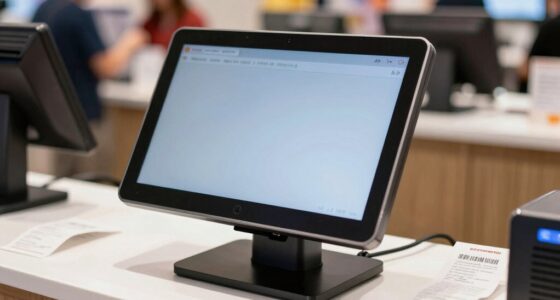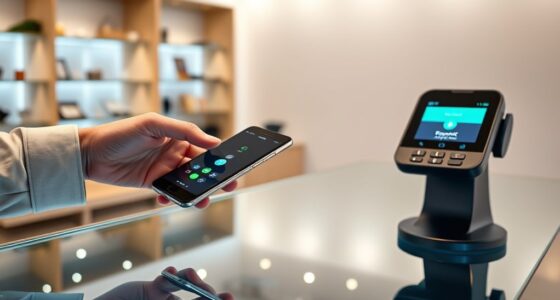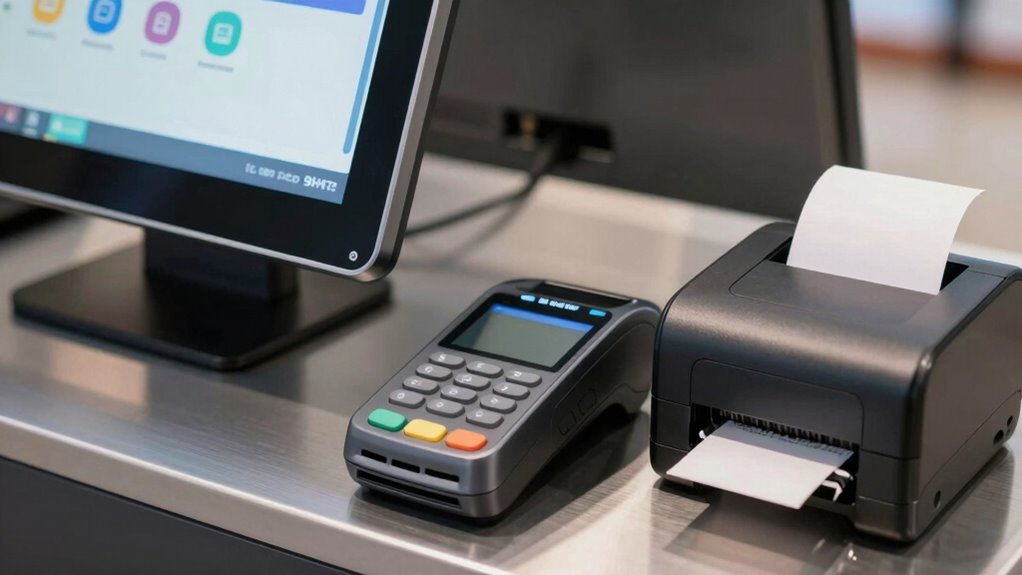

For payment kiosk hardware for business, I’d start with the 21.5-inch Touch Screen Payment Terminal Kiosk as the best overall choice for businesses seeking a dedicated self-service ordering setup. The 15-inch Touch Screen POS System is a smaller all-in-one alternative, while the Square Stand for iPad suits businesses that already use an iPad-based checkout workflow. The main tradeoff is between buying a complete touchscreen system and assembling a kiosk around a separate tablet or monitor, with space, mounting, payment-device compatibility, and maintenance needs shaping the right fit. Continue reading for the full breakdown of all 10 options and guidance on matching kiosk hardware to your business.

Get smart everyday buys delivered free with Prime
- Fast, free delivery on millions of items
- Prime Video, Amazon Music and more included
- Member-only deals all year
Key Takeaways
- Dedicated touchscreen kiosks rank ahead for self-service: The 21.5-inch ordering terminal and 15-inch POS system combine a screen and kiosk-style setup, while stands and mounts depend on separate compatible devices.
- Screen size and installation style separate the main options: A 21.5- or 27-inch display floor stand suits a larger customer-facing station; the wall-mounted 15.8-inch POS system is better for businesses with limited floor space.
- Tablet stands favor businesses with an existing iPad workflow: The all-metal BSP101B and Mount-It! iPad stand add secure mounting and printer placement, but buyers still need to supply and configure the tablet and payment software.
- Payment-device fit matters more than a generic kiosk label: The Hilipro mount is made for Pax S300 and A35 terminals, while other stands list broader display or tablet compatibility that still requires a fit check.
- Floor stands trade footprint for a more complete station: Models with printer storage, payment brackets, or CPU compartments can organize self-service equipment, but they take more space and require planning for cables and service access.


| payment kiosk hardware for business | Material |
|---|---|
| 21.5-Inch Touch Screen Payment | Steel |
| 15-inch Touch Screen POS Syste | — |
| Tablet POS Stand with Printer | Iron and metal |
| Mount-It! iPad Kiosk Stand wit | Alloy steel |
| Square Stand for iPad | Plastic |
| Self Service Kiosk VESA Floor | — |
| Mount-It! POS Kiosk Floor Stan | High-strength steel |
| Hilipro POS Kiosk Flush Mount | Steel |
| 15.8-Inch Wall-Mounted Touch S | — |
| Self Service Kiosk POS Stand w | Heavy-duty metal |
More Details on Our Top Picks
21.5-Inch Touch Screen Payment Terminal Kiosk for Self-Service Ordering
For a business building a dedicated ordering station, the 21.5-inch Full HD touchscreen gives customers more room to browse than the 15-inch screen on the 15-inch Touch Screen POS System. Its 10-point touch, wide viewing angle, and QR and barcode scanning support suit ordering flows where customers need to read menus and complete payments without staff assistance. Steel construction and Ethernet, Wi-Fi, and Type-C connections make it a more substantial, adaptable choice than the iPad-based Square Stand for iPad, which is geared toward a compact counter POS. The tradeoff is that this kiosk is a heavier, 20 kg unit, so placement and mounting need planning. Product details also leave software support and included peripherals unclear; I would verify those before choosing it for a complete payment station.
Pros:- Large Full HD touchscreen gives customers more space to browse menus and order.
- QR and barcode scanning support expands possible payment and checkout workflows.
- Ethernet, Wi-Fi, Type-C, and multifunction ports allow connections to POS systems and peripherals.
- Steel construction is suited to commercial environments with frequent public use.
Cons:- At 20 kg, it needs a stable, carefully planned installation.
- Software capabilities and update support are not specified.
- No built-in printer or included camera is identified in the product details.
Best for: Restaurants, food halls, and retailers setting up a fixed, customer-facing self-service ordering point with an existing POS platform.
Not ideal for: Small businesses seeking a ready-to-use countertop payment stand, or operators who need confirmed printer and payment-reader hardware included.
- Display:21.5-inch Full HD capacitive touchscreen
- Touch:10-point multi-touch
- Viewing angle:178°
- Connectivity:Type-C, multifunction ports, Ethernet, Wi-Fi
- Operating system:Android-based
- Material:Steel
- Dimensions:30 × 79.1 × 25 cm (11.8 × 31.1 × 9.8 in)
- Weight:20 kg
Our verdict“Choose this for a fixed, high-traffic self-service station when screen space matters more than light weight or an all-in-one bundle.”
15-inch Touch Screen POS System for Small Business and Restaurants
The main advantage here is installation flexibility: this 15-inch touchscreen can sit on a counter or mount on a wall, while its tilt adjustment helps staff or customers use it at a workable angle. It is a practical middle ground between the larger, dedicated 21.5-Inch Touch Screen Payment Terminal Kiosk and a tablet stand such as the Tablet POS Stand with Printer Space. The 10-point capacitive panel and support for Windows, Android, and Linux give businesses more choice over their software environment, but the product is a monitor-style POS system rather than a clearly specified complete payment terminal. Its 1280 × 1024 resolution is adequate for basic checkout interfaces, though less suited to graphic-heavy menus than the 21.5-inch Full HD kiosk. Buyers will need to arrange software and confirm peripheral compatibility.
Pros:- Can be installed on a countertop or wall, giving businesses placement options.
- 10-point capacitive touch supports responsive checkout interactions.
- Works with Windows, Android, and Linux, according to the product description.
- Adjustable tilt can help position the display for staff or customer use.
Cons:- 1280 × 1024 resolution offers less detail than the 21.5-inch Full HD kiosk.
- Requires software setup to provide checkout or self-service functions.
- Product details do not specify an integrated payment reader or printer.
Best for: Small retailers, cafés, and service counters that want a fixed 15-inch touch display with countertop or wall-mount placement and an existing software plan.
Not ideal for: Businesses seeking a complete kiosk with confirmed payment reader, receipt printer, or high-resolution customer-facing menus included.
- Screen size:15 inches
- Resolution:1280 × 1024
- Brightness:300 cd/m²
- Touch:10-point capacitive
- Viewing angle:Horizontal 160°, vertical 140°
- Installation:Wall-mounted or countertop
- Power supply:DC 12V, 2.6A
- Weight:8.82 lb
Our verdict“Pick this display for a flexible, software-led POS setup, but choose a dedicated kiosk if you need a more fully specified customer self-service station.”
Tablet POS Stand with Printer Space All-Metal Compatible with iPad 9.7-12.9 Inch Key Lock Anti-Theft BSP101B
When a business already runs its checkout on an iPad, this stand keeps the tablet and a compact receipt printer together in a locked, all-metal tabletop unit. The printer space and adjustable swivel make it more checkout-focused than the Mount-It! iPad Kiosk Stand with Printer Shelf, which adds tilt and rotation options plus freestanding or bolt-down installation. The BSP101B instead makes a straightforward case for a stable counter station with a key lock. Its 9.7- to 12.9-inch iPad range covers several tablet sizes, but the printer support is described around select compact models, including the EPSON TM-M30. Unlike the Square Stand for iPad, it does not include a built-in card reader, and no tablet or printer is included. I would choose it for hardware protection and organization, not as a complete payment system.
Pros:- All-metal construction provides a sturdy base for a busy checkout counter.
- Key lock helps secure the iPad against casual removal.
- Dedicated printer space keeps a compatible compact receipt printer near the tablet.
- Swivel adjustment lets staff reposition the screen during service.
Cons:- Printer compatibility is limited; the product cites models such as the EPSON TM-M30.
- The iPad, printer, and other checkout accessories are not included.
- Fits iPads within the stated size range only, rather than larger or differently sized tablets.
Best for: Retail and hospitality operators with a compatible iPad and compact printer who want a locked, organized countertop checkout station.
Not ideal for: Businesses that need a bundled payment reader, a freestanding kiosk, or guaranteed compatibility with printers beyond the supported compact models.
- iPad compatibility:9.7–12.9 inches
- Material:Iron and metal
- Mounting type:Tabletop
- Dimensions:8 × 8 × 12 inches
- Security:Key lock
- Adjustments:Swivel and adjustable positioning
- Printer space:Yes; intended for select compact printers
- Model number:BSP101B
Our verdict“Choose this stand when you already own compatible iPad and printer hardware and want a secure, compact counter arrangement.”
Mount-It! iPad Kiosk Stand with Printer Shelf, Locking Anti-Theft, White
This Mount-It! stand suits businesses that want an iPad checkout point with more placement control than the tabletop BSP101B. Its wide tilt range, portrait/landscape rotation, and choice of freestanding or bolt-down installation help adapt a kiosk to a counter, reception area, or other customer-facing spot. The integrated shelf also gives a compact receipt printer a defined place, while hidden cable management keeps the station tidier. Compared with the Square Stand for iPad, this is a more installable kiosk enclosure, but it does not provide Square’s built-in card reader or offline payment workflow. Compatibility is limited to listed iPad models, and the tablet cannot remain in a case. Permanent mounting also involves drilling. I would check both the exact iPad generation and printer dimensions before committing, since the shelf has a set capacity.
Pros:- Lockable alloy-steel enclosure helps deter casual removal of the iPad.
- Tilt and portrait/landscape rotation support different counter layouts and user positions.
- Printer shelf and hidden cable management help keep the station organized.
- Can be used freestanding or bolted down for a more fixed installation.
Cons:- Compatible iPads must be used without a case and must match the listed models.
- The printer shelf is limited to devices within its specified dimensions.
- Bolt-down installation requires drilling.
Best for: Retailers, cafés, and reception teams that need a lockable iPad kiosk with printer space and the option to secure it to the floor or counter.
Not ideal for: Businesses using an iPad in a protective case, an unlisted iPad model, or a printer that exceeds the shelf dimensions.
- Material:Alloy steel
- Compatible devices:Listed iPad Pro, iPad Air, and iPad models
- Mounting:Freestanding or bolt-down
- Stand height:20.6 inches
- Footprint:7.1 × 9.2 inches
- Tilt range:+145° to −20°
- Rotation:90°, portrait or landscape
- Printer shelf dimensions:Up to 6.1 × 8.9 × 6.7 inches
- Security:Lockable; one key included
Our verdict“Choose this for an adjustable, security-minded iPad kiosk with a compact printer shelf, provided your tablet and printer fit its limits.”
Square Stand for iPad (2nd Generation, USB-C)
For a business already committed to Square and a compatible USB-C iPad, this stand keeps the payment setup simpler than the separate tablet, stand, and printer arrangement of the Tablet POS Stand with Printer Space. Built-in card readers reduce extra cables and separate reader hardware, while offline payments can help checkout continue during an internet outage. That makes it a more payment-ready counter option than the Mount-It! iPad Kiosk Stand, which focuses on mounting, security, and printer placement rather than processing hardware. There are firm boundaries: the iPad is sold separately, compatibility is limited to specified USB-C models, and offline transactions must be uploaded after reconnecting within 24 hours. It is also a tabletop stand, not a floor kiosk for unattended self-service. I’d pick it for a staffed Square counter, not a platform-neutral kiosk project.
Pros:- Built-in card readers reduce the need for a separate payment reader and extra cables.
- Offline payment support can keep transactions moving during internet interruptions.
- Designed for quick setup without a service visit, according to the product description.
- Tabletop form fits staffed checkout counters.
Cons:- Compatible iPad is sold separately.
- Works only with specified USB-C iPad models.
- Offline transactions need an internet connection within 24 hours for upload.
Best for: Small retailers, cafés, and service businesses using Square that want a straightforward, staffed iPad checkout with fewer separate payment components.
Not ideal for: Businesses needing a freestanding self-service kiosk, broad tablet compatibility, or a payment setup that is not tied to Square.
- Model:Square Stand USB-C, 2nd Generation
- Model number:A-SKU-0837
- Mounting type:Tabletop
- Material:Plastic
- Compatible devices:iPad (10th gen), iPad Pro 11-inch (1st–4th gen), iPad Air (4th–5th gen), iPad Air 11-inch (M2)
- Payment hardware:Built-in card readers
- Offline payments:Supported; transactions require upload within 24 hours of reconnecting
- Warranty:Limited one-year
Our verdict“Choose this for a staffed Square checkout that prioritizes integrated card acceptance over tablet flexibility or unattended kiosk installation.”
Self Service Kiosk VESA Floor Stand for 21.5/27-inch Displays with Printer Storage and Card Reader Bracket
Among these floor stands, this is the pick for businesses that need a 21.5- or 27-inch display and a dedicated place for a printer and card reader. Its all-metal frame and powder-coated finish suit a permanent customer-facing station, while the larger screen support separates it from the Mount-It! POS Kiosk Floor Stand, which is limited to 22-inch monitors. The tradeoff is that this is a stand rather than a complete kiosk: the display, printer, and enclosure are not included, so buyers need to confirm their components fit the specified storage space. At 66 pounds, it is also a substantial fixture to position during setup. I’d choose it for a larger-screen deployment, not for a lightweight or ready-to-run checkout.
Pros:- Supports 21.5- and 27-inch VESA displays, including sizes beyond the Mount-It! stand’s 22-inch limit
- Alloy-steel construction and powder-coated finish suit a fixed customer-facing installation
- Built-in printer storage and card reader bracket support a more organized payment station
- 100 x 100mm VESA compatibility
Cons:- Monitor, printer, and enclosure are not included
- Printer compartment is limited to 5.9 x 5.9 x 7.87 inches, so printer fit needs checking
- At 66 pounds, setup and repositioning may require assistance
Best for: Retail, hospitality, or service businesses building a fixed kiosk around a 21.5- or 27-inch VESA display and separate receipt printer
Not ideal for: Businesses seeking a complete, ready-to-use kiosk or an easy-to-move stand; the monitor and printer are separate, and the stand weighs 66 pounds
- Display compatibility:21.5- and 27-inch displays
- VESA compatibility:100 x 100mm
- Dimensions:21.3 x 14.6 x 53.7 inches
- Weight:66 pounds (28.7 kg)
- Material and finish:Alloy steel, powder coated
- Printer storage:5.9 x 5.9 x 7.87 inches
- Color:Black and white
Our verdict“Choose this stand when a larger VESA display and integrated printer and card-reader mounting matter more than portability or an all-in-one package.”
Mount-It! POS Kiosk Floor Stand for Monitors, Fits 15–22″ Screens up to 22 lbs, VESA 75×75 & 100×100, 30° Tilt, Printer Bay & Payment Terminal Bracket, Self-Service Check-in Kiosk Stand, White
The Mount-It! is the most interaction-focused floor stand in this group: its 30-degree tilt lets a business angle a supported monitor toward customers, while the printer bay and payment-terminal bracket keep checkout hardware together. Its 15–22-inch monitor range makes it more flexible for smaller screens than the 21.5/27-inch VESA Floor Stand, but it cannot accommodate that stand’s larger 27-inch option. The 49.1-inch fixed height and lack of rotation or height adjustment make placement less adaptable, especially where users vary in reach or the kiosk must serve seated customers. I’d shortlist it for a defined check-in position, provided the screen weighs no more than 22 pounds and the fixed posture fits the workflow.
Pros:- 30-degree tilt gives businesses a way to angle the screen for customer interaction
- Printer bay and payment-terminal bracket bring key checkout components onto one stand
- Supports 15–22-inch monitors up to 22 pounds with 75 x 75mm and 100 x 100mm VESA patterns
- Weighted base and steel construction are suited to a stationary, high-traffic setup
Cons:- Fixed 49.1-inch height offers no height adjustment or rotation
- Monitor support stops at 22 inches and 22 pounds
- White finish may not suit every business interior
Best for: Hotels, clinics, and retailers setting up a fixed-height check-in or self-service station with a 15–22-inch monitor
Not ideal for: Businesses needing a screen larger than 22 inches, adjustable installation height, or a kiosk positioned for both standing and seated users
- Monitor compatibility:15–22 inches, up to 22 pounds
- VESA mounting:75 x 75mm and 100 x 100mm
- Tilt angle:30 degrees
- Height:49.1 inches
- Material:High-strength steel
- Features:Printer bay, cable management, and POS card reader bracket
- Base:Weighted for stability
Our verdict“Pick the Mount-It! for a fixed check-in station where tilted screen access and a compact monitor matter more than adjustability or large-display support.”
Hilipro POS Kiosk Flush Mount for Pax S300 & A35 – Secure Countertop Payment Terminal Recessed Mount with Cable Management, Anti-Theft Steel Plate (Black)
This is a focused payment-terminal mount, not a stand for a display or a complete kiosk. Its recessed, gap-free fit is designed specifically for Pax S300 and A35 devices, with steel construction, anti-theft fasteners, and cable management aimed at keeping a fixed payment point tidy and harder to tamper with. That specialization is its main advantage over the Self Service Kiosk POS Stand with CPU & Printer Compartments, which organizes larger kiosk components but does not list a Pax-specific recessed mount. The limitation is just as clear: businesses using another terminal model cannot treat this as a universal bracket. It also requires integration into a countertop, kiosk, or wall, so it is a component for a planned installation rather than a freestanding checkout solution.
Pros:- Purpose-built compatibility for Pax S300 and A35 terminals
- Recessed mounting creates a flush, tidy payment surface
- Steel plate and anti-theft fasteners support a more secure fixed installation
- Cable management and included mounting hardware simplify installation
Cons:- Compatibility is limited to Pax S300 and A35 devices
- Requires integration into a countertop, kiosk, or wall rather than standing on its own
- Does not provide a display mount, printer compartment, or complete payment station
Best for: Businesses integrating a Pax S300 or A35 into a countertop, kiosk, or wall and prioritizing a secure, flush payment-terminal fit
Not ideal for: Businesses using another payment-terminal model or looking for a complete stand, display mount, or self-contained kiosk
- Compatible terminals:Pax S300 and Pax A35
- Manufacturer part number:35-7505-K
- Material:Steel
- Color:Black
- Mounting type:Recessed countertop, kiosk, or wall mount
- Security and cable features:Anti-theft fasteners and cable management
- Included components:Back plate, screwdriver, mounting screws, and wrench
Our verdict“Choose this mount when your business uses a Pax S300 or A35 and needs a secure recessed terminal installation, not a full kiosk stand.”
15.8-Inch Wall-Mounted Touch Screen POS System Cash Register Kiosk
Unlike the separate display stands in this roundup, this unit combines a 15.8-inch touchscreen with an 80mm thermal printer and a 1D/2D barcode scanner. That integrated setup can reduce the number of separate devices a restaurant or retailer needs to mount and connect, while the wall-mounted design frees counter space. It is a more complete POS package than the Hilipro flush mount, which only secures compatible Pax terminals, but it also demands a suitable wall and does not offer the flexibility of choosing separate stand-mounted components. The supplied details describe ordering, checkout, and payment processing, but do not specify payment-terminal compatibility or software integrations, so I’d verify those before buying. Its 17.64-pound weight also calls for a wall mount suited to the installation.
Pros:- Wall-mounted format can free counter space
- Includes an 80mm thermal printer with auto cutter
- Integrated 1D/2D barcode scanner supports product lookup and checkout workflows
- 1920 x 1080 touchscreen provides a clear display for POS tasks
Cons:- At 17.64 pounds, it needs a suitable, secure wall installation
- Combined plastic-and-metal housing is not an all-metal stand construction
- Payment-terminal compatibility and software integrations are not specified in the supplied product data
Best for: Restaurants and retail counters short on work surface that want a wall-mounted touchscreen POS with a built-in receipt printer and barcode scanner
Not ideal for: Businesses that need a freestanding kiosk, want to choose their own peripherals, or require confirmed compatibility with a specific payment terminal or POS platform
- Screen:15.8 inches
- Resolution:1920 x 1080
- Brightness:350 cd/m²
- Viewing angle:Horizontal 160 degrees; vertical 150 degrees
- Printer:80mm thermal printer with auto cutter
- Scanner:640 x 480 CMOS 1D/2D barcode scanner
- Housing:Plastic and metal
- Weight:17.64 pounds
Our verdict“Choose this model when saving counter space and getting a screen, printer, and scanner in one wall-mounted POS matter more than component flexibility.”
Self Service Kiosk POS Stand with CPU & Printer Compartments for Digital Signage Displays up to 33 lbs – White
This stand is the flexible hardware platform in the group for businesses assembling a kiosk from a display, mini-CPU, and printer. It supports monitors up to 33 pounds and offers both standalone and surface-mount options, giving it a different role from the Mount-It! POS Kiosk Floor Stand, which adds screen tilt but tops out at 22-inch monitors and 22 pounds. Dedicated compartments for a mini-CPU and printer can keep a custom system contained, though buyers must check their component dimensions before ordering. The display, CPU, and printer are not listed as included, and the provided data gives no screen-size limit except a 24-inch maximum in portrait mode. Assembly and cable routing may take extra planning. I’d favor it when mounting flexibility and component capacity matter more than an integrated touchscreen.
Pros:- Supports monitors up to 33 pounds, more than the Mount-It! stand’s 22-pound limit
- Separate compartments accommodate a mini-CPU and printer
- Can be used as a standalone unit or surface mounted
- Heavy-duty metal construction suits a fixed business installation
Cons:- Monitor size is limited to 24 inches in portrait mode
- Display, mini-CPU, and printer are not specified as included
- Assembly and cable management may require additional planning
Best for: Retail and hospitality teams building a custom kiosk with their own monitor, mini-CPU, and receipt printer, especially when they need a standalone or surface-mounted setup
Not ideal for: Businesses seeking an all-in-one touchscreen kiosk, a portrait display larger than 24 inches, or a setup that requires little assembly and cable planning
- Monitor capacity:Up to 33 pounds
- VESA compatibility:75mm and 100mm
- Portrait display limit:Up to 24 inches
- Mini-CPU compartment:Up to 7.2 inches W x 7 inches D x 1.45 inches H
- Printer compartment:Up to 6 inches H x 6 inches W x 7.6 inches D
- Material:Heavy-duty metal
- Mounting options:Standalone or surface mount
- Warranty:1 year
Our verdict“Choose this stand for a custom kiosk build that needs room for a heavier display and separate computer and printer, provided you are prepared to assemble and configure the components.”

How We Picked
I ranked these options around the needs of a business choosing payment kiosk hardware, rather than treating every stand or terminal as interchangeable. I weighed how complete the setup appears to be, the stated screen or device compatibility, payment-terminal and printer provisions, mounting security, and whether the design suits a counter, wall, or floor installation. I also considered the likely setup and maintenance burden: a dedicated touchscreen system can reduce separate hardware decisions, while a stand or mount can be a better fit for businesses already invested in tablets, displays, or payment devices.
The ranking favors options with a clear business use and fewer obvious gaps between the hardware and its intended installation. The 21.5-inch touchscreen kiosk leads as a dedicated self-service choice; the 15-inch POS system follows as a more compact touchscreen alternative. Modular stands and mounts rank lower for buyers starting from scratch, but they can move up the shortlist when a business needs a specific form factor, existing equipment compatibility, secure placement, or a specialized installation.
| payment kiosk hardware for business | Material |
|---|---|
| 21.5-Inch Touch Screen Payment | Steel |
| 15-inch Touch Screen POS Syste | — |
| Tablet POS Stand with Printer | Iron and metal |
| Mount-It! iPad Kiosk Stand wit | Alloy steel |
| Square Stand for iPad | Plastic |
| Self Service Kiosk VESA Floor | — |
| Mount-It! POS Kiosk Floor Stan | High-strength steel |
| Hilipro POS Kiosk Flush Mount | Steel |
| 15.8-Inch Wall-Mounted Touch S | — |
| Self Service Kiosk POS Stand w | Heavy-duty metal |
Factors to Consider When Choosing Payment Kiosk Hardware For Business
Before choosing a kiosk, I’d treat the screen, payment terminal, software, and mounting hardware as one checkout system. A stand that physically fits your device may still leave gaps in payment compatibility, cable routing, customer access, or support. These decisions help distinguish a ready-to-deploy station from hardware that needs extra parts and setup.
Decide Whether You Need a Complete Terminal or a Mount
Start by listing the equipment you already own and what the kiosk must include on day one. A touchscreen POS or self-service terminal may bring key components together, but the product listing still needs to confirm what is included and what must be purchased separately. A tablet stand or monitor mount gives you flexibility when you already have a compatible device and software. The common mistake is comparing a stand’s footprint with a complete terminal’s capabilities as if they were equivalent purchases. Ask your payment processor or POS provider about supported hardware before you settle on a modular setup. Choose a complete system when reducing integration decisions matters more than reusing existing equipment.
Match the Payment Device, Not Just the Screen
Screen compatibility does not automatically mean payment-terminal compatibility. Check the exact model of card reader, its mounting points, the customer-facing angle, and how a customer can reach it without pulling cables. A dedicated mount such as the Hilipro is relevant when the business uses the specified Pax S300 or A35, but it is not a general-purpose terminal holder. For a broader stand, confirm that the bracket position and available space suit the payment device you plan to install. Ask about contactless access and any required cable or power connections before ordering. This avoids a kiosk that displays the order well but makes payment awkward or leaves the reader unsecured.
Plan the Site Around Customer Flow
A counter stand, wall-mounted system, and floor kiosk serve different traffic patterns. Measure the installation area, approach path, accessible reach, queue space, and nearby power outlets rather than measuring only the hardware’s footprint. Floor systems can keep a screen, printer, and payment reader together, but they may obstruct a narrow aisle or create a cable hazard. Wall mounting saves floor area, yet it limits where a unit can be installed and may make later repositioning harder. Think through how customers will approach, read, tap, collect receipts, and move away without crossing another queue. If the kiosk will be used by a wide range of customers, review accessibility and mounting-height needs before choosing a fixed stand.
Choose Screen Size for the Task
A larger screen can give self-service menus and ordering steps more room, while a smaller unit may be easier to fit on a busy counter or in a compact service area. Screen size alone does not determine usability: interface design, text size, touch accuracy, and viewing angle all affect how quickly customers can complete a transaction. Avoid paying for a larger display if your software presents only a simple payment prompt and the installation area is tight. On the other hand, a cramped screen can make browsing options and correcting an order frustrating. If possible, review your actual POS interface at the intended viewing distance before selecting a display format. Make the task and environment—not a screen-size number—the deciding factor.
Account for Printers, Cables, and Service Access
Receipt printers and computers need space, power, and a route for paper or cables that staff can reach without dismantling the kiosk. A shelf or storage compartment can tidy a station, but check the supported device dimensions and how the door or access panel opens. Locking features can reduce casual tampering, though they do not replace a plan for authorized servicing or securing the whole kiosk to its location. Map each cable from its device to the outlet or network connection before installation, including slack for safe movement where applicable. A frequent oversight is choosing a neat-looking enclosure that traps heat or makes printer paper replacement slow. Prioritize service access if staff will handle routine paper changes or troubleshooting throughout the day.
Compare Total Setup Effort and Future Changes
The hardware that best fits today may not fit a future POS or payment-terminal change. Before buying a dedicated enclosure, check whether its VESA pattern, tablet range, reader bracket, and printer bay match the devices you expect to keep. Modular equipment can make upgrades easier, but it may demand more assembly and compatibility checks up front. A purpose-built terminal can simplify deployment while tying the business more closely to its specified configuration. Ask who will install the kiosk, update its software, replace parts, and contact support when something fails. Paying more makes sense when it reduces downtime or resolves a real security, workflow, or installation need; extra compartments alone do not guarantee a better business fit.
Frequently Asked Questions
Should I buy a complete touchscreen kiosk or add a stand to my existing tablet?
I’d choose a complete touchscreen kiosk when the business is building a dedicated self-service station and wants fewer separate hardware decisions. An iPad stand can be a more practical route when the tablet and POS software are already part of your workflow. Compare what is actually included: a stand may not supply the tablet, payment reader, printer, or software. Also check whether your processor supports the devices you plan to combine. The lower-complexity choice is the one that works with your existing payment setup, not simply the one with fewer listed parts.
Will any payment terminal fit a kiosk stand that includes a reader bracket?
No. A reader bracket may be shaped for particular terminal dimensions or mounting points, and the bracket’s presence does not confirm compatibility with every payment device. Check the exact reader model, attachment method, cable clearance, and customer-facing orientation before purchase. The Hilipro mount in this roundup specifically names Pax S300 and A35 compatibility, unlike a general display stand. If your processor supplies the terminal, ask them to confirm that the hardware can be mounted safely in your chosen kiosk. A fit check is especially useful when a reader must be replaced during the kiosk’s service life.
Is a floor kiosk a good choice for a small business?
It can be, if the customer flow benefits from a freestanding station and there is enough room for both the kiosk and a clear approach path. Floor models with printer or CPU storage can consolidate equipment, but they occupy more space than a counter stand or wall mount. Measure the site and plan for power, cables, queues, and staff access before choosing one. A small shop with limited floor area may get more from a countertop or wall-mounted setup. The right option depends on where customers complete payment and how much room the business can devote to that task.
What should I check before choosing a wall-mounted payment kiosk?
Check the wall surface, mounting method, screen viewing angle, reach height, and route for power and network cables. Confirm that the mount can support the complete device, not just the display, once any accessories are attached. Think about whether customers need to use a card reader, printer, or other control that could sit awkwardly below or beside the screen. Wall mounting can free floor space, but it is less flexible if the counter layout changes. Plan how staff will reach the unit for cleaning, paper replacement, and repairs before fixing it in place.
When is it worth paying more for a kiosk with storage and locking hardware?
Those features can be worthwhile when the kiosk will be unattended, used heavily, or fitted with a printer, computer, or payment device that needs orderly placement. A lock may limit casual access to stored equipment, while built-in compartments can simplify cable and accessory management. They do not automatically provide complete security, so check how the kiosk attaches to the floor or counter and how staff access the enclosure. If the station sits in a staffed area and uses little extra equipment, a simpler mount may be easier to install and maintain. Base the decision on exposure, service routines, and the equipment inside—not on enclosure features alone.
Conclusion
For most businesses building a dedicated self-service ordering point, I’d choose the 21.5-inch Touch Screen Payment Terminal Kiosk as the best overall fit; the 15-inch Touch Screen POS System is the better alternative when a more compact touchscreen setup suits the site. For best value, I’d shortlist the Square Stand for iPad if an iPad and compatible Square workflow are already in place, since it avoids choosing a separate full kiosk system. Beginners should favor a dedicated touchscreen option over a stand-and-device bundle, while checking what hardware and software are included before purchase. For a premium, more organized floor installation, consider the Self Service Kiosk POS Stand with CPU and Printer Compartments, after confirming display fit and site space. Businesses with specific needs can choose the wall-mounted POS for limited floor area, the Pax-specific Hilipro mount for supported terminals, or a locking iPad stand to secure an existing tablet setup.
Fall Picks

Samsung Essential S3 27-Inch Curved FHD Monitor
As an affiliate, we earn on qualifying purchases.