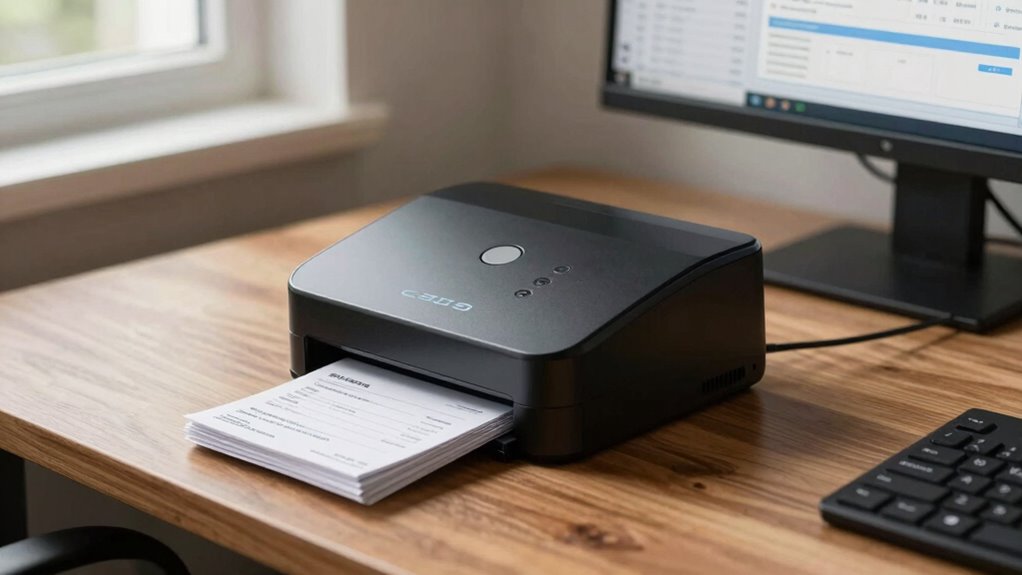
Choosing the right scanner for check deposits is crucial for any business handling large volumes of banking documents. The best overall pick, the Panini VX 5050IJ, offers high speed and robust document feeding, ideal for busy environments. For those prioritizing simplicity and affordability, the Digital Check CX30 provides reliable performance without extra bells and whistles. However, tradeoffs include considerations like speed, feed capacity, and integration with existing systems. Continue reading for a detailed breakdown of the top options and what makes each one suitable for different business needs.

Get smart everyday buys delivered free with Prime
- Fast, free delivery on millions of items
- Prime Video, Amazon Music and more included
- Member-only deals all year
Key Takeaways
- Speed and throughput vary significantly, with some models offering up to 50 DPM, critical for high-volume check processing.
- Feed capacity and document handling features are key to reducing manual intervention and improving efficiency.
- Inkjet printing capabilities differ; some scanners include them for on-the-spot marking, while others omit for simplicity and cost savings.
- Build quality and durability are vital for long-term use in busy environments, influencing overall value.
- Compatibility with banking software and ease of integration can make or break the user experience for business owners.
| Panini VX 5050IJ Check Scanner – 50 DPM, 50 Document Feeder, Ink Jet |  | Best Overall for High-Volume Check Processing | Scan Speed: 50 DPM | Document Feeder Capacity: 50 documents | Printing: Ink jet | VIEW ON AMAZON | See Our Full Breakdown |
| Canon imageFORMULA CR-L1 Sheetfed Scanner – 300 dpi Optical |  | Best Compact Scanner for Space-Constrained Environments | Resolution: 300 dpi | Type: Sheetfed Scanner | VIEW ON AMAZON | See Our Full Breakdown | |
| Digital Check TellerScan TS250-55IJ Check Scanner |  | Best High-Speed Network Check Scanner for Financial Institutions | Scan Speed: up to 120 DPM | Resolution: up to 600 dpi | Connectivity: Ethernet-over-USB, network-ready | VIEW ON AMAZON | See Our Full Breakdown |
| Digital Check CheXpress CX30 Scanner Without Inkjet Printer |  | Best Budget-Friendly Duplex MICR Check Scanner | Scanner Type: Document | Resolution: 600 dpi | Connection Type: USB | VIEW ON AMAZON | See Our Full Breakdown |
| Panini Vision X VX5050NJ Bank Check and Document Scanner |  | Best Durable Scanner for Financial Document Processing | Speed: 50 DPM | Sheet Capacity: 50 sheets | Color: Black | VIEW ON AMAZON | See Our Full Breakdown |
| Panini VX 5050IJ Check Scanner | 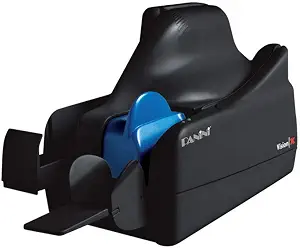 | Best High-Speed Ethernet Scanner for Large Volume Check Processing | Pages per Minute: 50 | Document Feeder Capacity: 50 sheets | Connectivity: Ethernet | VIEW ON AMAZON | See Our Full Breakdown |
| Digital Check TellerScan 240-50DPM, 100 Feeder |  | Best for High-Volume Branch and Teller Use | Speed: 50 DPM | Sheet Capacity: 100 sheets | Connectivity: Ethernet, USB | VIEW ON AMAZON | See Our Full Breakdown |
| Digital Check CX30 Check Scanner – No Inkjet Printer |  | Best Compact Scanner for Basic Check Processing | Size: Compact | Type: Check scanner | Features: Fast scanning | VIEW ON AMAZON | See Our Full Breakdown |
| Digital Check CX30 |  | Best for Check Digitization with Built-In Printing | Functionality: Check digitization and printing | Connectivity: unspecified | Speed: unspecified | VIEW ON AMAZON | See Our Full Breakdown |
| Digital Check TS240-50IJ Check Scanner – 50 DPM with Inkjet |  | Best High-Speed Scanner with Built-In Inkjet for Endorsements | Speed: 50 DPM | Features: Inkjet printing | Type: Check scanner | VIEW ON AMAZON | See Our Full Breakdown |
| scanner for check deposits business | Connectivity |
|---|---|
| Panini VX 5050IJ Check Scanner | — |
| Canon imageFORMULA CR-L1 Sheet | — |
| Digital Check TellerScan TS250 | Ethernet-over-USB, network-ready |
| Digital Check CheXpress CX30 S | — |
| Panini Vision X VX5050NJ Bank | — |
| Panini VX 5050IJ Check Scanner | Ethernet |
| Digital Check TellerScan 240-5 | Ethernet, USB |
| Digital Check CX30 Check Scann | unspecified |
| Digital Check CX30 | unspecified |
| Digital Check TS240-50IJ Check | — |
More Details on Our Top Picks
Panini VX 5050IJ Check Scanner – 50 DPM, 50 Document Feeder, Ink Jet
This model stands out for its combination of speed, reliability, and image quality, making it ideal for busy financial institutions. Its 50 DPM rate surpasses many competitors like the Panini VX 5050NJ, which, while similar, lacks the inkjet printing feature that can be useful for on-the-spot endorsements. The high-capacity 50-document feeder minimizes downtime, but the scanner’s connectivity options are not detailed, which could be a concern for integration into existing systems. Overall, the VX 5050IJ is well-suited for organizations needing rapid, dependable check processing with clear images and minimal manual intervention.
Pros:- High scan speed of 50 DPM for fast throughput
- Reliable document handling with a 50-document feeder
- Superior image quality for accurate processing
Cons:- Limited details on connectivity options, potentially complicating integration
- No mention of compatibility with various banking software or cloud services
Best for: Large banks or high-volume check processing centers needing fast throughput and reliable image quality
Not ideal for: Small businesses or remote depositors with limited IT infrastructure, due to unclear connectivity options
- Scan Speed:50 DPM
- Document Feeder Capacity:50 documents
- Printing:Ink jet
- Reliability:Best-in-class
- Image Quality:Superior
Our verdict“Best suited for large-scale operations that prioritize speed and image clarity over connectivity flexibility.”
Canon imageFORMULA CR-L1 Sheetfed Scanner – 300 dpi Optical
This scanner excels in environments where space is limited, offering a lightweight, compact design that still delivers sharp 300 dpi images. Compared with larger, high-speed scanners like the Panini VX 5050IJ, the CR-L1 is less suited for high-volume, fast-paced settings but fits perfectly in small offices or remote locations. Its focus on high-resolution, minimal distortion makes it ideal for detailed document imaging. However, its sheetfed-only design means it’s not suited for bulk batch processing, and the lack of detailed feature info could be a drawback for technical buyers.
Pros:- Compact and lightweight for easy placement
- High-resolution 300 dpi imaging for sharp, clear pictures
- Reduces image distortion for accurate reproduction
Cons:- Limited to sheetfed documents, restricting batch capacity
- Lacks detailed feature and connectivity information
Best for: Small offices or remote deposit setups needing high-quality scans in a limited footprint
Not ideal for: High-volume processing environments that require fast throughput and bulk handling
- Resolution:300 dpi
- Type:Sheetfed Scanner
Our verdict“Ideal for small-scale, high-quality scanning where space is a concern, but not for high-volume processing.”
Digital Check TellerScan TS250-55IJ Check Scanner
The TellerScan TS250-55IJ distinguishes itself with high-speed processing, capable of handling up to 120 documents per minute, surpassing the speed of the Panini VX 5050IJ for volume-heavy use. Its network connectivity options and automated cleaning feature reduce manual maintenance, making it a strong choice for busy banks or credit unions. The optional receipt printer and high-resolution 600 dpi color imaging add versatility, but the reliance on network support and higher cost for advanced features may not appeal to smaller or less tech-focused businesses.
Pros:- Exceptional processing speed up to 120 DPM
- Network connectivity for seamless integration
- High-resolution color images up to 600 dpi
Cons:- Additional costs for optional features like receipt printers
- Compatibility depends on support from banking or software providers
Best for: Financial institutions or large businesses requiring rapid, network-enabled check processing with high image quality
Not ideal for: Small businesses or remote users with limited IT infrastructure or lower volume needs
- Scan Speed:up to 120 DPM
- Resolution:up to 600 dpi
- Connectivity:Ethernet-over-USB, network-ready
- Supported APIs:Digital Check API, SecureLink 2.0, SmartPVA
- Endorser:Single-line rear Inkjet (standard on 120 DPM model)
Our verdict“Best for high-volume, network-dependent environments where speed and image quality are priorities.”
Digital Check CheXpress CX30 Scanner Without Inkjet Printer
The CheXpress CX30 offers a reliable, no-frills solution for remote deposit capture, especially suited for small to medium businesses. Its duplex scanning capability with MICR support ensures accurate check reads at a competitive price point, making it a practical choice for users who prioritize core functionality over advanced features. Compared to the Panini VX 5050IJ, which has higher speed and more features, the CX30 is limited in capacity and lacks multi-sheet handling, but its simplicity and affordability make it appealing for low-volume operations.
Pros:- Affordable price point for basic check scanning
- Reliable and accurate MICR reading
- Compact and easy to set up
Cons:- Limited to single sheet per scan, reducing throughput
- Requires USB connection without wireless options
Best for: Small businesses or remote depositors needing an affordable, dependable check scanner for moderate volume
Not ideal for: High-volume processing centers or users requiring multi-sheet scanning and advanced features
- Scanner Type:Document
- Resolution:600 dpi
- Connection Type:USB
- Media Type:USB
- Optical Sensor Technology:CCD
Our verdict“A straightforward, budget-friendly option for small-scale remote deposit needs, but not suitable for high-volume environments.”
Panini Vision X VX5050NJ Bank Check and Document Scanner
The Panini Vision X VX5050NJ is built for demanding environments, offering high-speed scanning of 50 pages per minute with a robust 50-sheet capacity. Its superior image quality and precise MICR read capabilities make it a reliable choice for banks and large financial institutions. Compared with the VX 5050IJ, the NJ version emphasizes durability and high-volume processing, though it offers fewer details on connectivity options, which could limit modern system integration. This model is ideal for organizations prioritizing consistent throughput and rugged build quality.
Pros:- High-speed processing at 50 pages per minute
- Reliable and durable construction
- Excellent image and MICR read accuracy
Cons:- Limited to check and document processing, no multi-purpose scanning
- No clear details on connectivity options or integration features
Best for: Banks and large financial firms needing high-speed, durable check and document processing
Not ideal for: Small businesses or remote depositors who do not require such high volume or ruggedness
- Speed:50 DPM
- Sheet Capacity:50 sheets
- Color:Black
Our verdict“Ideal for high-volume, high-reliability environments where speed and durability outweigh multi-functionality.”
Panini VX 5050IJ Check Scanner
The Panini VX 5050IJ stands out for its impressive speed of 50 pages per minute and a large 50-sheet feeder, making it ideal for high-volume check processing environments. Unlike the Digital Check TS240-50IJ, which offers built-in inkjet printing, this model focuses solely on rapid, reliable scanning, suitable for back-office operations where speed and capacity are paramount. The Ethernet connection ensures seamless integration into existing networks, but the lack of additional features like inkjet printing or advanced OCR limits its versatility. It’s best suited for busy financial institutions needing fast throughput and straightforward network connectivity, though it might feel limited for users seeking multifunctionality or detailed feature sets.
Pros:- High-speed scanning at 50 pages per minute
- Large 50-sheet document feeder for batch processing
- Ethernet connectivity for easy network integration
Cons:- Limited feature set beyond speed and connectivity
- No inkjet or extra document handling features
Best for: Large banks or processing centers that prioritize high-speed, networked check scanning with minimal need for on-device printing.
Not ideal for: Small businesses or branches requiring integrated printing or multi-function features, as this scanner lacks those capabilities.
- Pages per Minute:50
- Document Feeder Capacity:50 sheets
- Connectivity:Ethernet
- Operating System Compatibility:Windows 10
- Product Type:Scanner
- Item Package Quantity:1
Our verdict“This scanner is a solid choice for institutions focusing on fast, networked check processing without additional on-device features.”
Digital Check TellerScan 240-50DPM, 100 Feeder
The TellerScan 240-50DPM offers a robust 100-sheet capacity and processes up to 50 documents per minute, making it ideal for busy teller lines and branch environments. Compared to the Panini VX 5050IJ, which emphasizes network connectivity, the TellerScan shines in its batch-fed reliability and portability, weighing only 4 pounds. Its limited connection options—USB and Ethernet—may be restrictive for some setups, and the absence of inkjet or printing features makes it less versatile for institutions needing on-device endorsements or annotations. This model is targeted at branch staff handling high-volume deposits but isn’t suited for remote or back-office environments requiring more advanced features.
Pros:- High throughput of 50 checks per minute
- Large 100-sheet capacity for batching
- Lightweight and compact for branch use
- Reliable batch-fed check scanning technology
Cons:- Limited connection options—no wireless
- No built-in inkjet or franker features
- Restricted to USB and Ethernet only
Best for: Bank tellers and branch staff managing high-volume deposits who need quick batching and reliable check capture.
Not ideal for: Remote deposit services or back-office units requiring advanced printing or network integration beyond Ethernet and USB.
- Speed:50 DPM
- Sheet Capacity:100 sheets
- Connectivity:Ethernet, USB
- Resolution:300 dpi
- Weight:4 pounds
- Media Type:Bank checks, documents
Our verdict“This scanner suits busy teller environments with high-volume check processing needs, prioritizing speed and capacity over extra features.”
Digital Check CX30 Check Scanner – No Inkjet Printer
The Digital Check CX30 offers a convenient, lightweight form factor designed for simple, fast check scanning without the need for inkjet printing. While it lacks detailed specifications, its compact size makes it suitable for small offices or mobile operations where space and simplicity matter most. In comparison with the larger TellerScan models, this scanner skips advanced features like high-volume batching or integrated printing, focusing instead on core check digitization. Its limited scope makes it less suitable for environments that require endorsements or complex batch handling but perfect for straightforward, space-constrained applications where basic check scanning suffices.
Pros:- Compact and lightweight design
- No inkjet printer required, reducing complexity
- Fast check scanning performance
Cons:- Limited to check scanning only
- Lack of detailed technical specs and features
- Not suitable for high-volume batch processing
Best for: Small offices or mobile operators needing reliable check scans without extra features or bulky equipment.
Not ideal for: High-volume branches or institutions requiring integrated printing or advanced batch processing capabilities.
- Size:Compact
- Type:Check scanner
- Features:Fast scanning
- Connectivity: unspecified
- Inkjet Printing:No
- Ideal Use:Small offices
Our verdict“This scanner is best for small-scale check processing where space and simplicity are priorities, but it isn’t built for high-volume or multifunctional use.”
Digital Check CX30
The Digital Check CX30 combines check digitization with on-device printing, making it suitable for organizations that need to process and endorse checks quickly. Compared to the CX30 No Inkjet version, this model offers the added benefit of printing capabilities, streamlining workflows that require on-the-spot endorsements or annotations. However, the lack of detailed specifications and absence of user reviews make it harder to evaluate its full performance and reliability. This pick makes the most sense for small to medium-sized businesses that need integrated check processing and printing, but it might fall short for high-volume environments that demand speed and extensive features.
Pros:- Efficient check digitization
- Built-in printing capability for endorsements
- Streamlines check processing workflows
Cons:- Limited detailed specs available
- No user reviews to validate performance
- Potentially slower than high-speed batch scanners
Best for: Small to medium businesses that need combined check scanning and printing for quick endorsement and record-keeping.
Not ideal for: Large banks or high-volume processing centers that require faster throughput and more advanced features.
- Functionality:Check digitization and printing
- Connectivity: unspecified
- Speed: unspecified
- Type:Check scanner with printer
- Use Case:Small to medium businesses
Our verdict“Ideal for organizations needing integrated check scanning and printing, but less suited for high-volume or high-speed demands.”
Digital Check TS240-50IJ Check Scanner – 50 DPM with Inkjet
The Digital Check TS240-50IJ combines reliable high-speed check processing of 50 checks per minute with a built-in inkjet printer, making it an excellent choice for banking or retail environments that require endorsements or annotations directly on checks. Compared with the Panini VX 5050IJ, which emphasizes network connectivity and speed, the TS240-50IJ offers integrated inkjet features, adding versatility for on-the-spot endorsements and annotations. Its limited details on technical specs may concern users seeking in-depth information, but its specialization in both speed and printing makes it suitable for environments where efficiency and on-device marking are necessary. However, its focus on check processing without broader document handling features could be a limitation for some users.
Pros:- High-speed check processing at 50 DPM
- Built-in inkjet printer for endorsements
- Reliable for banking and retail check workflows
Cons:- Limited to check scanning only
- Lack of detailed technical specs
- No mention of additional document handling or OCR features
Best for: Banking and retail environments that need fast check processing with endorsement or annotation capabilities on the spot.
Not ideal for: Offices that require multi-functionality or detailed technical specifications for integration into complex workflows.
- Speed:50 DPM
- Features:Inkjet printing
- Type:Check scanner
- Use Case:Banking and retail
- Part Number:TS240-50IJ
Our verdict“This scanner excels in environments demanding quick check processing with on-device endorsements but isn’t designed for multi-purpose document handling.”

How We Picked
To evaluate these scanners, I focused on performance metrics such as document processing speed, feed capacity, and image quality. Usability factors like setup complexity, maintenance needs, and software compatibility were also critical. Build quality and reliability over long-term use shaped the rankings, as well as value for money—balancing features against cost. I prioritized devices that are suited to high-volume check deposit businesses but also considered options for smaller operations. The goal was to identify models that deliver consistent, professional results with minimal hassle, highlighting the best options for different business sizes and budgets.| scanner for check deposits business | Connectivity |
|---|---|
| Panini VX 5050IJ Check Scanner | — |
| Canon imageFORMULA CR-L1 Sheet | — |
| Digital Check TellerScan TS250 | Ethernet-over-USB, network-ready |
| Digital Check CheXpress CX30 S | — |
| Panini Vision X VX5050NJ Bank | — |
| Panini VX 5050IJ Check Scanner | Ethernet |
| Digital Check TellerScan 240-5 | Ethernet, USB |
| Digital Check CX30 Check Scann | unspecified |
| Digital Check CX30 | unspecified |
| Digital Check TS240-50IJ Check | — |
Factors to Consider When Choosing Scanner For Check Deposits Business
When selecting a scanner for check deposits, understanding the key factors that impact daily operations helps ensure you choose a device that meets your business needs. Speed, reliability, and ease of use are fundamental, but other considerations can influence your long-term satisfaction and efficiency. Avoid common pitfalls like underestimating required capacity or overpaying for features you won’t use. Here are the main factors to consider:Processing Speed and Throughput
Speed determines how many checks your scanner can process per minute, which directly impacts workflow efficiency, especially in high-volume environments. A scanner with at least 50 DPM is suitable for most businesses, but larger operations might require even faster models. Keep in mind that higher speed often comes with increased cost or larger physical size, so balance your throughput needs with space and budget constraints.
Feed Capacity and Document Handling
Look for scanners with larger document feeders to reduce reload frequency, particularly if processing hundreds of checks daily. Some models can handle up to 100 sheets at once, saving time and reducing manual labor. Also, check if the scanner can handle different check sizes and types, as flexibility here can prevent workflow disruptions.
Image Quality and OCR Capabilities
Clear, legible images are vital for accurate deposit processing and record-keeping. A scanner with at least 300 dpi resolution ensures that check images are crisp enough for reliable OCR (optical character recognition), facilitating automated data entry. Poor image quality can lead to errors and delays, so prioritize high-resolution options if accuracy is critical.
Build Quality and Durability
In busy business settings, scanners must withstand frequent use. Durable build materials and reliable mechanical components reduce downtime and maintenance costs. Although premium models cost more upfront, they often provide better long-term value due to increased lifespan and fewer breakdowns.
Compatibility and Integration
The scanner should seamlessly integrate with your banking and accounting software. Compatibility reduces setup time and minimizes errors during data transfer. Also, consider whether the scanner supports network connectivity or cloud integration if your workflow involves multiple devices or remote processing.
Cost and Total Value
While budget constraints matter, investing in a slightly more expensive scanner with higher speed, capacity, and durability can pay off through increased productivity and fewer repairs. Balance initial investment against ongoing operational costs to find the best value for your specific check deposit volume and business size.
Frequently Asked Questions
How do I know if a scanner is fast enough for my business?
Assess your daily check volume and determine how many checks need processing in a set time frame. Most high-volume businesses aim for models with at least 50 DPM, which can process around 300 checks per hour. If your volume exceeds that, consider higher-speed options to prevent bottlenecks and maintain smooth operations.
Is inkjet printing necessary on a check scanner?
In most cases, inkjet printing is not essential unless you need on-the-spot marking or endorsement. Many models omit this feature to reduce cost and complexity, focusing instead on reliable image capture and fast processing. If your workflow benefits from printing directly on checks, choose a model with this capability, but be prepared for higher maintenance needs.
What is the ideal feed capacity for a busy check deposit scanner?
For high-volume environments, a feed capacity of at least 50-100 sheets is advisable to minimize reloads and maximize throughput. Smaller capacities can slow down processing and increase manual intervention, which may disrupt workflow and reduce efficiency. Match the capacity to your typical daily check volume to avoid productivity bottlenecks.
How important is software compatibility when choosing a scanner?
Software compatibility is vital because it ensures smooth integration with your existing banking, accounting, or record-keeping systems. A scanner that easily connects via network or USB and supports your preferred applications reduces setup time and minimizes data transfer errors. Check for driver support and whether the manufacturer provides regular software updates.
Should I prioritize cost over features?
Cost is a key factor, but opting for the cheapest model might sacrifice essential features like speed, capacity, or durability. Investing a bit more can result in better long-term value, fewer breakdowns, and higher productivity. Consider your actual business needs and choose a model that balances affordability with the features necessary for efficient check deposit processing.
Conclusion
For larger, high-volume check processing, the Panini VX 5050IJ stands out as the best overall choice, offering unmatched speed and capacity. Small to medium businesses seeking reliable, cost-effective solutions should consider the Digital Check CX30, which delivers dependable performance at a lower price point. Those new to check deposit automation or with limited budgets will find simpler models sufficient, while premium users requiring advanced features may opt for higher-end scanners with integrated printing and extensive capacity. Matching your specific workflow and volume needs will lead to the best long-term investment.
Fall Picks
fall essentials
As an affiliate, we earn on qualifying purchases.