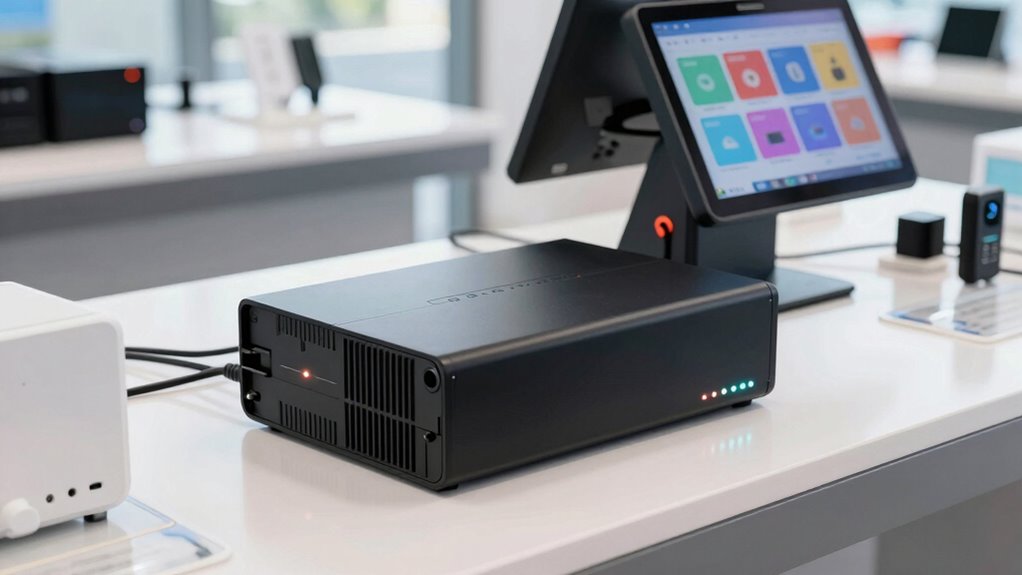

For most small POS setups, I’d start with the CyberPower CP1500PFCLCD: its higher capacity and pure sine wave output make it a strong match for a register, display, and network gear that need a clean shutdown during an outage. The APC BX1500M is another strong choice when you want substantial capacity, while the compact APC BE600M1 suits a lean checkout station with modest power needs. The main tradeoff is between capacity and outlet space on one side, and compact size and simpler backup on the other. I also weigh output type, battery upkeep, and whether a unit can support the whole checkout chain rather than just the terminal. Read on for the full comparison and guidance on choosing a UPS that fits your POS equipment.

Get smart everyday buys delivered free with Prime
- Fast, free delivery on millions of items
- Prime Video, Amazon Music and more included
- Member-only deals all year
Key Takeaways
- The two 1500VA CyberPower models and the APC BX1500M offer more capacity for multi-device checkout stations than the smaller standby units, but buyers still need to calculate their actual load.
- The CP1500PFCLCD stands apart for pure sine wave output, a useful distinction for POS equipment with active PFC power supplies; the other models should be matched to their connected equipment’s power requirements.
- Compact models such as the APC BE425M and CyberPower ST425 make more sense for a single low-power device or a tight counter than for a full register, printer, and network setup.
- The GOLDENMATE 1000VA/800W model uses lithium battery technology, while most options here are conventional lead-acid designs; battery type can affect service life, replacement planning, and ownership routines.
- Outlet count and layout matter as much as headline VA capacity: a larger UPS is less useful if the POS terminal, router, receipt printer, and payment equipment cannot all be connected to battery-backed outlets.




| ups battery backup for pos system | Outlets | Dimensions | Weight | Warranty |
|---|---|---|---|---|
| APC BE600M1 UPS Battery Backup | 7 | 10.79 x 4.13 x 5.47 inches | 7.5 pounds | 3 years |
| GOLDENMATE 1000VA/800W Lithium | 8 | 13 x 4.1 x 9.8 inches | 5.9 kg | — |
| APC BE425M UPS Battery Backup | 6 | 4.13 x 9.98 x 5.52 inches | 5.7 pounds | — |
| APC Battery Backup 650VA/390W | 8, mixed battery backup and surge protection | 7.09 x 11.18 x 3.39 inches | 13.6 pounds | 3 years |
| CyberPower CP1500PFCLCD PFC Si | 12 NEMA 5-15R: 6 battery backup and surge protected, 6 surge protected | 14 x 3.9 x 11 inches | 24.9 pounds | 3 years, including batteries |
| Vertiv Liebert PowerUPS 100 PS | 8 | 8.27 x 4.72 x 5.51 inches | 9.7 pounds | 3 years |
| CyberPower EC850LCD Ecologic U | 12 | — | — | 3 years |
| APC BX1500M UPS Battery Backup | 10 total: 5 battery backup and 5 surge-only | — | — | — |
| CyberPower ST425 Standby UPS B | 8 | — | — | — |
| CyberPower CP1500AVRLCD3 Intel | 12 | 13.78 x 3.94 x 10.2 inches | 23.8 pounds | 3 years |
More Details on Our Top Picks
APC BE600M1 UPS Battery Backup & Surge Protector for Computer, Router, NAS
I’d choose the APC BE600M1 for a small checkout station where the priority is keeping a POS terminal, router, or receipt printer powered long enough to finish a transaction and shut down. Its 330W capacity and seven outlets give it more headroom than the BE425M, while its compact footprint and user-replaceable battery suit a counter or back-office shelf. The listed runtime is 23 minutes, but actual backup time depends on the equipment load, so I wouldn’t treat that figure as a guarantee for a fully equipped register. Compared with the 1000W GOLDENMATE, this APC is smaller and simpler, but it has far less capacity and lacks the listed LCD monitoring. Skip it if your POS setup includes several power-hungry devices.
Pros:- Seven outlets accommodate a modest POS setup and related electronics.
- 330W capacity exceeds the APC BE425M’s 255W rating.
- User-replaceable battery can extend the unit’s service life.
- Built-in USB-A port can charge a small mobile device during an outage.
Cons:- Backup time can fall well below the listed 23 minutes as the connected load increases.
- Replacement battery is a separate purchase.
- No LCD status display is listed for checking backup conditions at a glance.
Best for: Small shops running a low-wattage register and router that need a compact UPS for short outages and orderly shutdowns.
Not ideal for: Businesses with multiple registers, high-load peripherals, or a need for extended operation during a long outage; its 330W ceiling limits the connected load.
- Capacity:600VA / 330W
- Outlets:7
- Output voltage:120V
- Listed runtime:23 minutes
- Battery charge time:10 hours
- USB connector:USB Type-A
- Dimensions:10.79 x 4.13 x 5.47 inches
- Weight:7.5 pounds
- Warranty:3 years
Our verdict“Choose the BE600M1 for a compact, low-load checkout station; pick a higher-capacity model if you need to keep more POS equipment running.”
GOLDENMATE 1000VA/800W Lithium UPS Battery Backup & Surge Protector, Gray
The GOLDENMATE 1000VA/800W is the stronger fit for a POS station with a register, network gear, and several modest peripherals connected together. Its 800W output is well above the APC BE600M1’s 330W, so there’s more room for a fuller setup, while pure sine wave output suits sensitive electronics. The listed LiFePO4 battery lifespan of over 10 years may also appeal to owners who want to reduce battery replacement frequency. LCD monitoring and automatic safe shutdown offer more management detail than the smaller APC models, though they may add setup work for less technical users. The product data does not specify runtime, warranty coverage, or a precise POS load profile, so I’d verify those needs before relying on it for a particular outage duration.
Pros:- 800W output provides substantially more capacity than the APC BE600M1 and BE650G1.
- Pure sine wave output is suited to sensitive electronics and compatible power supplies.
- LiFePO4 battery is listed with a lifespan exceeding 10 years.
- LCD monitoring, USB connectivity, and automatic safe shutdown support ongoing management.
Cons:- Runtime figures are not provided, making outage planning harder.
- Warranty coverage is not detailed in the supplied product information.
- Monitoring and shutdown features may take more setup than a basic UPS.
Best for: Retailers with a multi-device checkout station who want higher output capacity, LCD monitoring, and a long-life LiFePO4 battery.
Not ideal for: Owners seeking a straightforward plug-in backup with clearly stated runtime and warranty details, or anyone whose outlet voltage falls outside its 90–140V AC input range.
- Capacity:1000VA / 800W
- Output:Pure sine wave
- Outlets:8
- Output voltage:120V
- Battery type:LiFePO4
- Battery lifespan:Over 10 years, as listed
- Input range:90–140V AC
- Dimensions:13 x 4.1 x 9.8 inches
- Weight:5.9 kg
Our verdict“Pick the GOLDENMATE when a fuller POS setup and long-life lithium battery matter more than a clearly documented runtime or simple setup.”
APC BE425M UPS Battery Backup and Surge Protector for Small Electronics
For a POS system, the APC BE425M makes most sense as a focused backup for the network link rather than for an entire checkout station. Its 255W maximum and six outlets suit a router, modem, or VoIP phone, and the compact, wall-mountable design can keep that gear protected without taking up counter space. The listed 15-minute runtime at 100W gives a useful reference for a light load, but a register and printer could use that reserve quickly. Compared with the BE600M1, this model is smaller and aimed more squarely at low-power electronics, but it offers less wattage and no listed USB charging port. I’d choose it when keeping connectivity alive is the priority, not when the POS terminal itself needs battery backup.
Pros:- Compact form factor can be wall-mounted or tucked under a desk.
- Six outlets support a small group of low-power network devices.
- Listed runtime is 15 minutes at a 100W load.
- Wiring-fault indicator adds a basic way to identify an outlet issue.
Cons:- 255W maximum is lower than the BE600M1’s 330W and limits device combinations.
- Not suited to a high-load register or multiple POS peripherals.
- No USB charging port is listed.
Best for: Small retailers who want to keep a router, modem, or VoIP phone running during brief outages while leaving the register on a separate UPS.
Not ideal for: Businesses seeking one UPS for a register, receipt printer, and networking equipment; 255W is a narrow capacity for a complete checkout station.
- Capacity:255W
- Outlets:6
- Output voltage:120V
- Output current:6A
- Runtime:15 minutes at 100W
- Battery charge time:8 hours
- Dimensions:4.13 x 9.98 x 5.52 inches
- Weight:5.7 pounds
Our verdict“Choose the BE425M to protect checkout networking gear, but select a higher-wattage UPS if the register also needs backup.”
APC Battery Backup 650VA/390W Uninterruptible Power Supply for PC, BE650G1
The APC BE650G1 offers a useful middle ground for a modest POS station: its 390W rating is higher than the BE600M1’s 330W, and eight outlets leave room for a register, router, and selected low-power accessories. That outlet count does not mean every socket has battery backup—the product description specifies a mix of backup and surge-protected outlets—so I’d map the critical devices before plugging in. APC lists up to 22 minutes at a 100W load, but its separate runtime field says three minutes, a discrepancy that makes runtime planning uncertain. Compared with the CyberPower CP1500PFCLCD, this unit is smaller in capacity and lacks the listed LCD and voltage regulation features, but it may suit buyers who need a simpler 120V backup and replaceable battery.
Pros:- Eight outlets give a modest POS setup more connection options than the BE600M1.
- 390W capacity is higher than both the BE600M1 and BE425M.
- User-replaceable battery can extend the UPS’s service life.
- Three-year warranty is listed.
Cons:- Runtime data conflicts: the description gives up to 22 minutes at 100W, while the spec field lists three minutes.
- Only some outlets provide battery backup; the supplied data does not identify the split.
- At 390W maximum, it has less capacity than the 800W GOLDENMATE and 1000W CyberPower.
Best for: Small retailers who need several outlets for a basic register and network setup and can confirm which devices receive battery backup.
Not ideal for: Businesses that need predictable runtime at higher loads or want an LCD status panel; the listed runtime figures conflict and capacity is limited to 390W.
- Capacity:650VA / 390W
- Outlets:8, mixed battery backup and surge protection
- Input voltage:120V
- Output voltage:120V
- Runtime listed:Up to 22 minutes at 100W in description; 3 minutes in spec field
- Frequency range:50–60Hz
- Dimensions:7.09 x 11.18 x 3.39 inches
- Weight:13.6 pounds
- Warranty:3 years
Our verdict“Consider the BE650G1 for a modest setup that benefits from eight outlets, but verify the backup outlet layout and runtime before buying.”
CyberPower CP1500PFCLCD PFC Sinewave UPS Battery Backup and Surge Protector
When a checkout station includes a register, network equipment, and several peripherals, I’d put the CyberPower CP1500PFCLCD ahead of the smaller APC BE650G1 and BE600M1. Its 1500VA/1000W capacity gives a much wider load ceiling, while sine wave output and automatic voltage regulation support compatible equipment through power fluctuations as well as outages. The color LCD can show status and alerts, which is helpful when staff need to see whether the UPS is on battery. Twelve outlets are provided, but only six have battery backup; the other six offer surge protection only, so critical POS devices must go on the correct sockets. Its 24.9-pound mini-tower footprint is a real space tradeoff, and no runtime figure is supplied here.
Pros:- 1000W capacity is the highest among the five products in this batch.
- Sine wave output is suited to compatible active-PFC power supplies.
- Automatic voltage regulation helps stabilize voltage without switching to battery for every fluctuation.
- LCD, two USB charging ports, and a three-year warranty including batteries are listed.
Cons:- Only six of the 12 outlets provide battery backup.
- At 24.9 pounds and 14 x 3.9 x 11 inches, it needs more placement space than compact APC models.
- The supplied product data does not include a runtime estimate.
Best for: Retailers running a more involved POS station with multiple devices who have floor or under-desk space for a higher-capacity UPS.
Not ideal for: Compact counters, single-device setups, or buyers who need a runtime estimate from the supplied specifications before choosing a unit.
- Capacity:1500VA / 1000W
- Outlets:12 NEMA 5-15R: 6 battery backup and surge protected, 6 surge protected
- Waveform:Sine wave
- USB ports:1 Type-A, 1 Type-C
- Batteries:2 x 12V
- Input plug:NEMA 5-15P, right angle, 45-degree offset
- Dimensions:14 x 3.9 x 11 inches
- Weight:24.9 pounds
- Warranty:3 years, including batteries
Our verdict“Choose the CP1500PFCLCD for a multi-device POS setup that needs high wattage and status monitoring, provided its size and six battery-backed outlets fit your installation.”
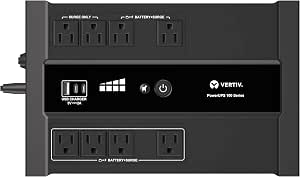
Vertiv Liebert PowerUPS 100 PST6-1100LVMT Battery Backup UPS 1100VA USB-C+A
I’d shortlist the Vertiv when a checkout counter has limited room and needs backup for a POS terminal plus a modest network device. Its 670-watt output and eight outlets give it more headroom than the CyberPower ST425, while its compact, wall-mountable design can suit a crowded counter. User-replaceable lead-acid batteries also make ongoing maintenance less dependent on replacing the whole UPS, and USB-C and USB-A ports can charge small devices. The tradeoff is a modest 500-joule surge rating and less power capacity than the 900-watt APC BX1500M or CyberPower CP1500AVRLCD3. I’d match the connected POS load to its wattage limit rather than assume all eight outlets can support battery-backed equipment at once.
Pros:- 670-watt output offers more capacity than the CyberPower ST425’s 260 watts
- Eight outlets accommodate a small checkout setup
- User-replaceable lead-acid battery supports maintenance over the UPS’s life
- Compact wall-mountable form and USB-C/USB-A charging ports suit crowded counters
Cons:- 500-joule surge protection is limited
- Less output capacity than the 900-watt APC BX1500M and CyberPower CP1500AVRLCD3
- The compact capacity may not suit a larger POS setup
Best for: Retailers fitting a POS terminal and a small network device into a tight checkout area who want replaceable batteries and USB charging.
Not ideal for: Stores with several power-hungry checkout devices or a need for greater surge protection; its 670-watt output and 500-joule rating are limiting points.
- Output capacity:670 watts
- VA capacity:1100VA
- Outlets:8
- Input/output voltage:120 volts
- Battery type:Lead acid
- Dimensions:8.27 x 4.72 x 5.51 inches
- Weight:9.7 pounds
- Warranty:3 years
Our verdict“Choose the Vertiv for a space-constrained checkout with a modest load, but step up to a 900-watt model for multiple demanding devices.”
CyberPower EC850LCD Ecologic UPS Battery Backup and Surge Protector
The CyberPower EC850LCD is a practical choice when a small checkout station needs many connections and a visible readout, rather than the highest power ceiling. Its 12 outlets exceed the eight on the Vertiv PowerUPS 100 and CyberPower ST425, leaving room to connect peripherals, though outlet count alone does not mean every device receives battery backup. The multifunction LCD makes status easier to check, and ECO mode can reduce energy use for compatible devices. Its 510-watt output sits below the 670-watt Vertiv and well below the 900-watt APC BX1500M. The listed runtime is just 2 minutes at full load, so I’d treat it as a bridge for saving work or riding through brief interruptions—not a way to keep a busy POS running through a prolonged outage. The listed 230-volt output also warrants verification for the intended setup.
Pros:- 12 outlets provide more connection options than the eight-outlet Vertiv and ST425
- LCD panel provides UPS status information at a glance
- ECO mode is designed to reduce power use for compatible devices
- Three-year warranty includes batteries
Cons:- Listed runtime is only 2 minutes at full load
- 510-watt output is below the Vertiv PowerUPS 100 and 900-watt models
- Listed 230-volt output may not match a North American POS setup
Best for: Small retailers who need numerous outlet connections for a modest POS setup and want an LCD status display.
Not ideal for: Shops needing extended battery runtime, more than 510 watts of output, or a straightforward match to a 120-volt POS system without checking the listed output voltage.
- VA capacity:850VA
- Output wattage:510 watts
- Outlets:12
- Listed output voltage:230 volts AC
- Runtime:2 minutes
- Battery type:Sealed lead acid
- Enclosure material:Plastic
- Warranty:3 years
Our verdict“Pick the EC850LCD when outlet flexibility and a status display matter more than high output or lengthy backup.”
APC BX1500M UPS Battery Backup & Surge Protector for Computers and Electronics
For a checkout with a terminal, receipt printer, network gear, and other electronics, I’d favor the APC BX1500M over the smaller Vertiv PowerUPS 100 or CyberPower ST425 because its 900-watt capacity offers substantially more room for the combined load. Automatic voltage regulation can correct some power fluctuations without drawing on the battery, which helps preserve backup for an outage. Its LCD status display and replaceable battery also suit a small business that wants visibility and a maintenance path. The main limitation is how its ten outlets are divided: only five provide battery backup, with the remaining five surge-only. The replacement battery is sold separately, and the 900-watt ceiling still rules out loads beyond its rating. I’d map essential POS equipment to the battery-backed outlets before buying.
Pros:- 900-watt capacity exceeds the Vertiv PowerUPS 100 and CyberPower ST425
- Automatic voltage regulation manages some power fluctuations without using battery backup
- LCD provides real-time UPS status
- User-replaceable battery can extend the UPS’s service life
Cons:- Only five of the ten outlets provide battery backup
- Replacement battery must be purchased separately
- 900-watt maximum limits the total connected load
Best for: Small retailers with several POS and network devices whose combined load fits within 900 watts and who want voltage regulation and a replaceable battery.
Not ideal for: Businesses needing battery backup at more than five outlets or supporting equipment whose combined draw exceeds 900 watts.
- VA capacity:1500VA
- Output capacity:900 watts
- Outlets:10 total: 5 battery backup and 5 surge-only
- Voltage:120 volts
- Battery:Replaceable; APCRBC124 sold separately
- Voltage regulation:Automatic Voltage Regulation
Our verdict“Choose the BX1500M for a higher-load POS station that can prioritize its essential devices across five battery-backed outlets.”
CyberPower ST425 Standby UPS Battery Backup and Surge Protector
The CyberPower ST425 makes sense only for a deliberately small backup load, such as a low-power POS terminal or router that needs a brief window to save work or shut down. Its 260-watt capacity is far below the Vertiv PowerUPS 100’s 670 watts and the APC BX1500M’s 900 watts, so I would not treat it as a full checkout-station UPS. Eight outlets offer connection flexibility, but the listed runtime is just 1 minute; that is a short interruption buffer, not sustained service during an outage. Compared with the higher-capacity models, its compact form is easier to place, but the limited output sharply narrows what can be protected on battery. I’d check the actual device draw and keep nonessential peripherals off the battery-backed load.
Pros:- Compact form is easier to fit beside a small checkout
- Eight outlets allow several devices to be connected
- 120-volt output matches common North American POS equipment
- Three-year warranty and connected equipment guarantee are included
Cons:- 260-watt capacity is much lower than the Vertiv PowerUPS 100 and APC BX1500M
- Listed runtime is only 1 minute
- Limited output makes it unsuitable for a larger POS load
Best for: A small shop backing up one low-draw POS device or router when compact size and basic outage protection matter more than runtime.
Not ideal for: Retailers trying to power a complete checkout station, multiple peripherals, or equipment that needs more than a brief shutdown window.
- VA capacity:425VA
- Output capacity:260 watts
- Outlets:8
- Input/output voltage:120 volts
- Runtime:1 minute
- Battery type:Lead acid
- Battery average life:3 years
- Enclosure material:Plastic
Our verdict“Buy the ST425 for one low-power device and a brief backup window, not for a full retail checkout.”
CyberPower CP1500AVRLCD3 Intelligent LCD UPS Battery Backup
I’d choose the CyberPower CP1500AVRLCD3 when a POS station has several connected devices and the operator wants a detailed view of UPS status. Its 900-watt output matches the APC BX1500M, while its 12 outlets provide more total connections than the APC’s ten. That does not by itself establish how many outlets are battery-backed, so I’d confirm the outlet layout before assigning the terminal and network equipment. The color LCD and automatic voltage regulation make status and power conditions easier to monitor, while USB charging adds convenience for small devices. Compared with the smaller Vertiv PowerUPS 100, this is a larger, heavier mini-tower, and its listed runtime is only 3 minutes at full load. It fits monitored setups better than stores seeking long backup during an outage.
Pros:- 900-watt output matches the APC BX1500M’s stated capacity
- 12 outlets offer more total connections than the APC BX1500M
- Color LCD gives detailed system status
- Automatic voltage regulation helps manage power fluctuations without relying on battery
Cons:- Listed runtime is only 3 minutes at full load
- At 23.8 pounds, it is heavier than the compact Vertiv PowerUPS 100
- Outlet count alone does not specify how many outlets provide battery backup
Best for: Retailers with several POS-related devices who want 900-watt capacity, a color status display, and more total outlets.
Not ideal for: Shops that need long runtime at full load, a lightweight unit, or have not verified which outlets provide battery backup.
- VA capacity:1500VA
- Output capacity:900 watts
- Outlets:12
- Runtime:3 minutes
- Input voltage:120 volts
- Battery average life:3 years
- Dimensions:13.78 x 3.94 x 10.2 inches
- Weight:23.8 pounds
- Warranty:3 years
Our verdict“Choose the CP1500AVRLCD3 for a higher-load POS station where status monitoring and outlet count matter more than extended runtime.”

How We Picked
I ranked these UPS units for the demands of a POS station, not as general-purpose home computer backups. I compared stated VA and watt capacity, output waveform where specified, battery-backed outlet availability, connection options, and the practical fit for a terminal plus related equipment. A UPS that can support a broader checkout load and provide a suitable output ranks ahead of a small unit intended for limited electronics.
I also considered how easy each model is to fit into a retail setup, including its size, display or status information, battery technology, and the likely maintenance burden. The ranking favors flexibility for common POS combinations, but a higher capacity model is not automatically the right pick: actual watt draw, outlet placement, and desired runtime can change the best match. Compact units earn a place for narrow, low-load roles, while units with less capacity rank lower for buyers who need to keep multiple checkout devices online.
Factors to Consider When Choosing Ups Battery Backup For Pos Systems
Choosing a POS UPS is less about buying the biggest number on the box and more about keeping the right parts of a checkout station running long enough to finish a sale or shut down cleanly. I’d plan around the complete equipment chain and the store’s outage pattern before deciding which model fits.
Calculate the Full Checkout Load
List every device that needs backup: the POS terminal, monitor, router or modem, payment device, and any essential peripheral. Check each device’s watt draw from its label or manufacturer documentation, then add the loads that may operate at the same time. Do not rely on VA alone, since the UPS’s watt limit can be the binding figure. Receipt printers and other devices with motors or heating elements may draw more than a terminal, so confirm their requirements before connecting them. A frequent mistake is sizing for the register alone and discovering that the network equipment or printer pushes the UPS beyond its capacity. Leave some headroom rather than planning to run continuously at the unit’s limit.
Decide What Must Stay Online
Not every device at the counter needs battery power. A short outage may call for keeping the terminal, payment connection, and network equipment alive, while a longer disruption may call only for enough time to complete a transaction and shut down safely. Make a priority list before choosing outlet assignments, because battery-backed outlets are limited and surge-only outlets do not provide runtime. Avoid connecting nonessential equipment simply because outlets are available; each added load reduces the time the UPS can support the core system. If your POS is cloud-dependent, the router or modem may matter as much as the register itself. Match the UPS plan to how your checkout software behaves when connectivity drops.
Treat Runtime as a Measured Need
Published runtime figures depend on load, battery condition, and the UPS model, so a number quoted for a light load may not describe a fully equipped checkout station. Decide whether you need a brief bridge through momentary interruptions, time to complete a sale, or a controlled shutdown. Higher capacity can provide more flexibility, but it does not guarantee a specific runtime for your particular equipment. A common buying error is selecting by VA rating alone and assuming it equals minutes of backup. Use manufacturer runtime charts with your estimated watt load, then allow for battery aging and future equipment additions. If uninterrupted operations are a business requirement, consider whether a UPS alone meets that need or whether a broader power plan is required.
Check Output Compatibility
UPS output is not identical across models, and some equipment may be more sensitive to waveform quality than basic electronics. A pure sine wave model can be a safer match for POS power supplies that specify compatibility with that output, while simpler standby units may suit less demanding, low-load devices. Check the POS terminal or power supply documentation instead of assuming every UPS will behave the same way. Also review whether the unit uses standby, line-interactive, or another design and what that means for voltage regulation in your location. Paying more for a higher-end output is most useful when it addresses a real compatibility or power-quality need. If your equipment documentation is unclear, ask the POS vendor before choosing.
Plan for Outlet Layout and Placement
Count the battery-backed outlets separately from the total outlet count, then check whether bulky power adapters will block neighboring sockets. A UPS with ample capacity can still be awkward if the outlet arrangement forces you to use unsafe or inconvenient extensions. Measure the counter or cabinet space, and think about airflow, access to the power switch, and how staff will read alarms or status indicators. Keep the UPS accessible enough for battery checks and replacement rather than burying it behind equipment. For a busy checkout, clear labeling of backed-up versus surge-only outlets can prevent staff from unplugging the wrong device. Prioritize a tidy, serviceable setup over connecting every peripheral to one crowded unit.
Compare Battery Upkeep and Replacement
Battery technology affects ownership, not just the day you buy the UPS. Many units use replaceable lead-acid batteries that need periodic service, while lithium models may offer a different replacement and lifespan profile; verify the manufacturer’s specifications for the exact model. Check whether replacement batteries are available, how the unit signals a failing battery, and whether replacement requires tools or downtime. Stores that depend on the checkout station should schedule battery checks instead of waiting for an outage to reveal a problem. A lower-capacity UPS can be a sensible fit if its battery plan is manageable and the load is small. Paying more for a different battery design makes sense only if its service characteristics suit your operating schedule.
Frequently Asked Questions
Can one UPS power my POS terminal, receipt printer, and router at the same time?
It can, if the combined load stays within both the UPS’s watt and VA limits and enough battery-backed outlets are available. Add the devices’ stated power needs and check whether the printer has a higher startup or operating draw than the terminal. Some stores may prefer to keep the router and register backed up while leaving a higher-draw printer off battery power. Do not assume that every outlet on a UPS provides battery backup; confirm the outlet labeling in the product documentation. If the combined load approaches the unit’s limit, choose a larger model or split equipment across a suitable power plan.
Is a pure sine wave UPS necessary for a POS system?
Not for every POS setup, but it can matter when the terminal’s power supply specifies pure sine wave compatibility or uses active power factor correction. The CyberPower CP1500PFCLCD is the clearest fit in this roundup when that output characteristic is a priority. Many simpler systems may work with other UPS designs, but compatibility should come from the terminal or power-supply documentation rather than guesswork. A waveform upgrade is less useful if your equipment has no such requirement and the real issue is insufficient capacity. Confirm the full equipment chain, including any payment hardware, before choosing.
Should I choose a compact UPS or a 1500VA model for a single checkout lane?
Choose based on the measured load and the number of devices that must remain online, not on the number of lanes alone. A compact unit such as the APC BE425M or CyberPower ST425 may suit a low-power terminal with limited backup needs, but it leaves less room for added peripherals. A 1500VA-class model offers more capacity for a terminal, display, and network gear, though it takes up more space and may be unnecessary for a minimal setup. Include the router and payment connection in your estimate if transactions depend on them. If you expect the station to grow, buying more headroom now may avoid replacing an undersized unit later.
Does a UPS keep card payments working if the internet goes down?
A UPS can keep powered equipment running during a building power interruption, but it cannot restore an internet connection that has failed upstream. If the modem, router, and payment terminal all remain powered, the checkout may stay connected when the outage is limited to your premises. Your provider’s network, cellular service, and payment processor still affect whether transactions can proceed. Check whether your POS system supports offline payment handling and what rules apply to those transactions. For a resilient setup, back up the network devices as well as the register and ask your payment provider about connectivity loss procedures.
How often should I check or replace a POS UPS battery?
Follow the manufacturer’s inspection and replacement guidance for the specific model and battery type, since service intervals vary. Check status indicators or software alerts regularly, and treat a battery warning as a maintenance task rather than waiting for an outage. Runtime can decline as a battery ages, so a periodic test under a controlled procedure can reveal whether the system still meets your shutdown needs. Keep replacement availability and expected service downtime in mind when choosing between conventional battery designs and the lithium option in this roundup. Schedule battery work outside busy trading periods and verify the POS station’s recovery after service.
Conclusion
For a typical checkout station with several connected devices, I’d choose the CyberPower CP1500PFCLCD as best overall because its capacity and pure sine wave output offer the broadest fit in this group. The CyberPower EC850LCD is my best value-style choice for buyers who need a middle-ground unit and do not require a 1500VA model, while the GOLDENMATE 1000VA/800W is my premium pick for shoppers drawn to lithium battery technology. Beginners with a small, straightforward station can start with the APC BE600M1; for a single low-load device in a very tight space, the APC BE425M is the more compact fit. If you need more capacity for multiple devices, compare the CP1500PFCLCD with the APC BX1500M and the CyberPower CP1500AVRLCD3, then choose by output needs, outlet layout, and verified load. Before ordering any model, confirm your equipment’s watt draw and which outlets provide battery backup.
Fall Picks
fall essentials
As an affiliate, we earn on qualifying purchases.