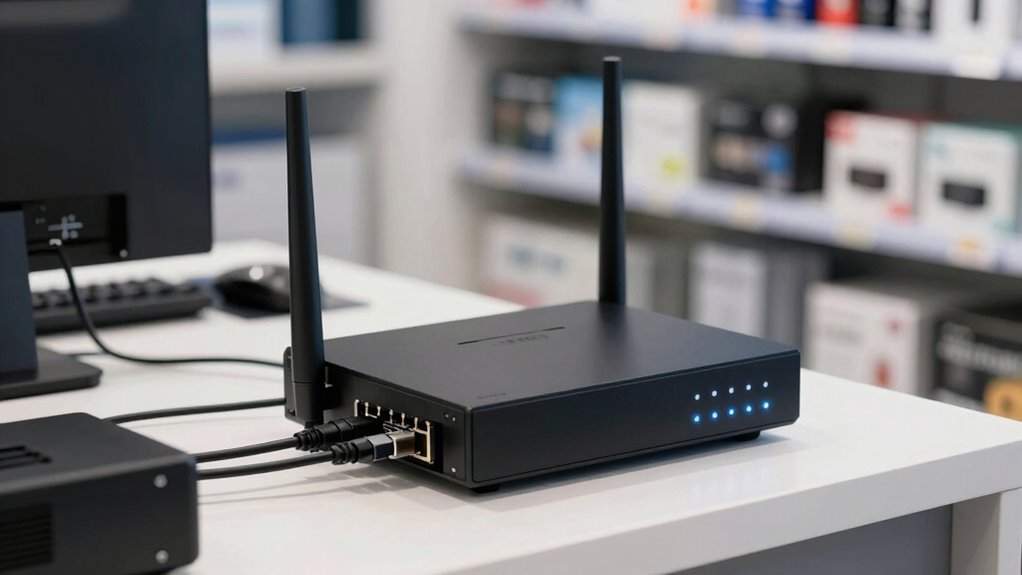
Finding the right business firewall router for a store involves balancing security, performance, and ease of management. The Zyxel USGFLEX200H stands out as the best overall pick for its robust security features and user capacity. Meanwhile, the Omada ER707-M2 offers impressive multi-gigabit speeds ideal for high-bandwidth environments, and the FortiGate 40F provides enterprise-grade security in a compact form. Each of these options has tradeoffs—higher security often means increased complexity, and more advanced features can come at a higher cost. Keep reading for a full breakdown to find the best fit for your store’s needs.

Get smart everyday buys delivered free with Prime
- Fast, free delivery on millions of items
- Prime Video, Amazon Music and more included
- Member-only deals all year
Key Takeaways
- Performance and security features vary significantly, so prioritizing your store’s bandwidth needs impacts your choice.
- The best options combine ease of setup with manageable ongoing maintenance, especially for small teams.
- Price points reflect security depth and feature sets; premium models offer more comprehensive protection but at a cost.
- Many top routers include VPN and SD-WAN capabilities, vital for remote management and redundancy.
- Choosing a scalable device ensures future-proofing as your store’s network demands grow.
| Zyxel USGFLEX200H Firewall with 50 Users and 2-Year Gold Security Pack |  | Best Overall for Small to Medium Business Security | Firewall Throughput: 6,500 Mbps | IPS Throughput: 2,500 Mbps | VPN Throughput: 1,200 Mbps | VIEW ON AMAZON | See Our Full Breakdown |
| Omada ER707-M2 Multi-Gigabit VPN Router |  | Best for High-Performance, Large-Scale Networks | WAN Ports: 1 x 2.5Gbps, 1 x 2.5Gbps WAN/LAN, 4 x Gigabit WAN/LAN, 1 x SFP WAN/LAN | Maximum Clients: 1000+ | Concurrent Sessions: 500,000 | VIEW ON AMAZON | See Our Full Breakdown |
| ASUS ExpertWiFi EBG15 Gigabit VPN Wired Router |  | Best for Easy Setup and Multi-WAN Load Balancing | Ethernet Ports: Up to 3 WAN ports (1 gigabit WAN + 2 gigabit WAN/LAN) | USB Port: Yes, for backup WAN | Security: IPS, Layer 7 Firewall, VPN, VLAN support | VIEW ON AMAZON | See Our Full Breakdown |
| TP-Link ER7206 Multi-WAN Professional Wired Gigabit VPN Router |  | Best for High Capacity and Remote Management | WAN Ports: 1 Gbps SFP, 1 Gbps WAN, 2 Gbps WAN/LAN, 1 Gbps LAN | Maximum Clients: 700 | Maximum Associated Clients: 150,000 | VIEW ON AMAZON | See Our Full Breakdown |
| FortiGate 40F Firewall Appliance – 5 Gigabit Ethernet Ports, Small Business Security |  | Best for Compact, High-Performance Security | Ports: 5 Gigabit Ethernet RJ45 | WAN Ports: 1 | Internal Ports: 4 | VIEW ON AMAZON | See Our Full Breakdown |
| MX105-HW Wired Network Router & Security Appliance with Firewall, VPN, SD-WAN, and 3-Year Meraki Solutions Warranty |  | Best Overall for Enterprise-Grade Security and Reliability | Firewall: Advanced intrusion prevention and threat detection | Routing: High-performance, reliable throughput | VPN: Site-to-site and remote access VPN | VIEW ON AMAZON | See Our Full Breakdown |
| Omada ER7412-M2 Multi-Gigabit VPN Router |  | Best for Multi-WAN Load Balancing and High-Speed VPNs | WAN Ports: 2× 2.5G RJ45, 8× Gigabit RJ45 | SFP Ports: 2 | Load Balancing: Yes, on up to 11 WAN ports | VIEW ON AMAZON | See Our Full Breakdown |
| TP-Link ER605 Wired Gigabit VPN Router |  | Best for Simple, High-Speed Wired Security in Small to Medium Stores | Ports: 5 (1 WAN, 2 WAN/LAN, 2 LAN) | WAN Ports: 3 | USB WAN Port: Yes | VIEW ON AMAZON | See Our Full Breakdown |
| SonicWall NSa2700 TotalSecure 1-Year Essential Edition Firewall (Gen 7) |  | Best for High-Performance Threat Prevention in Mid-Sized Stores | Throughput: Up to 5.2 Gbps | Threat Prevention: 3.0 Gbps | Interfaces: Multiple 1 GbE and 10 GbE SFP+ | VIEW ON AMAZON | See Our Full Breakdown |
| Zyxel USGFLEX100H Firewall with 25 Users and 2-Year Security Pack |  | Best for SMBs Needing Centralized Management and Extended Security | Firewall Throughput: 4,000 Mbps | IPS: 1,500 Mbps | VPN Throughput: 900 Mbps | VIEW ON AMAZON | See Our Full Breakdown |
| business firewall router for store | WAN Ports |
|---|---|
| Zyxel USGFLEX200H Firewall wit | — |
| Omada ER707-M2 Multi-Gigabit V | 1 x 2.5Gbps, 1 x 2.5Gbps WAN/LAN, 4 x Gigabit WAN/LAN, 1 x SFP WAN/LAN |
| ASUS ExpertWiFi EBG15 Gigabit | — |
| TP-Link ER7206 Multi-WAN Profe | 1 Gbps SFP, 1 Gbps WAN, 2 Gbps WAN/LAN, 1 Gbps LAN |
| FortiGate 40F Firewall Applian | 1 |
| MX105-HW Wired Network Router | — |
| Omada ER7412-M2 Multi-Gigabit | 2× 2.5G RJ45, 8× Gigabit RJ45 |
| TP-Link ER605 Wired Gigabit VP | 3 |
| SonicWall NSa2700 TotalSecure | — |
| Zyxel USGFLEX100H Firewall wit | — |
More Details on Our Top Picks
Zyxel USGFLEX200H Firewall with 50 Users and 2-Year Gold Security Pack
The Zyxel USGFLEX200H stands out as the most balanced option for small to medium-sized stores needing robust security and high throughput. Its comprehensive 2-year security package, including anti-malware, sandboxing, and web filtering, provides peace of mind that rivals the Omada ER707-M2, but with more integrated security features out of the box. The fanless, rack-mount design ensures quiet operation in retail environments, and multi-gig ports with load balancing enhance network reliability. However, its setup complexity may challenge less technical users, and it’s limited to 50 users, making it unsuitable for larger enterprises.
Pros:- Includes a comprehensive 2-year security package with anti-malware and web filtering
- Supports up to 50 users with high throughput and multiple VPN options
- Fanless, rack-mount design suitable for quiet office environments
- Flexible multi-gig ports with load balancing and failover
Cons:- Complex setup requiring technical expertise
- Limited to 50 users, not scalable for larger operations
Best for: Small to medium-sized retail stores seeking a plug-and-play security solution with high performance
Not ideal for: Large retail chains or businesses expecting rapid user growth beyond 50 users
- Firewall Throughput:6,500 Mbps
- IPS Throughput:2,500 Mbps
- VPN Throughput:1,200 Mbps
- Max Users:50
- Concurrent Sessions:600,000
- Ports:6 x 1G, 2 x 2.5G RJ-45
Our verdict“This firewall is ideal for small to medium stores that prioritize security and performance without extensive management overhead.”
Omada ER707-M2 Multi-Gigabit VPN Router
The Omada ER707-M2 is tailored for larger stores or retail chains needing extensive network capacity and remote management. Its multiple high-speed WAN ports, including 2.5Gbps configurations, surpass the TP-Link ER7206 in raw bandwidth flexibility, making it suitable for bandwidth-intensive retail environments. With support for over 1,000 concurrent clients and cloud management, it excels in scenarios with multiple POS systems and staff devices. Nonetheless, its setup can be intricate, and the lack of clear user interface details might pose a challenge for less technical teams.
Pros:- Flexible port configuration for high-bandwidth connectivity
- Supports a large number of concurrent sessions and clients
- Cloud management for remote control of multiple sites
- Robust VPN options for secure remote access
Cons:- Complex setup may intimidate less experienced users
- Limited publicly available price and interface information
Best for: Large retail stores or franchises with high bandwidth needs and remote management requirements
Not ideal for: Small stores or businesses without dedicated IT staff who prefer simple, plug-and-play solutions
- WAN Ports:1 x 2.5Gbps, 1 x 2.5Gbps WAN/LAN, 4 x Gigabit WAN/LAN, 1 x SFP WAN/LAN
- Maximum Clients:1000+
- Concurrent Sessions:500,000
- VPN Support:LAN-to-LAN IPsec, OpenVPN, L2TP, PPTP
- Warranty:5 years
Our verdict“This router fits large retail operations seeking scalable, high-capacity networking with advanced VPN features.”
ASUS ExpertWiFi EBG15 Gigabit VPN Wired Router
The ASUS ExpertWiFi EBG15 is designed for stores that prioritize straightforward deployment and flexible connectivity. Its easy setup via web or mobile app makes it more approachable than the TP-Link ER7206, especially for smaller stores without dedicated IT staff. Supporting up to three WAN ports, it offers load balancing that can keep the network running smoothly during peak hours. While it provides solid security features like IPS, VPN, and VLAN support, its configuration can be tricky for less experienced users, and it lacks details on Wi-Fi capabilities, focusing instead on wired connectivity.
Pros:- Easy setup via mobile app and web browser
- Supports multiple WAN connections for load balancing
- Enhanced security features including IPS and VLAN support
- Flexible wired connectivity options
Cons:- Complex configuration may challenge beginners
- No included Wi-Fi capabilities, limiting wireless options
Best for: Small to medium stores needing quick setup and reliable load balancing across multiple internet connections
Not ideal for: Large retail chains requiring extensive security features or more advanced network management
- Ethernet Ports:Up to 3 WAN ports (1 gigabit WAN + 2 gigabit WAN/LAN)
- USB Port:Yes, for backup WAN
- Security:IPS, Layer 7 Firewall, VPN, VLAN support
- Management:Remote via app and web
- Setup:Bluetooth and web browser
Our verdict“Ideal for stores that want a straightforward, multi-WAN wired router with decent security features and simple management.”
TP-Link ER7206 Multi-WAN Professional Wired Gigabit VPN Router
The TP-Link ER7206 is built for stores with demanding network loads, supporting up to 150,000 clients and multiple WAN connections for bandwidth optimization. Its SDN-based cloud management makes remote control more versatile than the ASUS ExpertWiFi, especially for distributed retail chains. The extensive security features, including firewall policies and DoS defense, cater to stores with sensitive transaction data. On the downside, the setup complexity and SDN dependency could pose hurdles for smaller teams without dedicated network staff.
Pros:- Multiple WAN ports for flexible bandwidth management
- Supports up to 150,000 clients, ideal for busy retail environments
- Cloud-based SDN management for centralized control
- Advanced security including firewall and DoS defense
Cons:- Complex setup requiring technical expertise
- SDN features need compatible hardware and controllers
Best for: Large retail outlets or chains needing high client capacity and centralized remote management
Not ideal for: Small stores with limited IT support or those seeking simple plug-and-play routers
- WAN Ports:1 Gbps SFP, 1 Gbps WAN, 2 Gbps WAN/LAN, 1 Gbps LAN
- Maximum Clients:700
- Maximum Associated Clients:150,000
- VPN Support:LAN-to-LAN IPsec, OpenVPN, L2TP, PPTP
- Security Features:Firewall policies, DoS defense, IP/MAC/URL filtering
Our verdict“This router is best suited for large retail networks that require extensive capacity and centralized remote management.”
FortiGate 40F Firewall Appliance – 5 Gigabit Ethernet Ports, Small Business Security
The FortiGate 40F offers a compact, fanless design ideal for smaller retail stores that need reliable security without occupying much space. Its high IPS throughput of 1 Gbps surpasses many competitors like the Zyxel USGFLEX200H in threat detection speed, providing robust protection for transaction data. The 5 GE ports allow flexible network segmentation, but its limited number of ports and absence of subscription services make it less adaptable for stores with expanding network needs or requiring advanced threat management features beyond the basics.
Pros:- Compact, fanless design for quiet operation
- High IPS throughput for fast threat detection
- Flexible connectivity with 5 GE ports
- Easy management suitable for small teams
Cons:- Limited port count for larger network needs
- No included subscription services, increasing ongoing costs
Best for: Small to mid-sized stores prioritizing high-performance security in a compact form factor
Not ideal for: Stores with large networks, multiple sites, or those requiring extensive port expansion or subscriptions
- Ports:5 Gigabit Ethernet RJ45
- WAN Ports:1
- Internal Ports:4
- Form Factor:Desktop, fanless
- Throughput:1 Gbps IPS, 600 Mbps threat protection
Our verdict“This firewall is perfect for small stores seeking high-security performance in a space-saving device.”
MX105-HW Wired Network Router & Security Appliance with Firewall, VPN, SD-WAN, and 3-Year Meraki Solutions Warranty
The MX105-HW stands out for its comprehensive security features, including advanced intrusion prevention and threat detection, making it ideal for mid-size to large stores that prioritize security. Unlike simpler routers like the TP-Link ER605, it offers SD-WAN capabilities that optimize multiple internet links, ensuring reliable connectivity even during outages. However, its lack of an included security license adds to the initial cost, and it overfits small store networks where simpler solutions suffice. This model is best suited for stores with complex network demands that need robust, scalable protective measures and resilient connectivity.
Pros:- Robust security with advanced firewall and threat detection
- Supports secure VPN for multiple remote sites
- Built-in SD-WAN for traffic optimization
- Long-term 3-year warranty for peace of mind
Cons:- No included security license, additional purchase needed
- Designed for larger networks, overkill for small stores
Best for: Mid-size to large retail stores requiring enterprise-grade security and SD-WAN features
Not ideal for: Small stores with basic internet needs and limited IT staff, due to complexity and cost
- Firewall:Advanced intrusion prevention and threat detection
- Routing:High-performance, reliable throughput
- VPN:Site-to-site and remote access VPN
- SD-WAN:Traffic optimization across multiple internet connections
- Warranty:3 years Meraki Solutions
Our verdict“This is best for larger stores that need enterprise-level security, extensive connectivity options, and scalable management.”
Omada ER7412-M2 Multi-Gigabit VPN Router
The Omada ER7412-M2 offers support for up to 11 WAN connections with load balancing, making it a flexible choice for stores with multiple internet sources. Its comprehensive VPN protocols—including SSL, IPSec, and OpenVPN—provide secure remote management, outperforming basic routers like the TP-Link ER605 in network redundancy and throughput. The setup complexity can challenge less technical staff, and limited device management features mean it’s better suited for those comfortable with network configuration. This device is ideal for larger stores with multiple ISPs seeking high availability and secure remote access.
Pros:- Supports multiple high-speed WAN connections with load balancing
- Offers extensive security features including DPI and intrusion detection
- Multiple Gigabit and SFP ports for flexible setup
Cons:- Setup may require technical expertise
- No detailed device management interface specified
Best for: Stores with multiple internet connections needing load balancing and advanced VPN support
Not ideal for: Small stores with straightforward internet setups and minimal IT infrastructure, due to setup complexity
- WAN Ports:2× 2.5G RJ45, 8× Gigabit RJ45
- SFP Ports:2
- Load Balancing:Yes, on up to 11 WAN ports
- VPN Protocols:SSL, IPSec, GRE, WireGuard, PPTP, L2TP, OpenVPN
- Security Features:DoS/DDoS protection, IP/MAC/URL filtering, DPI, IPS/IDS
Our verdict“This router makes sense for stores with complex, multi-ISP environments that require high redundancy and strong security.”
TP-Link ER605 Wired Gigabit VPN Router
The TP-Link ER605 provides five gigabit ports with multiple WAN and LAN options, supported by VPN protocols like IPsec and OpenVPN, making it a solid choice for stores needing secure, high-speed wired connections. Unlike the more advanced SonicWall NSa2700, it lacks built-in Wi-Fi, requiring additional access points, and its setup can be daunting for those unfamiliar with networking. Its reliance on wired connections limits flexibility in environments where Wi-Fi is essential, but it excels in environments that prioritize wired security and speed. This model suits small to medium stores with stable wired networks but no immediate need for wireless coverage.
Pros:- Multiple gigabit ports optimize wired bandwidth
- Supports mobile broadband backup via USB
- Strong security features including firewall and DoS defense
- High-speed gigabit Ethernet ports
Cons:- No built-in Wi-Fi, additional access points needed
- Setup can be complex for users without technical knowledge
Best for: Small to medium stores seeking reliable wired VPN and security without wireless needs
Not ideal for: Stores that require integrated Wi-Fi or easy plug-and-play setup, due to lack of built-in wireless and complexity
- Ports:5 (1 WAN, 2 WAN/LAN, 2 LAN)
- WAN Ports:3
- USB WAN Port:Yes
- Speed:1 Gbps
- Security Features:Firewall, DoS defense, IP/MAC/URL filtering
Our verdict“This router is a reliable wired solution for stores that prioritize security and speed but don’t need integrated wireless.”
SonicWall NSa2700 TotalSecure 1-Year Essential Edition Firewall (Gen 7)
The SonicWall NSa2700 excels with up to 5.2 Gbps throughput, making it suitable for stores with high traffic volumes and extensive security needs. Compared to the MX105-HW, it prioritizes threat prevention, anti-malware, and sandboxing, offering a more comprehensive security suite out of the box—though at a higher price and complexity. Its multiple Gigabit and 10 GbE ports support flexible deployment, but the setup requires experienced network personnel, which might be a barrier for smaller or less technical stores. This device is best for mid-sized stores that need high-speed, scalable security with advanced threat protection.
Pros:- High throughput suitable for busy stores
- Comprehensive threat prevention including malware and sandboxing
- Flexible connectivity with multiple Gigabit and 10 GbE ports
- Supports remote access and scalable deployment
Cons:- Setup can be complex and requires expertise
- Higher price point for small businesses
- Limited to one year of included security service
Best for: Mid-sized stores with high traffic and security demands needing scalable threat prevention
Not ideal for: Small stores with limited IT staff or budget constraints, due to complexity and cost
- Throughput:Up to 5.2 Gbps
- Threat Prevention:3.0 Gbps
- Interfaces:Multiple 1 GbE and 10 GbE SFP+
- Protection Service:1 Year Essential Edition
Our verdict“This firewall is ideal for mid-sized stores needing high-performance, scalable security with advanced threat prevention features.”
Zyxel USGFLEX100H Firewall with 25 Users and 2-Year Security Pack
The Zyxel USGFLEX100H offers a balanced package with support for up to 25 users and a 2-year security bundle including anti-malware, sandboxing, and IPS. It’s geared towards stores that prefer centralized control via the Nebula platform, making management straightforward compared to standalone devices like the Omada ER7412-M2. Its offline firmware update capability and flexible ports provide resilience in environments with unstable internet. However, its user limit means it’s less suitable for larger stores, and the initial setup may require familiarity with network management tools. This pick makes the most sense for small to medium stores seeking an all-in-one security solution with centralized oversight.
Pros:- Includes a 2-year security package with anti-malware and sandboxing
- Supports offline firmware updates and local configs
- Flexible ports with VLAN and load balancing support
- Centralized management via Nebula platform
Cons:- Limited to 25 users in the base plan
- No available pricing info for full configurations
- Requires some network management knowledge for optimal use
Best for: Small to medium stores looking for a managed, security-focused firewall solution
Not ideal for: Large stores or those requiring support for more than 25 users, due to user limit
- Firewall Throughput:4,000 Mbps
- IPS:1,500 Mbps
- VPN Throughput:900 Mbps
- Maximum Users:50
- Concurrent Sessions:300,000
- VPN Users:25
Our verdict“This firewall suits small to medium stores wanting centralized security management with extended protection features.”

How We Picked
This lineup was selected based on a combination of performance benchmarks, security features, ease of deployment, and value for small to medium retail environments. We prioritized routers that combine robust security with manageable setup processes and reliable ongoing support. Each product was evaluated for its ability to handle typical store network loads, support multiple users, and integrate with existing retail infrastructure. The ranking reflects a balance of these factors, with an emphasis on security features, user capacity, and overall usability for store settings.Factors to Consider When Choosing Business Firewall Router For Stores
Choosing the right business firewall router for a store involves understanding your specific network demands and security risks. Beyond basic features, it’s essential to consider scalability, ease of management, and the level of security needed to protect customer data and store operations. Smaller stores might prioritize simplicity and cost, while larger retail locations require more advanced, scalable solutions. Being aware of common pitfalls—such as underestimating bandwidth needs or neglecting future growth—can save money and prevent headaches down the line.Performance and Bandwidth Capacity
For a store, ensuring your firewall router can handle peak traffic without lag is critical. Look for models supporting multi-gigabit speeds if your store processes high volumes of transactions or streaming content. Underestimating bandwidth needs can slow down sales systems and frustrate customers, so always choose a device with a buffer for future growth. Remember, a router with ample throughput can prevent bottlenecks during busy periods.
Security Features
Security is the core reason for deploying a firewall router in a store environment. Focus on devices offering integrated threat detection, intrusion prevention, and VPN capabilities. Some models include advanced features like SD-WAN for redundancy, which can be a lifesaver if your primary connection drops. A device with robust security can protect sensitive customer data and prevent costly breaches, but beware of overly complex systems that require extensive management if your staff lacks technical expertise.
Ease of Deployment and Management
For many stores, simplicity matters. Look for routers with user-friendly interfaces, clear setup guides, and cloud management options. Devices that support remote management save time and reduce the need for on-site IT support. Overly complicated systems might offer more features but can be difficult to configure and maintain, especially if your team is small or non-technical. Balancing functionality with usability is key.
Scalability and Future-Proofing
As your store grows, so will your network demands. Picking a router with scalable features like multiple WAN ports, VPN support, and software updates ensures your investment remains relevant. Avoid models that are limited in user capacity or lack upgrade options, which could require costly replacements down the line. Future-proofing helps you avoid frequent hardware refreshes and maintains security standards over time.
Cost and Value
Investing in a good firewall router is about balancing cost against security and performance benefits. While cheaper models may seem appealing, they often lack advanced security features or scalability. Conversely, premium options deliver extensive protection but might be unnecessary for small stores. Evaluate your store’s specific needs and choose a device that offers the best value—security and features aligned with your budget.
Frequently Asked Questions
Can I replace my existing router with a dedicated business firewall router?
Yes, replacing your existing router with a dedicated firewall device can significantly improve your store’s security and network management. However, ensure that the new device is compatible with your current infrastructure and that you understand the configuration requirements. Some routers may require specific settings or additional hardware, so planning the upgrade carefully can prevent downtime. This change is especially worthwhile if your current setup lacks advanced security features or scalability.
How much should I expect to spend on a good business firewall router for my store?
Expect to spend anywhere from a few hundred to over a thousand dollars depending on the security level, performance capacity, and features. Basic models suited for small stores often fall in the $300–$600 range, offering essential protection and user support. More advanced, scalable devices designed for larger or more complex environments can cost $800–$1500 or more. Carefully assessing your current and future needs helps justify the investment and prevents overpaying for unneeded features.
Is a multi-WAN setup necessary for my store?
A multi-WAN configuration provides redundancy, allowing your store to maintain internet connectivity if one connection fails. This setup is particularly valuable if your operations rely heavily on online transactions or cloud-based systems. For smaller stores with minimal online dependence, a single reliable connection might suffice, but investing in multi-WAN support adds resilience and reduces downtime risk. Consider your store’s reliance on internet uptime when evaluating options.
What security features should I prioritize in a firewall router?
Prioritize devices with integrated intrusion prevention, threat detection, and VPN support. These features help safeguard customer data and internal systems from cyber threats. Some routers also include content filtering and application control, which can prevent staff from accessing non-work-related sites. A balanced security suite tailored to your store’s size and complexity ensures protection without overwhelming your team with management tasks.
How often should I update my firewall router’s firmware?
Regular firmware updates are essential for maintaining security and optimal performance. Manufacturers often release updates to patch vulnerabilities and improve features, so checking for updates at least quarterly is advisable. Many modern routers support automatic updates or notifications, simplifying maintenance. Staying current with firmware reduces exposure to cyber threats and ensures your device benefits from the latest security enhancements.
Conclusion
For small stores seeking straightforward protection, the TP-Link ER605 offers excellent value with essential VPN and security features. Growing or more security-conscious stores will benefit from the FortiGate 40F, delivering enterprise-grade protection in a compact form. Retailers with high bandwidth needs or remote management priorities should consider the Omada ER707-M2 or MX105-HW. For those investing in premium security, the SonicWall NSa2700 stands out. Ultimately, your choice hinges on your store’s size, security needs, and budget—align these factors to select the best firewall router in 2026.
Halloween Picks
halloween
As an affiliate, we earn on qualifying purchases.