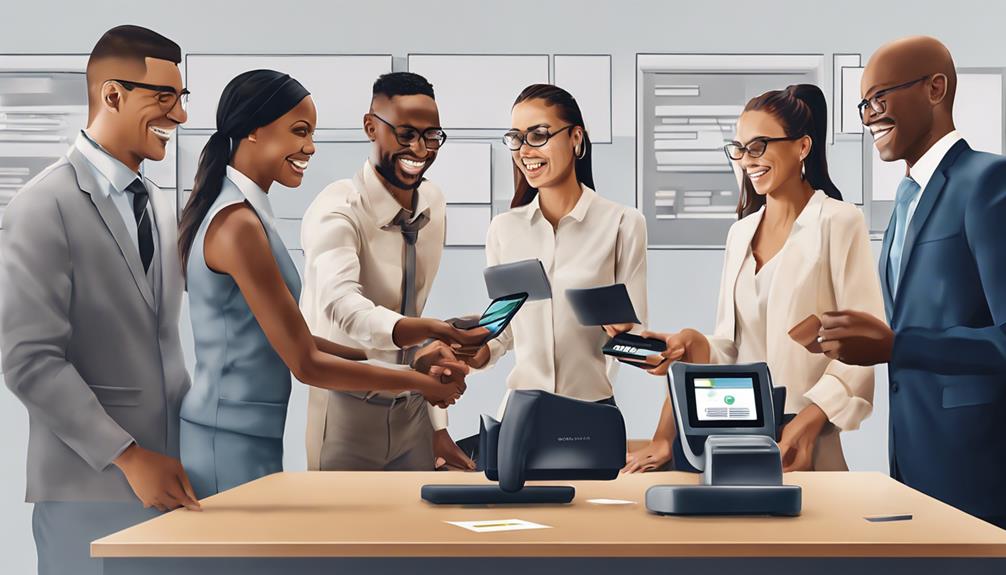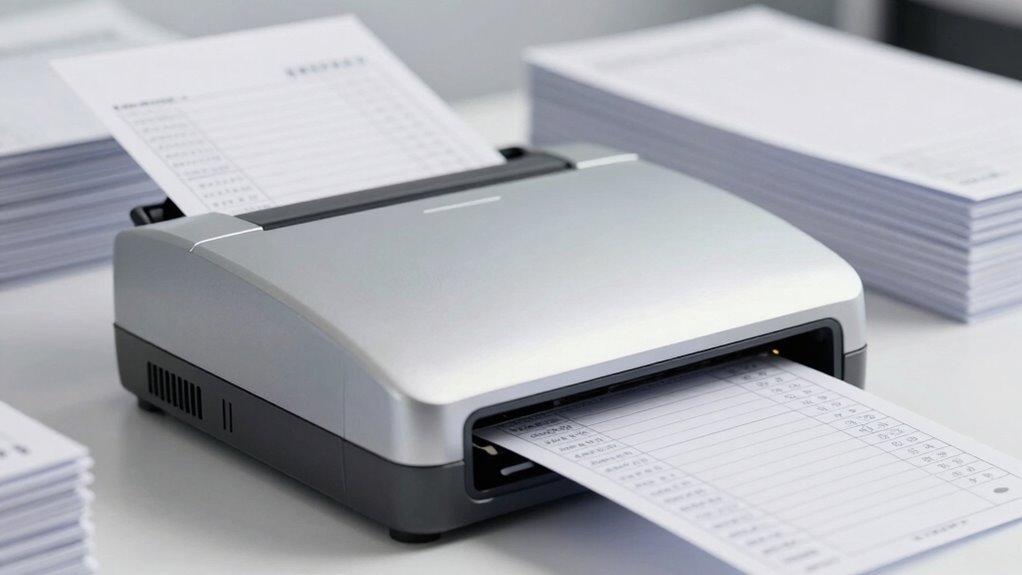

A commercial check scanner is the workhorse behind any remote deposit capture operation, and the right one depends almost entirely on your daily check volume and whether you need endorsement printing built in. For most businesses, the Digital Check TellerScan TS250-55IJ stands out as the best overall pick thanks to its fast throughput, large feeder, and integrated inkjet endorser. The Digital Check TellerScan 240-50DPM with the 100-document feeder makes more sense for higher-volume operations, while the CheXpress CX35-NIJ is the smarter buy for smaller offices that don’t need inkjet endorsement at all. The main tradeoffs in this category come down to speed versus cost, feeder capacity versus desk footprint, and new versus renewed hardware. I break down all ten options below so you can match the scanner to your actual deposit workflow.

Get smart everyday buys delivered free with Prime
- Fast, free delivery on millions of items
- Prime Video, Amazon Music and more included
- Member-only deals all year
Key Takeaways
- Digital Check dominates this lineup with seven of ten spots, and its TellerScan models consistently offer the best balance of feeder capacity, driver support, and long-term parts availability.
- Inkjet endorsement (the IJ variants) is the single biggest price and capability differentiator — buyers who already endorse physically or process low volumes can save meaningfully by choosing a non-inkjet model like the TS250-55NJ or CX35-NIJ.
- The renewed Panini VX 5050IJ is the only viable budget path to a 50-DPM inkjet scanner, but renewed hardware carries warranty and print-head risk that new units avoid.
- Feeder capacity matters more than raw DPM for batch processing — the TellerScan 240 with its 100-document feeder finishes real-world batches faster than equal-speed scanners with 50-feed hoppers.
- Single-feed options like the Epson CaptureOne only make sense for very low-volume or mobile-adjacent use; any office clearing more than a handful of checks daily will outgrow them quickly.
| Digital Check TellerScan 240 Business Check Scanner (75 DPM with Inkjet) |  | Best Overall for Teller Lines | Scan Speed: 75 documents per minute | Endorser: Built-in inkjet | Scanner Type: Batch-fed check scanner | VIEW ON AMAZON | See Our Full Breakdown |
| Panini VX 5050IJ Check Scanner (Renewed) | 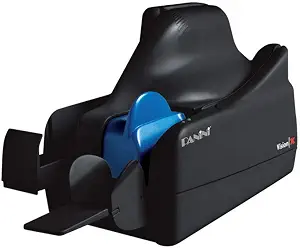 | Best Value for Networked Capture | Scan Speed: 50 documents per minute | Feeder Capacity: 50 documents | Endorser: Built-in inkjet | VIEW ON AMAZON | See Our Full Breakdown |
| Digital Check TellerScan TS250-55NJ Non Ink Jet Check Scanner |  | Best for Modern Networked Workflows | Scan Speed: 55 documents per minute (platform supports 75/120 dpm models) | Check Scan Resolution: 800 dpi | ID Capture: Front-feed, up to 600 dpi color | VIEW ON AMAZON | See Our Full Breakdown |
| Digital Check TellerScan 240-50DPM, 100 Feeder |  | Best for High-Volume Batch Runs | Scan Speed: 50 documents per minute | Feeder Capacity: 100 sheets | Resolution: 300 dpi | VIEW ON AMAZON | See Our Full Breakdown |
| Digital Check TellerScan TS250-55IJ Check Scanner | | Best Premium All-Rounder | Scan Speed: 55 documents per minute (platform supports 75/120 dpm models) | Endorser: Single-line rear inkjet (standard) | ID Capture: Front-feed, up to 600 dpi color | VIEW ON AMAZON | See Our Full Breakdown |
| Panini VX 5050IJ Check Scanner – 50 DPM, 50 doc Feeder, Ink Jet |  | Best Premium Build | Scanner Type: Bank check / document scanner | Scan Speed: 50 documents per minute | Feeder Capacity: 50 documents | VIEW ON AMAZON | See Our Full Breakdown |
| Digital Check TS240-50IJ Check Scanner – 50 DPM, with Inkjet |  | Best Value for Small Business | Scanner Type: Bank check / document scanner | Scan Speed: 50 documents per minute | Feeder Capacity: 50 documents | VIEW ON AMAZON | See Our Full Breakdown |
| Digital Check CheXpress CX35-NIJ Non Ink Jet |  | Best Single-Feed Workstation Scanner | Scanner Type: Single-feed check scanner | Feed Capacity: 1 check at a time | Optical Resolution: 800 dpi | VIEW ON AMAZON | See Our Full Breakdown |
| Epson CaptureOne Single Feed Check Scanner (TM-S1000) Model: A41A266511 |  | Best for Integration-Focused Setups | Model: Epson TM-S1000 (A41A266511) | Feed Type: Single feed | Scan Speed: 500 mm/s | VIEW ON AMAZON | See Our Full Breakdown |
| Digital Check CX30 |  | Best Budget Entry Point | Scanner Type: Single-feed check scanner | Feed Capacity: 1 check at a time | Printing Capability: Optional endorsement printing | VIEW ON AMAZON | See Our Full Breakdown |
| commercial check scanner | Scan Speed | Endorser | Scanner Type |
|---|---|---|---|
| Digital Check TellerScan 240 B | 75 documents per minute | Built-in inkjet | Batch-fed check scanner |
| Panini VX 5050IJ Check Scanner | 50 documents per minute | Built-in inkjet | — |
| Digital Check TellerScan TS250 | 55 documents per minute (platform supports 75/120 dpm models) | None (inkjet optional) | — |
| Digital Check TellerScan 240-5 | 50 documents per minute | None (no inkjet, no rear franker) | — |
| Digital Check TellerScan TS250 | 55 documents per minute (platform supports 75/120 dpm models) | Single-line rear inkjet (standard) | — |
| Panini VX 5050IJ Check Scanner | 50 documents per minute | Inkjet | Bank check / document scanner |
| Digital Check TS240-50IJ Check | 50 documents per minute | Inkjet | Bank check / document scanner |
| Digital Check CheXpress CX35-N | — | None (NIJ model; optional rear inkjet variants available) | Single-feed check scanner |
| Epson CaptureOne Single Feed C | 500 mm/s | — | — |
| Digital Check CX30 | — | — | Single-feed check scanner |
More Details on Our Top Picks
Digital Check TellerScan 240 Business Check Scanner (75 DPM with Inkjet)
This configuration of the TellerScan TS240 hits a practical middle ground that most competing single-purpose scanners miss. At 75 documents per minute with a built-in inkjet endorser, it processes batches fast enough for busy teller windows while stamping every item automatically — something the cheaper TS240-50DPM variant gives up entirely. Compared with the Panini VX 5050IJ, it runs noticeably faster and skips the renewed-unit gamble, since this is a new unit straight from the box. Setup is genuinely simple: no assembly, no fiddling, which matters when equipment rotates between stations. The tradeoff is that it’s a branch-and-counter workhorse, not a network appliance — unlike the TS250 line, it can’t switch between USB and network operation, so businesses planning multi-station capture should look at the newer platform instead.
Pros:- 75 dpm scan speed handles peak-hour teller queues
- Built-in inkjet endorser automates check stamping
- Ready to use out of the box with no assembly
- Digital Check platform is widely supported by capture software
Cons:- No network operation mode found on the newer TS250 line
- Inkjet adds cartridge replacement costs and maintenance over time
Best for: Bank branches and credit unions running teller capture or back-counter batch scanning that need endorsement printing at speed
Not ideal for: Businesses building multi-station remote deposit networks — this model lacks the network flexibility of the TS250 series
- Scan Speed:75 documents per minute
- Endorser:Built-in inkjet
- Scanner Type:Batch-fed check scanner
- Setup:Ready to use, no assembly required
- Intended Use:Teller capture, branch capture, remote deposit
- Brand:Digital Check
Our verdict“The safest all-around pick for a single station that needs speed plus automatic endorsement in one box.”
Panini VX 5050IJ Check Scanner (Renewed)
For operations that need Ethernet connectivity without paying new-unit prices, this renewed Panini VX 5050IJ is the budget-conscious route into enterprise-grade capture. Panini hardware has long been a bank back-office staple, and the 50-document feeder with 50 dpm throughput covers steady mid-volume workloads comfortably. Its networking capability is the main argument over the TellerScan TS240 with inkjet, which is a USB-first device. The catch is the renewed condition: rollers, ink heads, and feed tires may have wear, and refurbished units typically carry shorter protection than new stock. Software support is another practical hurdle — it’s pinned to Windows 10, so shops on newer operating systems or Mac environments should verify driver availability before committing.
Pros:- Ethernet connectivity enables shared network placement
- 50-document feeder cuts manual feeding interruptions
- Inkjet endorser built in for automatic stamping
- Enterprise-grade Panini build at a lower entry point
Cons:- Renewed condition means possible wear and a shorter usable lifespan
- Windows 10-only compatibility limits future OS upgrades
- No wireless connectivity option
Best for: Cost-conscious back offices and lockbox operations that want networked scanning and already run Windows 10
Not ideal for: Buyers wanting new hardware with full warranty coverage, or anyone on Windows 11 or macOS
- Scan Speed:50 documents per minute
- Feeder Capacity:50 documents
- Endorser:Built-in inkjet
- Connectivity:Ethernet
- Operating System:Windows 10
- Condition:Renewed (refurbished)
- Brand:Panini
Our verdict“A reasonable gamble for networked capture on a budget — as long as Windows 10 support and refurb condition fit your situation.”
Digital Check TellerScan TS250-55NJ Non Ink Jet Check Scanner
The TS250-55NJ represents the newest thinking in this lineup: it’s the first check scanner that lets you switch between USB and network operation at the push of a button, using Ethernet-over-USB. That flexibility beats both the TS240 series and the Panini VX 5050IJ, which lock you into one connection model. Practical touches add up too — an automated cleaning mode with a Smart LED indicator reduces the maintenance guesswork that plagues older batch scanners, and front-feed ID capture at up to 600 dpi color means tellers can scan licenses and cards on the same device. The obvious sacrifice: the NJ designation means no inkjet endorser. If your institution requires physical endorsement stamps, the TS250-55IJ sibling model is the better fit, at added cost and cartridge upkeep.
Pros:- Switchable USB and network operation in one device
- Automated cleaning mode reduces maintenance effort
- 600 dpi color front-feed ID capture for licenses and cards
- 800 dpi check scanning resolution for reliable image quality
Cons:- No inkjet endorser on this configuration
- Software provider compatibility must be confirmed before purchase
Best for: Branches and businesses deploying flexible capture stations that need ID scanning and network switching but not endorsement printing
Not ideal for: Operations where physical check endorsement is mandatory — the non-inkjet design can’t stamp items
- Scan Speed:55 documents per minute (platform supports 75/120 dpm models)
- Check Scan Resolution:800 dpi
- ID Capture:Front-feed, up to 600 dpi color
- Connectivity:USB and Ethernet-over-USB, switchable
- Endorser:None (inkjet optional)
- Maintenance:Automated cleaning mode with Smart LED indicator
- Software Compatibility:Digital Check API, SecureLink 2.0, SmartPVA (55 dpm model)
- Weight:8 pounds
Our verdict“The most future-friendly pick here for shops that want one scanner to serve both USB and network roles without endorsement printing.”
Digital Check TellerScan 240-50DPM, 100 Feeder
Where this TS240 variant earns its place is capacity: a 100-sheet feeder that outloads the 50-document hopper on the Panini VX 5050IJ by double. For back-counter processing of large deposit batches, that difference is the whole game — fewer reloads means faster wall-clock completion even though its 50 dpm speed is merely average. It works at the teller window too, since the footprint stays compact despite the bigger hopper. What you give up is any form of endorsement: no inkjet, no rear franker, so every check passes through unstamped. Compared with the TS240 75 DPM inkjet model, this unit trades speed and stamping for sheer batch capacity, making it a deliberate choice rather than a downgrade — one that only pays off if your workflow truly involves large pre-sorted batches.
Pros:- 100-sheet feeder doubles the capacity of midrange rivals
- Compact enough for teller windows despite large hopper
- Dual USB and Ethernet connectivity
- Straightforward out-of-the-box setup
Cons:- 50 dpm is slower than the 75 dpm TS240 variant
- No endorsement printing of any kind
Best for: Back-counter operators and remote deposit capture operations processing large pre-sorted batches where endorsement isn’t required
Not ideal for: Teller stations that need per-item endorsement stamps — there’s no inkjet or franker on this model
- Scan Speed:50 documents per minute
- Feeder Capacity:100 sheets
- Resolution:300 dpi
- Connectivity:USB and Ethernet
- Endorser:None (no inkjet, no rear franker)
- Sensor:CIS
- Weight:4 pounds
Our verdict“The batch-capacity champion for high-volume runs where checks don’t need stamping.”
Digital Check TellerScan TS250-55IJ Check Scanner
Think of the TS250-55IJ as the TS250-55NJ with the one feature that model omits: a single-line rear inkjet endorser included from the factory. That makes it the most complete package in this lineup — you get the switchable USB and network operation, automated cleaning, front-feed ID capture at 600 dpi color, and physical endorsement, all in one chassis. Against the TS240 75 DPM with inkjet, it trades a bit of rated speed for a far more modern feature set and the flexibility to serve multiple station types. Buyers should still do their homework: the listing itself warns that software provider support must be confirmed, since capture platforms certify specific models. Endorsement printing also brings ongoing ink cartridge consumption (cartridge PN-MS0083), which adds running cost the non-inkjet TS250 avoids.
Pros:- Rear inkjet endorser included as standard
- Switchable USB and network operation
- 600 dpi color front-feed ID capture
- Automated cleaning mode with Smart LED indicator
Cons:- Ongoing ink cartridge costs and endorser maintenance
- Requires software provider compatibility confirmation before purchase
Best for: Buyers who want a single modern scanner covering endorsement, ID capture, and both USB and network operation
Not ideal for: Budget-focused buyers whose software only supports older certified models like the TS240 line
- Scan Speed:55 documents per minute (platform supports 75/120 dpm models)
- Endorser:Single-line rear inkjet (standard)
- ID Capture:Front-feed, up to 600 dpi color
- Connectivity:USB and Ethernet-over-USB, switchable
- Ink Cartridge:PN-MS0083
- Software Compatibility:Digital Check API, SecureLink 2.0, SmartPVA (55 dpm model)
- Maintenance:Automated cleaning mode with Smart LED indicator
Our verdict“The most capable all-in-one pick here — if your capture software supports it and you accept ink costs.”
Panini VX 5050IJ Check Scanner – 50 DPM, 50 doc Feeder, Ink Jet
The Panini VX 5050IJ stands out as the most enterprise-grade option in this lineup, built on Panini’s long track record in distributed check capture. Where the Digital Check TS240 matches its 50 DPM speed and 50-item hopper on paper, the VX 5050IJ pulls ahead on MICR read accuracy and image quality at 600 dpi resolution, which matters when your bank rejects deposits over marginal scans. The Ethernet connection is a real differentiator too — unlike USB-only models such as the CX35, it can sit on a network and serve multiple workstations. The tradeoff is weight, cost of consumables, and a mono-only 1-bit color depth despite the high resolution. For volume operations where reliability per thousand items is the metric, this pick makes the most sense.
Pros:- 600 dpi optical resolution for bank-grade image quality
- Ethernet connectivity allows network sharing across workstations
- 50-item automatic document feeder handles batch deposits hands-free
- Industry-leading MICR read accuracy reduces rescan and rejection rates
Cons:- 1-bit color depth means grayscale detail is lost compared to 24 bpp rivals like the TS240
- Inkjet endorser adds recurring cartridge maintenance and cost
- Heavier and less desk-friendly than compact single-feed alternatives
Best for: Branch capture operations and high-volume businesses that need network-attached scanning and near-perfect MICR accuracy
Not ideal for: Small offices wanting occasional remote deposit — the bulk, inkjet endorser upkeep, and premium positioning are wasted at low volumes
- Scanner Type:Bank check / document scanner
- Scan Speed:50 documents per minute
- Feeder Capacity:50 documents
- Optical Resolution:600 dpi
- Color Depth:1-bit (black and white)
- Connection:Ethernet
- Sensor:CIS
- Endorser:Inkjet
Our verdict“Buy this if check capture volume and scan acceptance rates directly affect your operation’s bottom line; skip it for light, occasional deposit use.”
Digital Check TS240-50IJ Check Scanner – 50 DPM, with Inkjet
Positioned as the workhorse for small businesses adopting remote deposit for the first time, the Digital Check TS240-50IJ matches the Panini VX 5050IJ’s 50 DPM speed and 50-item feeder but in a package that weighs just four pounds and draws only 45 watts. Unlike the Panini’s 1-bit output, this model scans in full color at 300 dpi with 24-bit depth, giving you more forgiving images when checks are faded or handwritten. The catch is the simpler USB-only connection and lower optical resolution, and its Windows 7-era software requirements can mean driver hunting on modern PCs. Compared with its sibling TS250-55IJ, it’s the lighter, more affordable entry — you give up a little speed for a friendlier footprint.
Pros:- Full 24-bit color scanning at 300 dpi handles worn and handwritten checks well
- Compact 4-pound footprint with low 45W power draw
- 50-item feeder and 50 DPM speed rival more expensive models
- Check 21 compliant with MICR capability for standard remote deposit
Cons:- USB-only connection prevents network sharing
- Dated minimum system requirements (Windows 7) may complicate setup on current PCs
- 300 dpi resolution trails the Panini’s 600 dpi for demanding banks
Best for: Small businesses and home offices doing daily batch deposits of up to a few dozen checks
Not ideal for: Multi-user or networked environments — USB-only connectivity and consumer-grade build won’t scale the way the Ethernet-equipped Panini will
- Scanner Type:Bank check / document scanner
- Scan Speed:50 documents per minute
- Feeder Capacity:50 documents
- Optical Resolution:300 dpi
- Color Depth:24 bpp full color
- Connection:USB
- Power:45 watts
- Weight:4 lbs
- Endorser:Inkjet
Our verdict“The smart pick for a single-desk small business that wants batch scanning without enterprise overhead.”
Digital Check CheXpress CX35-NIJ Non Ink Jet
The CheXpress CX35-NIJ is built for a completely different job than the batch feeders here: one check at a time, all day long. Its 800 dpi resolution is the highest in this lineup, and its quiet single-feed operation suits customer-facing counters where a noisy 50-DPM hopper like the TS240 would be disruptive. Without the inkjet, this NIJ variant also skips cartridge costs entirely — a real advantage over the TS240-50IJ and the Panini VX 5050IJ, both of which need ongoing ink. The tradeoff is obvious: no batch capability, so a stack of fifty checks means fifty manual feeds. It also supports Mac OS X, which is rare here, though you must confirm your bank’s software supports this model before buying.
Pros:- Highest resolution in the roundup at 800 dpi for crisp, rejection-proof images
- Quiet operation is well suited to customer-facing counters
- No inkjet cartridge to buy or maintain on this NIJ variant
- Mac support and optional Ethernet/UV models extend flexibility
Cons:- Single-feed design cannot batch-scan stacks of checks
- Software provider compatibility must be verified before purchase
- Heavier (7 lbs) than it looks for a single-feed unit
Best for: Tellers, receptionists, and bank-counter staff who process one check per transaction and need quiet, accurate, endorsed-free scanning
Not ideal for: Anyone with batch deposits — single-feed-only design makes stacks of checks painfully slow compared to the TS240 or VX 5050IJ
- Scanner Type:Single-feed check scanner
- Feed Capacity:1 check at a time
- Optical Resolution:800 dpi
- Connection:USB
- Endorser:None (NIJ model; optional rear inkjet variants available)
- Exit Tray:5-item rear exit tray
- Weight:7 lbs
- OS Compatibility:Mac OS X Snow Leopard and later per listing
Our verdict“Choose this for transaction-at-a-time counter workflows, not for back-office batch deposit runs.”
Epson CaptureOne Single Feed Check Scanner (TM-S1000) Model: A41A266511
Epson’s CaptureOne TM-S1000 brings a different philosophy than the Digital Check units in this guide. Its 500 mm/s scan speed and 256-level grayscale processing target fast, accurate single-item capture rather than bulk feeding, and its broad document-size range (roughly 4.8 to 9 inches long) means it handles varied retail documents beyond standard checks. Compared with the CX35 — its closest single-feed rival — the Epson offers finer grayscale gradation but a lower headline resolution and a larger 14-inch-deep footprint that eats counter space. USB 2.0 keeps wiring simple. The main friction is that it’s a niche integration product: setup is geared toward POS and teller software partners rather than plug-and-play remote deposit, so casual users may find onboarding steeper than the TS240’s.
Pros:- Fast 500 mm/s scan speed for single-item throughput
- 256-level grayscale captures detail on worn or lightly printed checks
- Wide document-size range supports receipts and varied retail media
- Simple USB 2.0 interface and standard CIS reliability
Cons:- No document feeder — single-item feeding only
- Larger footprint (14 inches deep) than compact rivals like the CX35
- Designed around partner software integration, not out-of-box remote deposit
Best for: Retailers and financial service desks running POS or teller-capture software who need fast single-item scanning with grayscale flexibility
Not ideal for: Small-business owners wanting a simple remote deposit setup — it lacks a batch feeder and presumes supported capture software
- Model:Epson TM-S1000 (A41A266511)
- Feed Type:Single feed
- Scan Speed:500 mm/s
- Scan Modes:256-level grayscale, black and white
- Sensor:Contact Image Sensor (CIS)
- Interface:USB 2.0
- Document Length:120–235 mm (approx. 4.8–9 in)
- Dimensions:6.3 x 14.0 x 6.93 in
Our verdict“A strong fit where speed and grayscale accuracy at the counter matter more than batch capability or quick DIY setup.”
Digital Check CX30
The Digital Check CX30 is the most affordable path into the CheXpress ecosystem, offering single-feed check scanning with optional printing/endorsement capability — a feature usually reserved for pricier models. Think of it as the CX35’s leaner sibling: same brand pedigree and MICR accuracy, but fewer refinements. There’s no Smart Button status indicator, no automated cleaning mode, and no optional UV or Ethernet variants like the CX35 offers, and its 300 dpi-class imaging falls well short of that model’s 800 dpi. Compared with the TS240-50IJ, you lose the batch feeder entirely. Still, for a business depositing a handful of checks each week, paying for a 50-item hopper is wasted money, and this is where the CX30 earns its slot.
Pros:- Lowest-cost entry into the Digital Check CheXpress line
- Optional printing/endorsement capability usually found on pricier scanners
- Same reliable MICR reading as its larger CheXpress siblings
- Simple single-feed operation with minimal training needed
Cons:- No automatic document feeder — every check is fed by hand
- Lower image resolution than the CX35 or Panini VX 5050IJ
- Missing modern conveniences like status indicators and automated cleaning modes
Best for: Very small businesses and sole proprietors depositing only a few checks per week who want brand-name reliability on a tight budget
Not ideal for: Growing operations — the lack of batch feeding, low resolution ceiling, and stripped-down feature set will be outgrown quickly
- Scanner Type:Single-feed check scanner
- Feed Capacity:1 check at a time
- Printing Capability:Optional endorsement printing
- Brand Line:Digital Check CheXpress series
- MICR:Yes
- Best-fit Use:Low-volume remote deposit capture
Our verdict“A sensible bare-minimum buy for low-volume depositors; anyone with daily batches should step up to a feeder model.”

How We Picked
I ranked these scanners on four buyer-facing factors, weighted in this order: throughput and feeder capacity, endorsement capability, durability and vendor support, and value relative to volume needs. Throughput isn’t just the DPM number on the spec sheet — a 100-document hopper changes the workflow far more than a 5-DPM difference, because it decides whether an operator can walk away mid-batch. Endorsement capability mattered because inkjet variants cost more but eliminate a manual stamping step that auditors and banks often require. I also favored manufacturers with established driver support for current remote deposit capture platforms, since a scanner without compatible software is a paperweight regardless of its hardware quality.
The ranking order reflects a simple logic: high-volume inkjet-capable machines lead, mid-volume workhorses fill the middle, and single-feed or entry-level units sit at the bottom because their use cases are narrower. Renewed hardware was ranked strictly against the value of new equivalents — the Panini VX 5050IJ (Renewed) earns its position on capability, not condition. Where two models differed only in inkjet versus non-inkjet configuration, I treated them as distinct picks for distinct buyers rather than ranking one universally ahead.
| commercial check scanner | Endorser | Scanner Type |
|---|---|---|
| Digital Check TellerScan 240 B | Built-in inkjet | Batch-fed check scanner |
| Panini VX 5050IJ Check Scanner | Built-in inkjet | — |
| Digital Check TellerScan TS250 | None (inkjet optional) | — |
| Digital Check TellerScan 240-5 | None (no inkjet, no rear franker) | — |
| Digital Check TellerScan TS250 | Single-line rear inkjet (standard) | — |
| Panini VX 5050IJ Check Scanner | Inkjet | Bank check / document scanner |
| Digital Check TS240-50IJ Check | Inkjet | Bank check / document scanner |
| Digital Check CheXpress CX35-N | None (NIJ model; optional rear inkjet variants available) | Single-feed check scanner |
| Epson CaptureOne Single Feed C | — | — |
| Digital Check CX30 | — | Single-feed check scanner |
Factors to Consider When Choosing Commercial Check Scanner
Buying a commercial check scanner is really a workflow decision, not a hardware decision. Before comparing spec sheets, get honest about three numbers: how many checks you process daily, whether your bank requires endorsement imaging, and how many people will share the device.Match Speed and Feeder Capacity to Real Batch Sizes
The most common mistake buyers make is paying for speed they never use. A 75-DPM scanner only delivers that advantage if you regularly run batches large enough to sustain it — anything under roughly 30 checks per day makes the DPM gap between models nearly invisible in practice. Feeder capacity is the spec that quietly matters more: a 50-document hopper means an operator has to babysit the machine on large deposits, while a 100-document feeder lets them load a batch and handle other work. If your deposits arrive as thick stacks from a lockbox or retail day, prioritize hopper size before DPM. If checks trickle in one or two at a time, both specs are almost irrelevant and a single-feed model becomes defensible. The mistake to avoid is buying for your busiest day of the year instead of your average day — the premium rarely pays back.
Decide on Inkjet Endorsement Before You Shop
Inkjet endorsement is the feature that splits this entire category into two price tiers, and it’s the wrong place to guess. Many banks and credit unions require a printed endorsement line on the back of each scanned check for audit compliance, and some remote deposit capture platforms verify it automatically. If your financial institution requires it, a non-inkjet model forces you back to rubber stamps, which reintroduces the manual labor the scanner was supposed to remove. If they don’t require it, the inkjet hardware becomes dead weight — plus an ongoing consumable cost, since inkjet print heads and cartridges need periodic replacement even with light use. Check your bank’s RDC requirements in writing before choosing between an IJ and NJ variant of the same machine. This single question can swing your total cost by a meaningful margin.
Verify Software and Bank Compatibility First
A commercial check scanner is only as useful as its driver support for your remote deposit capture platform, and this is where older or off-brand hardware bites buyers. Before purchasing, confirm that the manufacturer still provides drivers for your current operating system and that your bank’s RDC software lists the specific model as supported. Digital Check and Panini both have long support tails, which is a real advantage over discontinued brands whose scanners still circulate on secondary markets. Also confirm whether your bank restricts which devices can connect to their capture service — some do, and discovering this after purchase is an expensive lesson. The practical takeaway: the second question you ask any vendor should be about driver roadmap, right after price.
Weigh Renewed Versus New Hardware Honestly
Renewed scanners can cut the entry cost of a capable inkjet machine dramatically, but the risk profile differs from buying new in ways that matter for a daily-use device. Check scanners are mechanical — rollers, feed tires, and print heads wear out, and a renewal may or may not have replaced them. Ask specifically what was refurbished, what the warranty covers, and whether consumable parts are still manufactured for that model. For a backup unit or a low-volume satellite office, renewed hardware is a reasonable gamble. For the primary scanner your cash flow depends on, new hardware with full manufacturer support usually earns its premium through uptime alone. If a renewed unit fails mid-deposit cycle, the downtime cost can erase the savings in a single week.
Budget for Consumables and Maintenance
The purchase price is only the first cost. Every check scanner needs periodic replacement feed rollers and tires, typically every 100,000 to 200,000 documents, and inkjet models add print heads and cartridges to that schedule. Before buying, check that consumables are readily available and confirm the maintenance kit interval for the specific model — parts availability varies by manufacturer and model age. Cleaning is also a real operational task: magnetic heads and rollers collect check debris and need regular wiping to keep misfeed rates down. Factor roughly one maintenance kit per year of moderate use into your comparison. A cheaper scanner with scarce parts can cost more over three years than a better-supported unit at a higher sticker price.
Consider Who Uses It and Where
Physical context shapes the right pick more than buyers expect. A front-desk setup where multiple staff scan intermittently benefits from a simple, forgiving machine over a fast one with a steep operating curve — misfeeds and double-feeds frustrate untrained users and slow deposits more than a slower DPM ever would. Desk space also matters: some teller-grade units have substantial footprints and separate power bricks, while compact models like the CheXpress line tuck into tight counters. If the scanner moves between locations, weight and cable management become real criteria. Finally, think about noise — high-speed feed mechanisms are loud, and a unit next to a customer-facing counter may need to be somewhere else entirely.
Frequently Asked Questions
Do I need an inkjet check scanner, or can I save money with a non-inkjet model?
It depends entirely on your bank’s remote deposit capture requirements, so confirm those first. Many financial institutions require an endorsement print on the back of each check to prove where and when it was captured, and some platforms reject items without one. If your bank requires printed endorsement, an inkjet model like the TellerScan TS250-55IJ or Panini VX 5050IJ eliminates manual stamping and keeps you compliant automatically. If your bank accepts images without a physical endorsement, a non-inkjet variant scans the same checks at the same speed for less money and without ink consumables. Just remember that bank requirements can change — if you switch institutions later, a non-inkjet scanner may need replacing.
Is a renewed Panini scanner worth the risk compared to a new Digital Check unit?
A renewed VX 5050IJ gets you 50-DPM inkjet capability at a much lower entry cost, which is why it earns a spot in this lineup at all. The tradeoff is condition uncertainty: feed rollers and print heads are wear items, and renewal quality varies by seller, so ask what was actually replaced and what warranty backs it. New Digital Check units come with full manufacturer support, current drivers, and predictable maintenance intervals, which matters most for a device your daily deposits depend on. My rule of thumb: renewed is a smart buy for a backup unit, a low-volume location, or a budget-constrained office that can tolerate occasional downtime. For the primary scanner at a busy operation, new hardware usually pays for itself in reliability.
How many documents per minute do I actually need?
Fewer than most buyers assume. At 50 checks per day, the difference between 50 and 75 DPM amounts to seconds of total scanning time — you’ll never notice it. Speed starts to matter around 200-plus checks daily, where faster throughput and a larger feeder compound into real labor savings. Feeder capacity often matters more than raw DPM: a 100-document hopper lets an operator load a full batch and step away, while a 50-document feeder demands attention twice as often. Match the spec to your average daily volume, not your peak day, and put the savings toward better software or consumables instead.
Will these scanners work with my bank’s remote deposit capture software?
Digital Check and Panini are both widely supported across major RDC platforms, which is a big part of why they dominate this category. But support is model-specific, not brand-wide — a bank may support the TellerScan 240 line while not supporting the CX30, so verify your exact model number before purchasing. Check the manufacturer’s compatibility list and your bank’s approved-device list, and confirm driver availability for your operating system version, especially if you run a newer OS. This step takes ten minutes and prevents the single most expensive mistake in this category: a perfectly good scanner your bank won’t accept.
What ongoing maintenance and supplies should I plan for?
Plan on two recurring costs: feed rollers and, if you buy an inkjet model, print consumables. Rollers and feed tires typically need replacement every 100,000 to 200,000 documents, sold as maintenance kits that vary in price and availability by model — check parts supply before you buy, especially for older or renewed units. Inkjet models add print heads and cartridges on their own replacement schedule, and heads can clog if the scanner sits idle for weeks, so light users should factor that in. Between part replacements, plan routine cleaning of the feed path and magnetic heads with approved wipes, since debris buildup causes misfeeds and double-feeds. Budget one maintenance kit per year of moderate use and the ownership math stays predictable.
Conclusion
If you want the short answer: the Digital Check TellerScan TS250-55IJ is my best overall pick — it pairs fast inkjet-capable scanning with a generous feeder and strong vendor support, covering the needs of most deposit operations in one machine. For best value, the CheXpress CX35-NIJ handles everyday volumes dependably without charging you for endorsement hardware you may not need, while the renewed Panini VX 5050IJ is the value play if you specifically require inkjet on a tight budget. On the premium end, the TellerScan 240-50DPM with the 100-document feeder justifies its cost for high-volume operations where batch size and uptime directly affect daily cash flow.
For beginners and low-volume offices, the CX30 or the Epson CaptureOne single-feed model keeps things simple without overwhelming a first-time operator — just know you’ll outgrow them if volume grows. For specific needs: choose the TS250-55NJ when your bank doesn’t require printed endorsement but you still want full-size throughput, and pick the TS240-50IJ if you want inkjet endorsement at the standard feeder size. Whatever you choose, confirm your bank’s endorsement and device requirements before checkout — that one step decides more in this category than any spec on the box.
Halloween Picks

9 ft Halloween Inflatable Haunted Castle with Dragon and Ghost

Spirit Halloween 54-Inch Sitting Scarecrow Animatronic

Vexalify 11-Inch Halloween Pumpkin Fog Machine with 12-Color Lights
As an affiliate, we earn on qualifying purchases.