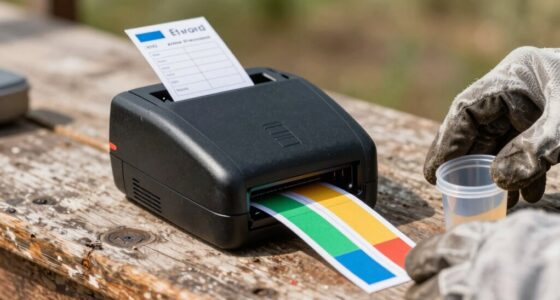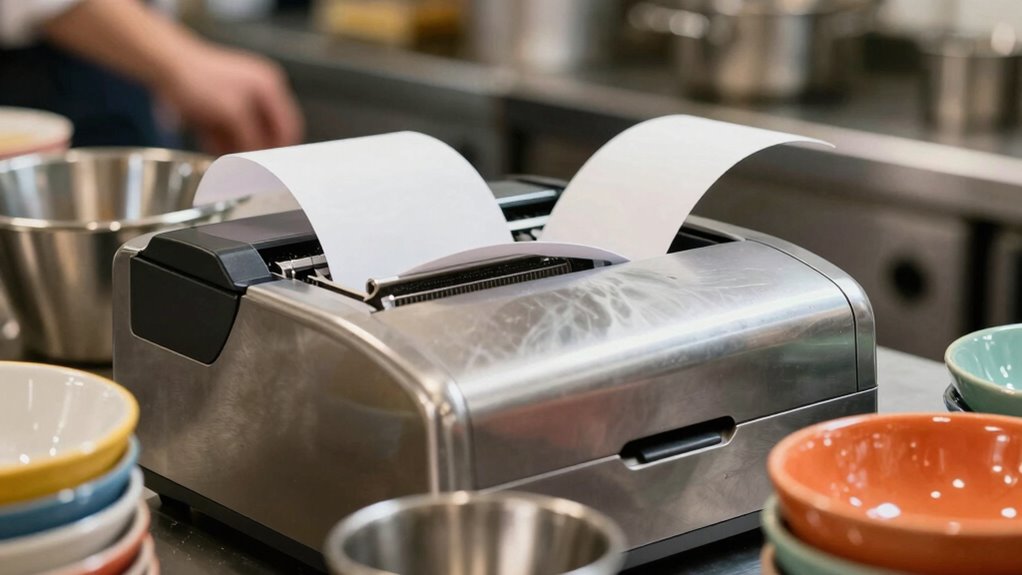
An Ethernet receipt printer for a restaurant can keep checkout and order flow steady, but the right choice depends on your POS compatibility, print volume, and whether you need thermal or impact printing. I rank the Epson TM-T20IV as the best overall option for its high listed print speed and Ethernet, USB, and serial connections. The Star Micronics TSP143IIILAN is a strong alternative for a straightforward Ethernet-focused counter setup, while the Star Micronics SP742ME suits restaurants that need impact printing for multi-part forms. The key tradeoffs are speed versus kitchen-friendly paper handling, compact size versus connection flexibility, and familiar brand support versus lower-spec alternatives. Read on for the full breakdown and a guide to matching a printer to your restaurant’s POS and workflow.

Get smart everyday buys delivered free with Prime
- Fast, free delivery on millions of items
- Prime Video, Amazon Music and more included
- Member-only deals all year
Key Takeaways
- The Epson TM-T20IV leads this group on listed speed at 310 mm/s and offers USB, Ethernet, and serial, giving it the strongest all-around connection and throughput profile in the supplied specifications.
- The Star Micronics TSP143IIILAN keeps the choice simple with Ethernet, an auto-cutter, and an internal power supply; its listed interfaces are less varied than the Epson’s.
- The SP742ME stands apart because it is an impact printer, making it the option to investigate for multi-part forms rather than a like-for-like substitute for the thermal models.
- The Rongta RP850 models share a practical 80mm, auto-cutter, multi-interface pattern, but listings vary, so buyers should confirm the exact model and supported POS system before ordering.
- Several listings provide too little detail for confident head-to-head claims, especially the P80E, Rongta thermal model without a full interface list, and NetumScan NS8360L; compatibility checks matter more for these picks.


| ethernet receipt printer for restaurant | Connectivity | Printer type | Dimensions | Print speed |
|---|---|---|---|---|
| Rongta RP850 80mm Thermal Rece | USB, Ethernet, serial | Thermal | 5.71 × 7.87 × 5.59 inches | — |
| Epson TM-T20IV Thermal Receipt | Ethernet, USB, serial | Thermal | — | 310 mm/s |
| Star Micronics TSP143IIILAN Et | Ethernet; one Ethernet port | Thermal, monochrome | 5.6 × 8 × 5.2 inches | — |
| Rongta RP850P 80mm Thermal Rec | Ethernet, serial, USB | Thermal, monochrome | 5.59 × 5.71 × 5.59 inches | — |
| Rongta POS Printer | USB, serial, Ethernet | Thermal | — | 250 mm/s |
| Epson TM-M30 Thermal Receipt P | Ethernet, USB | Thermal | 7 × 5 × 5 inches | 1 page per minute (black and white) |
| P80E 80mm Thermal Receipt Prin | USB, Ethernet, RJ11 | — | 6.7 × 4.8 × 4.8 inches | 200 mm/s |
| Star Micronics SP742ME Etherne | Ethernet, USB 2.0, USB 3.0 | Impact | 5.16 × 5.51 × 4.72 inches | — |
| Rongta 80mm Thermal POS Receip | USB, serial, Ethernet | Thermal | 7.5 × 5.5 × 5.6 inches | 250 mm/s |
| NetumScan NS8360L 80mm Thermal | USB, Ethernet | — | 5.5 × 7.5 × 7 inches | 300 mm/s |
More Details on Our Top Picks
Rongta RP850 80mm Thermal Receipt Printer with Auto Cutter, USB, Serial, Ethernet Interface for Windows/Mac/Linux
The Rongta RP850 suits a restaurant that needs to connect an Ethernet receipt printer to an existing POS while keeping USB and serial available for other setups. Its auto cutter and wall-mount support help save counter space and reduce manual tearing during service. Compared with the Ethernet-only Star Micronics TSP143IIILAN, the RP850 offers more connection choices and broader stated operating-system compatibility, though it gives up the Star’s straightforward Ethernet-focused setup. The listed print speed is 120 pages per minute, but that unit is unusual for a receipt printer, so I would confirm real-world speed with the seller or POS vendor before relying on it for a busy kitchen. There’s no Wi-Fi or Bluetooth, and installing drivers may take extra setup.
Pros:- Ethernet, USB, and serial connections support a range of POS configurations.
- Auto cutter reduces manual receipt tearing during service.
- Wall-mount support can free up limited counter space.
- Stated compatibility includes Windows, Mac, and Linux.
Cons:- No Wi-Fi or Bluetooth for wireless POS placement.
- Driver installation may require a separate download or USB flash drive.
- The listed speed unit is unusual for a receipt printer and merits verification.
Best for: Restaurants with Windows, Mac, or Linux POS computers that want Ethernet plus USB or serial as a fallback.
Not ideal for: Restaurants seeking wireless printing or a clearly documented high-volume print speed without checking compatibility and specifications first.
- Printer type:Thermal
- Paper width:80 mm / 58 mm
- Print width:72 mm / 48 mm
- Connectivity:USB, Ethernet, serial
- Listed print speed:120 pages per minute
- Auto cutter:Yes
- Dimensions:5.71 × 7.87 × 5.59 inches
- Weight:1.37 kg
Our verdict“Choose the RP850 if your restaurant needs wired connection flexibility and wall mounting, but verify its speed and POS compatibility before purchase.”
Epson TM-T20IV Thermal Receipt Printer C31CL47022, USB Ethernet Serial, 310 mm/s, Auto Cutter, 80mm Paper, Energy Star
The Epson TM-T20IV is the clearest fit here when speed and a recognized three-year warranty matter more than wireless features. Its stated 310 mm/s print speed can help keep queues moving at a busy counter, while Ethernet, USB, and serial let a restaurant match the printer to its POS connection. Compared with the Rongta RP850 and RP850P, Epson publishes a more conventional speed figure and provides a longer stated warranty; the Rongta models offer wall-mount support, which this listing does not specify. The tradeoff is a compact paper capacity listed as 250 sheets, so this may be less suited to an unusually high-volume station if frequent roll changes are a concern. It prints monochrome only and still needs a compatible POS setup.
Pros:- Stated 310 mm/s speed supports quick counter transactions.
- Ethernet, USB, and serial provide multiple wired connection options.
- Three-year warranty is longer than the limited warranties listed for the Rongta models.
- Energy Star certification and a compact footprint suit many POS counters.
Cons:- Monochrome thermal printing cannot produce color receipts.
- No Wi-Fi or Bluetooth is listed.
- Listed capacity of 250 sheets may be a limitation for some high-volume workflows.
Best for: Busy restaurant counters that need fast wired receipt printing, an auto cutter, and a clearly stated warranty.
Not ideal for: Restaurants that require color printing, wireless connectivity, or a printer designed around infrequent paper changes at a high-volume station.
- Printer type:Thermal
- Print speed:310 mm/s
- Print resolution:203 dpi
- Media width:80 mm / 58 mm
- Connectivity:Ethernet, USB, serial
- Auto cutter:Yes; rated for 2 million cuts
- Warranty:3 years
- Dimensions and weight:7.83 × 5.51 × 5.75 inches; 1.7 kg
Our verdict“Pick the TM-T20IV for a fast, wired restaurant counter where its warranty and documented speed matter more than wireless placement.”
Star Micronics TSP143IIILAN Ethernet Thermal Receipt Printer with Auto-Cutter and Internal Power Supply – Gray
The Star Micronics TSP143IIILAN makes sense for a restaurant that wants a dedicated Ethernet printer rather than a model with several wired interfaces. Its drop-in paper loading and internal power supply can simplify placement at a fixed counter, and the auto cutter helps keep receipts moving without manual tearing. Compared with the Epson TM-T20IV, this Star listing is more narrowly focused on Ethernet and does not state a comparable print speed in mm/s; the Epson also adds serial connectivity and a three-year warranty. The Star’s compact dimensions are useful, but the listing’s maximum sheet capacity of 43 and lack of wireless networking may not suit every POS workflow. I would also verify the power-consumption figure with the seller, since the stated 559 watts is unusually high for this category.
Pros:- Ethernet connection suits a dedicated wired POS location.
- Drop-in paper loading supports quicker roll replacement.
- Internal power supply avoids a separate external power brick.
- Auto cutter supports hands-free receipt separation.
Cons:- Ethernet is the only listed network interface; no Wi-Fi is specified.
- Speed is given as 43 receipts per minute rather than a directly comparable mm/s figure.
- The stated 559-watt power consumption is unusual and should be confirmed.
Best for: Restaurants with a fixed Ethernet POS station that value drop-in paper loading and an internal power supply.
Not ideal for: Restaurants needing USB or serial as confirmed connection options, wireless printing, or clearly documented speed and power figures.
- Printer type:Thermal, monochrome
- Paper size:80 mm
- Maximum media size:83 mm
- Connectivity:Ethernet; one Ethernet port
- USB ports:1 listed
- Listed print speed:43 receipts per minute
- Dimensions:5.6 × 8 × 5.2 inches
- Weight:3.8 pounds
Our verdict“Choose the TSP143IIILAN for a fixed Ethernet counter where simple paper loading matters more than extra ports or wireless access.”
Rongta RP850P 80mm Thermal Receipt Printer with Auto Cutter, USB Serial Ethernet for POS
The Rongta RP850P is a compact option for restaurants that need Ethernet but want USB and serial available for alternate POS connections. At 5.59 × 5.71 × 5.59 inches, it takes up little counter space, and the listed wall-mount capability offers another way to keep a small service station clear. Compared with the Epson TM-T20IV, the RP850P is more focused on a compact, flexible installation; Epson provides a stated 310 mm/s speed and a three-year warranty, while this Rongta listing has a limited warranty and describes speed as 120 pages per minute in its specs. Its stated 300 mm/s in the product details conflicts with that figure, so I would confirm speed before choosing it for a fast ticket line. It also lacks Wi-Fi and mobile-device support.
Pros:- Ethernet, USB, and serial offer flexibility across wired POS setups.
- Compact dimensions suit crowded service counters.
- Wall-mount capability can move the printer off the work surface.
- Auto cutter supports quicker receipt handling.
Cons:- No Wi-Fi or Bluetooth; mobile-device compatibility is not listed.
- Speed information is inconsistent across the supplied details.
- Manual driver installation may add setup work.
Best for: Small restaurants or kiosks with a wired POS that need a compact printer, wall-mount option, and multiple interfaces.
Not ideal for: Restaurants relying on phones or tablets for printing, or buyers who need a consistent, verified speed specification before ordering.
- Printer type:Thermal, monochrome
- Paper size:80 mm
- Connectivity:Ethernet, serial, USB
- Listed resolution:203 dpi
- Listed speed:120 pages per minute in specs; 300 mm/s in product details
- Auto cutter:Yes
- Dimensions:5.59 × 5.71 × 5.59 inches
- Weight:1.3 kg
Our verdict“The RP850P fits a space-constrained wired POS station, provided you confirm its speed and operating-system compatibility first.”
Rongta POS Printer, 80mm Thermal Receipt Printer with Auto Cutter, USB, Serial, Ethernet, Support Windows/Mac/Linux
This Rongta POS printer stands out for restaurants running different computer platforms or needing a cash-drawer connection alongside Ethernet receipt printing. It lists Windows, Mac, and Linux support, plus USB, serial, Ethernet, and cash-drawer support—more explicit cash-drawer detail than the RP850 and RP850P listings provide. Its stated 250 mm/s speed is also clearer than the conflicting speed figures listed for the RP850P. Compared with the Epson TM-T20IV, however, this model has a limited warranty rather than a stated three-year term, and its 2 kg weight makes it the heaviest option among these Rongta picks. Wall-hanging support can help reclaim counter space, but setup involves drivers and manual configuration. Wireless connections are not included.
Pros:- Ethernet, USB, and serial accommodate varied wired POS connections.
- Stated support for Windows, Mac, and Linux suits mixed-device environments.
- Cash-drawer support can connect receipt and drawer functions at one station.
- 250 mm/s speed and auto cutter support steady counter service.
Cons:- No Wi-Fi or Bluetooth connectivity.
- At 2 kg, it is heavier than the RP850 and RP850P.
- Driver installation and manual configuration may take extra setup time.
Best for: Restaurants using Windows, Mac, or Linux POS computers that need Ethernet, cash-drawer support, and a stated 250 mm/s speed.
Not ideal for: Restaurants seeking wireless or mobile printing, a lightweight unit, or the longer stated warranty offered by the Epson TM-T20IV.
- Printer type:Thermal
- Paper width:80 mm / 58 mm
- Print width:72 mm / 48 mm
- Print speed:250 mm/s
- Resolution:203 × 203 dpi
- Connectivity:USB, serial, Ethernet
- Supported operating systems:Windows, Mac, Linux
- Dimensions and weight:7.8 × 5.71 × 5.67 inches; 2 kg
Our verdict“Choose this Rongta for a cross-platform wired POS with cash-drawer needs, but skip it if wireless printing or a longer warranty is a priority.”
Epson TM-M30 Thermal Receipt Printer, Autocutter, USB, Ethernet, Energy Star, Black
The Epson TM-M30 is the space-saving choice here: at 7 × 5 × 5 inches, it suits a crowded host stand or compact POS counter better than the larger NetumScan NS8360L. Its Ethernet and USB connections give a restaurant a wired network option plus a direct-computer fallback, while the autocutter helps staff move through routine receipts without tearing paper by hand. Energy Star certification is a useful fit for a printer left on through long shifts. The tradeoff is that the supplied speed figure is only 1 page per minute, far behind the P80E’s 200 mm/s and the NetumScan’s 300 mm/s. I’d choose it for a low-volume, tight-space station, not a busy kitchen line where ticket throughput matters. Its A4 maximum media-size specification also makes receipt-paper fit worth checking against the POS setup.
Pros:- Compact 7 × 5 × 5-inch footprint suits crowded restaurant counters.
- Ethernet and USB provide two wired connection options.
- Autocutter reduces manual tearing during routine receipt printing.
- Energy Star certification supports energy-conscious always-on use.
Cons:- Listed print speed of 1 page per minute is slow beside the faster thermal models in this group.
- Print-only functionality does not add scanning or other POS tasks.
- A4 maximum media-size specification may not match every receipt-paper setup.
Best for: Restaurants with a low-volume host or checkout station, limited counter space, and a POS setup that supports Epson Ethernet or USB printing.
Not ideal for: Busy kitchens and high-throughput checkout counters that need fast ticket output, or buyers who need confirmed compatibility with a particular POS platform.
- Printer type:Thermal
- Connectivity:Ethernet, USB
- Print speed:1 page per minute (black and white)
- Print resolution:203 × 203 dpi
- Maximum media size:A4
- Dimensions:7 × 5 × 5 inches
- Warranty:2-year full warranty
- Model number:C31CE95022
Our verdict“Choose the TM-M30 for a compact, lower-volume wired POS station, but pick the P80E or NetumScan NS8360L when speed is the priority.”
P80E 80mm Thermal Receipt Printer with USB, Ethernet, and RJ11
The P80E is the kitchen-focused pick in this group. Its 200 mm/s output, auto-cutter, and RGB light plus buzzer alerts can help staff spot incoming orders amid kitchen noise, while the oil-resistant housing and wall-mount option suit a working line better than the compact Epson TM-M30. Ethernet, USB, and RJ11 offer practical wired integration choices for compatible POS and cash-drawer setups. That flexibility does not mean universal POS support: the listing specifically excludes cloud systems such as Square, Clover, and Shopify, a major limitation for restaurants already committed to those platforms. It also lacks Wi-Fi and Bluetooth and does not support Chromebooks or Linux. Compared with the faster NetumScan NS8360L, the P80E prints more slowly, but its alerts and kitchen-oriented housing give it a distinct role where order visibility matters as much as raw speed.
Pros:- 200 mm/s thermal printing handles kitchen tickets faster than the Epson TM-M30’s listed speed.
- RGB lights and a buzzer make new orders easier to notice in a noisy kitchen.
- Oil-resistant housing and desktop or wall mounting suit demanding work areas.
- Ethernet, USB, and RJ11 cover wired POS and drawer connections.
Cons:- Not compatible with listed cloud POS systems including Square, Clover, and Shopify.
- No Wi-Fi or Bluetooth limits placement to wired setups.
- No Chromebook or Linux compatibility.
Best for: Restaurants with a compatible Windows, macOS, Android OTG, or iOS POS setup that need wired kitchen printing, audible and visual order alerts, and wall mounting.
Not ideal for: Restaurants using Square, Clover, Shopify, Chromebooks, or Linux, and teams that need wireless placement away from network cabling.
- Print technology:Thermal
- Paper width:80 mm
- Print speed:200 mm/s
- Resolution:203 DPI
- Connectivity:USB, Ethernet, RJ11
- Compatibility:Windows, macOS, Android (OTG), iOS
- Mounting:Desktop or wall-mount
- Dimensions:6.7 × 4.8 × 4.8 inches
Our verdict“Pick the P80E for a compatible wired kitchen station where order alerts and rugged placement matter more than maximum print speed.”
Star Micronics SP742ME Ethernet Impact Receipt Printer with Auto-Cutter and Internal Power Supply – Gray
The Star Micronics SP742ME stands apart from the thermal choices in this roundup because it uses impact printing, making it the alternative to weigh when a restaurant needs a kitchen-oriented printer rather than another thermal model like the Rongta 80mm. Its clamshell paper loading and auto-cutter simplify routine paper changes, while the internal power supply and built-in Ethernet help reduce counter clutter. The listed rate of up to 13 receipts per minute is a different measure from the other models’ mm/s figures, so I would not treat the numbers as a direct speed comparison. Its tradeoffs are the small maximum media size of 3 × 5 inches and a listing that names PC compatibility while driver support spans Windows, Linux, Mac, and JavaPOS. That makes compatibility worth confirming before choosing it for a particular restaurant POS.
Pros:- Impact printing provides an alternative to the thermal models in this roundup.
- Clamshell loading and an auto-cutter make paper changes more straightforward.
- Built-in Ethernet and internal power supply help limit connection and power clutter.
- Driver support is listed for Windows, Linux, Mac, and JavaPOS.
Cons:- Maximum media size is listed as 3 × 5 inches, narrower than the 80mm options.
- The listed PC compatibility and driver details should be checked against the restaurant’s POS.
- The 13-receipts-per-minute figure is not directly comparable with the other models’ mm/s speeds.
Best for: Restaurants seeking an Ethernet-connected impact printer for a kitchen or other demanding station, with a POS environment that supports its drivers and media format.
Not ideal for: Buyers who need 80mm thermal-paper support, broad plug-and-play POS compatibility, or a larger listed media format.
- Printer type:Impact
- Connectivity:Ethernet, USB 2.0, USB 3.0
- Maximum print speed:13 receipts per minute
- Resolution:203 × 203 DPI
- Maximum media size:3 × 5 inches
- Dimensions:5.16 × 5.51 × 4.72 inches
- Compatible devices:PC
- Warranty:Full warranty
Our verdict“Choose the SP742ME when an impact printer suits your kitchen and POS, but favor an 80mm thermal model for a more typical receipt-paper setup.”
Rongta 80mm Thermal POS Receipt Printer with Auto Cutter
The Rongta 80mm thermal printer is a strong fit for restaurants that prioritize fast receipt output and need more than one wired interface. Its listed 250 mm/s speed is ahead of the P80E’s 200 mm/s, while USB, serial, and Ethernet offer connection options that can help it fit varied POS hardware. Windows, Linux, and Mac support also gives it broader desktop-system reach than the P80E, which excludes Linux. The auto-cutter and wall-mount capability support frequent use without taking up a fixed counter spot. The main catch is software fit: the listing excludes DoorDash, Uber Eats, Square, and GrubHub, so the printer may not suit restaurants relying on those services for order printing. No wireless connection is offered, either. I’d shortlist it for a compatible wired system, not assume it will work with every restaurant app.
Pros:- 250 mm/s output is faster than the P80E’s listed 200 mm/s.
- Ethernet, USB, and serial interfaces accommodate a range of wired POS setups.
- Windows, Linux, and Mac compatibility supports varied desktop environments.
- Auto-cutter and wall-mount capability suit frequent printing and space-conscious installation.
Cons:- Listing excludes DoorDash, Uber Eats, Square, and GrubHub compatibility.
- No Wi-Fi or Bluetooth for wireless placement.
- Print-only operation does not provide additional POS functions.
Best for: Restaurants running compatible Windows, Linux, or Mac POS software that want fast 80mm Ethernet printing, serial connectivity, and wall mounting.
Not ideal for: Restaurants that depend on DoorDash, Uber Eats, Square, or GrubHub printing, or need Wi-Fi or Bluetooth.
- Printer type:Thermal
- Print width:80 mm
- Print speed:250 mm/s
- Connectivity:USB, serial, Ethernet
- Operating system compatibility:Windows, Linux, Mac
- Resolution:203 dpi
- Dimensions:7.5 × 5.5 × 5.6 inches
- Paper thickness compatibility:0.06–0.08 mm
Our verdict“Choose the Rongta for a compatible wired POS that benefits from 250 mm/s printing and multiple interfaces, but verify app support before ordering.”
NetumScan NS8360L 80mm Thermal Receipt Printer with Auto Cutter
For a restaurant choosing by listed throughput, the NetumScan NS8360L leads this set at 300 mm/s, ahead of the Rongta’s 250 mm/s and the P80E’s 200 mm/s. That speed can help keep a busy checkout or order station moving, while its 80mm paper support and automatic cutter match common receipt-printing needs. Ethernet and USB provide wired setup options, and overheating protection plus wall mounting add practical touches for sustained or space-constrained installations. The compromise is compatibility: this model is listed for Windows, Mac, and Linux using ESC/POS, but not iOS, Android, Square POS, or Shopify. Unlike the Epson TM-M30, it is not the compact choice; its listed dimensions are 5.5 × 7.5 × 7 inches. I’d select it for a compatible desktop-based POS where speed matters more than mobility or broad app support.
Pros:- Listed 300 mm/s speed is the highest among these five products.
- 80mm paper, auto-cutter, USB, and Ethernet suit a standard wired receipt station.
- Overheating protection is a useful feature for sustained printing.
- Wall-mount option can free up counter space.
Cons:- Not compatible with iOS, Android, Square POS, or Shopify.
- Requires a compatible desktop-based ESC/POS setup.
- Larger listed dimensions make it less compact than the Epson TM-M30.
Best for: Restaurants with a Windows, Mac, or Linux ESC/POS setup that need high-speed 80mm Ethernet printing at a busy counter or order station.
Not ideal for: Restaurants using iOS, Android, Square POS, or Shopify, or those needing a portable printer or a smaller counter footprint.
- Brand and model:NetumScan NS8360L
- Print speed:300 mm/s
- Resolution:300 × 300 dpi
- Connectivity:USB, Ethernet
- Paper width:80 mm
- Compatibility:Windows, Mac, Linux (ESC/POS)
- Dimensions:5.5 × 7.5 × 7 inches
- Warranty:1 year
Our verdict“Pick the NS8360L for the fastest listed output when your restaurant uses a compatible desktop ESC/POS system, not a mobile or Square-based POS.”

How We Picked
I ranked these printers around restaurant-specific needs: dependable Ethernet connection to a POS network, useful print speed, paper width and cutting features, connection flexibility, and suitability for front-counter or kitchen workflows. I gave more weight to listings with concrete specifications, since a restaurant needs to verify compatibility and operating requirements before relying on a printer during service.
The Epson TM-T20IV ranks first because its stated speed and three listed interfaces make it the most balanced choice in this lineup. The Star TSP143IIILAN follows for a simpler Ethernet setup, while the impact-printing SP742ME earns a distinct place for workflows that need that print method. Models with overlapping Rongta specifications are separated by the details available in their listings; products with sparse specifications rank lower, not because they are proven inferior, but because buyers have less information to validate fit.
| ethernet receipt printer for restaurant | Printer type |
|---|---|
| Rongta RP850 80mm Thermal Rece | Thermal |
| Epson TM-T20IV Thermal Receipt | Thermal |
| Star Micronics TSP143IIILAN Et | Thermal, monochrome |
| Rongta RP850P 80mm Thermal Rec | Thermal, monochrome |
| Rongta POS Printer | Thermal |
| Epson TM-M30 Thermal Receipt P | Thermal |
| P80E 80mm Thermal Receipt Prin | — |
| Star Micronics SP742ME Etherne | Impact |
| Rongta 80mm Thermal POS Receip | Thermal |
| NetumScan NS8360L 80mm Thermal | — |
Factors to Consider When Choosing Ethernet Receipt Printer For Restaurant
Printer selection is only one part of a reliable receipt workflow. I’d check the POS connection, where the printer will sit, and how staff will handle paper and jams before choosing by model name alone.
Match Ethernet to Your POS Setup
An Ethernet port does not automatically mean a printer will work with your POS. Check that the POS software supports the exact printer model, command language, and operating system, then confirm whether setup requires a driver or network configuration. Ask your provider whether the printer connects directly to the local network or through a particular register or terminal. Restaurants with several stations should also plan how each device will be named and assigned so staff do not send tickets to the wrong printer. A common mistake is buying based on the word “Ethernet” while overlooking software support. If a listing leaves compatibility unclear, verify it with the POS vendor before placing the printer into service.
Choose Thermal or Impact for the Job
Most models in this group use thermal printing, which is commonly selected for quick receipts without ink cartridges. Thermal paper can be sensitive to heat, light, and handling, so it may not suit every kitchen or record-retention need. The Star SP742ME is the impact option in this roundup, and that makes it relevant to workflows that require multi-part forms or a different paper-handling approach. Do not treat impact and thermal models as direct substitutes: they solve different printing jobs and may need different supplies. Think about whether the printer will produce customer receipts, kitchen tickets, or copies for multiple parties. Match the print method to the task before comparing speed or footprint.
Plan for Rush-Hour Throughput
Listed print speed can help narrow choices, but it does not tell the whole story about service pace. Receipt length, graphics, font settings, POS processing, and network conditions can all affect the time from order to paper. A faster unit may help at a busy checkout, while a quieter or simpler setup may matter more at a small counter. Estimate how many tickets print during the busiest period and whether multiple stations share one printer. Avoid assuming that one speed figure guarantees faster overall service. If throughput is a concern, test a representative receipt through your POS before making the printer part of a high-volume workflow.
Measure the Counter and Route the Cable
Before buying, measure the available counter space and decide where the printer’s paper roll will be changed. A compact printer can free up room, but tight placement may make access to the cutter, lid, power connection, or Ethernet cable awkward. Plan the cable route so staff do not snag it during cleanup or move the unit when handling orders. An internal power supply, as listed for the Star TSP143IIILAN and SP742ME, can reduce the need for a separate external power brick, though it does not remove the need for a suitable outlet. Also check whether the printer will sit near spills, heat, or grease. Placement affects daily convenience as much as the printer’s listed dimensions.
Check Paper Width, Cutter, and Supply Availability
Many models here specify 80mm paper, but confirm the roll width and core size required by the exact unit before stocking supplies. A built-in auto-cutter can speed up handoffs, yet cutter wear and paper jams still create maintenance needs in a busy restaurant. Consider how easily staff can open the cover, reload a roll, and clear a jam without interrupting service. Keep compatible rolls available at every station or establish a central restocking routine. Do not assume that two printers using the same width accept identical roll dimensions or settings. A small supply mismatch can turn a working printer into an avoidable service delay.
Weigh Support and Documentation Against Upfront Simplicity
A printer with clear model identification and complete specifications is easier to verify with your POS provider and troubleshoot later. Some listings in this group provide fewer details than others, which makes it harder to confirm drivers, supported systems, or precise interface configurations. For a single low-volume station, a simpler unit may be adequate if compatibility is confirmed. For a restaurant relying on several printers across front and back of house, documentation and accessible support can reduce setup risk. Ask about warranty coverage, replacement parts, and the process for getting a unit back into service. Paying more for clarity and support can make sense when downtime would disrupt orders.
Frequently Asked Questions
Will any Ethernet receipt printer work with my restaurant POS?
No. Ethernet describes a network connection, not guaranteed POS compatibility. Check the exact model against your POS provider’s supported-printer list and confirm the needed driver, operating system, and printing protocol. Also ask whether the POS can route receipts and kitchen tickets to separate printers. For a listing with limited specifications, get written confirmation before purchase. This check can prevent a printer from arriving with a connection type your software cannot use.
Should I choose thermal or impact printing for kitchen tickets?
Choose based on the ticket’s job and environment rather than assuming one print method suits every restaurant. Thermal printers make sense for many receipt workflows, while the SP742ME is the roundup’s impact model and is worth examining when multi-part forms are part of your process. Check how your kitchen handles heat, grease, ticket retention, and paper supplies. Your POS provider should confirm support for the chosen model and print method. Some restaurants may prefer different printer types for the counter and kitchen rather than forcing one unit to do both.
Is the Epson TM-T20IV the right pick for a busy restaurant?
It is the strongest general-purpose choice in this lineup based on the supplied specifications, including a stated 310 mm/s speed and USB, Ethernet, and serial connections. Those details make it a good candidate when a restaurant wants connection flexibility alongside quick receipt output. The figure does not guarantee the same real-world pace with every POS, receipt layout, or network. Confirm software compatibility and test typical tickets before relying on it during peak service. If your main need is impact printing or a particularly compact setup, a different model may fit better.
Are the Rongta RP850 and RP850P interchangeable?
The supplied listings describe similar 80mm thermal printers with auto-cutters and Ethernet, but their interface details are not identical in the titles. The RP850 listing names USB, serial, and Ethernet for Windows, Mac, and Linux, while the RP850P listing names USB, serial, and Ethernet for POS. That does not establish that they share drivers, firmware, or other specifications. Verify the exact model identifier, included cables, supported system, and POS compatibility before selecting one. Treat them as related options, not confirmed equivalents.
What should I verify before buying a lower-detail listing such as the P80E or NS8360L?
Confirm the exact Ethernet interface, supported POS software and operating systems, paper-roll requirements, and whether the auto-cutter is included on the model being sold. Ask for the printer’s dimensions and setup documentation if counter space or installation time matters. Check the warranty and how replacement parts or support are handled. The P80E listing names USB, Ethernet, and RJ11, while the NS8360L listing gives less detail in its title, so avoid assuming they match the better-documented models. A quick compatibility check can be more valuable than choosing from a short feature list.
Conclusion
For most restaurants seeking a capable Ethernet receipt printer, I’d start with the Epson TM-T20IV: its stated speed and multiple interfaces make it the best overall choice here. For a simpler networked counter setup, the Star Micronics TSP143IIILAN is my best premium-style alternative among the clearly specified options, though buyers should verify its POS support. The Rongta RP850 is my best value candidate when its listed interfaces match your system, while the Epson’s clearly stated connections make it a sensible beginner-friendly pick for buyers who want an easier specification check. Choose the Star SP742ME for the specific need of impact printing, and only select the P80E, NetumScan, or less-detailed Rongta listings after confirming their full specifications and compatibility. The best fit is the printer your POS supports and your staff can reload and maintain without slowing service.
Fall Picks
fall essentials
As an affiliate, we earn on qualifying purchases.