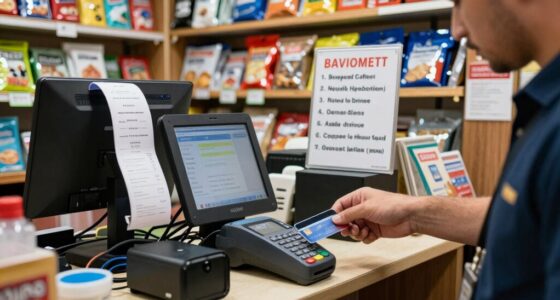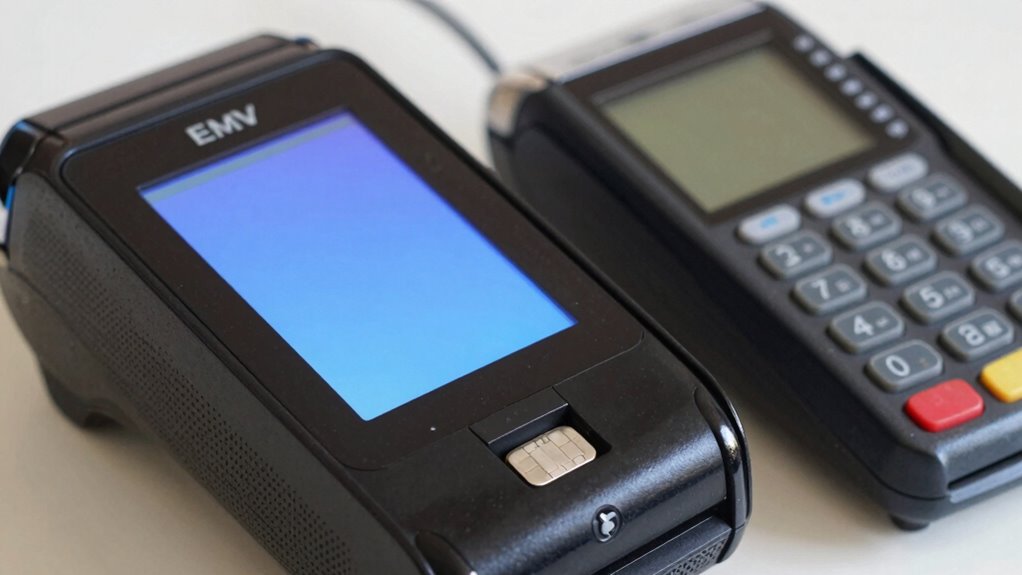
For a business that needs an EMV credit card machine, my best overall pick is the Square Terminal, which combines payment acceptance and a built-in receipt printer in a portable unit. The SumUp Plus is a simpler phone-connected choice, while the Dejavoo QD4 suits businesses seeking a countertop Android terminal with multiple connection options. The main tradeoffs are portability versus a dedicated checkout station, and a straightforward setup versus more specialized hardware. Payment service compatibility matters just as much as the terminal itself, so check processor support before buying. Read on for the full breakdown and guidance on matching a machine to your business.

Get smart everyday buys delivered free with Prime
- Fast, free delivery on millions of items
- Prime Video, Amazon Music and more included
- Member-only deals all year
Key Takeaways
- Square Terminal is the strongest all-around fit in this lineup for businesses that want a portable machine with an integrated receipt printer, rather than a separate reader-and-phone setup.
- SumUp Plus favors lightweight, phone-based checkout; it is less self-contained than the Square Terminal because it relies on a smartphone for its working setup.
- The Dejavoo QD4 and touchscreen WiFi/4G terminal emphasize connected, dedicated checkout, while the Dejavoo QD2 is aimed at mobile use. Match connection options to where transactions actually happen.
- Several countertop Dejavoo and Verifone models are not interchangeable: their listed Ethernet, WiFi, dial, contactless, and encryption details differ, so confirm the exact configuration and processor compatibility.
- Model names alone do not prove a terminal will work with a merchant account. The lineup includes legacy-style and narrowly specified devices, making processor support, software provisioning, and update policies key purchase checks.
| Square Terminal – Credit Card Machine to Accept All Payments | Mobile POS |  | Best All-in-One Countertop Pick | Dimensions: 5.6 x 3.4 x 2.5 inches | Weight: 14.7 ounces | Battery: 1 included lithium-ion battery | VIEW ON AMAZON | See Our Full Breakdown |
| Verifone VX520 Dual Communication Credit Card Machine with Smart Card Reader |  | Best for Fixed, Wired Checkout | Model: M252-753-03-NAA-3 | Dimensions: 9 x 6 x 3 inches | Weight: 2.5 pounds | VIEW ON AMAZON | See Our Full Breakdown |
| SumUp Plus Card Reader, Bluetooth – NFC RFID Credit Card Reader for Smartphone |  | Best Compact Mobile Reader | Brand: SUMUP | Model: Plus Card Reader | Connectivity: Bluetooth | VIEW ON AMAZON | See Our Full Breakdown |
| Dejavoo Z8 EMV CTLS Credit Card Terminal (IP, WiFi, no Dial) |  | Best for EMV and Contactless Variety | Display: 2.4-inch color LCD with backlight | Memory: 192 MB (128 MB RAM / 64 MB DDR RAM) | Connectivity: IP and Wi-Fi; dial-up is inconsistently specified | VIEW ON AMAZON | See Our Full Breakdown |
| FD150 EMV Credit Card Terminal |  | Best for PCI 5.0-Focused Buyers | Model: FD150 | PCI compliance: 5.0 | Memory: 128MB | VIEW ON AMAZON | See Our Full Breakdown |
| Dejavoo QD2 Mobile Wireless Terminal |  | Best for Mobile Merchants | Payment compatibility: Chip card, EMV, NFC | Display: 2.4-inch color LCD with backlight | Memory: 192 MB | VIEW ON AMAZON | See Our Full Breakdown |
| Verifone VX520 EMV Contactless Credit Card Terminal |  | Best for Existing Verifone Setups | EMV reader: Yes | Contactless reader: Yes | Communication: Dual COM modem | VIEW ON AMAZON | See Our Full Breakdown |
| Touchscreen Credit Card Machine – WiFi & 4G POS with Built-in Receipt Printer |  | Best All-in-One Countertop Checkout | Processor: 4-core | Display: 5-inch HD touchscreen | Connectivity: Wi-Fi, 4G LTE, Bluetooth, USB | VIEW ON AMAZON | See Our Full Breakdown |
| Dejavoo QD4 Desktop Android Bluetooth IP & WiFi Payment Terminal |  | Best for Flexible Counter Connectivity | Connectivity: Bluetooth, Ethernet, USB, Wi-Fi | Connector: Micro USB | Resolution: 1080p | VIEW ON AMAZON | See Our Full Breakdown |
| Dejavoo Z11 EMV CTLS Ethernet and WiFi Credit Card Terminal (No Dial) – No Encryption |  | Best for Ethernet-or-Wi-Fi Counter Setups | Connectivity: Ethernet, Wi-Fi | EMV certification: EMV 4.x Level 1 and Level 2 | Displays: 3.5-inch TFT LCD with PCT touch; 2.4-inch color LCD with backlight | VIEW ON AMAZON | See Our Full Breakdown |
| emv credit card machine for business | Connectivity | Memory | Processor |
|---|---|---|---|
| Square Terminal | — | — | — |
| Verifone VX520 Dual Communicat | Dial and Ethernet; GPRS optional | 128/32 MB; listed as non-contactless | Described as industry’s fastest processor |
| SumUp Plus Card Reader | Bluetooth | — | — |
| Dejavoo Z8 EMV CTLS Credit Car | IP and Wi-Fi; dial-up is inconsistently specified | 192 MB (128 MB RAM / 64 MB DDR RAM) | 400 MHz 32-bit microprocessor |
| FD150 EMV Credit Card Terminal | — | 128MB | Cortex A5, 500MHz |
| Dejavoo QD2 Mobile Wireless Te | — | 192 MB | — |
| Verifone VX520 EMV Contactless | — | 32 MB | — |
| Touchscreen Credit Card Machin | Wi-Fi, 4G LTE, Bluetooth, USB | — | 4-core |
| Dejavoo QD4 Desktop Android Bl | Bluetooth, Ethernet, USB, Wi-Fi | — | — |
| Dejavoo Z11 EMV CTLS Ethernet | Ethernet, Wi-Fi | 192 MB | 400 MHz 32-bit microprocessor |
More Details on Our Top Picks
Square Terminal – Credit Card Machine to Accept All Payments | Mobile POS
Square Terminal combines payment acceptance and receipt printing in one cordless device, which can simplify checkout for a small shop that wants less equipment on the counter. Its built-in battery also gives staff room to take payments away from a fixed till. Compared with the SumUp Plus, it does not depend on a separate smartphone to handle the sale, while SumUp is the lighter, simpler reader for phone-based selling. The tradeoff is closer ties to Square services: the supplied information says full functionality requires a Square subscription, and it gives little detail about compatibility with other POS systems or connection options. I’d favor this pick when an integrated terminal and printed receipts matter more than platform flexibility.
Pros:- Accepts major credit and debit cards
- Built-in battery supports cordless checkout
- Processes chip cards in a stated two seconds
- Prints receipts without a separate printer
Cons:- Full functionality requires a Square services subscription
- Compatibility with third-party POS systems is not detailed
- Connectivity options are not specified in the provided product data
Best for: Small retailers and service businesses that want a cordless payment terminal with receipt printing built into the same device
Not ideal for: Businesses committed to another POS platform or seeking a phone-sized reader with clearly documented connectivity and minimal platform dependence
- Dimensions:5.6 x 3.4 x 2.5 inches
- Weight:14.7 ounces
- Battery:1 included lithium-ion battery
- Payment acceptance:Major credit and debit cards
- Chip processing:Stated 2-second processing
- Receipt printing:Built-in
Our verdict“Choose Square Terminal if you want a battery-powered EMV-capable checkout device that also prints receipts, and can work within Square’s service ecosystem.”
Verifone VX520 Dual Communication Credit Card Machine with Smart Card Reader
The Verifone VX520 suits businesses that value established wired connections over a compact, phone-led setup. Dial and Ethernet are listed as standard connectivity choices, with GPRS optional, giving a shop alternatives when one connection is unsuitable. Its integrated smart card reader supports chip transactions, and the listed security features include VeriShield Protect and PCI PED 2.0. Compared with the cordless Square Terminal, the VX520 is heavier and less convenient to move around, but it may fit a checkout that stays in one place and relies on a wired network. There is a meaningful caveat: contactless capability is described as optional, not included by default, so buyers needing tap payments should confirm the exact configuration before choosing it.
Pros:- Offers dial and Ethernet connectivity, with GPRS available as an option
- Includes an integrated smart card reader
- Lists VeriShield Protect and PCI PED 2.0 security
- Compact footprint for a wired terminal, with cable management
Cons:- Contactless reader is optional rather than standard
- At 2.5 pounds, it is less portable than the Square Terminal or SumUp Plus
- Requires a lithium-ion battery, with no battery-life details provided
Best for: Retailers with a fixed checkout who need a chip-card terminal and want Ethernet or dial connectivity options
Not ideal for: Mobile sellers or businesses that require contactless payments out of the box, since the terminal is relatively bulky and contactless is optional
- Model:M252-753-03-NAA-3
- Dimensions:9 x 6 x 3 inches
- Weight:2.5 pounds
- Connectivity:Dial and Ethernet; GPRS optional
- Memory:128/32 MB; listed as non-contactless
- Processor:Described as industry’s fastest processor
- Security:PCI PED 2.0, optional PCI PTS 3.0, VeriShield Protect
- Color:Grey
Our verdict“Pick the VX520 for a stationary business that prioritizes wired connection choices and chip-card acceptance over built-in contactless and cordless use.”
SumUp Plus Card Reader, Bluetooth – NFC RFID Credit Card Reader for Smartphone
SumUp Plus is the most minimal setup here: a small Bluetooth reader pairs with an iOS or Android phone or tablet running the free SumUp app. Its NFC/RFID acceptance suits sellers who need contactless payments while moving between appointments, market stalls, or customer locations. Unlike the Square Terminal, it does not print receipts or operate as a standalone checkout device; the phone supplies the screen and app. That keeps the hardware light, but makes a compatible, charged mobile device part of every sale. The supplied description lists a per-transaction fee and no long-term contract, so it may appeal to sellers who prefer that arrangement. It is less fitting for a staffed shop that wants an integrated terminal and receipt printer.
Pros:- Accepts major credit and debit cards through NFC/RFID
- Pairs with iOS and Android devices over Bluetooth
- Works with the free SumUp app
- Product description states no long-term contract
Cons:- Requires a compatible smartphone or tablet to operate
- A transaction fee applies to each in-person sale
- Does not provide the built-in receipt printer offered by Square Terminal
Best for: Solo service providers and market vendors who already carry an iOS or Android device and need a compact contactless reader
Not ideal for: Fixed retail counters that need a standalone terminal, built-in receipt printing, or payment acceptance without relying on a smartphone or tablet
- Brand:SUMUP
- Model:Plus Card Reader
- Connectivity:Bluetooth
- Compatible devices:Smartphones and tablets
- Operating systems:iOS and Android
- Payment technology:NFC/RFID
- Weight:142 g
- Color:White
Our verdict“Choose SumUp Plus if portability and phone-based contactless selling matter more than a standalone terminal or printed receipts.”
Dejavoo Z8 EMV CTLS Credit Card Terminal (IP, WiFi, no Dial)
The Dejavoo Z8 is a strong fit for a business that wants EMV and contactless payment support in a countertop terminal, with IP and Wi-Fi connections listed in the product data. Its stated compatibility with Apple Pay, Samsung Pay, Google Wallet, Visa payWave, and MasterCard PayPass gives buyers a clearer contactless picture than the Verifone VX520, where contactless is optional. The Z8 also lists a backlit color display and PCI PTS certification. Those capabilities come with a fixed-power tradeoff: it needs an external power supply, unlike the battery-powered Square Terminal. Product information is inconsistent about dial-up—the title says “no Dial,” while the description lists dial-up—so I would verify the exact model before relying on that connection.
Pros:- Supports EMV and NFC contactless payments
- Lists Apple Pay, Samsung Pay, Google Wallet, Visa payWave, and MasterCard PayPass
- Provides IP and Wi-Fi connectivity
- Lists EMV 4.x L1/L2 and PCI PTS certification
Cons:- Requires an external power supply
- Product title and description conflict on dial-up availability
- The 2.4-inch display is smaller than a full-size smartphone screen
Best for: Small and mid-sized retailers that want EMV chip and named contactless wallet support at a powered checkout
Not ideal for: Mobile merchants who need battery-powered operation or buyers who require confirmed dial-up connectivity without checking the exact model
- Display:2.4-inch color LCD with backlight
- Memory:192 MB (128 MB RAM / 64 MB DDR RAM)
- Connectivity:IP and Wi-Fi; dial-up is inconsistently specified
- Processor:400 MHz 32-bit microprocessor
- Certification:EMV 4.x L1 and L2; PCI PTS
- Payment options:Apple Pay, Samsung Pay, Google Wallet, Visa payWave, MasterCard PayPass
- Included:Terminal and power supply
Our verdict“Choose the Z8 if your fixed checkout needs broad EMV and contactless support over IP or Wi-Fi, after confirming its exact connection configuration.”
FD150 EMV Credit Card Terminal
The FD150 makes its clearest case through its stated PCI 5.0 compliance and support for chip, EMV, and NFC transactions. That combination may suit a business comparing terminals primarily by security standard and payment method coverage, rather than portability or a polished mobile setup. Compared with the Dejavoo Z8, the FD150 listing provides less detail about connection options, display, or named digital wallets, so it is harder to judge how well it fits a particular checkout workflow. Its Cortex A5 processor and 128MB memory are specified, along with 256MB of flash storage, but the product data does not explain battery life or whether it connects by Ethernet, Wi-Fi, or another method. I’d shortlist it only after confirming those operational details with the seller or processor.
Pros:- Lists PCI 5.0 compliance
- Supports chip-card, EMV, and NFC transactions
- Specifies 128MB of memory and 256MB of flash storage
- Uses a design described as similar to the FD130
Cons:- Connectivity options are not provided
- Battery life and power details are not provided
- The listed processor may be less capable than newer terminal hardware
Best for: Businesses whose shortlist centers on a terminal listing PCI 5.0 compliance plus chip and NFC transaction support
Not ideal for: Mobile sellers and buyers who need confirmed wireless connectivity, battery details, or a fully documented checkout setup before purchase
- Model:FD150
- PCI compliance:5.0
- Memory:128MB
- Flash storage:256MB
- Processor:Cortex A5, 500MHz
- Payment support:Chip card, EMV, NFC
Our verdict“Consider the FD150 if its PCI 5.0 and EMV/NFC claims match your requirements, but confirm connectivity and power details before committing.”
Dejavoo QD2 Mobile Wireless Terminal
The Dejavoo QD2 suits businesses that need to take EMV and contactless payments away from a fixed checkout. Its wireless design and support for chip cards and NFC give it more flexibility for tableside service, pop-ups, or on-site work than the countertop-focused P1. The backlit 2.4-inch color display keeps the payment interface visible, while encryption is listed as a security feature. The tradeoff is that the supplied details do not identify connectivity types, battery life, or a built-in printer, so I would verify those needs before choosing it for a full day of mobile sales. It also requires a new merchant account before shipping, adding setup work that a buyer should factor into the purchase decision.
Pros:- Portable wireless design suits transactions away from a fixed counter.
- Accepts EMV chip and NFC payment methods.
- Encryption is listed as a security feature.
- Backlit color display supports use in varied lighting.
Cons:- Requires a new merchant account before shipping.
- No built-in printer or additional peripherals are listed.
- Connectivity details and battery specifications are not provided.
Best for: Mobile service providers, market vendors, and small businesses that need a portable EMV and NFC terminal and can arrange a new merchant account.
Not ideal for: Businesses that need printed receipts from the terminal, detailed connectivity and battery specifications, or a device ready to ship without a new merchant account.
- Payment compatibility:Chip card, EMV, NFC
- Display:2.4-inch color LCD with backlight
- Memory:192 MB
- RAM:128 MB
- DDR RAM:64 MB
- Security:Encryption technology listed
Our verdict“Choose the QD2 for portable EMV and NFC payments when wireless mobility matters more than built-in receipts or fully documented specifications.”
Verifone VX520 EMV Contactless Credit Card Terminal
The Verifone VX520 is a wired-style counter terminal for merchants who want EMV chip and contactless acceptance through a familiar payment-device format. Its dual COM modem gives it a connectivity feature not specified for the mobile Dejavoo QD2, while PCI compliance is listed for the device. But this model has a material limitation for businesses that process debit: debit encryption is unavailable, and a separate PIN pad is required for debit processing. That makes it a less straightforward choice than the P1, which lists a broader set of payment types and built-in receipt printing. I would shortlist the VX520 when it fits an existing processor or counter setup, not as a default purchase for a business seeking a fully specified, all-in-one checkout.
Pros:- Supports EMV chip-card payments.
- Includes a contactless reader.
- PCI compliance is listed.
- Dual COM modem provides a stated communication option.
Cons:- Debit encryption is not available.
- A separate PIN pad is required for debit processing.
- Only 32 MB of memory is listed, with few other hardware details supplied.
Best for: Businesses with an existing Verifone-compatible payment setup that primarily need EMV credit and contactless acceptance at a counter.
Not ideal for: Merchants who need debit encryption, an included PIN pad, or a self-contained checkout with a built-in receipt printer.
- EMV reader:Yes
- Contactless reader:Yes
- Communication:Dual COM modem
- PCI compliance:Yes
- Debit encryption:Not available
- Memory:32 MB
Our verdict“Pick the VX520 when it matches an existing Verifone setup and credit or contactless acceptance is the main need, but look elsewhere for debit-ready all-in-one service.”
Touchscreen Credit Card Machine – WiFi & 4G POS with Built-in Receipt Printer
The P1 combines a touchscreen, thermal receipt printer, and Wi-Fi plus 4G LTE in one countertop terminal. That makes it a more complete checkout package than the Dejavoo QD2, whose supplied details list no printer, and a better fit for shops that routinely hand customers paper receipts. It also accepts EMV, tap, magnetic stripe, and mobile wallets, giving retailers and small restaurants several payment paths from one device. The compromise is mobility: its countertop design and lack of stated battery backup make it a weaker choice for roaming service than the QD2. The compact receipt-media specification may also mean frequent paper changes. I would favor this model when a staffed, fixed checkout matters more than taking the terminal to the customer.
Pros:- Built-in thermal printer supports paper receipts without a separate printer.
- Accepts EMV chip, contactless, magnetic stripe, and mobile-wallet payments.
- Wi-Fi and 4G LTE provide two listed network options.
- Android touchscreen interface brings payment functions together on one device.
Cons:- Countertop design is less suited to mobile transactions.
- No battery backup is specified for portable operation.
- Small listed media size may require frequent paper reloads.
Best for: Retail shops, salons, and small restaurants that want a fixed checkout with an integrated receipt printer and Wi-Fi or 4G connectivity.
Not ideal for: Mobile sellers and tableside operators who need a clearly documented battery-powered terminal or a device designed for roaming use.
- Processor:4-core
- Display:5-inch HD touchscreen
- Connectivity:Wi-Fi, 4G LTE, Bluetooth, USB
- Printer:Built-in thermal receipt printer
- Supported payment types:Tap, EMV chip, magnetic swipe, Apple Pay, Google Pay, Samsung Pay
- Weight:408 g
- Dimensions:2 in D x 4 in W x 10 in H
- Warranty:1 year
Our verdict“Choose the P1 for a fixed business checkout that benefits from an integrated printer and broad payment acceptance, rather than for mobile service.”
Dejavoo QD4 Desktop Android Bluetooth IP & WiFi Payment Terminal
The Dejavoo QD4 stands out for its range of connection options: Bluetooth, Wi-Fi, Ethernet, and USB give a merchant more ways to fit the terminal into a retail counter setup than the Ethernet-and-Wi-Fi Dejavoo Z11. Its description also specifies EMV certification, NFC payments, and a large touchscreen, making it a plausible choice for a fixed checkout where shoppers can tap or insert a card. The buying risk is how much remains unspecified. The supplied data does not explain the payment software, update policy, printer, or detailed interface, so I would confirm those details with the seller or processor before relying on it for daily business. Unlike the P1, it has no listed built-in receipt printer or stated mobile-network connection.
Pros:- Supports EMV-certified and NFC contactless transactions.
- Bluetooth, Wi-Fi, Ethernet, and USB offer multiple connection choices.
- Large touchscreen is intended to simplify counter operation.
Cons:- Payment software and update support are not detailed.
- No built-in printer is specified.
- The listed technical data includes media and video details but leaves key payment-workflow information unclear.
Best for: Retail businesses that need a desktop EMV and NFC terminal with several ways to connect to existing counter equipment or a network.
Not ideal for: Businesses that need clear software and support details, built-in receipt printing, or cellular connectivity documented before purchase.
- Connectivity:Bluetooth, Ethernet, USB, Wi-Fi
- Connector:Micro USB
- Resolution:1080p
- Video output resolution:1920 pixels
- Video codecs:H.264, H.265/HEVC, VP9
- Payment features:EMV-certified; NFC contactless
- Color:Black
Our verdict“Consider the QD4 when connection flexibility is the priority, but verify software, support, and receipt-handling needs before selecting it over the more fully described P1.”
Dejavoo Z11 EMV CTLS Ethernet and WiFi Credit Card Terminal (No Dial) – No Encryption
The Dejavoo Z11 is a counter terminal for merchants who can connect over Ethernet or Wi-Fi and want EMV chip and contactless acceptance, including listed mobile wallets. Its two displays—a 3.5-inch touchscreen and 2.4-inch color LCD—set it apart from the smaller-screen QD2, while its processor and memory are specified more clearly than the QD4’s supplied payment details. The central tradeoff is serious: the product title says no encryption, and the description also flags the absence of a dial modem. I would not treat this as a secure payment choice without confirming the processor’s encryption requirements and supported transaction setup. Compared with the P1, it has no built-in printer listed, but it may suit a counter that already handles receipts separately.
Pros:- Supports EMV 4.x Level 1 and Level 2 certification.
- Accepts contactless payments, including listed mobile wallets.
- Ethernet and Wi-Fi allow more than one network setup.
- Two displays include a touchscreen for signatures and transaction interaction.
Cons:- Product title specifies no encryption, a major concern to confirm with the payment provider.
- No dial modem is included.
- No built-in receipt printer is listed.
Best for: Retail or hospitality businesses with Ethernet or Wi-Fi at the counter that have confirmed the terminal’s security and processing requirements with their payment provider.
Not ideal for: Merchants who require encryption, dial-up connectivity, an integrated receipt printer, or a terminal with clearly documented security support.
- Connectivity:Ethernet, Wi-Fi
- EMV certification:EMV 4.x Level 1 and Level 2
- Displays:3.5-inch TFT LCD with PCT touch; 2.4-inch color LCD with backlight
- Memory:192 MB
- RAM:128 MB
- DDR RAM:64 MB
- Processor:400 MHz 32-bit microprocessor
- Dial modem and encryption:No dial modem; product title specifies no encryption
Our verdict“Choose the Z11 only if your payment provider confirms its non-encrypted configuration is suitable for your setup and Ethernet or Wi-Fi meets your connectivity needs.”

How We Picked
I ranked these machines by how well their stated features address everyday business payment needs: accepting chip and contactless payments, fitting the checkout environment, connecting reliably, and handling receipts or mobility. I gave more weight to a clear, self-contained business workflow than to a narrow feature advantage, since a capable terminal is of little use if it is awkward to deploy or mismatched with the merchant account.
The order also reflects the information provided for each model. Portable all-in-one hardware and broadly useful connectivity place higher than devices whose listings specify a restricted connection setup or leave key operational details unclear. I treat compatibility as a deciding factor rather than an assumed benefit: buyers should verify processor support, payment applications, encryption configuration, and ongoing software support before ordering. Since the lineup does not provide enough information to establish uniform processing costs or service terms, I do not rank by those claims.
| emv credit card machine for business | Connectivity |
|---|---|
| Square Terminal | — |
| Verifone VX520 Dual Communicat | Dial and Ethernet; GPRS optional |
| SumUp Plus Card Reader | Bluetooth |
| Dejavoo Z8 EMV CTLS Credit Car | IP and Wi-Fi; dial-up is inconsistently specified |
| FD150 EMV Credit Card Terminal | — |
| Dejavoo QD2 Mobile Wireless Te | — |
| Verifone VX520 EMV Contactless | — |
| Touchscreen Credit Card Machin | Wi-Fi, 4G LTE, Bluetooth, USB |
| Dejavoo QD4 Desktop Android Bl | Bluetooth, Ethernet, USB, Wi-Fi |
| Dejavoo Z11 EMV CTLS Ethernet | Ethernet, Wi-Fi |
Factors to Consider When Choosing Emv Credit Card Machine For Business
Choosing an EMV machine is partly a hardware decision and partly a decision about how payments will be processed and supported. I would settle the checkout workflow and confirm processor compatibility before comparing convenience features.
Confirm Processor and Account Compatibility First
A terminal that reads EMV cards is not automatically compatible with every merchant account. Ask your payment provider for the supported model list, required software or app, and any provisioning steps before purchasing hardware. Check whether the terminal is locked to a particular processor or can be reprogrammed if you change providers. A used or older unit may appear ready to operate yet lack the configuration your account needs. Get confirmation for the exact model and configuration in writing, especially when a listing names a specific connectivity or encryption version.
Choose the Checkout Format Around Your Workflow
Start by deciding whether customers pay at a fixed counter, at the table, or in different locations. A countertop terminal can keep a checkout station organized, while a handheld or phone-connected reader can reduce trips between staff and customers. Portable does not always mean self-sufficient: some readers depend on a smartphone, an app, and a separate device for operations such as receipts. A built-in printer can simplify in-person checkout, but it adds paper supplies and another component to maintain. Think through the full transaction, from tapping or inserting a card to giving the customer a receipt.
Match Connectivity to Your Actual Service Conditions
Ethernet can suit a stable counter setup, while WiFi offers more placement freedom if the network reaches the payment area reliably. Cellular connectivity may help when a business moves between locations, but check whether the specific machine includes an active service option and what its terms are. Do not assume that a model supports every connection named in a broad product description; confirm the exact hardware configuration. If your network drops, ask the processor what happens to pending transactions and whether offline acceptance is supported. A backup connection is useful only when the terminal and payment service both support the required workflow.
Separate EMV, Contactless, and Encryption Details
EMV chip acceptance, contactless payment, and encryption describe different parts of payment handling, so one label does not confirm the others. Check that the model supports the payment methods your customers use and that the processor has approved its security configuration. Pay attention to qualifiers in the model name, including whether contactless is included and whether encryption is absent or handled through a separate setup. Avoid relying on a generic claim that a terminal is secure without asking who provisions and maintains its payment software. This verification is especially important for older or configuration-specific devices.
Calculate the Full Operating Burden, Not Just the Hardware
The purchase decision should include the ongoing work of keeping the machine useful. Ask about software updates, technical support, replacement procedures, connectivity charges, receipt paper, and any account or application requirements. A low-complexity reader may be easy to carry but require a phone and app; a dedicated terminal may reduce dependence on that setup while adding hardware upkeep. Also confirm whether the terminal can be replaced without changing your merchant account or retraining staff. Comparing these operational commitments can reveal a better fit than comparing feature lists alone.
Plan for Staff, Transaction Volume, and Growth
A business with one checkout point may value a simple fixed terminal, while a team handling payments across a floor may benefit from portable equipment. Consider how many staff members need access, how quickly new employees can learn the payment flow, and whether more than one device will be needed at busy times. Check that the provider can support added terminals under the same account and explain how sales are reconciled across them. A more capable device may be worthwhile when it removes checkout bottlenecks, but extra features offer little value if the workflow remains simple. Choose for the business you expect to run, while confirming that expansion will not force a full payment-system replacement.
Frequently Asked Questions
Can I buy one of these terminals and use it with any payment processor?
No. EMV capability does not guarantee compatibility with every merchant account or payment processor. The provider may require particular software, device provisioning, or an approved hardware version. Before ordering, give the processor the exact model name and ask whether it can be activated on your account. Also ask what happens if you later switch providers, since a locked terminal may not transfer with you.
Should I choose a phone-connected reader or a standalone terminal?
Choose a phone-connected reader if you already have a suitable smartphone and want a small, mobile setup for occasional or low-volume checkout. A standalone unit is a better fit when staff need a dedicated payment device or you want fewer steps involving a personal phone. Compare the complete workflow, including charging, app access, receipts, and staff permissions. If the phone is unavailable or needed for other work, the reader may interrupt checkout. Confirm that the payment provider supports the full setup you plan to use.
Is a used Verifone VX520 a safe choice for a new business?
It may be suitable only if your processor confirms that the exact VX520 configuration can still be activated and supported. The model name alone does not establish current software support, contactless capability, or the security configuration of a particular unit. Ask about updates, replacement options, and any restrictions tied to the previous merchant account. A low hardware cost can become a poor trade if the device cannot be provisioned or supported. For a new operation, compare its total setup burden with a currently supported terminal.
Do I need contactless acceptance if chip payments are already available?
Contactless can make checkout quicker for customers who tap cards or use compatible mobile wallets, while chip acceptance remains useful for inserted cards. The right mix depends on customer habits and how much speed matters at your checkout. Verify that contactless is included on the exact terminal version and enabled through your processor; similar model names can refer to different configurations. If most payments happen remotely or through another channel, contactless hardware may matter less. Do not treat an EMV label by itself as proof that tap payments are supported.
What should I verify before buying a terminal that lists WiFi or 4G?
Confirm which connection methods the exact unit supports, whether cellular service is included or separately arranged, and whether your provider allows that device to connect to your account. Check WiFi requirements and signal quality at the intended checkout locations. Ask how the terminal behaves during an outage and whether transactions can be processed offline; do not assume that connectivity options guarantee uninterrupted payment acceptance. For mobile use, also check battery life, charging needs, and cellular coverage along your usual routes. These details help distinguish a genuinely mobile setup from a terminal that is portable but dependent on a fixed network.
Conclusion
For most businesses wanting one device that can move between checkout points and print receipts, I recommend the Square Terminal as best overall. For best value in a simple, phone-based setup, consider the SumUp Plus, provided its processor compatibility and smartphone requirements work for you. The Dejavoo QD4 is my premium-style pick for a dedicated connected counter, while the Square Terminal is also the more approachable choice for beginners who want an all-in-one workflow. For mobile teams, look at the Dejavoo QD2 or the touchscreen WiFi/4G terminal, after confirming the exact connection and support details. Before choosing any model, have your processor approve the specific device and configuration; compatibility is the deciding step that can turn a promising terminal into a practical business tool.