
The best budgeting software for freelancers should help you manage uneven income, set money aside for taxes, and see what you can safely spend. Quicken Classic Business & Personal is my best overall pick for people who want personal and business finances in one place, while GnuCash stands out for hands-on accounting and Personal Budget Spreadsheet for a simple, adaptable starting point. The main tradeoff is between automation and control: dedicated software can organize more of your finances, while spreadsheets and guides ask you to do more yourself. Some items in this roundup are educational books or templates rather than full software, so the right choice depends on whether you need a working system or instruction. Read on for the full breakdown and help matching an option to your freelance workflow.

Get smart everyday buys delivered free with Prime
- Fast, free delivery on millions of items
- Prime Video, Amazon Music and more included
- Member-only deals all year
Key Takeaways
- The lineup mixes tools with learning materials: SavePoint, Quicken, Express Accounts, SayMoney Pro, GnuCash, and the spreadsheet are software or usable tools; several other entries are books or guides, not apps that automatically track transactions.
- Quicken Classic Business & Personal is the strongest all-in-one direction: it combines personal and business finance functions, while Quicken Deluxe is more suited to household budgeting without the same business focus.
- GnuCash and Express Accounts lean toward bookkeeping: they may suit freelancers who want structured business records, but can ask for more accounting involvement than a basic budget template.
- Spreadsheets offer control rather than automation: the Personal Budget Spreadsheet and Excel That Works: Money point toward customizable planning, but manual upkeep and user setup remain part of the deal.
- Irregular-income guidance fills a different need from software: The Solopreneur Money System and Budgeting System for Freelancers with Irregular Income can inform a process, but they should not be mistaken for transaction-syncing budgeting apps.
| SavePoint Personal Finance Software for PC and Mac with 8GB USB Drive |  | Best for Offline Financial Planning | Connectivity: Offline | Storage: Local-only | License: Lifetime; one-time purchase | VIEW LATEST PRICE | See Our Full Breakdown |
| The Solopreneur Money System: Manage Irregular Income, Taxes, and Finances with AI |  | Best for Irregular-Income Guidance | Format: Guide | Audience: Freelancers and one-person businesses | Topics: Irregular income, taxes, and financial automation with AI | VIEW LATEST PRICE | See Our Full Breakdown |
| Quicken Classic Deluxe Made Easy for Beginners and Seniors | 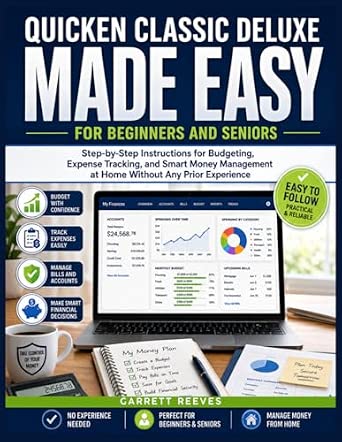 | Best for Learning Quicken Basics | Format: Guide | Software covered: Quicken Classic Deluxe | Intended audience: Beginners and seniors | VIEW LATEST PRICE | See Our Full Breakdown |
| Quicken Classic Business & Personal – 1 Year Subscription (PC/Mac Online Code) |  | Best for Combined Business and Personal Finances | Subscription term: 1 year | Delivery: Online code | Platforms: PC and Mac | VIEW LATEST PRICE | See Our Full Breakdown |
| Express Accounts Accounting Software for PC |  | Best for Invoicing and Cash-Flow Records | Platform: PC | Operating system: Windows (all versions) | Financial reports: Over 20 | VIEW LATEST PRICE | See Our Full Breakdown |
| Personal Budget Spreadsheet – Simple Digital Template for Budgeting (Google Sheets & Microsoft Excel) |  | Best for Spreadsheet-Based Budgeting | Format: Google Sheets and Microsoft Excel | File types: .xlsx and .gsheet | Compatibility: Windows, macOS, Chrome OS, Android, and iOS via the Google Sheets app | VIEW LATEST PRICE | See Our Full Breakdown |
| SayMoney Pro Personal Finance Software (Download) |  | Best for Windows-Based Finance Management | Platform: Windows | Supported operating systems: Windows 10, 8, 8.1, 7, Vista, XP, and 2000 | Minimum processor: 1000 MHz | VIEW LATEST PRICE | See Our Full Breakdown |
| GnuCash Accounting Software on 16GB USB Flash Drive for Windows, Mac, and Linux |  | Best for Cross-Platform Bookkeeping | Storage capacity: 16 GB | Hardware interface: USB | Connector type: USB Type-A | VIEW LATEST PRICE | See Our Full Breakdown |
| Budgeting System for Freelancers with Irregular Income |  | Best for Irregular-Income Planning | Format: Not specified | Included materials: Templates | Intended budgeting approach: Monthly method for paying yourself a steady salary | VIEW LATEST PRICE | See Our Full Breakdown |
| Quicken Classic Deluxe Personal Finance Software, 1-Year Subscription for New Subscribers (PC/Mac Online Code) | 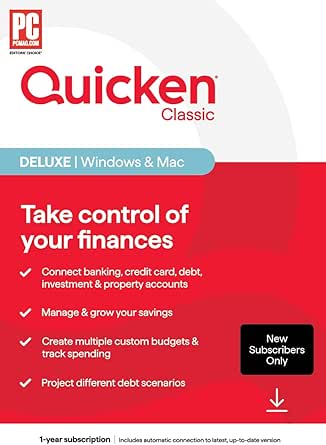 | Best for Whole-Finance Oversight | Subscription term: 1 year | Compatibility: PC and Mac | Delivery: Online code | VIEW LATEST PRICE | See Our Full Breakdown |
| Quicken Classic Deluxe Made Simple for Beginners and Seniors 2026 |  | Best for Learning Personal Budgeting | Product type: Beginner’s guide to using Quicken Classic Deluxe | Named software: Quicken Classic Deluxe | Edition year in title: 2026 | VIEW LATEST PRICE | See Our Full Breakdown |
| Xero Made Simple: A Beginner’s Guide to Cloud Bookkeeping |  | Best for Learning Freelance Bookkeeping | Product type: Beginner’s guide to cloud bookkeeping | Named platform: Xero | Bookkeeping approach: Cloud bookkeeping | VIEW LATEST PRICE | See Our Full Breakdown |
| Excel That Works: Money — 10 Real Money Problems Every Freelancer and Small Business Faces, Solved Fast with Ready-to-Use Templates |  | Best for Practical Spreadsheet Templates | Product type: Money-problem guide with templates | Template format: Excel templates | Number of problems covered: 10 | VIEW LATEST PRICE | See Our Full Breakdown |
More Details on Our Top Picks
SavePoint Personal Finance Software for PC and Mac with 8GB USB Drive
SavePoint is a fit for freelancers who want budgeting alongside a wider view of cash flow, balances, and long-term financial independence. Its local-only storage keeps financial data off cloud services, while support for multiple currencies can help people who work with clients across borders. Compared with Quicken Classic Business & Personal, SavePoint emphasizes personal finance and FIRE projections rather than integrated business and rental tax reports. Monte Carlo simulations and several FIRE strategies add planning depth, but they do not replace bookkeeping tools for invoices or business expenses. The tradeoff is the offline workflow: there is no cloud sync, and the license covers only two devices. I’d choose it for privacy and planning, not for freelancers who need shared access or automatic cross-device updates.
Pros:- Stores financial data locally without cloud uploads
- Combines budgeting, cash-flow tracking, and balance-sheet tools
- Monte Carlo simulations and multiple FIRE strategies support long-range planning
- Supports eight languages and more than 150 currencies
Cons:- Offline operation means data is not cloud-synced between devices
- License is limited to two devices
- Updates are included for the purchased version, rather than described as ongoing across future versions
Best for: Freelancers who want locally stored budgeting and cash-flow tools, use multiple currencies, and plan for financial independence.
Not ideal for: Freelancers who need cloud syncing, collaboration across several devices, or built-in invoicing and business tax workflows.
- Connectivity:Offline
- Storage:Local-only
- License:Lifetime; one-time purchase
- Device limit:Up to 2 devices
- FIRE strategies:Lean, Traditional, Fat, and Coast
- Reports:10+ types
- Languages and currencies:8 languages; 150+ currencies
- Compatibility and included accessory:PC and Mac; 8GB USB drive
Our verdict“Choose SavePoint if offline privacy and FIRE planning matter more than synced access or freelancer-specific invoicing.”
The Solopreneur Money System: Manage Irregular Income, Taxes, and Finances with AI
This book is the most directly freelancer-focused option in this group: it addresses irregular income, taxes, and AI-based financial automation for one-person businesses. That makes it a different kind of pick from SavePoint, which is software for tracking finances and projecting long-term outcomes rather than a guide to managing variable pay. The focus may help a reader build routines around uneven client payments and tax obligations, but the listing describes a book, not a budgeting application. It does not specify templates, integrations, or step-by-step software workflows, so I would not treat it as a replacement for bookkeeping software such as Express Accounts. Its value is in learning a framework; readers who need a tool to record transactions or generate reports should pair it with dedicated software.
Pros:- Addresses finances for freelancers and one-person businesses directly
- Covers planning around irregular income
- Includes tax-management topics
- Introduces AI-based financial automation
Cons:- It is a guide rather than budgeting or accounting software
- The product details do not specify templates, integrations, or supported tools
- Readers still need another product to track transactions and produce financial reports
Best for: Freelancers and solo business owners seeking guidance on uneven income, tax planning, and AI-assisted financial tasks.
Not ideal for: Buyers looking for downloadable budgeting software, transaction tracking, invoices, or detailed reporting from an app.
- Format:Guide
- Audience:Freelancers and one-person businesses
- Topics:Irregular income, taxes, and financial automation with AI
- Publication year:2026
- Software included:Not specified
- Integrations:Not specified
Our verdict“Choose this guide to build a freelancer-specific money-management approach, but pair it with software if you need hands-on tracking.”
Quicken Classic Deluxe Made Easy for Beginners and Seniors
This title is an instructional guide, not the Quicken software itself, so its role is helping a new user get started with budgeting and expense tracking. Its beginner- and senior-oriented, step-by-step approach may be more approachable than selecting a complex tool without guidance. Compared with The Solopreneur Money System, it focuses on using a named personal-finance product rather than freelancer income patterns, taxes, and AI. That makes it a narrower fit for self-employed readers: the description does not identify business bookkeeping, Schedule C reporting, or irregular-income planning. I’d pair it with the software it explains, and choose Quicken Classic Business & Personal instead if separating business and personal activity or rental reporting is a priority. The main limitation is that product details do not establish which edition or interface the guide covers beyond Classic Deluxe.
Pros:- Provides step-by-step guidance for using Quicken Classic Deluxe
- Designed for readers with no prior experience
- Covers budgeting and expense tracking
- Can help beginners learn a named personal-finance program
Cons:- The product is a guide, not the Quicken software
- The listed topics do not cover freelancer-specific tax or business workflows
- The product details do not specify edition coverage beyond Quicken Classic Deluxe
Best for: Freelancers new to Quicken Classic Deluxe who want guided help with personal budgeting and expense tracking.
Not ideal for: Self-employed users who need a standalone finance application, freelancer-specific tax advice, or business bookkeeping instructions.
- Format:Guide
- Software covered:Quicken Classic Deluxe
- Intended audience:Beginners and seniors
- Topics:Budgeting, expense tracking, and money management
- Step-by-step instruction:Yes
- Software included:Not specified
Our verdict“Choose this guide if you already plan to use Quicken Classic Deluxe and want help learning its budgeting basics.”
Quicken Classic Business & Personal – 1 Year Subscription (PC/Mac Online Code)
For freelancers who want business and household finances in one program, Quicken Classic Business & Personal has the strongest stated business-focused feature set here. Its Schedule C and E reports, profit-and-loss statements, and cash-flow tracking give self-employed users more tax and business visibility than SavePoint, whose emphasis is personal budgeting, local storage, and FIRE planning. Rental-management tools are an added fit for freelancers with property income, though they may be unnecessary for a solo worker with a simple client business. Compared with Express Accounts, Quicken also brings personal finance and rental management into the same product, while Express Accounts centers on sales, invoices, and accounting reports. Activation requires internet access, and the breadth of features may add complexity for buyers who only want a personal budget. The one-year subscription is a recurring commitment.
Pros:- Combines business, rental, and personal finance tools
- Includes Schedule C and E tax reports
- Tracks cash flow and profit and loss
- Rental property features can suit freelancers with additional property income
Cons:- Requires internet access to activate the online code
- The feature set may be more involved than needed for personal budgeting alone
- The listed access is a one-year subscription
Best for: Freelancers who want business and personal cash flow together, need Schedule C reporting, or also manage rental income.
Not ideal for: Freelancers who want offline-only software, a one-time license, or a simple personal budget without business and rental features.
- Subscription term:1 year
- Delivery:Online code
- Platforms:PC and Mac
- Finance areas:Business, rental, and personal
- Tax reports:Schedule C and Schedule E
- Business reporting:Profit-and-loss statements
- Cash flow:Cash-flow tracking
- Trial:30-day risk-free trial for new subscribers
Our verdict“Choose Quicken Classic Business & Personal if you need tax and cash-flow tools across freelance, personal, and rental finances.”
Express Accounts Accounting Software for PC
Express Accounts suits freelancers whose budgeting needs begin with recording client work: it tracks incoming and outgoing cash and supports quotes, sales orders, and invoices. Those features can make it more useful for monitoring receivables than SavePoint, which offers broader personal budgeting and FIRE planning but does not list invoicing. Its more than 20 financial reports and automatic integrated backup also support routine business recordkeeping. Compared with Quicken Classic Business & Personal, Express Accounts leans toward sales and accounting tasks; Quicken adds personal and rental finance tools plus Schedule C and E reports. The tradeoff is platform and scope: this listing is for Windows PCs, and the description does not establish personal budgeting or tax-reporting features. I’d choose it to organize service or product sales, not as a complete household budget system.
Pros:- Creates quotes, sales orders, and invoices
- Tracks incoming cash, accounts receivable, and outgoing payments
- Includes more than 20 financial reports
- Supports businesses selling products or services
Cons:- Listed for Windows PCs only
- The product description does not identify personal budgeting tools
- The product details do not specify built-in tax schedule reports
Best for: Windows-based freelancers and small businesses that need invoices, receivables tracking, and reports for service or product sales.
Not ideal for: Mac users or freelancers seeking one system for personal budgeting, rental finances, and specified tax schedules.
- Platform:PC
- Operating system:Windows (all versions)
- Financial reports:Over 20
- Backup:Automatic integrated backup
- Access:Secure web access
- Sales tools:Quotes, sales orders, and invoices
- Cash-flow tracking:Incoming and outgoing cash
- Business types:Product and service businesses
Our verdict“Choose Express Accounts if invoicing and business cash-flow records matter more than combining freelance accounts with a personal budget.”
Personal Budget Spreadsheet – Simple Digital Template for Budgeting (Google Sheets & Microsoft Excel)
This template keeps budgeting flexible for freelancers who want to enter income, expenses, and savings in a familiar spreadsheet rather than adopt a dedicated finance app. Its pre-filled categories and formulas calculate totals and balances, reducing setup work while leaving the layout open to edits. Compared with SayMoney Pro, it offers fewer built-in finance tools, but it can be easier to tailor if you already work comfortably in Sheets or Excel. That simplicity is also the tradeoff: changing the template takes basic spreadsheet knowledge, and it does not provide a dedicated mobile app. It tracks what you enter, rather than importing transactions or managing receipts for you. I’d choose it for hands-on, low-complexity tracking, not for automated account management.
Pros:- Pre-filled income and expense categories make initial setup straightforward.
- Built-in formulas calculate totals and balances automatically.
- Works with both Google Sheets and Microsoft Excel.
- Can be customized to reflect a freelancer’s own income and spending categories.
Cons:- Modifying the template beyond its existing layout requires basic spreadsheet knowledge.
- No dedicated mobile app is provided.
- Tracking depends on the user entering and maintaining the figures.
Best for: Freelancers who already use Google Sheets or Excel and want a customizable way to track income, expenses, and savings.
Not ideal for: Freelancers who want automatic transaction imports, receipt tools, or a dedicated mobile budgeting app.
- Format:Google Sheets and Microsoft Excel
- File types:.xlsx and .gsheet
- Compatibility:Windows, macOS, Chrome OS, Android, and iOS via the Google Sheets app
- Budgeting functions:Income, expense, and savings tracking with formulas for totals and balances
- License:Single-user digital download
- Delivery:Instant digital download
Our verdict“Choose this template if you want an editable spreadsheet for manual freelancer budgeting, and skip it if you need automated imports or app-based tools.”
SayMoney Pro Personal Finance Software (Download)
SayMoney Pro brings more finance tools into one program than the Personal Budget Spreadsheet, including budgets, accounts, recurring payments, receipt management, and transaction import and export. That broader toolkit can help a freelancer keep routine spending records and recurring obligations together instead of updating separate sheets. Voice input and output are another point of difference, though they matter most to users who want voice-enabled interaction. The tradeoff is platform fit: the supplied system requirements are for Windows, so it is a narrower choice than the cross-platform GnuCash USB package. The listed operating-system support also includes an incomplete entry, which makes compatibility less clear. I’d favor it for a Windows user who wants integrated personal-finance features, rather than a freelancer seeking a platform-neutral or business-first accounting setup.
Pros:- Combines budgets, income, expenses, accounts, and recurring payments.
- Supports transaction import and export, including CSV.
- Includes receipt management, backup and restore, encryption, and synchronization.
- Voice input and output provide an alternative way to interact with the software.
Cons:- System requirements are specified only for Windows.
- The supported operating-system list ends with an incomplete entry, leaving compatibility details unclear.
- Its personal-finance focus may not suit freelancers seeking a dedicated small-business bookkeeping workflow.
Best for: Windows-using freelancers who want budgeting, recurring-payment tracking, transaction imports, and receipt management in one personal-finance program.
Not ideal for: Freelancers on macOS or Linux, or anyone who needs clearly specified cross-platform compatibility before choosing software.
- Platform:Windows
- Supported operating systems:Windows 10, 8, 8.1, 7, Vista, XP, and 2000
- Minimum processor:1000 MHz
- Minimum RAM:1 GB
- Minimum hard disk space:100 MB
- Minimum video card:128 MB
- Features:Budgeting, transaction management, voice input and output, CSV import and export, receipt management, PIN protection, backup and restore, synchronization, data encryption, and currency conversion
Our verdict“Pick SayMoney Pro if you use Windows and want several personal-finance tools together, but choose a cross-platform option if operating-system flexibility matters more.”
GnuCash Accounting Software on 16GB USB Flash Drive for Windows, Mac, and Linux
GnuCash is the bookkeeping-led option in this group, combining personal finance tools with double-entry accounting, invoicing, bills, transaction imports, and reports. For a freelancer who needs more than a monthly spending plan, those features can connect day-to-day records with client billing and business accounts. Compared with SayMoney Pro, it has a clearer cross-platform fit, with installers for Windows, Mac, and Linux; compared with the Personal Budget Spreadsheet, it asks more of the user but supports a fuller accounting workflow. The software is open source and stores financial data on the computer, which avoids a required cloud account. The USB drive contains installers, not the working financial records, so it is a reinstall aid rather than a portable copy of your books. Installation and bookkeeping setup take more effort than a simple template.
Pros:- Supports double-entry bookkeeping alongside personal finance features.
- Includes invoicing, bills, transaction imports, and financial reports.
- Installers are provided for Windows, Mac, and Linux.
- Open-source software stores financial data locally without requiring a cloud account.
Cons:- The software must be installed on a computer before use.
- The USB drive holds installers, while financial data is stored separately on the computer.
- Its accounting capabilities may involve more setup and bookkeeping effort than a basic budget spreadsheet.
Best for: Freelancers who need invoicing, bills, reports, and double-entry bookkeeping across Windows, Mac, or Linux.
Not ideal for: Freelancers who want a ready-to-use monthly budget template, minimal setup, or financial data that follows them on the USB drive.
- Storage capacity:16 GB
- Hardware interface:USB
- Connector type:USB Type-A
- Compatible devices:Windows PC, Mac, and Linux
- Software license:GNU General Public License
- Software functions:Personal finance, small-business bookkeeping, account registers, transaction imports, invoicing, bills, and financial reports
- Data storage:Financial data is stored on the user’s computer
Our verdict“Choose GnuCash if your freelancer budget needs to sit alongside bookkeeping and invoicing, not just track monthly spending.”
Budgeting System for Freelancers with Irregular Income
This guide addresses a freelancer-specific budgeting problem: income that changes from month to month. Its stated method helps readers pay themselves a steady salary, with templates intended to support the process. That makes it more focused on building a routine for variable earnings than the Personal Budget Spreadsheet, which provides categories and formulas but no described approach to smoothing income. It is also different from Quicken Classic Deluxe, which offers broader account and debt management rather than a stated freelancer salary method. The limitation is how little detail is supplied about the format and template contents, so buyers cannot tell from the product information how much structure or practical instruction they will receive. This is a method-and-template resource, not described as software that imports transactions or calculates budgets automatically.
Pros:- Designed specifically around irregular freelance income.
- Presents a monthly method for paying yourself a steady salary.
- Includes templates to support the budgeting approach.
Cons:- The format is not specified.
- The contents and functions of the templates are not described.
- The supplied details do not describe software features such as transaction imports or automated calculations.
Best for: Freelancers with uneven monthly revenue who want a method for setting a steady personal paycheck and supporting templates.
Not ideal for: Freelancers looking for specified software features, automatic transaction tracking, or clearly documented template formats and contents.
- Format:Not specified
- Included materials:Templates
- Intended budgeting approach:Monthly method for paying yourself a steady salary
- Intended audience:Freelancers with irregular income
Our verdict“Choose this resource if your main challenge is turning irregular freelance income into a steady monthly paycheck, rather than automating financial tracking.”
Quicken Classic Deluxe Personal Finance Software, 1-Year Subscription for New Subscribers (PC/Mac Online Code)
Quicken Classic Deluxe stands out for breadth: it brings banking, credit cards, debt, investments, and property into a single personal-finance view while supporting custom budgets and spending tracking. For a freelancer whose budgeting decisions depend on more than business outgoings—such as household assets or debt plans—that wider view can be more useful than the Personal Budget Spreadsheet. It also offers debt-scenario projections, a capability not listed for SayMoney Pro. The tradeoff is scope: this product is framed around personal finances, not a freelancer-specific method for irregular income or an explicitly described business bookkeeping workflow like GnuCash. The supplied offer is a one-year subscription for new subscribers, so eligibility matters, and the online code is not described as a perpetual license. I’d choose it for connected financial oversight, not a narrow budgeting need.
Pros:- Combines banking, credit cards, debt, investments, and property management.
- Supports custom budgets and spending tracking.
- Lets users compare different debt scenarios.
- Compatible with both PC and Mac.
Cons:- The listed subscription is specified for new subscribers only.
- The subscription term is one year rather than a stated perpetual license.
- The supplied features describe broad personal finance management, not a dedicated freelancer budgeting method.
Best for: New-subscriber freelancers who want budgets alongside a view of banking, debt, investments, and property on PC or Mac.
Not ideal for: Existing subscribers who do not meet the stated eligibility, or freelancers seeking a dedicated irregular-income method or clearly specified business bookkeeping tools.
- Subscription term:1 year
- Compatibility:PC and Mac
- Delivery:Online code
- Subscriber eligibility:New subscribers
- Trial period:30 days
- Finance areas:Banking, credit cards, debt, investments, and property
- Budgeting tools:Custom budgets, spending tracking, savings growth, and debt-scenario comparisons
Our verdict“Choose Quicken Classic Deluxe if you qualify as a new subscriber and want budgeting connected to a wider personal-finance picture.”
Quicken Classic Deluxe Made Simple for Beginners and Seniors 2026
This is a how-to guide, not budgeting software, so it suits freelancers who want help learning income tracking, bill payments, and budget building before choosing or using a tool. Its beginner- and senior-focused approach may make personal money routines easier to understand, but the supplied details do not establish that the guide addresses freelance-specific needs such as tax planning or irregular income. Compared with Xero Made Simple, which focuses on cloud bookkeeping, invoicing, and bank reconciliation, this title leans toward household-style budgeting rather than business recordkeeping. It may be a gentler starting point than the more task-focused templates in Excel That Works: Money, though those templates offer practical materials to apply directly. The tradeoff is clear: it provides instruction, not a software license or a ready-made budgeting system.
Pros:- Explains income tracking in beginner-friendly terms
- Covers bill-payment routines that can help organize recurring obligations
- Includes guidance on building budgets
- Written with beginners and seniors in mind
Cons:- A guide rather than budgeting software, so it does not itself track transactions or manage bills
- No stated coverage of freelance taxes, irregular income, or business bookkeeping
- Product details do not specify format, included tools, or how the guidance is delivered
Best for: Freelancers new to budgeting who want plain-language guidance on tracking income, paying bills, and building a personal budget.
Not ideal for: Self-employed buyers seeking invoicing, tax workflows, or bookkeeping software itself; this is a guide and does not provide those capabilities.
- Product type:Beginner’s guide to using Quicken Classic Deluxe
- Named software:Quicken Classic Deluxe
- Edition year in title:2026
- Income guidance:Covers tracking income
- Bill-payment guidance:Covers paying bills
- Budgeting guidance:Includes building budgets
- Intended audience:Beginners and seniors
Our verdict“Choose this as a learning resource for basic personal budgeting, not as a replacement for freelance bookkeeping software.”
Xero Made Simple: A Beginner’s Guide to Cloud Bookkeeping
Xero Made Simple is the most business-oriented guide in this group: it introduces cloud bookkeeping through invoicing, bank reconciliation, and financial organization. Those topics map more directly to a freelancer’s work records than the personal budgeting focus of Quicken Classic Deluxe Made Simple for Beginners and Seniors 2026. It is aimed at beginners, which may help self-employed readers approach bookkeeping without needing prior accounting knowledge. Compared with Excel That Works: Money, however, it teaches a cloud-software workflow rather than offering ready-to-use Excel templates for specific money problems. That distinction matters if a buyer wants something immediately editable. The supplied description does not confirm tax tools, specific Xero features, or whether software access is included, so I would treat this as educational material—not a complete bookkeeping package.
Pros:- Covers invoicing, a practical need for independent workers
- Introduces bank reconciliation for organizing business transactions
- Written for beginners rather than experienced bookkeepers
- Targets small business owners, freelancers, and self-employed people
Cons:- It is described as a guide, with no confirmation that Xero software access is included
- No stated coverage of tax preparation or irregular-income budgeting
- The product details do not specify format, length, or particular Xero tools covered
Best for: Freelancers and self-employed beginners who want an introduction to invoicing, bank reconciliation, and organizing business finances in a cloud-bookkeeping workflow.
Not ideal for: Freelancers who need ready-to-use spreadsheets, tax-specific guidance, or confirmed access to bookkeeping software rather than a guide.
- Product type:Beginner’s guide to cloud bookkeeping
- Named platform:Xero
- Bookkeeping approach:Cloud bookkeeping
- Invoicing:Covered
- Bank reconciliation:Covered
- Financial organization:Covered
- Intended audience:Small business owners, freelancers, and self-employed people
Our verdict“Pick this guide if learning cloud bookkeeping and invoicing matters more than getting editable budgeting templates or personal-finance instruction.”
Excel That Works: Money — 10 Real Money Problems Every Freelancer and Small Business Faces, Solved Fast with Ready-to-Use Templates
Ready-to-use Excel templates give this guide the clearest hands-on angle for freelancers who prefer working in spreadsheets. Its focus on ten common money problems makes it more task-driven than Quicken Classic Deluxe Made Simple for Beginners and Seniors 2026, which teaches personal budgeting topics, and less dependent on learning a cloud bookkeeping workflow than Xero Made Simple. That flexibility can suit a freelancer who wants to adapt a template to their own process. The tradeoff is that templates rely on the buyer to enter and maintain information; the supplied details do not claim automated bank feeds, invoicing, or tax calculations. The audience and format are specified, but the individual problems and template features are not, so buyers should not assume a particular worksheet covers their exact budgeting or tax needs.
Pros:- Includes ready-to-use Excel templates
- Addresses ten common money problems faced by freelancers and small businesses
- Designed specifically for freelancers and small businesses
- Spreadsheet format can allow users to adapt their financial workflow
Cons:- Templates require users to enter and maintain their own figures
- No stated automation, bank synchronization, or built-in invoicing
- The supplied details do not list the ten problems or describe each template’s functions
Best for: Freelancers and small-business owners who want editable Excel templates to organize common money tasks and are comfortable maintaining their own spreadsheets.
Not ideal for: Freelancers who want automatic transaction syncing, guided cloud bookkeeping, or clearly specified tax and irregular-income tools.
- Product type:Money-problem guide with templates
- Template format:Excel templates
- Number of problems covered:10
- Intended audience:Freelancers and small businesses
- Template readiness:Ready to use
- Subject:Common money problems
Our verdict“Choose this for editable spreadsheet-based money workflows, but prefer Xero Made Simple if learning cloud bookkeeping is your priority.”

How We Picked
I ranked these options by how directly they help a freelancer make spending decisions: planning around variable income, separating business and personal money, preparing for taxes, and keeping records usable through the year. I also weighed setup demands, platform or format, and how much the buyer must maintain manually. A tool that supports repeatable money management ranks ahead of an instructional resource when the goal is software; books and guides remain relevant for freelancers who need a method before choosing an app.
Business and personal coverage carries the most weight because freelancers often need both a household budget and a clear view of business cash flow. I placed flexible, purpose-built finance tools ahead of beginner guides where they offer direct utility, while accounting-oriented options rank well for recordkeeping but not automatically for day-to-day budgeting. Templates and guides can be useful and low-friction, yet their limited automation keeps them below software for buyers who want ongoing tracking. Since the lineup spans different product types, the ranking favors fit for freelance budgeting rather than treating every entry as an equivalent app.
Factors to Consider When Choosing Budgeting Software For Freelancers
Freelance budgeting is less about predicting one monthly paycheck and more about building a repeatable plan for income that arrives unevenly. Before choosing a tool, decide which money task currently causes the most friction: knowing what is safe to spend, reserving tax funds, keeping business records, or learning a budgeting method. These distinctions can matter more than a long feature list.
Plan Around Cash Flow, Not a Fixed Paycheck
A monthly budget built on a steady salary can mislead when client payments arrive late or cluster in one season. Choose a system that lets you track incoming work, upcoming bills, and cash already committed, rather than treating every deposit as spendable income. A useful approach is to budget from money received, with a baseline for essential costs and a separate plan for surplus months. Avoid setting personal spending based on invoices that have not been paid. If your income swings widely, flexibility and clear cash balances matter more than elaborate category tracking.
Separate Tax Reserves From Spendable Cash
Freelancers can mistake a healthy bank balance for available income when tax obligations have not been reserved. Look for a process that makes tax savings visible as a separate allocation, whether that means a dedicated account, a spreadsheet category, or bookkeeping records. The software itself may not calculate what you owe accurately for every jurisdiction or business structure, so do not treat a budget estimate as tax advice. Set a routine for moving funds when client payments clear, and review it with a qualified tax professional when your circumstances change. The goal is to avoid spending money that already has another purpose.
Decide Whether You Need a Budget, Bookkeeping, or Both
Budgeting tools answer questions such as how much you can spend this month; bookkeeping tools help organize business income and expenses for reporting. Some freelancers need both jobs handled in one workflow, while others can keep the budget simple and use separate accounting software or professional support. Buying accounting features you will not maintain adds complexity without improving decisions. On the other hand, a budget-only app may leave you with extra work at tax time if business records are scattered. Map your existing process before choosing, then pay for functionality that closes a real gap.
Choose the Right Amount of Automation
Automatic transaction imports can save time, but they do not remove the need to review categories, identify business expenses, and correct mistakes. A spreadsheet gives you direct control and can suit a small number of accounts, though manual entry becomes burdensome as transactions grow. Desktop or accounting software may provide more structure, but setup and maintenance can take longer. Consider how many accounts and payment channels you use and how often you will realistically reconcile them. The best level of automation is the one you will check consistently, not the one with the most features.
Check Access, Portability, and Continuity
Freelancers may work across devices, travel, or need records available to a bookkeeper. Check whether a product runs on your computer or browser, which operating systems it supports, and how you can export data if you later switch tools. A local file or template can offer direct control, but backups become your responsibility. A cloud service may make access easier while tying your workflow to an account and its ongoing availability. Before entering years of financial history, confirm that you can retrieve useful records in a format you can keep.
Treat Guides and Templates as Part of a System
A book or spreadsheet can help you establish a method, but it is not a replacement for software that tracks transactions unless you are willing to maintain the numbers yourself. Guides are most useful when you need to learn how to handle variable income, taxes, or business finances before setting up a tool. Templates work well when your needs are stable and you understand the formulas and categories. A common mistake is expecting a static resource to update itself or provide accounting support. Decide whether you are buying instruction, a reusable planning document, or an application, then compare like with like.
Frequently Asked Questions
Can I use a personal budgeting app for freelance income?
Yes, if your main need is tracking household spending and you can reliably identify business deposits and expenses. A personal budgeting tool may not provide the business reports or recordkeeping you need for tax preparation. Keep business and personal transactions distinct wherever possible, even if you use one app to view both. If your work has many expenses, contractors, or multiple income streams, add a bookkeeping process rather than relying on household categories alone. The right setup depends on whether you need a spending plan, formal business records, or both.
Should I choose a spreadsheet or dedicated software?
A spreadsheet can be a strong fit when your accounts and categories are simple and you want full control over the layout. Dedicated software makes more sense when manual entry is becoming a chore or you need a structured view across business and personal finances. Compare the time you spend maintaining a sheet with the setup and upkeep of an app, not just the feature lists. Also ask whether you can keep and export your records if your process changes. Start with the least complicated option that you will update on a regular schedule.
Do budgeting tools calculate freelance taxes?
Some tools can help you track income and reserve a portion for tax obligations, but that does not mean they calculate your final tax bill. Tax rules depend on location, business structure, deductions, and other personal details. Treat a budget category as a planning aid, then verify tax estimates with an appropriate professional or official guidance. Keep records of payments and expenses in a format that supports later review. A tool is useful when it makes the reserve visible and repeatable, even if tax calculations happen elsewhere.
Are the books and guides in this roundup budgeting software?
No. The Solopreneur Money System, Budgeting System for Freelancers with Irregular Income, Xero Made Simple, and Excel That Works: Money are educational resources, while the spreadsheet is a template that requires your input. They can help you build a method or learn a workflow, but they should not be expected to connect to accounts or update transactions on their own. This distinction matters if you are shopping for an application that automates ongoing tracking. Choose a guide when you need instruction; choose software when you need a tool to maintain records or budgets.
When should I move from a basic budget to business accounting software?
Consider a move when your transaction volume makes manual tracking unreliable, you need clearer business reports, or tax preparation takes too much cleanup. More complex client work, multiple accounts, contractor payments, and inventory can also raise the value of formal bookkeeping features. A larger feature set only helps if you can keep records current, so factor in setup time and whether you may need a bookkeeper. Some freelancers can keep a lightweight budget and use an accountant for periodic review. Choose based on the records your work requires, not on the assumption that every freelancer needs full accounting software.
Conclusion
For a freelancer who wants personal and business finances in one workflow, Quicken Classic Business & Personal is my best overall recommendation. Best value for a hands-on planner: the Personal Budget Spreadsheet offers a straightforward format, provided you are comfortable maintaining it. Best premium direction: choose GnuCash when structured bookkeeping matters more than a polished beginner experience, and check its setup demands first. Best for beginners: Quicken Classic Deluxe or The Solopreneur Money System can be a gentler entry point, depending on whether you want an application or instruction. For a specific need, pick Express Accounts for business accounting tasks, SayMoney Pro for personal finance tracking, or an irregular-income guide to shape your budgeting routine. Match the product to the work you need done, and do not mistake a guide or template for automated software.
Black Friday Picks
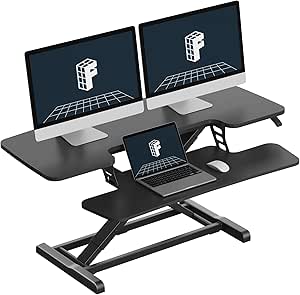
FLEXISPOT 42-Inch Height-Adjustable Standing Desk Converter with Keyboard Tray, Black
As an affiliate, we earn on qualifying purchases.