
When choosing high-speed duplex scanners, speed alone isn’t enough. You need to contemplate features like size and document type support, automatic double feed detection, and seamless integration with your existing workflow. Reliable images and user-friendly interfaces are essential for efficiency. Compatibility with your software and automation tools can make a big difference. If you’re interested in optimizing your scanning processes and avoiding common pitfalls, keep exploring how to choose the right scanner for your needs.
Key Takeaways
- Ensure the scanner integrates seamlessly with existing document management systems for efficient workflows.
- Prioritize reliability and image quality to maintain accurate, searchable digital archives.
- Choose features like automatic double feed detection to prevent errors and minimize interruptions.
- Confirm compatibility with software and cloud storage to enhance document accessibility and organization.
- Balance speed with usability and automation tools to maximize overall scanning effectiveness.
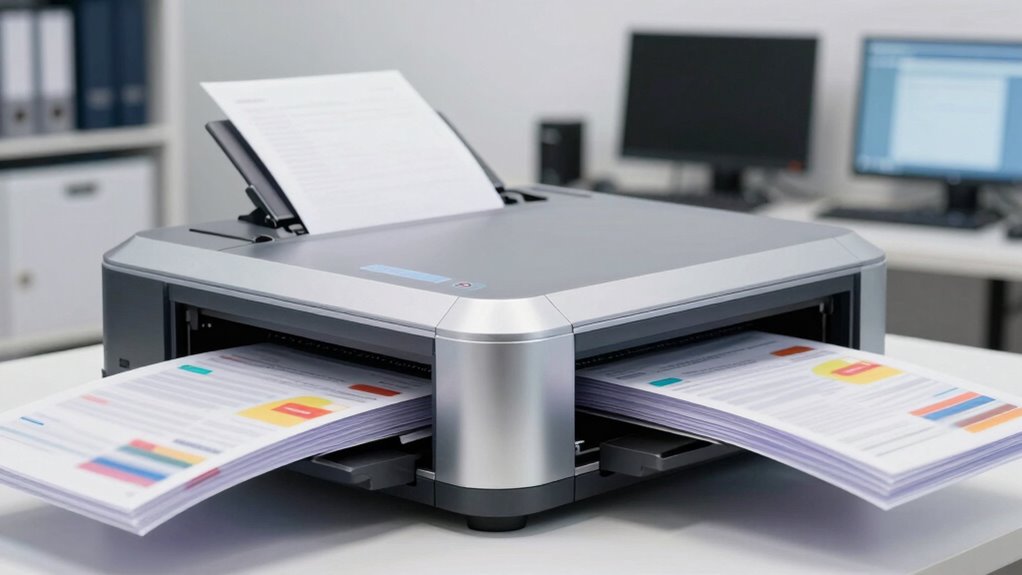
However, speed isn’t the only factor to consider when choosing a duplex scanner. You need to look beyond high throughput and evaluate how well the scanner integrates into your existing document management processes. Not all models are created equal, and some may lack features that make them truly efficient in a busy office environment. For instance, the ability to process different paper sizes, handle various document types, or automatically detect double feeds can profoundly impact your overall productivity. When your scanner’s features align with your specific needs, you minimize interruptions and reduce errors, keeping your workflow seamless.
While scanning technology has advanced rapidly, it’s essential to remember that reliability and ease of use are equally important. A high-speed duplex scanner should not only scan quickly but also produce high-quality images that are easy to read and OCR-ready. This quality guarantees your digital archives are accurate, searchable, and ready for future use. Furthermore, user-friendly interfaces and straightforward maintenance contribute to smoother operation, preventing unnecessary downtime and frustration. Additionally, understanding scanning technology can help you choose a device that balances speed with quality and features effectively. Knowing how different scanning features interact with your specific workflow can make a significant difference in your overall efficiency. Moreover, considering how well the scanner supports document management systems can streamline your entire digitization process. A comprehensive understanding of scanning best practices can help you optimize your setup for maximum productivity. Incorporating automation tools can further enhance efficiency by reducing manual input and increasing accuracy during large batch scans.
Another key consideration is how well the scanner integrates with your document management system. Compatibility with software platforms, cloud storage options, and automation tools can elevate your scanning process from a simple task to a strategic asset. When your high-speed duplex scanner works seamlessly with your existing infrastructure, you save time on manual data entry and reduce the risk of errors. This integration ultimately enhances your ability to organize, retrieve, and share documents efficiently, making scanning technology a true enabler of effective document management.

Epson Workforce ES-400 II Color Duplex Desktop Document Scanner for Computers Including PC and Mac with Auto Document Feeder and Image Adjustment Tools
FAST DOCUMENT SCANNING — Document scanner with feeder allows you to speed through stacks with a 50-sheet Auto…
As an affiliate, we earn on qualifying purchases.
As an affiliate, we earn on qualifying purchases.
Frequently Asked Questions
How Do Duplex Scanners Handle Fragile or Delicate Documents?
Duplex scanners handle fragile documents with care by incorporating delicate paper preservation features like gentle rollers and adjustable tension controls. You can use specialized settings to prevent tearing or damage, ensuring fragile document handling is safe. Many models also include soft-touch or low-pressure scanning options, which help preserve delicate paper quality. By selecting these features, you protect your documents while efficiently digitizing both sides without risking damage.
What Maintenance Is Required for High-Speed Duplex Scanners?
Think of your scanner as a finely tuned orchestra. You need to regularly perform calibration procedures to keep all instruments in harmony, guaranteeing crisp scans. Software updates act like conductor’s cues, guiding your device through improvements and bug fixes. Keep the scanner clean, check rollers, and replace parts as needed. This routine maintenance ensures your high-speed duplex scanner runs smoothly, delivering accurate, high-quality results every time you press ‘scan.’
Can These Scanners Integrate With Cloud Storage Systems?
Yes, high-speed duplex scanners can integrate with cloud storage systems. They typically offer cloud compatibility, allowing you to scan directly to platforms like Dropbox, Google Drive, or OneDrive. Plus, they come with built-in security features such as encryption and user authentication to protect your data during transfer. This seamless integration simplifies workflows and guarantees your scanned documents are securely stored and easily accessible from any device.
Are There Size Limitations for Documents Scanned by Duplex Scanners?
Think of your duplex scanner as a busy highway with specific lanes for different-sized vehicles. While most scanners handle standard document sizes comfortably, larger or unusually thick documents might hit the scanner capacity limit. Document size can vary, and exceeding these limits can cause jams or incomplete scans. Always check your scanner’s specifications to guarantee your documents fit within the size limitations, preventing delays and ensuring quality results.
How Energy-Efficient Are High-Speed Duplex Scanning Devices?
High-speed duplex scanners are generally quite energy-efficient, thanks to their low energy consumption and eco-friendly features. You’ll find models with automatic sleep modes, energy-saving settings, and certifications like ENERGY STAR, which help reduce power use during idle times. These features not only lower your environmental impact but also cut down on electricity costs. So, if you’re looking for fast, sustainable scanning, these devices offer a great balance of speed and energy efficiency.

Canon imageFORMULA R30 – Office Document Scanner, Auto Document Feeder, Duplex Scanning, Plug-and-Scan Capability, No Software Installation Required
Stay organized: Easily convert your paper documents into searchable digital formats
As an affiliate, we earn on qualifying purchases.
As an affiliate, we earn on qualifying purchases.
Conclusion
In the race of efficiency, speed alone is like a sprinter with no endurance—quick but fleeting. High-speed duplex scanners, with their blend of rapidity and thoughtful design, are your steady steeds on the digital frontier. They don’t just chase deadlines; they tame the chaos of paper clutter, transforming it into a flowing river of organized data. Remember, in this digital dance, it’s not just about moving fast, but moving smart.

ScanSnap iX2500 Wireless or USB High-Speed Cloud Enabled Document, Photo & Receipt Scanner with Large 5" Touchscreen and 100 Page Auto Document Feeder for Mac or PC, Black
OUR MOST ADVANCED SCANSNAP. Large touchscreen, fast 45ppm double-sided scanning, 100-sheet document feeder, Wi-Fi and USB connectivity, automatic…
As an affiliate, we earn on qualifying purchases.
As an affiliate, we earn on qualifying purchases.

VIISAN DL16 Book Scanner, A3 Overhead Document Scanner with 16MP Camera, 300 DPI, OCR, Auto Page Flattening, Anti-Glare LED Lighting for Books, Archives, Artwork and Large Documents, Windows/Mac
A3 Overhead Scanning for Books and Large Documents The VIISAN DL16 is an A3 overhead book scanner designed…
As an affiliate, we earn on qualifying purchases.
As an affiliate, we earn on qualifying purchases.