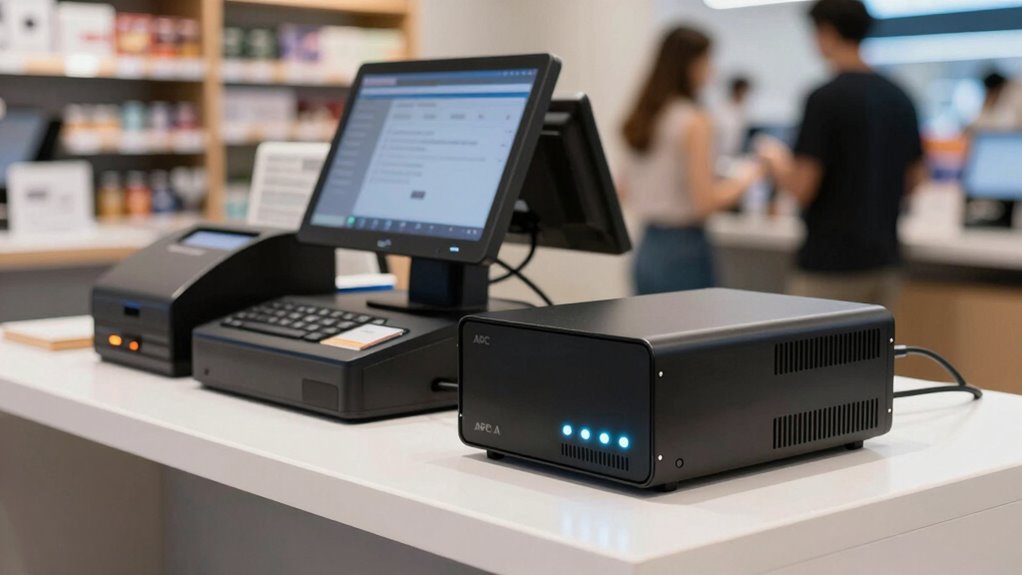

For most checkout stations, I’d start with the APC BR1350MS: its pure sine wave output and 1350VA capacity make it a strong fit for a POS computer, display, and network gear. The APC BE850G2 is a simpler choice for a compact setup, while the APC SMT1500RM2UC suits rack-based systems that need more monitoring and control. The main tradeoff is between capacity and features on one hand, and footprint, complexity, and the number of devices you need to keep running on the other. A UPS can provide time to finish a transaction or shut down safely, but runtime depends on the actual load and battery condition. Read on for the full breakdown and a guide to matching an APC UPS to your POS equipment.

Get smart everyday buys delivered free with Prime
- Fast, free delivery on millions of items
- Prime Video, Amazon Music and more included
- Member-only deals all year
Key Takeaways
- Pure sine wave output is a useful differentiator: the BR1350MS, BR1500MS2, BR1000MS, and rackmount SMT1500RM2UC stand apart for POS equipment that may be sensitive to simulated waveforms.
- The largest VA number is not the whole sizing answer: compare watt capacity with the combined draw of the POS computer, display, router, and any other equipment you want backed up.
- Capacity and convenience pull in different directions: the BE600M1 and BE650G1 suit smaller loads, while the BX1500M and BR1500MS2 offer more room for multi-device checkout stations.
- Rack mounting is a specialized advantage: the SMT1500RM2UC makes the most sense where a POS network or several checkout components already live in a rack, rather than on a counter.
- Outlet layout matters at the register: compact options such as the BE600M1 and BE850G2 can suit tight spaces, but buyers should map which devices need battery backup before choosing a model.
| APC BE850G2 UPS Battery Backup & Surge Protector for Computer, Router, NAS |  | Best Overall for a Small POS Station | Capacity: 850VA/450W | Runtime at 100W: Up to 35 minutes | Total outlets: 9 | VIEW ON AMAZON | See Our Full Breakdown |
| APC Battery Backup 650VA/390W Uninterruptible Power Supply for PC, BE650G1 |  | Best Entry-Level Pick | Capacity: 650VA/390W | Runtime at 100W: Up to 22 minutes | Total outlets: 8 | VIEW ON AMAZON | See Our Full Breakdown |
| APC 1500VA Smart UPS with SmartConnect, SMT1500RM2UC Rack Mount UPS Battery Backup, Sinewave, AVR, 120V, Line Interactive |  | Best for Rack-Mounted POS Infrastructure | Capacity: 1500VA/1000W | Input voltage: 120V | Output voltage: 120V | VIEW ON AMAZON | See Our Full Breakdown |
| APC BE600M1 UPS Battery Backup & Surge Protector for Computer, Router, NAS |  | Best Compact Counter Pick | Runtime at 100W: Up to 23 minutes | Total outlets: 7 | Battery-backed outlets: 5 | VIEW ON AMAZON | See Our Full Breakdown |
| APC BR1350MS UPS Battery Backup 1350VA/810W Pure Sine Wave |  | Best for Longer Backup and Sensitive POS Gear | Capacity: 1350VA/810W | Waveform: Pure sine wave | Runtime at 100W: Up to 54 minutes | VIEW ON AMAZON | See Our Full Breakdown |
| APC BX1500M UPS Battery Backup & Surge Protector |  | Best for Larger POS Setups | Capacity: 1500VA / 900W | Outlets: 10 total: 5 battery backup, 5 surge-only | Runtime: Up to 68 minutes at 100W load | VIEW ON AMAZON | See Our Full Breakdown |
| APC BX1000M 1000VA/600W Pro UPS Battery Backup |  | Best Value for a Basic Checkout | Capacity: 1000VA / 600W | Outlets: 8 total: 4 battery backup, 4 surge-only | Runtime: Up to 42 minutes at 100W load | VIEW ON AMAZON | See Our Full Breakdown |
| APC BR1500MS2 Pure Sine Wave UPS Battery Backup & Surge Protector |  | Best Premium Pick for Sensitive POS Electronics | Capacity: 1500VA / 900W | Waveform: Pure sine wave | Outlets: 10 total: 6 battery backup, 4 surge-only | VIEW ON AMAZON | See Our Full Breakdown |
| APC Back-UPS Pro BR1000MS 1000VA/600W Pure Sine Wave UPS |  | Best Compact Pure Sine Wave Choice | Model and capacity: BR1000MS; 1000VA / 600W | Output waveform: Pure sine wave | Outlets: 10 total: 6 battery backup, 4 surge-only | VIEW ON AMAZON | See Our Full Breakdown |
| APC Back-UPS BE1050G3 1050VA/600W UPS Battery Backup |  | Best for Wall-Mounted Checkout Stations | Capacity: 1050VA / 600W | Outlets: 8 total: 6 battery-backed, 2 surge-only | Runtime: Up to 36 minutes at 100W load | VIEW ON AMAZON | See Our Full Breakdown |
| apc ups for pos setup | Capacity | Outlets | Battery | Runtime |
|---|---|---|---|---|
| APC BE850G2 UPS Battery Backup | 850VA/450W | — | — | — |
| APC Battery Backup 650VA/390W | 650VA/390W | — | User-replaceable; replacement sold separately | — |
| APC 1500VA Smart UPS with Smar | 1500VA/1000W | 6 | — | — |
| APC BE600M1 UPS Battery Backup | — | — | User-replaceable; replacement sold separately | — |
| APC BR1350MS UPS Battery Backu | 1350VA/810W | — | — | — |
| APC BX1500M UPS Battery Backup | 1500VA / 900W | 10 total: 5 battery backup, 5 surge-only | User-replaceable APCRBC124 | Up to 68 minutes at 100W load |
| APC BX1000M 1000VA/600W Pro UP | 1000VA / 600W | 8 total: 4 battery backup, 4 surge-only | User-replaceable APCRBC158, sold separately | Up to 42 minutes at 100W load |
| APC BR1500MS2 Pure Sine Wave U | 1500VA / 900W | 10 total: 6 battery backup, 4 surge-only | — | Up to 73 minutes at 100W load |
| APC Back-UPS Pro BR1000MS 1000 | — | 10 total: 6 battery backup, 4 surge-only | — | Up to 42 minutes at 100W load |
| APC Back-UPS BE1050G3 1050VA/6 | 1050VA / 600W | 8 total: 6 battery-backed, 2 surge-only | User-replaceable APCRBC164 | Up to 36 minutes at 100W load |
More Details on Our Top Picks
APC BE850G2 UPS Battery Backup & Surge Protector for Computer, Router, NAS
For a compact checkout counter with a POS terminal, router, and a few accessories, the BE850G2 offers a useful balance of backup capacity and outlet flexibility. Its 850VA/450W capacity and up to 35 minutes at a 100W load give staff time to finish a transaction and shut equipment down, while six battery-backed outlets leave room for essential devices. Compared with the smaller BE650G1, it provides more capacity and two additional battery-backed outlets; the BR1350MS is a better fit when longer low-load runtime or pure sine wave output matters more. The tradeoff is that 35 minutes applies only at 100W, not a full POS load. Its battery is replaceable, but the RBC17 must be purchased separately.
Pros:- 850VA/450W capacity suits a modest POS and networking setup.
- Six battery-backed outlets can support more essential devices than the BE650G1.
- Up to 35 minutes of runtime at a 100W load allows time for a controlled shutdown.
- Two USB-A ports provide convenient charging for small accessories.
Cons:- Runtime is limited to up to 35 minutes at 100W and will be shorter at higher loads.
- Replacement RBC17 battery is sold separately.
- Three outlets are surge-only and do not keep connected equipment running during an outage.
Best for: Small retailers running one POS terminal, a router, and a few low-power checkout devices who want several battery-backed outlets.
Not ideal for: Busy counters with power-hungry peripherals or a need for longer backup; its runtime drops as load rises, and the BR1350MS offers greater capacity.
- Capacity:850VA/450W
- Runtime at 100W:Up to 35 minutes
- Total outlets:9
- Battery-backed outlets:6
- Surge-only outlets:3
- USB ports:2 USB-A, 5V/2.4A
- Warranty:3 years
- Replacement battery:RBC17, sold separately
Our verdict“Choose the BE850G2 for a small POS counter that needs more battery-backed outlets than the BE650G1 without stepping up to the larger BR1350MS.”
APC Battery Backup 650VA/390W Uninterruptible Power Supply for PC, BE650G1
The BE650G1 is a straightforward choice for a lean checkout setup: one POS terminal and a router, with a few other devices protected from surges. It supplies 650VA/390W and offers up to 22 minutes at a 100W load, giving a small shop some time to complete a sale or shut down cleanly. Its four battery-backed outlets are the main limit; compared with the BE850G2, it has less capacity and fewer outlets for equipment that must stay on. The BE600M1 is another compact alternative, but the BE650G1 lists eight outlets and a three-year warranty. This model makes sense when needs are modest, not when several checkout peripherals need battery power. Its replacement battery is also a separate purchase.
Pros:- 650VA/390W capacity covers a modest terminal-and-router setup.
- Four battery-backed outlets provide room for essential checkout equipment.
- Up to 22 minutes of runtime at a 100W load can allow a brief outage response.
- Three-year warranty and user-replaceable battery support ongoing maintenance.
Cons:- Only four of its eight outlets provide battery backup.
- Runtime is limited at higher loads, which can shorten the window for POS operation.
- Replacement battery must be purchased separately.
Best for: A small shop or mobile checkout station protecting one low-power POS terminal and a router, with few devices needing battery backup.
Not ideal for: Retailers connecting multiple POS peripherals to battery backup or needing extended runtime; the BE850G2 has more capacity and battery-backed outlets.
- Capacity:650VA/390W
- Runtime at 100W:Up to 22 minutes
- Total outlets:8
- Battery-backed outlets:4
- Surge-only outlets:4
- Warranty:3 years
- Equipment protection:$75,000
- Battery:User-replaceable; replacement sold separately
Our verdict“Pick the BE650G1 for a basic, low-load checkout station, but move up to the BE850G2 if more devices need battery-backed outlets.”
APC 1500VA Smart UPS with SmartConnect, SMT1500RM2UC Rack Mount UPS Battery Backup, Sinewave, AVR, 120V, Line Interactive
When a POS system depends on equipment in a network rack, the SMT1500RM2UC is the lineup’s infrastructure-focused option. Its 1500VA/1000W capacity, pure sine wave output, and automatic voltage regulation suit a rack of networking or business equipment better than the desktop BE850G2 or BE650G1. SmartConnect adds remote monitoring, which can help a manager check UPS status without standing at the rack. The format is the key tradeoff: this is a rack-mount unit, not a convenient counter-side backup for a single register. It has six outlets, fewer than the BR1350MS’s ten, so outlet planning matters. The supplied data also gives no runtime figure, making it harder to estimate how long a loaded rack will stay online.
Pros:- 1500VA/1000W capacity is suited to more demanding business equipment than the BE850G2 or BE650G1.
- Pure sine wave output and automatic voltage regulation support sensitive electronics and variable input power.
- SmartConnect provides cloud-based monitoring and remote management.
- Rack-mount form fits equipment-room installations.
Cons:- Rack-mount format is less practical for a standalone register at a checkout counter.
- Six outlets may restrict connections in a rack with several devices.
- The supplied product data does not state runtime, complicating backup-time planning.
Best for: Retailers with a rack-mounted POS network, switches, or business systems that benefit from remote UPS monitoring and regulated sine wave output.
Not ideal for: Small counters seeking a simple desktop UPS or buyers who need a stated runtime estimate; the BE850G2 is a more direct fit for a compact checkout.
- Capacity:1500VA/1000W
- Input voltage:120V
- Output voltage:120V
- Output waveform:Pure sine wave
- Outlets:6
- Form factor:Rack mount
- Dimensions:23.2 x 24 x 9.3 inches
- Monitoring:SmartConnect cloud monitoring
- Power management:Automatic voltage regulation and green mode
Our verdict“Choose the SMT1500RM2UC for a monitored, rack-based POS network, not for a simple single-register setup.”
APC BE600M1 UPS Battery Backup & Surge Protector for Computer, Router, NAS
The BE600M1 is aimed at a checkout station where space is tight and the protected load is modest. Its listed runtime reaches 23 minutes at 100W, and its five battery-backed outlets can cover a terminal, router, and selected essentials, while two surge-only outlets handle equipment that need not remain on during an outage. That outlet arrangement makes it more practical for a small counter than a basic unit with only a few protected sockets. Compared with the BE850G2, it has fewer total outlets and no stated capacity figure in the supplied data; the BE850G2 is easier to match against a measured load. The BE600M1’s USB port is rated at 1.5A, so it is a modest charging extra, not a reason to choose it over the BR1350MS’s stronger feature set.
Pros:- Five battery-backed outlets can support the core devices at a compact counter.
- Up to 23 minutes of runtime is specified at a 100W load.
- Two surge-only outlets separate nonessential accessories from equipment needing backup.
- User-replaceable battery supports maintenance over the UPS’s service life.
Cons:- The supplied product data does not state VA or watt capacity, making load matching less straightforward.
- Runtime falls as connected load rises.
- The 1.5A USB port is limited for charging compared with the BR1350MS USB-C and USB-A ports.
Best for: Small checkout counters with limited space, a low-power POS terminal, and a router that need short-term battery backup.
Not ideal for: Retailers who need a published VA/W capacity, longer backup at substantial loads, or more outlets; the BE850G2 and BR1350MS offer clearer capacity or higher-end features.
- Runtime at 100W:Up to 23 minutes
- Total outlets:7
- Battery-backed outlets:5
- Surge-only outlets:2
- USB port:1.5A
- Battery:User-replaceable; replacement sold separately
Our verdict“Choose the BE600M1 for a compact, low-load checkout where its outlet layout matters more than a stated capacity rating.”
APC BR1350MS UPS Battery Backup 1350VA/810W Pure Sine Wave
The BR1350MS is the strongest desktop choice here for a POS setup that needs more headroom or cleaner power for sensitive electronics. Its 1350VA/810W capacity and pure sine wave output exceed the BE850G2’s capacity, while up to 54 minutes at a 100W load gives a low-load terminal and router more time to ride out an outage or shut down. Six battery-backed outlets support core equipment, and coaxial and Ethernet surge protection add coverage for connected lines. The LCD makes status checks easier at the counter. Compared with the rack-oriented SMT1500RM2UC, it is better suited to a desktop checkout, though it has fewer outlets than that unit’s rack may accommodate. Its long runtime is load-dependent, and its APCRBC161 replacement battery is sold separately.
Pros:- 1350VA/810W capacity offers more headroom than the BE850G2.
- Pure sine wave output is suited to sensitive electronics.
- Up to 54 minutes at a 100W load provides a longer low-load backup window than the other desktop options here.
- LCD, USB-C and USB-A charging, and coaxial and Ethernet surge protection add useful checkout-side features.
Cons:- The 54-minute runtime figure applies at 100W; heavier POS loads reduce backup time.
- Only six of its ten outlets provide battery backup.
- Replacement APCRBC161 battery is sold separately.
Best for: Retailers with a sensitive or higher-load POS station who want pure sine wave output, a clear status display, and extended low-load backup.
Not ideal for: Buyers who only need basic backup for one modest terminal or who need an in-rack installation; the BE650G1 is simpler, while the SMT1500RM2UC is rack-mountable.
- Capacity:1350VA/810W
- Waveform:Pure sine wave
- Runtime at 100W:Up to 54 minutes
- Total outlets:10
- Battery-backed outlets:6
- Surge-only outlets:4
- USB charging:USB-C and USB-A, 5V/3A shared
- Surge protection:Coaxial and Ethernet
- Replacement battery:APCRBC161, user-replaceable and sold separately
Our verdict“Choose the BR1350MS when your POS setup benefits from pure sine wave power and longer low-load runtime, rather than the simpler BE850G2.”
APC BX1500M UPS Battery Backup & Surge Protector
The BX1500M suits a POS station that needs to keep a terminal, receipt printer, router, and other low-draw equipment powered during brief outages. Its 1500VA/900W capacity gives it more headroom than the BX1000M, while five battery-backed outlets leave room for several devices. At a stated 100W load, runtime reaches up to 68 minutes, but a printer or other heavier load will shorten that window, so I would treat it as time to keep checkout running or shut down safely, not a fixed promise. AVR corrects some voltage changes without drawing on the battery. The LCD helps with status checks, and coaxial and Ethernet protection add coverage for connected lines. Compared with the BR1500MS2, it lacks pure sine wave output and USB charging; the tradeoff is a less feature-rich option for buyers prioritizing capacity.
Pros:- 1500VA/900W capacity offers more connected-load headroom than the BX1000M.
- Five battery-backed outlets can support a multi-device checkout station.
- AVR helps correct brownouts without using battery power.
- User-replaceable battery and Ethernet/coaxial protection support ongoing maintenance and line protection.
Cons:- Only five of the ten outlets provide battery backup.
- Runtime falls as the connected load rises above the stated 100W condition.
- Replacement battery is sold separately, and this model does not specify pure sine wave output.
Best for: Small retailers running a POS terminal, network gear, and several peripherals who want more wattage and battery-backed outlets than the BX1000M provides.
Not ideal for: Buyers who need pure sine wave output, USB charging, or guaranteed long runtime with a printer and other high-draw devices connected.
- Capacity:1500VA / 900W
- Outlets:10 total: 5 battery backup, 5 surge-only
- Runtime:Up to 68 minutes at 100W load
- Voltage regulation:AVR; corrects brownouts at 88V+ and surges of +/-13%
- Line protection:Coaxial and Ethernet
- Battery:User-replaceable APCRBC124
- Display and certification:LCD display; ENERGY STAR certified
Our verdict“Choose the BX1500M for a multi-device POS station that needs more capacity than a 1000VA unit, but not pure sine wave output.”
APC BX1000M 1000VA/600W Pro UPS Battery Backup
For a modest checkout with a POS terminal and router, the BX1000M provides a straightforward balance of backup and surge protection without the BX1500M’s higher capacity. It has four battery-backed outlets, so the buyer needs to prioritize which devices must stay on; the other four outlets are surge-only and will not keep equipment running during an outage. The stated runtime is up to 42 minutes at 100W, which can help with short interruptions or orderly shutdown, though actual runtime depends on the load. AVR handles some voltage fluctuations without spending battery charge, and the LCD makes operating status visible. Compared with the BR1000MS, it offers fewer battery-backed outlets and does not specify pure sine wave output, but it covers Ethernet and coaxial lines. Its user-replaceable battery is useful for maintenance, though sold separately.
Pros:- 1000VA/600W capacity fits a modest terminal-and-network setup.
- AVR corrects low-voltage brownouts and surges without draining the battery.
- LCD, Ethernet protection, and coaxial protection provide useful monitoring and line coverage.
- User-replaceable battery and ENERGY STAR certification support maintenance and efficient operation.
Cons:- Only four of eight outlets provide battery backup.
- Runtime decreases with higher loads, including printers and additional peripherals.
- Replacement battery is sold separately, and USB charging ports are not included.
Best for: Independent retailers with a single terminal and router who can keep the battery-backed load modest and want LCD monitoring and AVR.
Not ideal for: Busy checkout stations with multiple essential peripherals, or buyers who require pure sine wave output and six battery-backed outlets.
- Capacity:1000VA / 600W
- Outlets:8 total: 4 battery backup, 4 surge-only
- Runtime:Up to 42 minutes at 100W load
- Voltage regulation:Automatic Voltage Regulation
- Line protection:Coaxial and Ethernet
- Battery:User-replaceable APCRBC158, sold separately
- Monitoring and warranty:LCD display; 3-year warranty
- Efficiency and equipment protection:ENERGY STAR certified; $75,000 equipment protection
Our verdict“Pick the BX1000M for a small checkout where four battery-backed outlets are enough and pure sine wave output is not a requirement.”
APC BR1500MS2 Pure Sine Wave UPS Battery Backup & Surge Protector
The BR1500MS2 is the most feature-rich fit here for a checkout station with a sensitive terminal or power supply that benefits from pure sine wave output. Its 1500VA/900W rating matches the BX1500M, but six battery-backed outlets give more essential devices backup than that model’s five. The stated runtime is up to 73 minutes at 100W, so a lightly loaded terminal and network setup has room to ride through an interruption; a printer or other demanding device will reduce it. AVR, an LCD, network protection, and USB-C/A charging add practical functions, while the replaceable battery helps with long-term upkeep. Compared with the less expensive-featured BX1500M, this unit is better equipped for sensitive electronics, but its specifications do not remove the need to calculate the actual load. No drawbacks were supplied, so I would still weigh the higher feature set against whether the POS gear needs it.
Pros:- Pure sine wave output is suited to sensitive electronics and compatible power supplies.
- 1500VA/900W capacity and six battery-backed outlets support a larger checkout setup.
- USB-C and USB-A ports add charging convenience at the station.
- AVR, LCD monitoring, network protection, and a replaceable battery add practical safeguards.
Cons:- The stated 73-minute runtime applies at 100W; heavier POS loads reduce backup time.
- Four of the ten outlets are surge-only, not battery-backed.
- Its expanded feature set may be unnecessary for a basic checkout with modest power needs.
Best for: Retailers with a higher-capacity checkout station and sensitive POS electronics who want pure sine wave output, six backup outlets, and USB charging.
Not ideal for: Buyers with a basic terminal-and-router setup who do not need pure sine wave output or USB charging and would rather choose a simpler UPS.
- Capacity:1500VA / 900W
- Waveform:Pure sine wave
- Outlets:10 total: 6 battery backup, 4 surge-only
- Runtime:Up to 73 minutes at 100W load
- Voltage regulation:AVR
- Charging and monitoring:USB-C and USB-A; LCD display
- Line protection:Coaxial and Ethernet
- Battery and warranty:Replaceable APCRBC163; 3-year warranty
Our verdict“Choose the BR1500MS2 when a larger POS setup benefits from pure sine wave power and six battery-backed outlets.”
APC Back-UPS Pro BR1000MS 1000VA/600W Pure Sine Wave UPS
The BR1000MS brings pure sine wave output to a smaller-capacity checkout setup, making it a strong alternative to the BX1000M when the POS electronics call for that waveform. Both are rated at 1000VA/600W, but this model has six battery-backed outlets versus the BX1000M’s four, leaving more room for essential checkout and network equipment. Its runtime is up to 42 minutes at 100W, not a guarantee for a terminal plus printer under load. AVR helps manage voltage changes, while the LCD and Ethernet/coaxial protection support monitoring and connected-line protection. USB-C and USB-A are included as well. Compared with the 1500VA BR1500MS2, the BR1000MS gives up capacity and stated runtime, so I would favor it for a lower-draw station rather than a checkout with several power-hungry peripherals.
Pros:- Pure sine wave output suits sensitive electronics and active PFC power supplies.
- Six battery-backed outlets offer more backup connections than the BX1000M.
- AVR, LCD monitoring, and Ethernet/coaxial protection support everyday power management.
- USB-C and USB-A ports and a user-replaceable battery add useful flexibility.
Cons:- 1000VA/600W capacity is below the BR1500MS2 and may constrain larger checkout setups.
- The stated 42-minute runtime is at 100W and falls as load increases.
- Replacement battery APCRBC160 is sold separately.
Best for: Retailers with a modest-load POS station who want pure sine wave output and more battery-backed outlets than the BX1000M offers.
Not ideal for: Stores connecting several high-draw devices or needing the greater capacity and stated low-load runtime of the BR1500MS2.
- Model and capacity:BR1000MS; 1000VA / 600W
- Output waveform:Pure sine wave
- Outlets:10 total: 6 battery backup, 4 surge-only
- Runtime:Up to 42 minutes at 100W load
- Surge protection:1,080 joules
- Voltage and data-line protection:AVR; coaxial and Gigabit Ethernet protection
- USB ports:1 USB-C and 1 USB-A
- Warranty and certification:3-year warranty; ENERGY STAR certified
Our verdict“Choose the BR1000MS over the BX1000M when pure sine wave output and six backup outlets matter more than stepping up to 1500VA capacity.”
APC Back-UPS BE1050G3 1050VA/600W UPS Battery Backup
The BE1050G3 stands apart for a POS station where placement matters: it can be floor- or wall-mounted, and its USB-C and USB-A ports can charge small devices without taking up additional outlet space. Six of its eight outlets provide battery backup, a more generous share than the BX1000M’s four, though its 1050VA/600W rating remains closer to that smaller unit than to the 1500VA models. Up to 36 minutes at 100W offers a stated low-load benchmark, but connecting a receipt printer or other demanding equipment will cut runtime. AVR helps correct voltage changes, and the user-replaceable battery supports service over time. Compared with the pure sine wave BR1000MS, this model does not specify that output type; its distinctive case is flexible mounting and USB charging, not waveform choice.
Pros:- Floor- or wall-mountable design offers more placement options near a checkout.
- Six battery-backed outlets give essential devices more backup connections than the BX1000M.
- USB-C and USB-A ports provide charging without occupying AC outlets.
- AVR and a user-replaceable battery support voltage correction and ongoing maintenance.
Cons:- Only six of eight outlets provide battery backup.
- 600W capacity and 100W-based runtime may not suit a checkout with several high-draw devices.
- The listed surge protection is 490 joules, and the specifications do not state pure sine wave output.
Best for: Retailers who need a wall-mountable UPS for a compact checkout and want six battery-backed outlets plus USB charging.
Not ideal for: Buyers who need pure sine wave output, more than 600W of capacity, or battery backup for a large number of peripherals.
- Capacity:1050VA / 600W
- Outlets:8 total: 6 battery-backed, 2 surge-only
- Runtime:Up to 36 minutes at 100W load
- USB ports:1 USB-C and 1 USB-A; 5V/3A shared
- Surge protection:490 joules
- Voltage regulation:AVR
- Battery:User-replaceable APCRBC164
- Mounting and warranty:Floor- or wall-mountable; 3-year warranty
Our verdict“Pick the BE1050G3 for a compact or wall-mounted POS station where outlet layout and USB charging matter more than pure sine wave output.”

How We Picked
I ranked these APC models for the demands of a point-of-sale station, not for general home computer use. The main criteria were usable watt capacity for a realistic checkout load, output waveform, the ability to support essential peripherals, and how well each model’s form factor fits a counter or equipment rack. I also weighed usability: a POS operator should be able to identify which equipment has backup, connect devices without awkward cable routing, and understand whether the unit fits the installation.
The ranking favors options that balance POS-relevant capacity and practical fit, then separates smaller or more specialized models by the kind of setup they serve. Pure sine wave units rank well for buyers who want that output type, but they are not automatically the right choice for every low-load register. Compact entry models place lower because they leave less headroom for extra equipment, while the rackmount SMT1500RM2UC is a focused pick rather than a universal winner. I treat advertised VA and watt ratings as sizing information, not a promise of a particular runtime; actual backup time depends on connected load and battery condition.
| apc ups for pos setup | Battery | Runtime |
|---|---|---|
| APC BE850G2 UPS Battery Backup | — | — |
| APC Battery Backup 650VA/390W | User-replaceable; replacement sold separately | — |
| APC 1500VA Smart UPS with Smar | — | — |
| APC BE600M1 UPS Battery Backup | User-replaceable; replacement sold separately | — |
| APC BR1350MS UPS Battery Backu | — | — |
| APC BX1500M UPS Battery Backup | User-replaceable APCRBC124 | Up to 68 minutes at 100W load |
| APC BX1000M 1000VA/600W Pro UP | User-replaceable APCRBC158, sold separately | Up to 42 minutes at 100W load |
| APC BR1500MS2 Pure Sine Wave U | — | Up to 73 minutes at 100W load |
| APC Back-UPS Pro BR1000MS 1000 | — | Up to 42 minutes at 100W load |
| APC Back-UPS BE1050G3 1050VA/6 | User-replaceable APCRBC164 | Up to 36 minutes at 100W load |
Factors to Consider When Choosing Apc Ups For Pos Setup
Choosing an APC UPS for a POS setup starts with the equipment and the outage plan, not the largest capacity number on the box. I’d decide what must stay powered, what can shut down, and how much time staff need to complete or pause a transaction safely. These broader checks help avoid an oversized unit, a crowded outlet layout, or a backup that cannot support the devices that matter.
Count the POS Load, Not Just the Register
List every device that needs battery power: the POS computer or terminal, display, receipt printer, payment terminal, router, and any network switch. Check each device’s watt draw and add the loads that may run at the same time. A printer can draw more power while printing than it does while idle, so a setup that seems light on paper may have short peaks. Compare the total with the UPS watt rating as well as its VA rating; VA alone does not tell you how much real power the unit can supply. Leave headroom for later additions instead of sizing to the exact current load. If a device does not need to stay online during an outage, keeping it off battery backup can preserve runtime for the checkout system and network.
Decide What an Outage Should Let Staff Do
A UPS can bridge a brief interruption, support a controlled shutdown, or give staff time to finish a transaction, but those goals call for different capacity. For a short ride-through, prioritize a stable power path for the terminal and network gear. If the goal is to close a sale and shut down cleanly, estimate the time needed for staff to complete that process rather than assuming a large VA rating guarantees a long runtime. Backup time falls as more equipment is connected, and battery age also affects available runtime. Avoid putting nonessential loads such as signage or extra monitors on the battery-backed outlets if they reduce time for the register. For extended outages, a UPS is a bridge, not a substitute for a longer-duration power plan.
Match the Output Waveform to the Equipment
Some buyers prefer pure sine wave output for POS computers and other electronics, especially when they want the UPS output to more closely resemble utility power. APC’s pure sine wave choices in this group include several Back-UPS Pro models and the SMT1500RM2UC. That feature can narrow the field, but it does not replace checking device compatibility or load capacity. Smaller or less demanding systems may be served by a simpler model if the connected equipment operates normally on its output. A common mistake is paying for a waveform feature while overlooking an inadequate watt rating or an inconvenient outlet arrangement. When a POS manufacturer specifies a UPS type, use that guidance to narrow the options.
Plan Outlet Placement and Cable Access
At a checkout counter, the UPS has to fit somewhere reachable without creating a tangle of power bricks and data cables. Count battery-backed outlets separately from surge-only outlets, then assign each device to the right group. Large adapters can block neighboring sockets, so outlet spacing and cord direction may matter as much as the total outlet count. A compact tower can work under a counter, while a rackmount unit belongs with organized rack equipment and needs a suitable installation space. Measure the intended spot, allow room to reach controls and connections, and check whether the unit’s weight is practical for the shelf or cabinet. Buying by capacity alone can leave a unit that is difficult to place or awkward to service.
Choose Monitoring and Management for the Store
For one checkout lane, simple status indicators may be enough; a multi-lane store or unattended system may benefit from communication and monitoring features. Decide who will receive alerts, whether a computer can use the UPS connection for shutdown, and whether staff can respond when a battery warning appears. Features such as SmartConnect are most useful when someone will actually review status and act on alerts. A UPS that supports more monitoring can still be a poor fit if the store has no process for battery checks or replacement. Before buying, identify who owns maintenance and how often the unit will be inspected. That small planning step helps prevent a backup system from becoming invisible until an outage occurs.
Treat Battery Service as Part of the Purchase
UPS batteries are consumable components, so the decision includes future service as well as initial fit. Check the manufacturer’s battery replacement information for the exact model and consider how easily staff or a technician can access the unit. A tightly packed counter installation may make a serviceable tower more practical than a larger model placed behind other equipment. Keep a record of installation and battery checks, and test the POS load periodically rather than relying only on a power-on indicator. Do not assume every battery can be replaced the same way or that a new battery restores the original runtime under every load. If downtime is costly, plan a replacement process before the battery reaches the end of its useful service life.
Frequently Asked Questions
Should I plug a receipt printer into the battery-backed outlets?
It depends on whether the printer must operate during a power interruption and how much power it draws while printing. Check its load alongside the terminal, display, and network equipment, then compare the combined demand with the UPS watt rating. A printer may have brief power peaks that reduce the available headroom for other devices. If printing during an outage is not needed, using a surge-only outlet where available can reserve battery capacity for the register and network. Confirm the printer’s requirements in its documentation before assigning outlets.
Is a 650VA UPS enough for one checkout lane?
It can be enough for a low-power terminal and a small number of essential devices, but the VA figure alone cannot answer that. Add the actual watt draw of the devices you plan to connect and compare the result with the UPS watt rating. A monitor, router, payment terminal, or printer can change the load substantially. If you want room to add equipment or more time to shut down, a higher-capacity model may be a better fit. Check the expected runtime at your load rather than assuming a particular number of minutes from the capacity label.
Do I need pure sine wave output for a POS system?
Not every POS setup requires it, so I would check the terminal or computer manufacturer’s power guidance first. Pure sine wave models in this lineup give buyers that output option, including the BR1350MS, BR1500MS2, BR1000MS, and SMT1500RM2UC. The feature can be a sensible preference for sensitive electronics, but it does not make an undersized UPS suitable. For a basic setup, load capacity, outlet layout, and space may matter more to day-to-day use. Choose waveform type alongside those practical requirements rather than treating it as the only deciding factor.
Can one UPS back up a POS terminal, router, and payment device together?
Often, if the combined load stays within the UPS’s watt capacity and the unit has enough battery-backed outlets. A working POS station also depends on the network path, so backing up the router or other required network equipment can matter as much as backing up the terminal. Check whether a payment device uses a separate power supply and whether its manufacturer permits UPS use. Avoid connecting every nearby device by default; each added load can shorten runtime. Map the essential devices first, then use the UPS capacity and outlet layout to confirm that they fit together.
When does a rackmount UPS make more sense than a tower model?
A rackmount unit makes more sense when the POS network equipment or control hardware already sits in a compatible rack and the installation calls for centralized power management. The SMT1500RM2UC is the lineup’s dedicated rackmount choice, unlike the countertop-oriented tower models. Rack placement can keep cables organized, but it requires suitable space, mounting support, and access for service. For a single register under a counter, a rackmount unit may add installation work without solving a real need. Choose it for an existing rack-based system, not just because its capacity is higher.
Conclusion
For most stores looking for a capable all-around APC UPS for a checkout station, I’d choose the BR1350MS as the best overall pick because it pairs pure sine wave output with substantial capacity for essential POS equipment. For a smaller, simpler lane, the BE850G2 is the best value-style fit in this group, while the BE600M1 or BE650G1 make approachable beginner options when the load is modest. Buyers who want more room for several devices can compare the BR1500MS2 and BX1500M; those prioritizing a rack installation should look at the SMT1500RM2UC. Choose the BR1000MS when a smaller pure sine wave option fits the load, and the BE1050G3 or BX1000M when their capacity and outlet arrangement better match the actual setup. Before deciding, verify device watt draw, battery-backed outlet needs, and available space so the UPS protects the equipment that keeps checkout running.
Halloween Picks
halloween
As an affiliate, we earn on qualifying purchases.