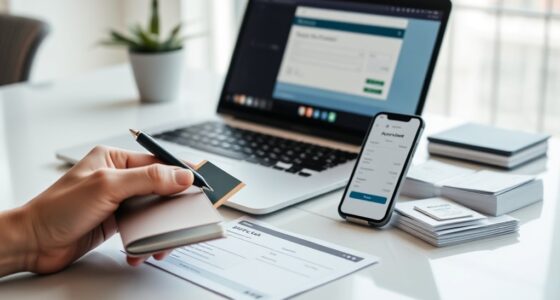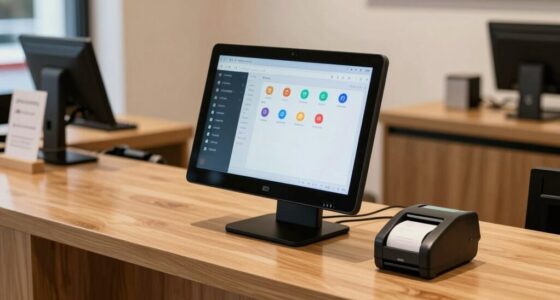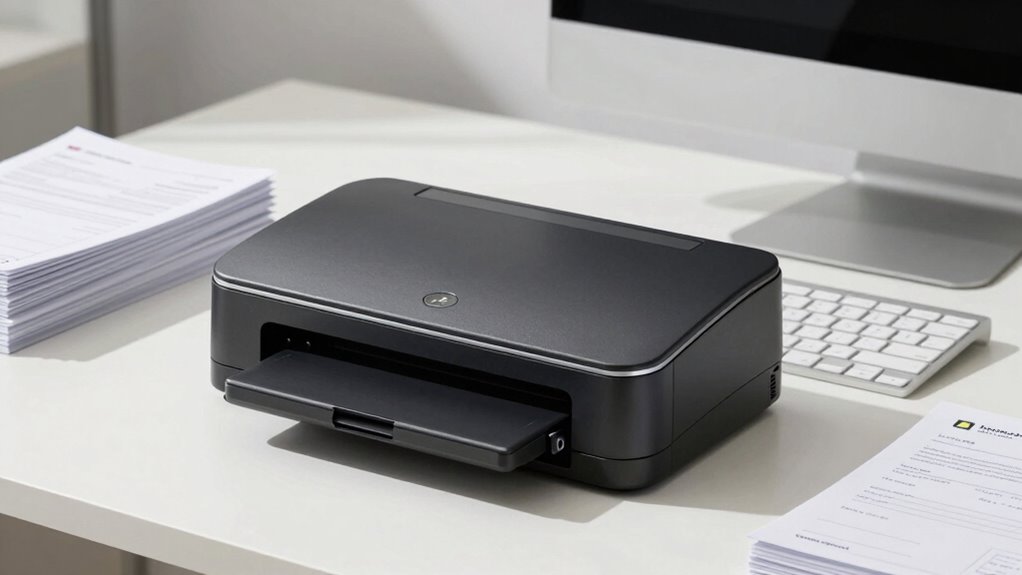
For most small offices, I’d start with the Digital Check CheXpress CX35-NIJ for a focused check-scanning workflow, while the Panini Vision X VX5050NJ stands out for its 50-sheet feeder and the Digital Check TS240-50IJ for built-in inkjet printing. The right small office check scanner depends less on headline speed than on daily volume, document handling, and whether your process needs endorsement printing. A compact single-feed design can suit occasional deposits, while a larger feeder may save time when checks arrive in batches. Software compatibility and the condition of renewed or used units also affect the real fit. Read on for the full breakdown of how these options differ and which buyer each one suits.

Get smart everyday buys delivered free with Prime
- Fast, free delivery on millions of items
- Prime Video, Amazon Music and more included
- Member-only deals all year
Key Takeaways
- Batch handling separates the Panini Vision X VX5050NJ and VX 5050IJ from the compact Digital Check models: both Panini options list a 50-sheet feeder, a meaningful advantage for offices processing checks in groups.
- Inkjet printing is a workflow choice, not an automatic upgrade. The TS240-50IJ and VX 5050IJ include inkjet, while the TS240 without inkjet may suit offices that do not need on-check printing.
- The CX30 listings are not all interchangeable. One is identified as renewed, and the other listings do not establish identical condition or configuration, so buyers should verify the exact included accessories and software support.
- The Canon imageFORMULA CR-L1 is the outlier. Its listing highlights 300 dpi optical resolution, but buyers should confirm check-processing software and bank workflow support rather than assuming a general sheetfed scanner will meet deposit needs.
- Published speed alone does not settle the ranking. Several Digital Check and Panini listings specify 50 DPM, while feeder capacity, printing needs, condition, and workflow compatibility create the more useful differences for a small office.




| small office check scanner | Scanner type |
|---|---|
| Digital Check CX30 Check Scann | Bank check |
| Digital Check TS240-50IJ Check | Bank check and document |
| Digital Check CheXpress CX35-N | Check scanner |
| Panini Vision X VX5050NJ Bank | Bank check and document |
| Digital Check CheXpress CX30 C | Bank check |
| Panini VX 5050IJ Check Scanner | — |
| Digital Check TS240 Check Scan | — |
| Canon imageFORMULA CR-L1 Sheet | — |
| Digital Check CX30 Check Scann | — |
| Digital Check CX30 Check Scann | — |
More Details on Our Top Picks
Digital Check CX30 Check Scanner Inkjet Printer (Renewed)
For a small office that needs check capture and occasional printing from one compact unit, this renewed CX30 combines a bank-check scanner with a monochrome inkjet printer. Its 600 × 600 dpi scan resolution and USB connection suit a basic desk setup, while the 50-sheet capacity keeps short print jobs manageable. Compared with the standalone Digital Check CheXpress CX30, this model adds printing, but the standalone option is the clearer fit if your office only needs check scanning. The tradeoff is its renewed condition and 90-day limited warranty, which provide less coverage than a new unit with a longer warranty. Monochrome output and USB-only connectivity also limit flexibility. I’d shortlist it when consolidating check capture and light printing matters more than color or a large paper tray.
Pros:- Combines bank-check scanning and monochrome inkjet printing in one compact device
- 600 × 600 dpi scan resolution
- 50-sheet paper capacity for light print jobs
- Includes a 90-day limited warranty
Cons:- Renewed condition comes with a limited 90-day warranty
- Monochrome printing does not suit color documents
- USB-only connectivity and 50-sheet capacity restrict setup and print volume
Best for: Small offices seeking a renewed, USB-connected check scanner that can also handle occasional monochrome printing.
Not ideal for: Offices needing color prints, wireless setup, a large paper supply, or a longer warranty period.
- Printer type:Inkjet printer
- Output type:Monochrome
- Scanner type:Bank check
- Scan resolution:600 × 600 dpi
- Maximum print resolution:4800 × 1200 dpi
- Maximum sheet capacity:50 sheets
- Connectivity:USB
- Item weight:4 pounds
- Warranty:90-day limited warranty
Our verdict“Choose this renewed CX30 if you want check scanning plus occasional monochrome printing in one small, USB-connected unit.”
Digital Check TS240-50IJ Check Scanner – 50 DPM, with Inkjet
The TS240-50IJ suits a small office that processes enough checks for speed to matter: its stated rate of up to 50 documents per minute is a step up from the single-feed CheXpress CX35-NIJ. Full-color scanning at 300 dpi and MICR capability support check capture alongside document imaging, while the compact, four-pound design fits a desktop workflow. The 50-sheet capacity is useful for batches, though it is a limit rather than a reason to treat this as a high-volume production machine. It also requires a Windows 7-or-higher system and connects by USB, so it offers less setup flexibility than models with network options. I’d pick it over the renewed CX30 combo when batch scanning speed matters more than having a printer built in.
Pros:- Rated to scan up to 50 documents per minute
- Full-color scanning at 300 dpi
- MICR capability for check processing
- Compact four-pound desktop design
Cons:- USB connection only, with no wireless connectivity listed
- Requires Windows 7 or higher
- 50-sheet capacity limits batch size
Best for: Small-business offices with a compatible Windows computer that deposit or process checks in recurring batches.
Not ideal for: Teams that need wireless or network connection, scan only an occasional check, or rely on a non-Windows setup.
- Scanner type:Bank check and document
- Scan rate:Up to 50 documents per minute
- Resolution:300 dpi
- Color depth:24 bpp
- Standard sheet capacity:50
- Connection:USB
- Operating system requirement:Windows 7 or higher
- Item weight:4 pounds
- Wattage:45 watts
Our verdict“Choose the TS240-50IJ when check batches call for faster capture and your office can work with its Windows and USB requirements.”
Digital Check CheXpress CX35-NIJ Check Scanner
The CheXpress CX35-NIJ is built around a different small-office need from the batch-oriented TS240-50IJ: feeding checks one at a time for remote deposit rather than moving through a stack. Its listed 800 dpi resolution, MICR and OCR accuracy focus, and optional endorsement features make it a capable fit for careful check capture and record handling. Network connectivity options may suit an office that needs more than a direct USB link, though the listed connection is USB and the available options can vary by configuration. Compared with the simpler CheXpress CX30, the CX35 offers more feature flexibility and a one-year manufacturer warranty, but its single-feed design is slower for batches and it depends on supported software providers. I’d favor it where reliable individual deposits matter more than throughput.
Pros:- Listed 800 dpi resolution for detailed check images
- Designed for MICR and OCR accuracy
- Optional inkjet endorsement and network connectivity options
- Automated cleaning mode and one-year manufacturer warranty
Cons:- Accepts only one check at a time
- Requires compatibility with supported software providers
- Optional features and configurations may add complexity
Best for: Small offices or remote-deposit workstations that process checks individually and need MICR/OCR-focused capture or endorsement options.
Not ideal for: Businesses that regularly scan stacks of checks or need a scanner that works independently of supported software providers.
- Scanner type:Check scanner
- Resolution:800 dpi
- Connection:USB
- Media type:Check
- Item weight:7 pounds
- Warranty:1-year manufacturer warranty
- Feed style:Single-feed
- Endorsement:Optional inkjet endorsement
- Maintenance feature:Automated cleaning mode
Our verdict“Choose the CX35-NIJ for software-supported, individual remote deposits when its added capture options matter more than batch speed.”
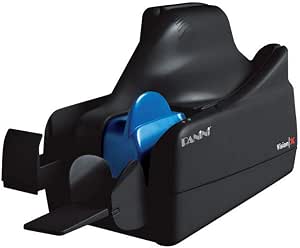
Panini Vision X VX5050NJ Bank Check and Document Scanner, 50 DPM, 50-Sheet Feed, Black
The Vision X VX5050NJ is the broader-use choice for a small office that handles both checks and other documents. Its 50-sheet feed, stated 50-dpm class, and bank-check/document scanner designation make it better suited to recurring batches than the single-feed CheXpress CX35-NIJ. The listed 600 dpi resolution and MICR focus support check-image capture, while USB keeps setup straightforward on a nearby workstation. This is a more batch-oriented option than the standalone CheXpress CX30, but the product data gives little detail about software features, so buyers should confirm compatibility with their deposit workflow before choosing it. The listed 0.27 g weight appears unusually low and may be a data error, so I would not use it to judge portability or build.
Pros:- 50-sheet feed supports batch processing
- Designed to scan bank checks and documents
- 600 dpi resolution and MICR-focused check capture
- USB connection for a direct workstation setup
Cons:- Software features and compatibility details are limited
- USB connection only is listed
- The stated 0.27 g weight appears unreliable
Best for: Small offices that process check batches and want one USB scanner for checks and related documents.
Not ideal for: Buyers who need clear software and system compatibility details before purchase, or who need wireless or network connectivity.
- Scanner type:Bank check and document
- Scan rate:50 dpm
- Resolution:600 dpi
- Standard sheet capacity:50 sheets
- Connection:USB
- Minimum system requirement:Windows 7
- Media type:USB
- Listed item weight:0.27 g (listed; may be a data error)
Our verdict“Choose the Vision X when a 50-sheet feed and document scanning matter, after confirming software compatibility for your deposit workflow.”
Digital Check CheXpress CX30 Check Scanner
The standard CheXpress CX30 is a straightforward fit for a small office that needs dedicated check capture without a printer or batch feeder. Its 600 dpi resolution, CCD sensor, and USB connection cover the core requirements for a desk-side setup. Compared with the renewed CX30 Check Scanner Inkjet Printer, this model skips printing but avoids making printer features part of the buying decision; the renewed combo is more useful if occasional monochrome output is also needed. Against the TS240-50IJ, the CX30 is the simpler choice for basic check work, not the better pick for faster batches. The supplied data lists paper media only and does not provide a feed rate or sheet capacity, so offices with frequent, high-volume deposits should look at a batch-oriented model instead.
Pros:- 600 dpi resolution for detailed check images
- CCD optical sensor technology
- USB connection for a direct desktop setup
- Dedicated check-scanning design without printer features
Cons:- Basic feature set may not suit high-volume processing
- Paper-only media listing limits its stated versatility
- Feed rate and sheet capacity are not provided
Best for: Small offices and workstations that need a compact USB check scanner for routine, lower-volume capture.
Not ideal for: Teams scanning frequent check batches or needing a documented feed rate, sheet capacity, or broader document-media support.
- Scanner type:Bank check
- Resolution:600 dpi
- Sensor technology:CCD
- Connection:USB
- Wattage:24 watts
- Media type:Paper
Our verdict“Choose the CheXpress CX30 for uncomplicated, lower-volume check capture when you do not need printing or batch-scanning features.”
Panini VX 5050IJ Check Scanner – 50 dpm, 50-sheet document feeder, inkjet
The Panini VX 5050IJ suits a small office that needs to route check scanning over a network and process batches without constant reloading. Its Ethernet connection sets it apart from the USB-connected Canon imageFORMULA CR-L1 and both Digital Check CX30 models, while the 50-sheet feeder is useful for a steady flow of checks. The listed 10,000 dpi resolution is unusually high among these options, though buyers should confirm that their deposit software uses that level of detail. The tradeoffs are practical: this is a refurbished check-only unit, its stated system requirement is Windows 10, and its limited warranty runs for 90 days. It makes more sense for a networked check station than for an office seeking a versatile document scanner or a longer warranty.
Pros:- Ethernet connection supports networked office setups
- 50-sheet feeder reduces interruptions during check batches
- Listed 10,000 dpi resolution offers high image detail
- LED illumination and CIS sensor technology
Cons:- Refurbished condition may not suit buyers seeking a new scanner
- Check-only design does not cover general document scanning
- 90-day limited warranty is shorter than the Canon CR-L1’s listed one-year warranty
Best for: Small offices running Windows 10 that need Ethernet-connected check scanning and a 50-sheet feeder for recurring batches
Not ideal for: Buyers who want a new unit, broader document scanning, compatibility beyond the listed Windows 10 requirement, or a longer warranty
Our verdict“Choose the VX 5050IJ if your Windows 10 office needs a networked, batch-capable check scanner and accepts refurbished hardware.”
Digital Check TS240 Check Scanner – 50 DPM, No Inkjet Printer
The Digital Check TS240 is the batch-focused choice here for offices that value stated throughput over a small footprint or extra image detail. Its 50 documents-per-minute speed and automatic feeder make it better suited to recurring stacks than the single-feed Digital Check CX30, which handles one check at a time. USB keeps the connection straightforward, but unlike the Panini VX 5050IJ, the TS240 is not described as network-ready. The listed 96 dpi resolution is a notable limitation beside the Canon CR-L1’s 300 dpi and the CX30 models’ 600 dpi, so I would verify that it meets the image requirements of your bank and deposit software. It is also a paper scanner without an inkjet printer, and the source data gives conflicting feeder capacity figures: a 50-sheet description and 100-sheet spec.
Pros:- Stated throughput of 50 documents per minute
- Automatic feeder supports batch scanning
- USB connection suits a direct computer setup
- CCD sensor with LED illumination
Cons:- Listed 96 dpi resolution is lower than the Canon CR-L1 and Digital Check CX30 models
- No inkjet printer is included
- Feeder capacity is inconsistent between the description and specs
Best for: Small offices that scan recurring check batches by USB and prioritize stated speed and automatic feeding
Not ideal for: Offices requiring higher listed image resolution, network connectivity, or an included inkjet printer
Our verdict“Pick the TS240 when batch speed and USB simplicity matter more than higher listed resolution or network access.”
Canon imageFORMULA CR-L1 Sheetfed Scanner – 300 dpi Optical
The Canon imageFORMULA CR-L1 is a compact option for a small office that needs a dedicated check station without giving up image quality. Its 300 dpi optical resolution and stated MICR accuracy make it a more balanced image-focused choice than the Digital Check TS240, whose listed resolution is 96 dpi. At 7.4 × 8.8 × 5.5 inches, it also takes less room than a batch-oriented setup might, though its one-sheet listed capacity means it is not the pick for feeding a large stack unattended. USB is simple but does not provide the Ethernet networking of the Panini VX 5050IJ. The CR-L1 remains limited to checks, so its compact build does not make it a general-purpose office scanner. A listed one-year warranty is a stronger coverage term than the Panini’s 90-day limited warranty.
Pros:- 300 dpi optical resolution for clear check images
- Compact dimensions and 2.1 kg listed weight
- MICR accuracy is specified for check processing
- Listed one-year warranty
Cons:- One-sheet standard capacity is less suited to unattended batches than the Panini VX 5050IJ
- USB connection lacks the Panini’s Ethernet option
- Check-only media support limits broader office use
Best for: Small offices with limited counter space that need clear check images and MICR-focused processing over USB
Not ideal for: Teams handling large unattended batches or seeking a scanner for receipts, forms, and general office documents
Our verdict“Choose the CR-L1 for a compact USB check station where image quality matters more than feeder capacity.”
Digital Check CX30 Check Scanner
This Digital Check CX30 is a straightforward small-business check scanner for buyers who want a higher listed resolution without moving to a networked setup. Its 600 dpi resolution exceeds the Canon imageFORMULA CR-L1’s 300 dpi and the TS240’s listed 96 dpi, while the USB connection keeps installation direct. The product data cites CIS and CMOS sensors, LED lighting, and bank-quality performance, but does not give a feeder capacity or a warranty, so I would not assume it can match the Panini VX 5050IJ’s 50-sheet batch handling or coverage. Like the other CX30 in this lineup, it is dedicated to checks and lacks wireless connectivity. This model makes the most sense for a computer-side check station, not a shared network or general document workflow.
Pros:- 600 dpi listed resolution is higher than the Canon CR-L1’s 300 dpi
- USB connection supports a direct workstation setup
- CIS and CMOS sensor technologies are listed
- LED light source
Cons:- Limited to check media
- No wireless connectivity
- Feeder capacity and warranty are not specified in the supplied product data
Best for: Small businesses needing a USB check scanner with 600 dpi listed resolution for a dedicated workstation
Not ideal for: Offices that need wireless or Ethernet access, general document scanning, or confirmed batch capacity and warranty terms
Our verdict“Choose this CX30 for a dedicated USB check station when its 600 dpi listing matters more than networking or documented batch capacity.”
Digital Check CX30 Check Scanner
The Digital Check CX30 with single-feed operation is the simplest fit for a small office that scans checks occasionally rather than in stacks. Its USB plug-and-play setup and 600 dpi resolution make it more direct and higher-resolution on paper than the batch-oriented TS240’s listed 96 dpi, but the CX30 requires loading each check individually. The CCD sensor and compact 2.48 kg weight suit a dedicated desk station; its one-bit color depth, however, limits grayscale detail compared with the Canon CR-L1’s listed 256-level greyscale. The supplied data specifies Windows 7 and a one-year manufacturer warranty, so buyers should confirm compatibility with their current computer and scanning software. As with the other CX30, it handles checks only and has no stated automatic feeder.
Pros:- 600 dpi resolution for clear check images
- USB plug-and-play setup
- Compact 2.48 kg listed weight
- One-year manufacturer warranty
Cons:- Single-feed design requires loading checks one at a time
- One-bit color depth limits grayscale detail compared with the Canon CR-L1
- Listed system compatibility is limited to Windows 7
Best for: Small offices with occasional check deposits that prefer a compact, direct USB scanner over batch capacity
Not ideal for: Businesses scanning frequent stacks, needing richer grayscale detail, or relying on operating systems beyond the listed Windows 7 requirement
Our verdict“Pick this CX30 if you scan checks one at a time and want simple USB operation, not batch throughput.”

How We Picked
I ranked these scanners by how well their listed features match common small-office tasks: processing checks reliably, fitting the expected batch size, and supporting the office’s deposit or recordkeeping workflow. Feeder capacity and inkjet availability matter because they can change how much staff handling a batch requires; stated speed is useful, but it does not tell the whole story about day-to-day convenience. I also weighed product specificity and condition, since a renewed unit or a listing with limited configuration detail creates more questions before purchase.
The ranking favors purpose-built check scanners with clearly stated check-scanning features and useful workflow distinctions. The Panini 50-sheet models earn attention for batch work, while Digital Check models offer more varied choices around compact operation and inkjet printing. The Canon CR-L1 is included as a possible document-scanning alternative, but its listed optical resolution alone does not establish compatibility with check-deposit software. Where the listings repeat a model or leave details unclear, I treat that uncertainty as a reason to verify configuration rather than infer differences that are not stated.
| small office check scanner | Scanner type |
|---|---|
| Digital Check CX30 Check Scann | Bank check |
| Digital Check TS240-50IJ Check | Bank check and document |
| Digital Check CheXpress CX35-N | Check scanner |
| Panini Vision X VX5050NJ Bank | Bank check and document |
| Digital Check CheXpress CX30 C | Bank check |
| Panini VX 5050IJ Check Scanner | — |
| Digital Check TS240 Check Scan | — |
| Canon imageFORMULA CR-L1 Sheet | — |
| Digital Check CX30 Check Scann | — |
| Digital Check CX30 Check Scann | — |
Factors to Consider When Choosing Small Office Check Scanner
Choosing a small office scanner is a workflow decision as much as a hardware decision. Before comparing model names, map how checks arrive, how they are processed, and what records or endorsements your bank requires.
Match Feeder Capacity to How Checks Arrive
Start with the size and rhythm of your typical check batches, not your busiest day of the year. A 50-sheet feeder can reduce manual loading when checks arrive in groups, but it may add little value for a business that scans a few checks at a time. Small offices can also have uneven volume: a scanner sized for a rare peak may take up space and cost more to maintain. Ask whether the feeder handles the paper condition and check sizes you actually receive, and confirm what happens when documents are misfed. Avoid treating feeder capacity as the same thing as unattended batch processing; software and workflow settings affect how much supervision remains necessary.
Decide Whether Inkjet Printing Belongs in the Workflow
Inkjet capability can support printing or endorsement directly on checks, but its value depends on your bank’s procedures and internal controls. Check with your bank and accounting team before paying extra for a printer you may not use. If printing is required, ask what ink supplies are supported, how often they need replacement, and whether the scanner can continue working when the ink runs out. Offices that endorse checks through another process may prefer a scanner without integrated inkjet hardware. The common mistake is treating an inkjet-equipped model as inherently more capable, when it can add consumable and maintenance tasks without improving the office’s actual process.
Confirm Software, Bank, and Operating-System Compatibility
A scanner’s hardware specifications do not confirm that it will work with a particular bank portal, accounting system, or remote-deposit application. Before ordering, check the exact model number against the software provider’s supported-device list and verify the operating systems used by the office. Ask whether required drivers, firmware, and any capture software are included or available separately. A device that scans an image successfully may still fail to meet the bank’s image-capture or transmission requirements. For a small office without dedicated IT support, a clear setup path and responsive vendor documentation can matter more than a small difference in speed.
Compare Total Ownership Work, Not Just Scan Speed
Daily throughput depends on more than a DPM figure: loading, correcting misfeeds, endorsement steps, and transferring images all take time. Consider who will operate the scanner and how many minutes the process adds to a normal deposit routine. Check what cleaning, consumables, and replacement parts the model needs, especially if it includes an inkjet mechanism or handles frequent batches. A faster scanner may not save staff time if the workflow still requires one-at-a-time preparation. Ask the seller about warranty coverage and service options so a minor hardware fault does not interrupt deposits for an extended period.
Treat Renewed and Repeated Listings as Separate Purchase Decisions
Several entries in this roundup share the CX30 name, but repeated model names do not prove that condition, included accessories, or seller support are identical. Read each listing for its exact model suffix, included power supply and cables, software status, and return or warranty terms. A renewed unit may be a reasonable fit when the configuration is clear and support is available, but an unclear listing can shift the savings into troubleshooting time. Ask for confirmation that the scanner powers on, feeds checks, and connects with the software your office plans to use. Do not assume a listing’s title alone tells you whether it is new, renewed, or bundled with everything needed to get started.
Separate Check Capture Needs From General Document Scanning
A check scanner is often part of a controlled deposit process, while a general sheetfed scanner is usually chosen for broader document capture. If you are considering a general-purpose model such as the Canon CR-L1, confirm that the bank or deposit software accepts its output and that it supports the required check workflow. Optical resolution is only one part of image quality; transport reliability, image processing, and software integration also matter. A general document scanner may be a better fit if invoices and paperwork are the main job and check deposits are occasional, but it may not replace dedicated check-capture hardware. Decide which task is primary before trading check-specific support for broader scanning flexibility.
Frequently Asked Questions
Do I need an inkjet check scanner for bank deposits?
Not necessarily. An integrated inkjet printer matters only if your bank or office procedure requires printing an endorsement or other information on checks during capture. Confirm the required process with your bank before choosing between inkjet and non-inkjet versions, such as the TS240-50IJ and TS240. If endorsement happens through a separate step, the printer may add maintenance without reducing work. Also check ink availability and replacement requirements if you rely on the printer.
Is a 50-sheet feeder useful for a small office?
It is useful when checks regularly arrive in batches large enough that repeated hand-feeding becomes a distraction. The Panini Vision X models list a 50-sheet feeder, which can suit batch-oriented deposit routines better than a compact scanner used for sporadic checks. For a handful of checks each day, feeder capacity may not change the process enough to justify choosing a larger unit. Consider your normal batch size, desk space, and whether the software supports the batch workflow you expect. A larger feeder does not remove the need to monitor for jams or verify captured items.
Can a general document scanner replace a dedicated check scanner?
Sometimes, but only when the bank or deposit application supports that scanner and its output meets the required capture process. The Canon CR-L1 listing gives an optical-resolution figure, but that specification does not confirm compatibility with check-deposit software. Dedicated check scanners are built around check handling and related workflows, while general document scanners may offer broader paper-scanning use. Ask the software provider or bank to confirm the exact model before relying on it for deposits. If checks are a frequent or regulated part of your routine, purpose-built support can reduce setup uncertainty.
What should I verify before buying a renewed or used CX30?
Confirm the precise model and condition, then ask which cables, power supply, drivers, and software are included. Request details about warranty coverage, returns, and whether the scanner has been checked for feeding and connection problems. Since this roundup includes multiple CX30 listings, do not assume they share the same configuration or seller support. Verify that your operating system and deposit software support the exact unit. A clear answer on these points is more useful than relying on a broad product title.
How should I choose between the Digital Check TS240 and a Panini VX 5050?
Compare the features that affect your routine: the TS240 listing specifies 50 DPM, while the Panini VX 5050 listings specify a 50-sheet feeder, with one version including inkjet printing. If you process batches, the listed feeder capacity may favor the Panini; if you do not need on-check printing, the TS240 without inkjet may better match a simpler workflow. Confirm software and bank compatibility for the exact model rather than relying on brand or speed alone. Also compare desk space, service support, and consumables before choosing between them.
Conclusion
For a small office seeking a clear starting point, I’d choose the Digital Check CheXpress CX35-NIJ as the best overall among these listings for a focused check-scanning setup. The Digital Check TS240 Check Scanner without inkjet is my best-value fit for offices that want a stated 50 DPM model without an integrated printer, while the Panini VX 5050IJ is the best premium-style choice for batch work when its 50-sheet feeder and inkjet match the process. Buyers who want a straightforward, compact-purpose option can begin with the Digital Check CX30, but should verify the exact listing configuration; the renewed CX30 is best for buyers comfortable checking condition and support details. For a specific need beyond check deposits, the Canon imageFORMULA CR-L1 may suit broader document scanning, provided the bank and software confirm compatibility. Before ordering any model, confirm the exact configuration, included items, and software support for your office.
Fall Picks
fall essentials
As an affiliate, we earn on qualifying purchases.