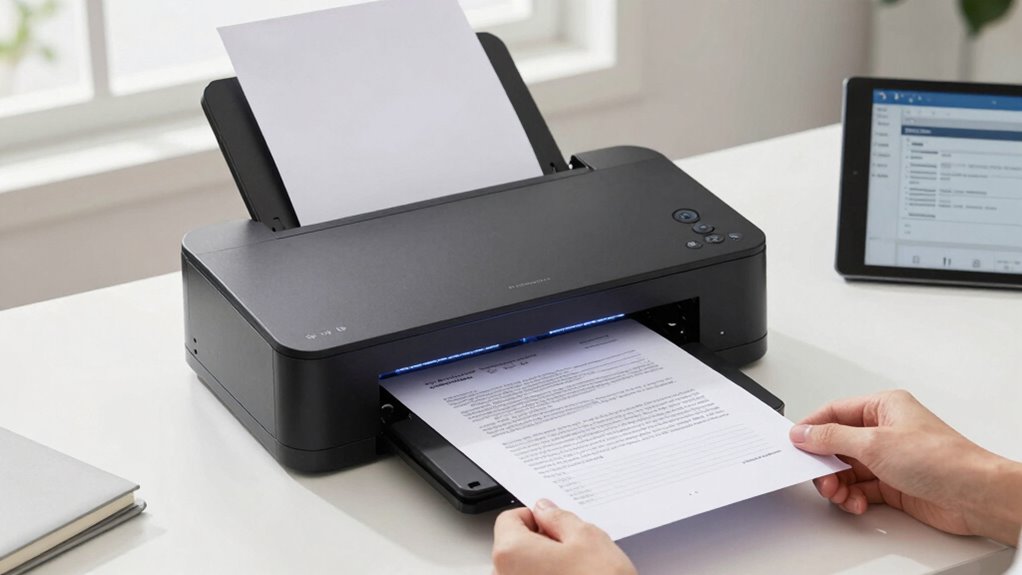
For most contract digitization workflows, I’d start with the Canon imageFORMULA R40II: its automatic document feeder and duplex scanning suit batches of multi-page agreements better than single-sheet portable models. The Epson WorkForce ES-400 II is a strong fit when speed and frequent desktop scanning matter, while the ScanSnap iX1300 offers a smaller footprint and wireless flexibility. The main tradeoff is between batch handling, portability, and simplicity—not just scan resolution. A flatbed such as the Canon CanoScan LiDE 300 handles bound or delicate pages, but it is slower for contracts. Read on for the full breakdown and advice on matching a scanner to your paperwork.

Get smart everyday buys delivered free with Prime
- Fast, free delivery on millions of items
- Prime Video, Amazon Music and more included
- Member-only deals all year
Key Takeaways
- The Canon R40II and Epson ES-400 II are better suited to recurring contract batches than the portable models because their document-feeding workflows can handle stacks of pages.
- The ES-400 II stands out for buyers prioritizing a faster desktop workflow; the R40II offers an approachable office-oriented alternative with duplex scanning and cloud-scanning features.
- The Brother DS-640, Epson ES-50, Canon R10, and HPPS100 favor mobility, but their compact or simplex-oriented designs are less suited to large two-sided contracts.
- The ScanSnap iX1300 balances a compact footprint with duplex scanning and wireless or USB connectivity, making it a practical middle ground for a small desk.
- The CanoScan LiDE 300 uses a flatbed rather than a sheet-fed workflow, so it is the specialist choice for bound, fragile, or irregular pages—not a fast way to digitize a stack of agreements.
| Brother DS-640 Compact Mobile Document Scanner |  | Best for Mobile Contract Capture | Scanner type: Business card, document | Connection: USB | Resolution: 300 dpi | VIEW ON AMAZON | See Our Full Breakdown |
| Epson Workforce ES-50 Compact & Lightweight Mobile Document Scanner |  | Best for Lightweight, USB-Powered Scanning | Scanner type: Document | Connection: USB | Resolution: 1200 dpi | VIEW ON AMAZON | See Our Full Breakdown |
| ScanSnap iX1300 Wireless or USB Double-Sided Color Document Scanner, Black |  | Best Compact Duplex Scanner | Scanner type: Document, receipt | Connection: USB, Wi-Fi | Resolution: 600 dpi | VIEW ON AMAZON | See Our Full Breakdown |
| ScanSnap iX2400 High-Speed One-Touch Button Color Document Scanner, Black |  | Best for High-Volume Contract Batches | Scanner type: Document, business card, photo, receipt, ID card, insurance card | Connection: USB | Resolution: 600 dpi | VIEW ON AMAZON | See Our Full Breakdown |
| Canon imageFORMULA R40II Office Document Scanner – Duplex Scanning, Easy Setup, Cloud Scanning |  | Best for a Straightforward Office Workflow | Scanner type: Document | Connection: USB; USB-C setup described | Resolution: 600 dpi | VIEW ON AMAZON | See Our Full Breakdown |
| Canon imageFORMULA R30 Office Document Scanner with Auto Document Feeder and Duplex Scanning |  | Best for Simple Office Workflows | Scanner type: Document | Connection: USB | Scanning speed: Up to 25 pages per minute | VIEW ON AMAZON | See Our Full Breakdown |
| Epson WorkForce ES-400 II High-Speed Color Duplex Desktop Document Scanner |  | Best for High-Volume Contract Batches | Scanner type: Document | Connection: USB | Scanning speed: Up to 35 pages per minute | VIEW ON AMAZON | See Our Full Breakdown |
| Canon imageFORMULA R10 Portable Document Scanner |  | Best Compact Duplex Option | Scanner type: Document | Connection: USB | Scanning speed: Up to 12 pages per minute | VIEW ON AMAZON | See Our Full Breakdown |
| HP Small USB Document & Photo Scanner for Portable 1-Sided Sheetfed Digital Scanning, Model HPPS100 |  | Best for Simple Single-Sided Capture | Model: HPPS100 | Scanning type: Single-sided sheetfed | Scanning speed: 15 pages per minute | VIEW ON AMAZON | See Our Full Breakdown |
| Canon CanoScan LiDE 300 Scanner |  | Best for Flat Documents and Image Detail | Scanner type: Document and photo | Connection: USB | Resolution: 2400 × 2400 dpi | VIEW ON AMAZON | See Our Full Breakdown |
| scanner for contract digitization | Connection | Resolution | Scanner type | Weight |
|---|---|---|---|---|
| Brother DS-640 Compact Mobile | USB | 300 dpi | Business card, document | 1 pound |
| Epson Workforce ES-50 Compact | USB | 1200 dpi | Document | 9.44 ounces |
| ScanSnap iX1300 Wireless or US | USB, Wi-Fi | 600 dpi | Document, receipt | 4.4 pounds |
| ScanSnap iX2400 High-Speed One | USB | 600 dpi | Document, business card, photo, receipt, ID card, insurance card | 7.1 pounds |
| Canon imageFORMULA R40II Offic | USB; USB-C setup described | 600 dpi | Document | 7.1 pounds |
| Canon imageFORMULA R30 Office | USB | 600 dpi | Document | 6.6 pounds |
| Epson WorkForce ES-400 II High | USB | 300 dpi | Document | — |
| Canon imageFORMULA R10 Portabl | USB | 600 dpi | Document | 998 g |
| HP Small USB Document & Photo | USB 2.0 | 1200 dpi | — | — |
| Canon CanoScan LiDE 300 Scanne | USB | 2400 × 2400 dpi | Document and photo | 3.6 pounds |
More Details on Our Top Picks
Brother DS-640 Compact Mobile Document Scanner
For contracts that need to be captured away from a desk, the Brother DS-640 prioritizes portability over batch processing. At 1 pound and just 1.45 inches high, it is easier to pack than the desktop ScanSnap iX1300, and its stated speed of up to 16 pages per minute can help with occasional paperwork. Support for cloud destinations and OCR software gives scanned agreements a path toward searchable filing, though the full workflow depends on installing software.
The tradeoff is its one-sheet-at-a-time feed: digitizing a thick contract means repeatedly guiding pages rather than loading a stack. It also connects by USB only, so it is less flexible than the wireless iX1300. I’d choose this for field work and light document capture, not as the main scanner for a busy contract queue.
Pros:- Lightweight 1-pound design is easy to carry between meetings or locations.
- Scans at up to 16 pages per minute for a portable, single-sheet model.
- Supports cloud destinations and OCR software for searchable document workflows.
- Works with Windows, Mac, and Linux.
Cons:- Accepts only one sheet at a time, so multi-page contracts require repeated feeding.
- USB connection only; there is no wireless option.
- Full functionality requires downloading software.
Best for: Mobile professionals who need to scan signed pages, receipts, or ID cards at client sites and can process documents one sheet at a time.
Not ideal for: Small offices digitizing full contract packets every day; the single-sheet feed and USB-only connection make batch work slower and less flexible.
- Scanner type:Business card, document
- Connection:USB
- Resolution:300 dpi
- Scanning speed:Up to 16 pages per minute
- Sheet capacity:1 sheet
- Supported media:Plain paper, receipts, business cards, ID cards, embossed cards, laminated cards, plastic cards
- Dimensions:1.99 × 11.9 × 1.45 inches
- Weight:1 pound
- Supported operating systems:Windows, Mac, Linux
Our verdict“Choose the DS-640 for portable, occasional contract capture, but pick a desktop duplex scanner such as the ScanSnap iX1300 for regular multi-page batches.”
Epson Workforce ES-50 Compact & Lightweight Mobile Document Scanner
The Epson WorkForce ES-50 is a strong fit when the scanning setup needs to stay light and simple: it weighs 9.44 ounces and draws power through USB, so there’s no separate power supply to carry. Epson states a page can scan in as little as 5.5 seconds, and its software adds OCR and multi-page merging—useful for turning individually fed contract pages into a single organized file.
Compared with the Brother DS-640, the ES-50 is lighter and has a higher stated resolution, but it shares the main limitation: one page per feed. Its listed system support is also narrower, so buyers should check compatibility before building a workflow around it. This makes more sense for occasional travel paperwork than for sustained office digitization, where the ScanSnap iX2400’s feeder can handle a stack.
Pros:- At 9.44 ounces, it is lighter than the Brother DS-640.
- USB power avoids carrying a separate power adapter.
- OCR and automatic multi-page merging support searchable, consolidated files.
- Scans a page in as little as 5.5 seconds, according to the product description.
Cons:- Single-sheet feeding is slow for complete contract packets.
- Full software features require installation and an internet connection.
- Listed compatibility is limited to Windows and Mac.
Best for: Traveling consultants or field staff who need a very light USB-powered scanner for occasional contract pages and searchable files.
Not ideal for: Teams scanning long agreements in volume or users who need broad operating-system support; it feeds one page at a time and lists Windows and Mac compatibility.
- Scanner type:Document
- Connection:USB
- Resolution:1200 dpi
- Scanning speed:As little as 5.5 seconds per page
- Sheet capacity:1 sheet
- Optical sensor:CIS
- Power:USB-powered; 2.1 watts listed
- Weight:9.44 ounces
- Supported systems:Windows and Mac; minimum system requirement lists Windows 7
Our verdict“Pick the ES-50 when low carry weight and USB power matter more than batch capacity or broad system compatibility.”
ScanSnap iX1300 Wireless or USB Double-Sided Color Document Scanner, Black
The ScanSnap iX1300 offers a practical middle ground for contract digitization: it scans both sides automatically and has a 20-sheet capacity, while keeping its footprint smaller than a full-size office feeder. Its listed speed of up to 30 pages per minute and Wi-Fi or USB connection suit a home office where contracts arrive in moderate batches and the scanner may need to sit away from a computer. ScanSnap Home provides a central route for managing captured documents.
Compared with the single-sheet Brother DS-640 and Epson ES-50, the iX1300 is far more suited to multi-page agreements; compared with the ScanSnap iX2400, it gives up feeder capacity and speed for a more compact setup. Its 20-sheet limit still calls for dividing larger packets, and full use involves software setup. I’d favor it for a small workspace, not a high-throughput contract desk.
Pros:- Duplex scanning captures both sides without manually turning pages.
- 20-sheet capacity handles modest contract batches unlike the single-sheet mobile scanners.
- Wi-Fi and USB provide more placement and connection options than USB-only alternatives.
- Compact design suits desks with limited space.
Cons:- The 20-sheet capacity can require multiple loading rounds for longer contracts.
- Software setup is needed for full document-management functionality.
- At 4.4 pounds, it is less convenient to carry than the DS-640 or ES-50.
Best for: Home-office professionals who regularly scan two-sided contracts in modest batches and want Wi-Fi flexibility without a large desktop scanner.
Not ideal for: Small businesses processing large stacks of agreements throughout the day; its 20-sheet capacity trails the ScanSnap iX2400 and Canon R40II.
- Scanner type:Document, receipt
- Connection:USB, Wi-Fi
- Resolution:600 dpi
- Duplex scanning speed:Up to 30 pages per minute
- Sheet capacity:20 sheets
- Supported media:Paper
- Dimensions:4.5 × 11.7 × 3.3 inches
- Weight:4.4 pounds
- Warranty:1-year depot warranty
Our verdict“Choose the iX1300 for compact, wireless duplex scanning of moderate contract batches; move up to the iX2400 or R40II for heavier daily volume.”
ScanSnap iX2400 High-Speed One-Touch Button Color Document Scanner, Black
For an office digitizing contracts in regular batches, the ScanSnap iX2400 earns its place through a 100-sheet automatic document feeder and duplex speeds of up to 45 pages per minute. Loading a stack rather than feeding pages individually can cut hands-on time, while automatic document detection and image correction help create more consistent files from mixed paperwork. The 600 dpi resolution and support for business cards, receipts, photos, and ID cards add flexibility beyond contracts.
It outpaces the compact ScanSnap iX1300 on feeder capacity and stated speed, but the iX1300 is the better fit when Wi-Fi or a smaller footprint matters. The iX2400 is USB-only and weighs 7.1 pounds, so it is intended to stay on a desk. Buyers should also verify that their computer meets its listed Windows or macOS requirements before choosing it.
Pros:- 100-sheet feeder reduces repeated loading during contract batch work.
- Duplex scanning reaches up to 45 pages per minute.
- Automatic document detection and image correction support consistent capture.
- Handles documents, business cards, photos, receipts, and ID or insurance cards.
Cons:- USB-only connection lacks the Wi-Fi flexibility of the ScanSnap iX1300.
- At 7.1 pounds, it is designed for a fixed workspace rather than regular travel.
- Requires a compatible Windows or macOS system.
Best for: Small legal, consulting, or administrative offices that digitize multi-page contracts and related paperwork in recurring batches.
Not ideal for: Mobile workers or offices that need wireless scanning; this model is USB-only and heavier than the iX1300.
- Scanner type:Document, business card, photo, receipt, ID card, insurance card
- Connection:USB
- Resolution:600 dpi
- Duplex scanning speed:Up to 45 pages per minute
- Sheet capacity:100 sheets
- Optical sensor:CIS
- Dimensions:6.26 × 11.5 × 6.34 inches
- Weight:7.1 pounds
- Minimum system requirements:Windows 10 or 11 (32/64-bit, ARM, Intel) or macOS Monterey 12 or later
Our verdict“Choose the iX2400 when feeder capacity and fast duplex batches outweigh wireless access and portability.”
Canon imageFORMULA R40II Office Document Scanner – Duplex Scanning, Easy Setup, Cloud Scanning
The Canon imageFORMULA R40II targets office users who want a fast duplex feeder without a sprawling setup. Its stated speed of up to 45 pages per minute and 60-sheet capacity make it a capable contract-batch scanner, while the foldable tray helps keep the unit compact between jobs. USB-C connectivity and bundled software are positioned as a straightforward route from paper to digital files.
Compared with the ScanSnap iX2400, the R40II offers a smaller feeder capacity at the same stated scanning speed; the iX2400 also lists automatic image correction and document detection. Canon’s tradeoff is its software ecosystem: the supplied information says it is limited to CaptureOnTouch and does not support TWAIN or ISIS drivers. It also lacks wireless connectivity. I’d choose it for a USB-connected office workflow that fits Canon’s software, not for teams that depend on broad driver compatibility.
Pros:- Duplex scanning reaches up to 45 pages per minute.
- 60-sheet feeder supports contract batches without matching the footprint of a larger office setup.
- Foldable paper tray helps reduce storage space when the scanner is idle.
- USB-C connection and bundled software offer a direct wired workflow.
Cons:- No wireless connection option.
- TWAIN and ISIS drivers are not supported, limiting integration with some document systems.
- CaptureOnTouch is the stated software option, which may not suit teams using other scanning applications.
Best for: Home offices and small businesses that scan contract batches through a USB-connected workstation and are comfortable using Canon CaptureOnTouch.
Not ideal for: Organizations relying on TWAIN or ISIS applications, or teams that need wireless scanning or a larger feeder than 60 sheets.
- Scanner type:Document
- Connection:USB; USB-C setup described
- Resolution:600 dpi
- Duplex scanning speed:Up to 45 pages per minute
- Sheet capacity:60 sheets
- Power:15.6 watts
- Weight:7.1 pounds
- Warranty:1 year
Our verdict“Choose the R40II for fast, wired contract batches if Canon’s CaptureOnTouch workflow fits your office and a 60-sheet feeder is sufficient.”
Canon imageFORMULA R30 Office Document Scanner with Auto Document Feeder and Duplex Scanning
The Canon imageFORMULA R30 is a strong fit for a small office that wants to turn signed contracts and routine paperwork into digital files without setting up separate scanning software. Its 60-sheet feeder and duplex scanning at up to 25 pages per minute help keep multi-page agreements moving, while its compact footprint suits a shared desk. Compared with the faster Epson WorkForce ES-400 II, the R30 has a smaller feeder and lower stated speed, but it stands out for its no-install setup. That simplicity comes with limits: the included software is basic, the listed compatibility is Windows 7 and newer, and there is no TWAIN or ISIS driver support. I’d choose it for straightforward contract capture, not for a workflow that depends on advanced document software or driver integration.
Pros:- No software installation is required for setup.
- Duplex scanning captures both sides of contract pages in one pass.
- The 60-sheet feeder accommodates larger paperwork batches than the R10 and HPPS100.
- Compact dimensions suit a small office desk.
Cons:- The 25-page-per-minute speed is below the Epson WorkForce ES-400 II’s stated 35 ppm.
- Basic included software may not meet advanced filing or processing needs.
- No TWAIN or ISIS driver support, and listed compatibility is limited to Windows 7 and newer.
Best for: Small offices and home-based professionals who regularly scan signed contracts and want a simple USB setup with a 60-sheet feeder.
Not ideal for: Teams that need TWAIN or ISIS integration, advanced document-processing tools, or a listed Mac-compatible workflow.
- Scanner type:Document
- Connection:USB
- Scanning speed:Up to 25 pages per minute
- Resolution:600 dpi
- Automatic feeder capacity:60 sheets
- Optical sensor:CIS
- Dimensions:9.88 × 11.54 × 9.65 inches
- Weight:6.6 pounds
Our verdict“Choose the R30 for uncomplicated, regular contract scanning in a Windows-based small office; skip it if your workflow needs advanced drivers or software.”
Epson WorkForce ES-400 II High-Speed Color Duplex Desktop Document Scanner
When contract digitization means processing stacks of signed paperwork, the Epson WorkForce ES-400 II makes speed its main advantage: it scans both sides and is rated up to 35 pages per minute, with a 50-sheet feeder for mixed document sizes. Its software tools for previewing, editing, and sharing give it a more involved workflow than the simpler Canon imageFORMULA R30, which asks less of the user at setup but offers more limited software. The Epson’s tradeoffs are practical ones: it relies on a USB connection, and some sharing features need an internet connection. Its stated 300 dpi resolution is aimed at ordinary document capture rather than highly detailed image reproduction. I’d rank it above the R30 for batch throughput, but not for buyers who prioritize minimal setup or mobile placement.
Pros:- Stated speed of up to 35 pages per minute supports larger scanning batches.
- Duplex scanning captures both sides of contract pages in one pass.
- The 50-sheet feeder accepts various document sizes.
- Included tools support previewing, editing, and cloud sharing.
Cons:- USB-only connectivity limits where the scanner can be placed.
- Some software features require an internet connection.
- The 300 dpi resolution is less suited to detailed image capture than the Canon CanoScan LiDE 300.
Best for: Small legal, consulting, and administrative teams digitizing frequent contract batches that benefit from faster duplex throughput and preview tools.
Not ideal for: People who need wireless placement, an internet-independent sharing workflow, or a compact scanner to carry between work locations.
- Scanner type:Document
- Connection:USB
- Scanning speed:Up to 35 pages per minute
- Resolution:300 dpi
- Automatic feeder capacity:50 sheets
- Optical sensor:CCD
- Media support:Various document sizes
- Dimensions:11.6 × 11.6 × 6.9 inches
Our verdict“Pick the ES-400 II for frequent contract batches where speed and software tools matter more than wireless flexibility.”
Canon imageFORMULA R10 Portable Document Scanner
The Canon imageFORMULA R10 brings duplex contract scanning to a portable format: at about 2.2 pounds, it is easier to pack than the desktop-oriented R30 or Epson ES-400 II. Its 20-sheet feeder and stated 12-page-per-minute speed suit smaller document batches, such as agreements collected during site visits or paperwork handled between offices. The tradeoff is throughput: the R30 offers a 60-sheet feeder and faster stated scanning, while the ES-400 II is a better match for regular high-volume intake. The R10 connects by USB, so portability does not mean wireless operation, and the supplied information limits its system requirements to Windows 7. I’d choose it when carrying a duplex scanner matters more than clearing a large stack quickly.
Pros:- Lightweight design is easier to transport than the R30 and ES-400 II.
- Duplex scanning captures both sides of contract pages.
- The 20-sheet feeder reduces repeated hand-feeding for short batches.
- Built-in software includes automatic updates.
Cons:- The 12-page-per-minute speed and 20-sheet capacity limit sustained batch work.
- USB-only connection provides no wireless scanning option.
- Listed minimum system requirements specify Windows 7, without Mac compatibility details.
Best for: Mobile professionals and small-office users who need to scan short contract batches on the go and want both sides captured automatically.
Not ideal for: Teams digitizing large daily contract stacks, buyers needing wireless scanning, or users who require listed Mac compatibility.
- Scanner type:Document
- Connection:USB
- Scanning speed:Up to 12 pages per minute
- Resolution:600 dpi
- Automatic feeder capacity:20 sheets
- Optical sensor:CIS
- Dimensions:3.74 × 11.22 × 1.57 inches
- Weight:998 g
- Warranty:1 year
Our verdict“Choose the R10 for portable, small-batch duplex contract scanning, but use a desktop feeder model for regular high-volume work.”
HP Small USB Document & Photo Scanner for Portable 1-Sided Sheetfed Digital Scanning, Model HPPS100
The HPPS100 is a portable choice for occasional contract capture when the paperwork is single-sided or the buyer is willing to turn pages manually. Its stated 15 pages per minute and broad 2 × 2.9-inch to 8.5 × 14-inch paper range suit varied individual documents, while Windows and Mac compatibility makes it less restrictive than the R10’s listed Windows requirements. The defining compromise is that it scans one side at a time. For double-sided agreements, the Canon R10 handles both sides automatically, and the R30’s larger feeder is better for repeated office batches. The HP’s 1200 dpi resolution can preserve fine detail, but that advantage does not replace duplex capture or batch capacity. I’d treat it as a light-duty portable scanner, not a main contract-room workhorse.
Pros:- Portable design suits travel and limited desk space.
- Windows and macOS compatibility covers both common desktop platforms.
- 1200 dpi resolution supports detailed document and photo scans.
- Accepts paper sizes from 2 × 2.9 inches to 8.5 × 14 inches.
Cons:- Single-sided scanning requires manual page handling for double-sided contracts.
- Designed for light to medium batch work rather than sustained intake.
- USB 2.0 connectivity offers no wireless option.
Best for: Mac or Windows users who travel with paperwork and mainly scan single-sided contracts, forms, and occasional photos.
Not ideal for: Legal and administrative teams processing double-sided agreements or frequent multi-page batches that need automatic duplex scanning.
- Model:HPPS100
- Scanning type:Single-sided sheetfed
- Scanning speed:15 pages per minute
- Resolution:1200 dpi
- Paper size range:2 × 2.9 inches to 8.5 × 14 inches
- Connection:USB 2.0
- Compatibility:Windows and macOS
- Supported file formats:PDF and JPG
Our verdict“Choose the HPPS100 for portable, mostly single-sided paperwork across Windows or Mac, not for automatic duplex contract batches.”
Canon CanoScan LiDE 300 Scanner
The Canon CanoScan LiDE 300 serves a different contract-digitization need from the feeder-based models: it is a flatbed scanner for individual pages, receipts, business cards, and photos. Its 2400 × 2400 dpi resolution and stated 48-bit color depth favor detailed image capture, while Auto Scan Mode simplifies one-off jobs. That makes it a better fit than the HPPS100 when scanning delicate or varied flat items, but a poor substitute for the R30 or ES-400 II when contracts arrive in stacks. There is no automatic feeder or duplex scanning, so each page must be placed individually and double-sided documents require manual handling. The USB connection also rules out wireless placement. I’d select it as a desk-side companion for occasional paperwork and image capture, not as the primary scanner for contract batches.
Pros:- 2400 × 2400 dpi resolution supports detailed scans of documents and photos.
- Auto Scan Mode detects document types for simpler one-off jobs.
- Handles photos, receipts, business cards, and paper.
- Compact, low-profile design fits desks and shelves.
Cons:- Single-sheet flatbed operation is much slower for contract batches than the R30 or ES-400 II.
- No automatic feeder or duplex scanning means every side needs separate handling.
- USB-only connectivity provides no wireless option.
Best for: Home-office users who digitize occasional contract pages, receipts, and business cards alongside photos and want high-resolution flatbed scans.
Not ideal for: Teams that need to process multi-page or double-sided contracts quickly, since it has no automatic document feeder or duplex scanning.
- Scanner type:Document and photo
- Connection:USB
- Resolution:2400 × 2400 dpi
- Color depth:48 bits
- Grayscale depth:16-bit
- Supported media:Photo, receipt, business card, and paper
- Dimensions:14.5 × 9.9 × 1.7 inches
- Weight:3.6 pounds
- Warranty:1-year limited warranty
Our verdict“Choose the LiDE 300 for occasional flatbed scanning and image detail, but choose a feeder-based duplex model for routine contract digitization.”

How We Picked
I ranked these scanners around the work involved in turning signed, multi-page agreements into usable digital files. I gave the most weight to duplex scanning, automatic document feeding, workflow speed, and ease of getting repeatable scans, since flipping pages or feeding each sheet by hand can slow a contract-heavy office. I also weighed portability, connection options, setup demands, and whether a design handles unusual originals such as bound or delicate pages.
The ranking favors scanners that can move a typical batch of contracts through a reliable desktop workflow, while recognizing that not every buyer has room for a desktop unit or scans large volumes. That puts the Canon R40II and Epson ES-400 II ahead for routine batch work, with the ScanSnap iX1300 earning a strong position for buyers who need a smaller, flexible setup. Compact simplex models rank lower for regular two-sided paperwork, and the flatbed ranks for special originals rather than throughput. I did not treat a model’s portability or a long feature list as a substitute for handling the buyer’s actual documents.
| scanner for contract digitization | Scanner type | Connection | Optical sensor |
|---|---|---|---|
| Brother DS-640 Compact Mobile | Business card, document | USB | — |
| Epson Workforce ES-50 Compact | Document | USB | CIS |
| ScanSnap iX1300 Wireless or US | Document, receipt | USB, Wi-Fi | — |
| ScanSnap iX2400 High-Speed One | Document, business card, photo, receipt, ID card, insurance card | USB | CIS |
| Canon imageFORMULA R40II Offic | Document | USB; USB-C setup described | — |
| Canon imageFORMULA R30 Office | Document | USB | CIS |
| Epson WorkForce ES-400 II High | Document | USB | CCD |
| Canon imageFORMULA R10 Portabl | Document | USB | CIS |
| HP Small USB Document & Photo | — | USB 2.0 | — |
| Canon CanoScan LiDE 300 Scanne | Document and photo | USB | — |
Factors to Consider When Choosing Scanner For Contract Digitization
Contract digitization depends on more than scanner speed. Before choosing a model, think about how pages arrive, what the final files need to do, and how often scanning interrupts other work. These factors can help prevent a mismatch between a convenient device and the document workflow you actually need.
Match the Feeder to Your Typical Batch
Estimate the size of a normal scanning session, not just the number of contracts you handle in a year. An automatic document feeder can make a stack of loose pages less labor-intensive, while a compact scanner that requires individual feeding may work well for occasional forms but frustrate during a large intake. Check whether your pages are single-sided or duplex before assuming a feeder solves the whole job. A scanner that reads both sides in one pass can reduce manual page handling and help keep front-and-back pages together. Avoid buying based on an unusually large batch if your everyday workload is light; a desktop unit needs space and a regular job to justify that footprint. If you regularly receive mixed-size or damaged pages, confirm how the feeding path handles them before relying on unattended batches.
Choose Duplex Scanning for Two-Sided Agreements
Many contracts include terms, initials, or attachments on the reverse side, so a one-sided scan can leave gaps in the record. Duplex scanning captures both sides without asking someone to turn every page, but it does not replace a final review of the resulting file. A common mistake is to count pages in the original and assume the digital file is complete; check for blank backs, missed inserts, and pages that fed out of order. Simplex models can still make sense for one-sided paperwork or very occasional scanning, especially when portability matters more than speed. For a recurring contract process, compare the time saved by duplex handling against the space and setup needs of a desktop scanner.
Plan for File Naming, Search, and Storage
A scanned agreement is useful only if staff can find the right version later. Decide how files will be named, where they will be stored, and whether searchable text is needed before choosing hardware. Optical character recognition can make text inside a scan searchable, but its accuracy depends on print quality, handwriting, layout, and the software workflow. Do not assume that scanning directly to a cloud destination automatically creates a searchable, well-organized contract archive. Set a consistent naming convention and test a sample batch with the people who will retrieve the files. If the scanner’s bundled software does not fit your records process, budget time to select and configure a separate document-management approach.
Balance Portability Against Daily Throughput
Portable scanners help when contracts are captured at client sites, in shared offices, or wherever desk space is scarce. Their lighter form can come with more manual handling or a narrower role than a desktop scanner with a feeder, so compare the full workflow rather than the device size alone. A compact duplex option can serve a small office that scans modest batches, while a simplex travel model is a better fit for occasional pages on the move. A desktop scanner is easier to dedicate to a recurring intake station but can be inconvenient for field work. Before paying for portability, ask whether scanning truly happens away from a desk or whether the device will spend most of its time in one office.
Check the Original Documents You Need to Preserve
Loose, clean sheets are a natural fit for sheet-fed scanners, but not every contract-related document is a standard page. Bound agreements, delicate originals, receipts, cards, and pages with unusual dimensions may call for a flatbed or a more careful manual process. Feeding a fragile original through an automatic path can risk damage, while using a flatbed for a thick stack can turn a quick task into a slow one. Separate routine paperwork from exception documents and decide how often those exceptions occur. If they are rare, a specialized method for occasional pages may be more practical than choosing a slower scanner for every job. Keep originals according to your organization’s retention rules even after digitization.
Account for Setup, Compatibility, and Maintenance
Before buying, check operating-system support, connection needs, and whether the scanner’s software fits the computers used by the people processing contracts. A direct USB connection may suit a dedicated workstation, while wireless connectivity can help a shared or space-constrained setup. Simple setup matters when several staff members need to scan, but an easy initial install does not guarantee an efficient file-routing process. Ask who will clear jams, clean the scanning path, update software, and verify output quality. For business records, test a representative set of pages and confirm that files are legible, complete, and stored in the right destination. A model that is easy to maintain can save more staff time over the year than a feature that rarely gets used.
Frequently Asked Questions
Do I need duplex scanning for contract digitization?
If your agreements, exhibits, or signature pages can contain information on both sides, duplex scanning is a practical way to avoid missing content and reduce manual page turning. For a strictly one-sided workflow, a simplex scanner may be enough, especially when scanning is occasional. Check a sample of your actual paperwork first; backs that appear blank can still carry initials, stamps, or handwritten notes. Duplex capture also does not guarantee that every page is correctly oriented or in order, so review important files before archiving them. For routine contract batches, I would favor duplex capability unless you have confirmed that your pages are consistently one-sided.
Is a portable scanner a sensible choice for a small office?
Yes, if the office scans small batches, has little desk space, or needs to capture documents away from a fixed workstation. A portable model is less appealing when staff regularly process stacks of two-sided agreements, since manual feeding can add effort compared with a desktop feeder. The ScanSnap iX1300 is a more flexible compact choice in this lineup because it supports duplex scanning and wireless or USB connection, while smaller simplex options fit lighter jobs. Think about the busiest typical day rather than the quietest one. If a portable scanner would become a shared bottleneck, a desktop model may be a better fit.
Will scanning a contract automatically make its text searchable?
No. A scanner creates an image of a page, while searchable text generally depends on optical character recognition software processing that image. OCR can struggle with handwriting, faint printing, skewed pages, unusual layouts, and low-quality copies. If staff need to find clauses or names inside archived agreements, test OCR on representative documents and check the output before building a workflow around it. You may also need a separate application or document-management system for indexing and retrieval. Keep the original scan available so the image can be checked against extracted text.
Should I choose a sheet-fed scanner or a flatbed for contracts?
A sheet-fed model is usually more practical for loose, standard-size contracts because it can move multiple pages through a repeatable workflow. A flatbed is better for bound documents, fragile pages, or originals that should not pass through a feeder, but it requires placing pages individually. Consider whether those special originals make up a regular part of your work or only an occasional exception. If most documents are loose sheets, buying for rare bound pages can slow everyday scanning. If a signature, seal, or delicate original needs careful handling, a flatbed can provide a useful separate path.
What should I verify before making a scanner part of a contract-records workflow?
Check that the device works with the computers and operating systems your staff use, then confirm how scans reach the approved storage location. Run a test batch that includes two-sided pages, attachments, and any common paper sizes or document conditions. Verify file legibility, page order, naming, and whether OCR is needed for retrieval. Assign responsibility for reviewing scans and handling paper originals under your organization’s retention policy. A scanner can capture pages, but it does not by itself provide secure access controls, dependable backups, or a records-management plan.
Conclusion
For most offices digitizing recurring contract batches, I recommend the Canon imageFORMULA R40II as the best overall, with the Epson WorkForce ES-400 II as the best premium desktop choice for buyers who put greater weight on a high-throughput workflow. The Canon R30 is my best value pick for a straightforward feeder-based office setup, while the ScanSnap iX1300 is best for beginners who want a compact scanner with duplex and wireless or USB options. For mobile, occasional scanning, choose the Brother DS-640, Epson ES-50, or Canon R10 according to your connectivity and handling needs; the HPPS100 is for simple one-sided portable work. If your specific need is scanning bound or delicate originals, choose the Canon CanoScan LiDE 300 and accept its slower page-by-page workflow. Match the scanner to the documents and batch size you handle most often, then verify the software and storage process before making it part of your contract archive.
Halloween Picks

12-Foot Inflatable Pumpkin Halloween Archway with LED Lights

HOPOCO Halloween Pumpkin Fog Machine with 12 LED Colors & 4 Light Modes

11.2-Foot Halloween Inflatable Pumpkin with LED Lights
As an affiliate, we earn on qualifying purchases.