
TL;DR
Building an AI workstation used to always be cheaper, but recent shortages and price spikes have flipped that script. Now, your choice depends on cost, time, and how much you value support and customization. Both options have pros and cons, so pick based on your specific needs.
Imagine this: you need a powerful AI workstation. You’re faced with a choice—build it yourself or buy a prebuilt. Years ago, building was the clear winner for saving money. Now, thanks to supply shortages and rising component costs, that’s no longer true.
This decision affects your budget, your time, and how confident you feel tinkering with hardware. In this guide, you’ll learn the real tradeoffs—cost, performance, support, and flexibility—so you can choose what works best for your AI projects today.
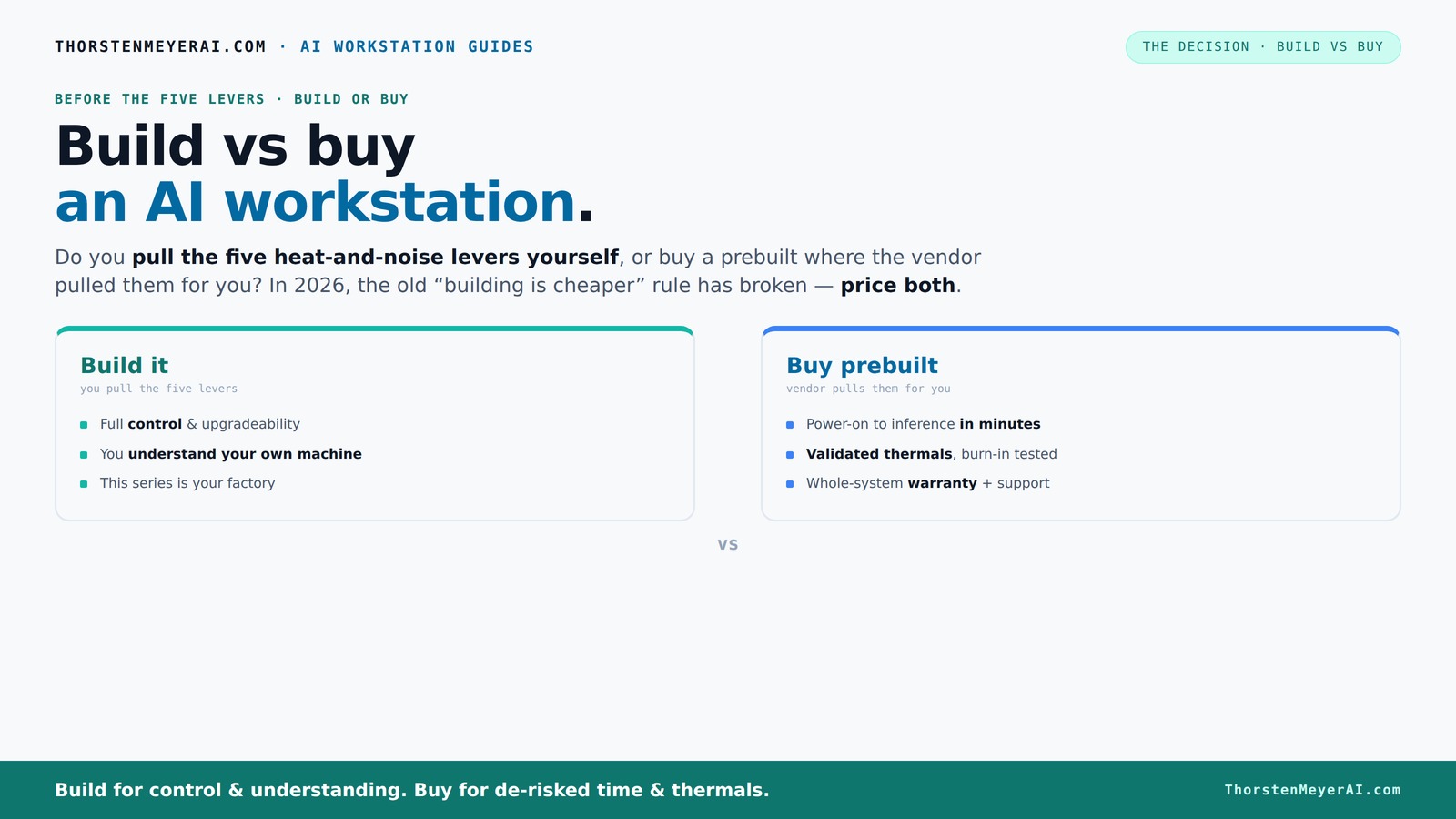
Build vs buy
an AI workstation.
The real question behind this whole series: do you pull the five heat-and-noise levers yourself, or buy a prebuilt where the vendor pulled them for you? And in 2026, the old “building is cheaper” rule has broken. Match your situation in Part 3.
Key Takeaways
- In 2026, prebuilt workstations can match or beat DIY on price due to component shortages and bulk buying.
- Building offers maximum control over thermals, noise, and upgrades but requires time and technical skill.
- Prebuilts save time, reduce risk, and come with validated performance and warranties, making them ideal for busy professionals.
- Cost is no longer the decisive factor; consider your workflow, expertise, and long-term plans.
- Always price both options for your specific config before deciding—market conditions are unpredictable.
high performance AI workstation prebuilt
As an affiliate, we earn on qualifying purchases.
As an affiliate, we earn on qualifying purchases.
What a prebuilt AI workstation really offers you
A prebuilt AI workstation is a machine assembled and tested by a vendor, ready to run deep learning models the moment you power it up. Think of it as a professionally tuned sports car—optimized cooling, validated thermals, and a warranty backing it up. Companies like Lambda or Puget Systems run 24-48 hours of stress testing on each unit, ensuring reliability.
For example, companies like Lambda or Puget Systems run 24-48 hours of stress testing on each unit. They optimize fan curves, validate cooling solutions, and even include water-cooling options for quieter operation—something that would take you hours to set up on your own.

Micro Center AMD 9850X3D Processor with ASUS TUF Gaming B850-E Motherboard
- Processor Type: AMD Ryzen 7 9850X3D
- Cores and Threads: 8 Cores, 16 Threads
- Maximum Speed: Up to 5.6 GHz
As an affiliate, we earn on qualifying purchases.
As an affiliate, we earn on qualifying purchases.
What building your own AI workstation really means
Building your workstation is a process—selecting parts, assembling, troubleshooting, and tuning. You’re the engineer, tweaking each component for your specific workload. Want a super-quiet GPU? You can undervolt and choose a cooler tailored for low noise. For more insights, visit goldiramarkets.com.
For instance, you might pick a quiet GPU like the RTX 4090, add custom cooling, and optimize airflow with specialized case fans. It’s a hands-on process that, if done right, yields a machine perfectly matched to your needs—and gives you the knowledge to fix it when something changes.

NVD RTX PRO 6000 Blackwell Professional Workstation Edition Graphics Card for AI, Design, Simulation, Engineering - 96GB DDR7 ECC Memory - 4th Gen RT/5th Gen Tensor Core GPU - OEM Packaging
- Enhanced Neural Shaders: Neural networks integrated into shaders for DLSS 4
- Optimized Cooling Design: Double-flow-through cooling for peak performance
- Advanced Tensor Cores: 5th Gen Tensor Cores deliver 3X performance
As an affiliate, we earn on qualifying purchases.
As an affiliate, we earn on qualifying purchases.
Who wins on cost in 2026? The big shocker
In 2026, the old rule—build cheaper, buy faster—no longer holds. Component shortages, inflation, and bulk buying have driven prices for GPUs, DDR5 RAM, and SSDs sky-high. Building that $1,000 DIY rig now easily exceeds $1,250 or more. To explore more about AI workstation options, check out Build vs Buy a Prebuilt AI Workstation.
Meanwhile, prebuilt vendors, who buy in bulk, can offer systems at comparable or even lower prices. For example, a high-end Lambda rig with multiple GPUs and advanced cooling might cost just as much as DIY parts, but includes validation, warranty, and support.

BOSGAME P4 Ultra Mini PC Ryzen 7 7730U 16GB DDR4 1TB PCIe SSD
- Powerful Ryzen 7 Processor: 8-core/16-thread up to 4.5GHz
- Fast 16GB DDR4 RAM & 1TB SSD: Rapid boot and app launch
- Expandable Storage: Upgrade RAM up to 64GB, add second SSD
As an affiliate, we earn on qualifying purchases.
As an affiliate, we earn on qualifying purchases.
Performance and reliability: Which actually wins?
Performance depends on your parts and how well they’re tuned. A prebuilt often comes with validated thermal solutions, ensuring no throttling during long training runs. DIY builders can match this with careful tuning but might face trial and error. For more on building your own AI system, visit Build vs Buy a Prebuilt AI Workstation.
For example, Lambda systems are tested under full load, preventing surprises during your big model runs. DIY systems can reach similar levels if you know how to undervolt GPUs, optimize airflow, and choose quality coolers—yet, mistakes can lead to overheating and throttling.
Deep performance considerations include the importance of thermal validation—how well the system manages heat during prolonged workloads. Prebuilts often have these optimizations baked in, which reduces the risk of thermal throttling that can severely impact training times. DIY setups, while capable, require a solid understanding of cooling dynamics and thermal management to achieve comparable reliability. The tradeoff is that DIY gives you the flexibility to fine-tune every aspect, but at the cost of time and potential trial-and-error adjustments. The key implication is that performance isn’t just about raw hardware specs; it’s about how well the system maintains optimal operating conditions under sustained load.
Upgrading and fixing: Which option gives you more control?
DIY systems typically make upgrades straightforward—you can swap out GPUs, add RAM, or swap in a new SSD without much fuss. Prebuilts may use proprietary parts or connectors, making upgrades trickier or more expensive over time.
Imagine wanting to upgrade your GPU after 2 years. In a build, you simply replace the card; in a prebuilt, you might need to buy from the same vendor or face compatibility issues. The long-term control you have over your system's evolution is often a decisive factor. For example, a DIY allows you to plan upgrades around new hardware releases, ensuring your system remains current without major overhauls. Conversely, prebuilt systems might lock you into specific components, limiting future flexibility and potentially increasing costs if upgrades are needed. The broader implication is that long-term ownership and adaptability are critical considerations—especially as AI workloads evolve and hardware technology advances.
Who should buy prebuilt? And who should build?
If your time is more valuable than saving a few hundred dollars, a prebuilt makes sense. It’s ready to go—OS, drivers, AI stack all pre-installed. For example, a busy researcher can start training immediately without fussing over BIOS or driver conflicts. Learn more about prebuilt options at goldiramarkets.com.
On the other hand, if you enjoy tinkering, want exact control, or have a tight budget, building your own offers unmatched customization. Hobbyists who like to learn hardware and optimize thermals will find great value in DIY. The choice ultimately hinges on your priorities: do you prefer convenience and guaranteed support, or do you value the process of building and customizing your system for maximum performance and learning?
Your checklist for choosing the right AI workstation
- Assess your workload: inference, training, or both?
- Estimate your budget—consider current component prices.
- Decide how much time you want to spend on setup and maintenance.
- Evaluate your comfort with hardware assembly and troubleshooting.
- Prioritize cooling and noise if working in quiet environments.
Frequently Asked Questions
Is it cheaper to build or buy an AI workstation in 2026?
In 2026, component shortages and bulk purchasing have closed the price gap. Prebuilts often match or beat DIY costs, especially when factoring in time and troubleshooting. Always compare specific configurations before deciding.Which option offers better performance for AI workloads?
Performance depends on part quality, thermal management, and tuning. Prebuilts come with validated thermals, reducing the risk of throttling. DIY can match this with careful setup, but it requires expertise and time.How much extra does convenience add to a prebuilt’s price?
Convenience, validation, and warranty typically add 10-20% to the cost of a DIY system. You’re paying for a ready-to-run, supported system that’s tested under load.Are prebuilts reliable for training large models?
Yes, reputable vendors validate thermals and stress-test systems, reducing the risk of thermal throttling or hardware failure during intensive workloads. Support and warranty further mitigate risks.Can I upgrade a prebuilt later easily?
It depends. Many prebuilts use proprietary parts or connectors, making upgrades more complicated. DIY systems generally offer easier and more flexible upgrade paths.Conclusion
Your choice between build and buy isn’t just about dollars anymore. It’s about what you value—speed, support, customization, or control. In 2026, the best decision depends on matching your workload and skills to the system's capabilities.
Imagine powering up a machine that’s perfectly tuned, tested, and ready for your AI models. Whether you build or buy, focus on what helps you get your work done fastest and most reliably. After all, your AI projects deserve the best foundation—crafted by you or validated by experts.