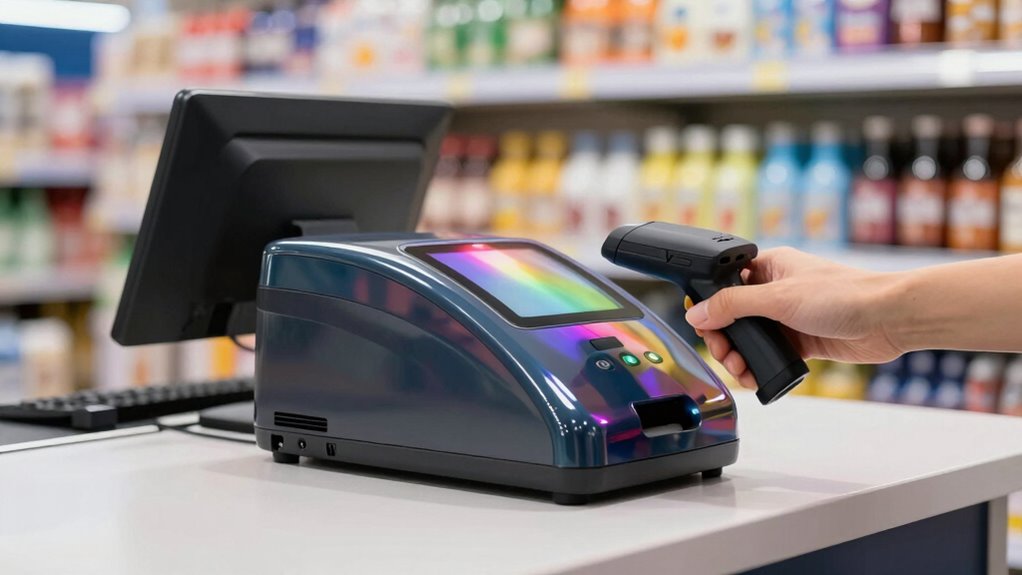
For most retail counters, I would start with the Zebra DS9308: its presentation-style design and 1D/2D scanning make it a strong all-around fit for varied checkout items. The Honeywell Orbit HF680 is another capable wired 2D choice, while the ScanAvenger Wireless Portable suits counters where staff need to move the scanner away from its stand. The main tradeoffs are 1D versus 2D support, fixed-counter convenience versus wireless flexibility, and simple USB setup versus broader connection options. A compact counter footprint and reliable reads matter as much as headline features in a busy checkout lane. Continue reading for the full comparison and guidance on matching a scanner to your point-of-sale setup.

Get smart everyday buys delivered free with Prime
- Fast, free delivery on millions of items
- Prime Video, Amazon Music and more included
- Member-only deals all year
Key Takeaways
- Zebra DS9308 is the strongest all-around fit in this lineup for counters that need hands-free 1D and 2D scanning; a second DS9308 listing adds connection options rather than a different scanning role.
- Honeywell Orbit HF680 brings 2D capability in a wired presentation format, while the older Orbit MS7120 is a more limited 1D option for stores that do not need QR or other 2D codes.
- ScanAvenger Wireless Portable stands apart by combining a stand with Bluetooth operation, trading the simplicity of a fixed USB unit for freedom to scan items away from the counter.
- The lineup spans dedicated retail-brand models and lower-cost desktop-style alternatives; buyers should check the exact code types and host connection support rather than assume similar-looking scanners behave alike.
- The Zebra DS9208-SR and DS9308 both target presentation use, but the DS9308 is the clearer all-around recommendation here; choose another model only when its specific interface, wireless setup, or 1D focus matches your checkout.
| Honeywell Orbit HF680-R1-2USB 2D Hands-Free Presentation Barcode Scanner, USB, Black |  | Best Overall for Compact 2D Checkout | Model: HF680-R1-2USB | Scanner type: Presentation barcode scanner | Connectivity: USB | VIEW ON AMAZON | See Our Full Breakdown |
| Zebra DS9308 1D/2D Presentation Barcode Scanner with USB Cable |  | Best for Durable, Fast Checkout | Scanner type: 1D/2D presentation barcode scanner | Connectivity: USB cable | Compatibility: Desktop, laptop, smartphone, tablet | VIEW ON AMAZON | See Our Full Breakdown |
| ScanAvenger Wireless Portable 1D & 2D Barcode Scanner with Stand, Bluetooth, USB, Rechargeable Battery |  | Best for Flexible Counter Layouts | Scanner type: Portable 1D/2D barcode scanner with stand | Connectivity: Bluetooth, USB | Scan modes: Manual, continuous, auto sense | VIEW ON AMAZON | See Our Full Breakdown |
| Honeywell Orbit MS7120 Omnidirectional Hands-Free 1D Scanner, USB |  | Best for 1D Labels and Bulky Items | Scanner type: Omnidirectional hands-free 1D laser scanner | Scan pattern: 20-line omnidirectional | Scan speed: 1,120 scans per second | VIEW ON AMAZON | See Our Full Breakdown |
| WoneNice Omnidirectional Desktop Barcode Scanner, USB QR Code Reader |  | Best for Simple USB 2D Checkout | Scanner type: Omnidirectional desktop barcode scanner | Supported codes: 1D, 2D, QR | Connectivity: USB cable | VIEW ON AMAZON | See Our Full Breakdown |
| OBZ Desktop Hands-Free Barcode Scanner 1D/2D Omnidirectional QR Reader |  | Best for Rugged Counter Use | Scanning technology: CMOS image sensing | Barcode support: 1D and 2D, including QR, PDF417, DataMatrix, Aztec, and MaxiCode | Connectivity: USB cable | VIEW ON AMAZON | See Our Full Breakdown |
| Zebra DS9208-SR Omni-Directional Presentation Barcode Scanner |  | Best for High-Traffic Checkout | Model number: DS9208-SR-U21 | Scanning style: Hands-free, omnidirectional presentation scanning | Barcode support: 1D, 2D, QR, postal, and mobile phone barcodes | VIEW ON AMAZON | See Our Full Breakdown |
| Zebra DS9308 1D/2D Presentation Wired Scanner – USB, Serial, IBM PC, Keyboard Wedge |  | Best for Tight Counters and Flexible POS Setups | Barcode support: 1D and 2D, including high-density and mobile codes | Scanning technology: CMOS | Light source: LED with adjustable indicator | VIEW ON AMAZON | See Our Full Breakdown |
| Tera 9700 Hands-Free Omnidirectional 2D Barcode Scanner |  | Best for Broad-Angle, Multi-OS Use | Model number: 9700_US | Scan rate: 1,500 scans per second | Angle of view: 360 degrees | VIEW ON AMAZON | See Our Full Breakdown |
| NetumScan Desktop Barcode Scanner, USB QR Code Reader |  | Best for Simple Plug-and-Play Counters | Barcode support: 1D, 2D, and QR codes | Angle of view: 180 degrees | Connectivity: USB cable | VIEW ON AMAZON | See Our Full Breakdown |
| presentation scanner for retail counter | Connectivity | Dimensions | Scanner type | Power source |
|---|---|---|---|---|
| Honeywell Orbit HF680-R1-2USB | USB | 3.35 x 3.46 x 5.47 inches | Presentation barcode scanner | USB powered |
| Zebra DS9308 1D/2D Presentatio | USB cable | 5 x 3 x 3.07 inches | 1D/2D presentation barcode scanner | Battery powered |
| ScanAvenger Wireless Portable | Bluetooth, USB | — | Portable 1D/2D barcode scanner with stand | — |
| Honeywell Orbit MS7120 Omnidir | USB | 8.11 x 1.06 x 3.07 inches | Omnidirectional hands-free 1D laser scanner | Corded electric |
| WoneNice Omnidirectional Deskt | USB cable | — | Omnidirectional desktop barcode scanner | USB |
| OBZ Desktop Hands-Free Barcode | USB cable | 2.64 x 3.54 x 6.3 inches | — | — |
| Zebra DS9208-SR Omni-Direction | USB | — | — | — |
| Zebra DS9308 1D/2D Presentatio | — | 3.3 x 3.4 x 5.7 inches | — | — |
| Tera 9700 Hands-Free Omnidirec | USB wired | 6.57 x 4.41 x 4.8 inches | — | — |
| NetumScan Desktop Barcode Scan | USB cable | 4.13 x 3.7 x 5.45 inches | — | USB |
More Details on Our Top Picks
Honeywell Orbit HF680-R1-2USB 2D Hands-Free Presentation Barcode Scanner, USB, Black
For a retail counter that needs hands-free 1D and 2D scanning without taking much room, the Honeywell Orbit HF680 is the most balanced fit in this group. It handles QR and other supported codes, including difficult or damaged barcodes, while its compact footprint suits busy checkout lanes. Compared with the Honeywell Orbit MS7120, it reads 2D codes as well as 1D labels, a useful difference when customers present digital codes. The MS7120, however, has an adjustable head for positioning toward bulky items; the HF680 is better suited to smaller goods brought directly to the counter. Its USB-only connection also means no wireless checkout flexibility, and its standard scan range may not suit items held far from the scanner. I’d choose it for a tidy, general-purpose counter rather than oversized merchandise.
Pros:- Reads 1D, PDF, 2D, and QR barcodes
- Supports damaged or difficult barcodes
- Compact dimensions suit space-conscious counters
- Includes a 2.7-meter USB cable and a three-year warranty
Cons:- Standard-range scanning is less suited to items held farther away
- USB connection limits movement and offers no wireless option
- Less suited to scanning very large or bulky merchandise
Best for: Retailers who need a compact, hands-free USB scanner for everyday 1D, QR, and other 2D checkout codes.
Not ideal for: Counters that frequently scan large or bulky products at a distance, or operations that need wireless movement between stations.
- Model:HF680-R1-2USB
- Scanner type:Presentation barcode scanner
- Connectivity:USB
- Supported barcodes:1D, PDF, 2D, QR
- Scan range:Standard range
- Dimensions:3.35 x 3.46 x 5.47 inches
- Cable length:2.7 meters
- Power source:USB powered
- Warranty:3 years
Our verdict“Choose the HF680 for a compact retail counter that needs broad 1D and 2D support over a wired connection.”
Zebra DS9308 1D/2D Presentation Barcode Scanner with USB Cable
The Zebra DS9308 is a strong match for counters where quick presentation scanning and resistance to everyday knocks matter more than wireless freedom. Its imaging reads 1D and 2D codes from printed labels and digital screens, while plug-and-play USB keeps setup straightforward. Compared with the Honeywell HF680, the DS9308 has a stated five-foot drop resistance, which better suits a busy lane where equipment may be bumped or dropped. The HF680 provides more specific supported-code and cable-length details, while this Zebra listing emphasizes durability and compatibility with computers and mobile screens. The tradeoff is that the DS9308 is still USB-connected, and its compact, retail-focused design is not intended for industrial work. I’d favor it over the HF680 when rugged handling is the deciding factor, not when a movable scanner is needed.
Pros:- Reads 1D and 2D codes from labels and digital screens
- High-speed imaging is suited to fast checkout flow
- Plug-and-play USB setup requires no driver installation
- Designed to survive multiple five-foot drops
Cons:- USB cable limits movement around the counter
- No wireless connectivity option is listed
- Retail and inventory focus makes it a poor fit for industrial use
Best for: Retail checkout teams that scan printed and screen-based 1D or 2D codes and want a compact scanner built to tolerate drops.
Not ideal for: Retailers who need Bluetooth mobility, extended-range scanning, or a scanner specified for industrial environments.
- Scanner type:1D/2D presentation barcode scanner
- Connectivity:USB cable
- Compatibility:Desktop, laptop, smartphone, tablet
- Power source:Battery powered
- Dimensions:5 x 3 x 3.07 inches
- Weight:11.2 ounces
- Drop resistance:Survives multiple 5-foot drops
Our verdict“Pick the DS9308 for a wired retail lane where drop resistance and fast 1D/2D presentation scanning matter most.”
ScanAvenger Wireless Portable 1D & 2D Barcode Scanner with Stand, Bluetooth, USB, Rechargeable Battery
Unlike the fixed presentation units in this roundup, the ScanAvenger combines a handheld scanner with a stand, making it the pick for retailers who sometimes need to bring the reader to the item. Bluetooth and USB connectivity support different counter setups, and the stand can hold and charge the scanner between uses. Its manual, continuous, and auto-sense modes add flexibility for checkout and nearby inventory tasks. Compared with the Zebra DS9308, it gives up the latter’s stated drop-resistance specification in exchange for cordless use and a handheld form. That freedom brings a tradeoff: it is not as purely hands-free as a compact fixed presentation scanner, and compatibility excludes proprietary hardware or app-specific integrations. It also does not read Maxicode. I’d choose it for a counter that needs occasional item-side scanning, not a dedicated lane where the scanner should stay planted.
Pros:- Bluetooth and USB connectivity allow flexible station setups
- Rechargeable battery supports cordless scanning
- Stand provides charging, storage, and wireless transmission
- Manual, continuous, and auto-sense modes suit different tasks
Cons:- Does not support Maxicode
- Compatibility excludes some proprietary hardware and app-specific integrations
- Handheld design is less consistently hands-free than fixed presentation scanners
Best for: Small retailers who want a stand-based checkout scanner that can also be carried around for occasional inventory or item-side scanning.
Not ideal for: Stores using proprietary POS hardware or app-specific integrations, and counters needing a permanently hands-free scanner with Maxicode support.
- Scanner type:Portable 1D/2D barcode scanner with stand
- Connectivity:Bluetooth, USB
- Scan modes:Manual, continuous, auto sense
- Barcode types:1D and 2D, including QR, Data Matrix, and PDF417
- Battery:Rechargeable Li-Ion
- Stand features:Wireless transmission, charging, scanner holder
- Compatibility:Most POS systems, excluding proprietary hardware or app-specific integrations
Our verdict“Choose the ScanAvenger when a retail counter needs cordless scanning between fixed checkout and occasional handheld tasks.”
Honeywell Orbit MS7120 Omnidirectional Hands-Free 1D Scanner, USB
The Orbit MS7120 is the specialist choice for counters that process conventional 1D product labels and need to aim the scanner toward larger merchandise. Its 20-line omnidirectional pattern allows a barcode to be presented from different angles, and the head tilts up to 30 degrees to suit items that are awkward to lift or position. That adjustable head gives it an advantage over the Honeywell HF680 for bulky products, but the HF680 is the better match if QR or other 2D codes are part of checkout. The MS7120’s stated scan speed is 1,120 scans per second, though that speed does not make up for its 1D-only limitation in stores using digital coupons or 2D codes. Its USB cord also keeps the scanner tethered. I’d choose it for a 1D-focused counter where positioning matters more than code variety.
Pros:- 20-line omnidirectional pattern accepts barcodes from varied angles
- Adjustable head tilts up to 30 degrees for bulky items
- Specified scan speed of 1,120 scans per second
- Compact design can fit crowded checkout counters
Cons:- Reads 1D barcodes only
- USB connection limits mobility
- Less versatile than the HF680 for QR and other 2D checkout codes
Best for: Retail counters scanning mostly 1D barcodes, especially stores where staff need to present large or awkward items at different angles.
Not ideal for: Retailers who scan QR codes, digital coupons, or other 2D barcodes, or who need a cordless scanner.
- Scanner type:Omnidirectional hands-free 1D laser scanner
- Scan pattern:20-line omnidirectional
- Scan speed:1,120 scans per second
- Connectivity:USB
- Power source:Corded electric
- Dimensions:8.11 x 1.06 x 3.07 inches
- Weight:14.08 ounces
- Adjustable head:Tilts up to 30 degrees
Our verdict“Pick the MS7120 for a wired, 1D-only checkout lane where its adjustable head helps with bulky merchandise.”
WoneNice Omnidirectional Desktop Barcode Scanner, USB QR Code Reader
The WoneNice is a straightforward fit for a fixed counter that needs hands-free 1D, 2D, and QR scanning through a USB connection. Auto-sensing supports presentation-style use, while the anti-slip base is intended to keep the unit steady on a checkout surface. Compared with the Honeywell Orbit HF680, it offers similar broad code coverage in the supplied description, but the HF680 has clearer specifications for scan range, dimensions, cable length, and warranty. WoneNice instead highlights an anti-shock and dust-resistant design, which may appeal in a demanding retail setting, though the available product data does not quantify its range or speed. It is not a good choice for a counter that needs wireless movement, and buyers seeking detailed performance figures have less to judge here. I’d shortlist it for basic USB checkout, not for a highly specified deployment.
Pros:- Omnidirectional scanning supports hands-free presentation use
- Reads 1D, 2D, and QR codes on labels, paper, and digital screens
- Auto-sensing supports counter-based scanning
- Anti-shock and dust-resistance features suit demanding environments
Cons:- USB cable restricts mobility and there is no wireless option
- No scan-range or speed figures are provided
- Less fully specified than the Honeywell HF680 for planning a counter setup
Best for: Retailers seeking a stationary USB scanner for hands-free reading of common 1D, 2D, and QR codes on labels or screens.
Not ideal for: Buyers who need documented scan-range or speed figures, wireless operation, or a scanner they can move between stations.
- Scanner type:Omnidirectional desktop barcode scanner
- Supported codes:1D, 2D, QR
- Connectivity:USB cable
- Power source:USB
- Compatible devices:PCs, laptops, POS systems
- Scanning operation:Auto-sensing
- Construction features:Anti-shock and dust resistant
Our verdict“Choose the WoneNice for basic fixed-counter USB scanning when broad code support matters more than detailed performance specifications.”
OBZ Desktop Hands-Free Barcode Scanner 1D/2D Omnidirectional QR Reader
The OBZ suits a retail counter where a scanner may take knocks and needs to read both printed labels and codes shown on screens. Its zinc alloy, anti-shock construction gives it a more work-ready profile than the compact Zebra DS9308, while CMOS imaging and support for 1D and 2D formats cover common checkout and mobile-code tasks. The hands-free stand keeps both hands available for handling products, and plug-and-play USB setup avoids a separate software installation. Its angle is adjustable, but that flexibility may take some positioning to fit a particular counter. Like the wired Zebra models, it stays tethered to the host, so it is a poor fit where staff need to move around. I’d choose it for a fixed station that values a durable body over a smaller footprint.
Pros:- Hands-free scanning frees both hands for handling items
- CMOS imaging reads 1D and 2D codes from paper and screens
- Zinc alloy construction and anti-shock design suit demanding counter use
- USB plug-and-play connection works with desktop, laptop, PC, and POS devices
Cons:- USB tether limits movement around the shop
- Adjustable angle may not fit every counter layout without repositioning
Best for: Retailers who want a sturdy, fixed USB scanner for a busy counter handling printed and on-screen 1D and 2D codes.
Not ideal for: Staff who need to scan away from the counter or buyers with a tightly arranged workspace that cannot accommodate the scanner’s adjustable angle.
- Scanning technology:CMOS image sensing
- Barcode support:1D and 2D, including QR, PDF417, DataMatrix, Aztec, and MaxiCode
- Connectivity:USB cable
- Compatible devices:Desktop, laptop, PC, and POS
- Angle of view:30 degrees
- Dimensions:2.64 x 3.54 x 6.3 inches
- Feedback and power management:Buzzer and auto sleep/wake
Our verdict“Choose the OBZ for a fixed retail station where rugged construction and broad code support matter more than wireless freedom or compact size.”
Zebra DS9208-SR Omni-Directional Presentation Barcode Scanner
The Zebra DS9208-SR is the lineup’s clearest fit for a busy checkout that needs a hands-free scanner ready for varied code types, including mobile and postal barcodes. Its Waive-&-Scan operation is designed to keep scanning moving without requiring staff to line up every item precisely. Compared with the OBZ, which emphasizes rugged zinc alloy construction and adjustable positioning, the DS9208-SR is framed more around fast retail throughput and its shielded 7-foot USB cable. That cable gives a counter some room for placement, but it does not make the scanner mobile; there is no wireless option listed. The supplied details also say less about software support and host interfaces than the Zebra DS9308 listing, so buyers with a specific POS setup should verify compatibility before choosing. For a fixed, high-use lane, its retail focus is the main reason to favor it.
Pros:- Hands-free Waive-&-Scan operation supports quick checkout scanning
- Reads 1D, 2D, QR, postal, and mobile phone barcodes
- Shielded 7-foot USB cable allows flexible placement at a fixed station
- Designed for retail and other high-traffic business environments
Cons:- USB connection does not support wireless movement
- Retail-focused design may be more than a casual-use counter needs
- Available details provide limited information on software support and advanced features
Best for: Retail teams running a high-traffic, fixed checkout that needs hands-free reading of product, mobile, and postal barcodes.
Not ideal for: Occasional-use counters or shops that need a wireless scanner, detailed interface choices, or clear software-support information before purchase.
- Model number:DS9208-SR-U21
- Scanning style:Hands-free, omnidirectional presentation scanning
- Barcode support:1D, 2D, QR, postal, and mobile phone barcodes
- Connectivity:USB
- Cable:7-foot rugged, shielded USB cable
- Compatible devices:Desktop and laptop
- Weight:12.32 ounces
Our verdict“Pick the DS9208-SR for a busy fixed checkout where hands-free throughput and broad barcode coverage take priority over wireless use.”
Zebra DS9308 1D/2D Presentation Wired Scanner – USB, Serial, IBM PC, Keyboard Wedge
When counter space and connection options matter more than cordless operation, the Zebra DS9308 is a particularly adaptable pick. At 3.3 x 3.4 x 5.7 inches, it has a compact footprint compared with the larger Tera 9700, which may make it easier to fit beside a register or on a narrow checkout ledge. Its support for USB, RS232, Keyboard Wedge, and IBM 46XX over RS485 also gives retailers more ways to match the scanner to existing POS equipment than the USB-only OBZ. It reads 1D and 2D codes, including high-density and mobile codes, while adjustable LED dimming can make its indicator less distracting at close range. The compromise is a wired, standard-range setup: it is not intended for long-distance scanning, and the supplied specs do not suggest wireless operation.
Pros:- Compact body suits space-constrained checkout counters
- Supports 1D, 2D, high-density, and mobile codes
- Multiple host interfaces accommodate a range of POS setups
- Adjustable LED indicator can reduce distracting light at the counter
Cons:- Wired operation limits movement away from the host
- Standard scanning range is not suited to long-distance reads
Best for: Retailers fitting a presentation scanner into a narrow checkout area or connecting to a POS system that needs serial, keyboard wedge, or IBM host interfaces.
Not ideal for: Stores that need cordless mobility or staff who scan items from a distance rather than presenting them near the counter.
- Barcode support:1D and 2D, including high-density and mobile codes
- Scanning technology:CMOS
- Light source:LED with adjustable indicator
- Host interfaces:USB, RS232, Keyboard Wedge, TGCS (IBM) 46XX over RS485
- Resolution:300 dpi
- Dimensions:3.3 x 3.4 x 5.7 inches
- Weight:16 ounces
- Wattage:1.75 watts
Our verdict“Choose the DS9308 when a small counter footprint and broad POS interface support matter more than wireless flexibility or extended scanning distance.”
Tera 9700 Hands-Free Omnidirectional 2D Barcode Scanner
The Tera 9700’s defining advantage is its 360-degree field of view: staff can present an item without carefully turning its barcode toward a narrow reading window. That makes it a good match for counters handling bulky goods or variable label positions. Its listed 1,500 scans per second and support for Windows, Mac, and Linux add useful flexibility for shops using different computer platforms. Compared with the compact Zebra DS9308, the Tera is larger at 6.57 x 4.41 x 4.8 inches, so it asks for more counter room in exchange for its broad-angle scanning approach. Setup is simple over USB, but the fixed, corded design keeps it at the station and requires a constant connection. I’d favor it when easy presentation matters more than a small footprint or moving the scanner between work areas.
Pros:- 360-degree scanning reduces the need to align barcodes precisely
- Supports 1D, 2D, QR, PDF417, Data Matrix, Aztec, and MaxiCode
- Compatible with Windows, Mac, and Linux systems
- USB plug-and-play setup requires no software installation
Cons:- Larger footprint than the compact Zebra DS9308
- Corded desktop design limits portability and requires a constant power connection
Best for: Retail counters scanning bulky items or labels presented at varied angles, especially where the host computer may run Windows, Mac, or Linux.
Not ideal for: Small checkout stations with little spare surface area or staff who need to carry the scanner away from its USB-connected position.
- Model number:9700_US
- Scan rate:1,500 scans per second
- Angle of view:360 degrees
- Barcode support:1D, 2D, QR, PDF417, Data Matrix, Aztec, and MaxiCode
- Connectivity:USB wired
- Operating system compatibility:Windows XP/7/8/10, Mac OS, and Linux
- Dimensions:6.57 x 4.41 x 4.8 inches
- Weight:14.4 ounces
- Warranty:1 year
Our verdict“Choose the Tera 9700 if easy scanning from varied angles and broad operating-system compatibility are worth more than a compact or cordless setup.”
NetumScan Desktop Barcode Scanner, USB QR Code Reader
The NetumScan is aimed at retailers who want a straightforward, hands-free USB scanner rather than the more connection-flexible Zebra DS9308. Its automatic sensing and anti-slip base support a stable presentation setup, while plug-and-play operation avoids a software installation. It handles 1D, 2D, and QR codes and has a 180-degree viewing angle, giving staff room to present labels without aiming as precisely as they would with a narrow-angle scanner. The main caution is compatibility: the supplied product details say it does not work with Square, Clover, or Shopify, which rules it out for many small retailers using those POS platforms. Its USB tether also keeps it at the counter. I’d consider it for a compatible desktop or laptop setup, but the POS restriction should come before any other feature in the decision.
Pros:- Reads 1D, 2D, and QR codes from a presentation position
- Automatic sensing supports hands-free operation
- USB plug-and-play setup requires no software installation
- Anti-slip base and anti-vibration design help keep it steady on a counter
Cons:- Not compatible with Square, Clover, or Shopify
- USB cable restricts movement away from the counter
- No wireless functionality is listed
Best for: Retailers using a compatible desktop, laptop, or Mac POS setup who want an uncomplicated hands-free scanner for 1D, 2D, and QR codes.
Not ideal for: Shops using Square, Clover, or Shopify, and counters that need wireless scanning or a scanner with broad POS interface choices.
- Barcode support:1D, 2D, and QR codes
- Angle of view:180 degrees
- Connectivity:USB cable
- Compatible devices:Desktop PC, laptop, and Mac
- Operating voltage:5 volts
- Dimensions:4.13 x 3.7 x 5.45 inches
- Power source:USB
- Maximum storage temperature:70 °C
Our verdict“Choose the NetumScan for a compatible fixed counter that needs simple hands-free USB scanning, but skip it if your shop uses Square, Clover, or Shopify.”

How We Picked
I ranked these scanners around the demands of a retail counter: hands-free presentation use, support for the barcode types a store is likely to encounter, connection fit with a point-of-sale system, and practical flexibility for scanning bulky or awkward items. I also weighed whether a model’s stated role is clear from its listed features, such as a wireless scanner with a stand or a 1D-only unit. Since the product information does not establish performance under identical test conditions, I avoid claiming measured speed, durability, or read range.
The Zebra DS9308 leads because its listed 1D/2D support and presentation format make it the most balanced fixed-counter choice in this group. The Honeywell HF680 follows as a wired 2D alternative, while the ScanAvenger earns a distinct place for wireless flexibility. Models with narrower 1D support or less clearly differentiated desktop features rank lower for stores that need to handle modern codes and varied checkout workflows. The second DS9308 configuration remains useful for buyers whose POS connection needs call for its listed USB, serial, IBM PC, or keyboard-wedge options.
| presentation scanner for retail counter | Connectivity | Power source |
|---|---|---|
| Honeywell Orbit HF680-R1-2USB | USB | USB powered |
| Zebra DS9308 1D/2D Presentatio | USB cable | Battery powered |
| ScanAvenger Wireless Portable | Bluetooth, USB | — |
| Honeywell Orbit MS7120 Omnidir | USB | Corded electric |
| WoneNice Omnidirectional Deskt | USB cable | USB |
| OBZ Desktop Hands-Free Barcode | USB cable | — |
| Zebra DS9208-SR Omni-Direction | USB | — |
| Zebra DS9308 1D/2D Presentatio | — | — |
| Tera 9700 Hands-Free Omnidirec | USB wired | — |
| NetumScan Desktop Barcode Scan | USB cable | USB |
Factors to Consider When Choosing Presentation Scanner For Retail Counters
I would choose a counter scanner by starting with the store’s checkout workflow, then checking code support and POS compatibility. A scanner that fits the counter but cannot read the codes on your inventory, coupons, or customer screens can add friction rather than remove it.
Match 1D and 2D Support to the Codes You Actually Scan
A 1D scanner can suit a shop whose products and checkout tasks rely only on traditional linear barcodes. Retailers handling QR codes, digital coupons, mobile tickets, or newer product labels should look for explicit 2D support, not rely on a broad phrase such as desktop barcode reader. Make a short list of the codes used by products, promotions, and loyalty systems before choosing. A 2D model may cost more or add features your shop does not use, but buying a 1D-only scanner for a mixed-code workflow can force an early replacement. The HF680 and DS9308 listings specify 2D support, while the MS7120 is listed as a 1D scanner. Check the exact configuration, since similar model names do not guarantee the same capabilities.
Choose Fixed Presentation or Wireless Reach
A fixed presentation scanner keeps the scanning area predictable and leaves staff hands free for routine items. That arrangement works best when most goods can be lifted to the scanner and the counter has a stable place for the unit. A wireless model with a stand can be useful for heavy, oversized, or awkward items that are easier to scan in place. Wireless freedom brings battery charging and device-pairing tasks, so it is not automatically a better fit for a stationary lane. Think about where scanning happens during a busy shift, not just whether a cable looks inconvenient. For a fixed counter, I would favor a wired model unless staff have a clear need to move the scanner.
Check POS Connections Before Ordering
USB is a common connection, but compatibility depends on the register, POS software, and how the system expects scanner input. Some listings name additional interfaces such as serial, IBM PC, or keyboard wedge; those options can matter when a store uses older equipment or a specific deployment standard. Do not assume that a connector physically fitting the port means the scanner will work with the POS. Confirm supported interfaces and any configuration requirements with the register provider or scanner documentation. A simpler USB-only setup may be easier to deploy on a modern counter, while broader interface choices can help with mixed or legacy systems. Resolving this before purchase can prevent checkout downtime and returns.
Plan Counter Space and Scan Presentation
A presentation scanner needs a position where customers or staff can pass items across its scanning area without blocking payment equipment or merchandise. Measure the counter footprint and check how the stand places the scanning window relative to the user. A small device can still create awkward hand movements if the angle or placement does not suit the lane. Consider whether customers scan items themselves or staff handle every product; those workflows call for different heights and orientations. Also account for bulky goods that cannot be lifted easily. A counter layout review can reveal whether a hands-free unit is enough or whether a handheld option is needed as a supplement.
Weigh Maintenance Against Workflow Flexibility
Wired scanners avoid battery charging, while wireless units add freedom at the cost of another item to keep charged and paired. In a fixed lane with predictable scanning, fewer moving parts may make daily routines simpler. In a shop that scans products inside carts or across a wide counter, wireless reach can save repeated lifting and repositioning. Ask who will handle charging, cleaning, and reconnecting devices when the store is busy. Also consider whether a spare scanner is available if the main unit needs attention. The best fit is the one staff can keep ready without adding avoidable steps to opening and closing routines.
Pay for Compatibility and Coverage, Not a Feature List
Extra interfaces and broader code support are useful only when they solve a real checkout requirement. Before paying for a more capable model, verify that the store will use its added functions and that the POS can accept its connection type. A basic 1D scanner may be enough for a narrow, stable workflow, but it can be a poor saving if digital coupons or QR codes are part of checkout. For a busy counter, clarity about configuration and support can matter more than a long feature list. Compare the exact model number and included cable, since product families may have multiple variants. I would spend more for a confirmed fit with current and expected checkout tasks, not for unneeded flexibility.
Frequently Asked Questions
Is a 1D scanner enough for a small retail counter?
It can be enough if every barcode you need to scan is a traditional linear code and your promotions do not rely on QR or other 2D codes. The Honeywell Orbit MS7120 in this lineup is specifically listed as a 1D scanner, so it is a narrower fit than the HF680 or DS9308. Check product labels, digital coupons, loyalty offers, and customer-presented codes before deciding. If any of those require 2D scanning, a 1D-only unit can limit checkout options. When your code needs are uncertain, confirm them with your POS provider before buying.
Should I choose a wireless scanner for a fixed checkout lane?
Usually not unless staff need to scan items away from the scanner stand, such as heavy goods that stay in a cart. The ScanAvenger combines a stand with Bluetooth operation, which offers more reach than a wired presentation unit but also adds charging and pairing tasks. A fixed USB scanner can keep a routine checkout lane simpler when products are brought to the counter. Consider how often staff would actually detach or move the scanner during a shift. If that happens rarely, wireless capability may add upkeep without changing the workflow much.
Will a USB presentation scanner work with my existing POS?
USB alone does not confirm compatibility; the POS must support the scanner’s connection method and input behavior. Check the scanner’s exact model and the register documentation, then confirm any setup requirements with your POS provider. The DS9308 listings include different interface details, and one lists USB, serial, IBM PC, and keyboard wedge options. Those differences can matter when a store has older hardware or a standardized deployment. Confirm compatibility before ordering rather than relying only on the connector shape.
What should I choose if my counter scans both printed barcodes and phone screens?
Prioritize a model explicitly listed for both 1D and 2D scanning, since phone-presented QR codes and many digital offers use 2D formats. The Zebra DS9308 and Honeywell Orbit HF680 are the clearest wired 2D options in this selection. Verify that the codes used by your coupons or apps are supported and that the POS can process the scanned data. A 1D-only model such as the MS7120 is a poor match for a mixed printed-and-digital workflow. If screen scanning is central to checkout, confirm that use case with the manufacturer’s specifications before choosing.
Is the second Zebra DS9308 listing a different scanner from the USB-cable version?
Both listings identify a Zebra DS9308 1D/2D presentation scanner, so the main distinction presented here is the interface description. One listing specifies a USB cable, while the other names USB, serial, IBM PC, and keyboard-wedge connections. That makes the broader-interface listing potentially more relevant to stores with particular POS or legacy hardware needs. Compare the exact model number, included accessories, and supported connection modes before ordering. Do not treat the listing names alone as proof that every cable or interface is included.
Conclusion
For the best overall, I recommend the Zebra DS9308 for a retail counter that needs hands-free 1D and 2D scanning. The best wired 2D alternative is the Honeywell Orbit HF680, while the ScanAvenger is the better match for stores that need wireless reach beyond the stand. For a simpler 1D-only workflow, the Honeywell Orbit MS7120 may fit, but I would skip it if QR codes or digital offers are part of checkout. Beginners should start by confirming their POS connection and barcode types, then favor a straightforward wired presentation setup if those needs are fixed. For older or mixed POS connections, compare the DS9308 interface variants carefully; the right choice depends on the register, not just the scanner name.
Halloween Picks
halloween
As an affiliate, we earn on qualifying purchases.