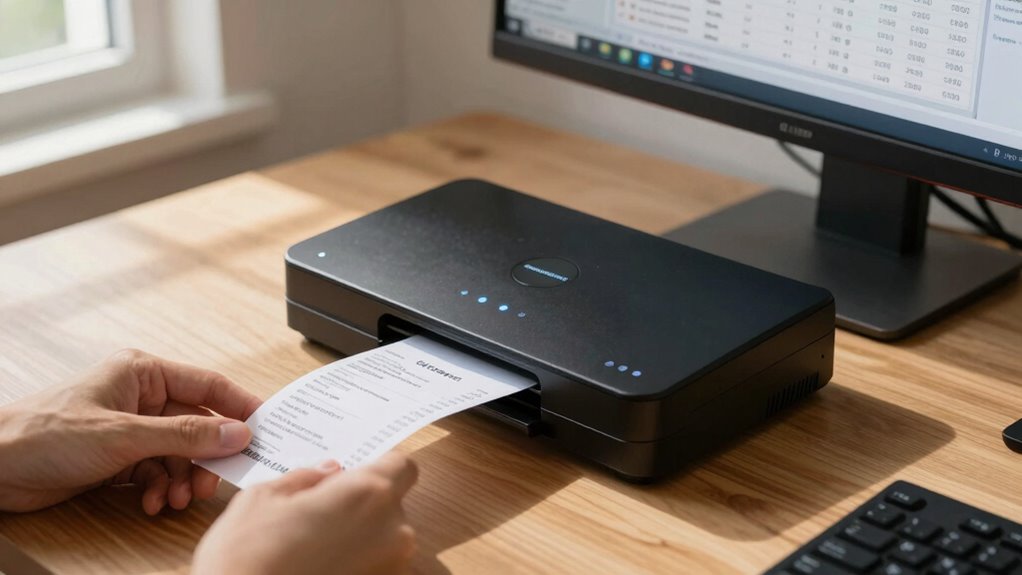
When searching for a scanner for expense receipt management, the key factors are speed, accuracy, and ease of use. The Epson RapidReceipt RR-400W stands out as the best overall for its dual-sided scanning and wireless features that save time. For those on the go, the Epson WorkForce ES-50 offers portability without sacrificing core functionality, while the ScanSnap iX1300 provides a reliable, user-friendly experience for frequent users. Buyers often face tradeoffs between cost, speed, and features—more affordable models may lack duplex scanning, while premium options tend to be bulkier and pricier. Keep reading for a detailed comparison to find the best fit for your needs.

Get smart everyday buys delivered free with Prime
- Fast, free delivery on millions of items
- Prime Video, Amazon Music and more included
- Member-only deals all year
Key Takeaways
- Top picks like the Epson RapidReceipt RR-400W excel in duplex scanning and wireless connectivity, making expense management faster and more efficient.
- Portability is a common theme among mobile scanners like the Epson ES-50 and Brother DS-640, ideal for remote or on-the-go use, but they may lack advanced features like two-sided scanning.
- The best value options balance affordability with core functionalities, though they might compromise on speed or duplex capability.
- Premium models such as the ScanSnap iX1300 deliver reliable performance and more advanced features but come at a higher price.
- Choosing the right scanner depends heavily on your workflow, volume, and whether you prioritize portability or speed.
| Epson RapidReceipt RR-400W Wireless Compact Desktop Color 2-Sided Receipt & Document Scanner |  | Best Overall for Hybrid and Remote Work Environments | Scan Technology: TrueFeed Technology | Document Feeder Capacity: 20 pages | Scanning Speed: up to 30 pages per minute | VIEW ON AMAZON | See Our Full Breakdown |
| Epson WorkForce ES-50 Compact & Lightweight Mobile Document Scanner |  | Best for On-the-Go Mobile Scanning | Scan Speed: 5.5 seconds per page | Maximum Document Size: 8.5 x 72 inches | Connectivity: USB 2.0 | VIEW ON AMAZON | See Our Full Breakdown |
| Epson RapidReceipt RR-70W Compact Mobile Document Scanner |  | Best for AI-Driven Smart Data Extraction on the Move | Scan Speed: 15 ppm | Weight: under 11 oz | Connectivity: USB, Battery, Wireless | VIEW ON AMAZON | See Our Full Breakdown |
| Brother DS-640 Compact Mobile Document Scanner |  | Best for Multi-Platform Compatibility and Basic Mobile Scanning | Scan Speed: 16 ppm | Weight: 1.5 lbs | Dimensions: Less than 1 foot in length | VIEW ON AMAZON | See Our Full Breakdown |
| Epson RapidReceipt RR-400W Wireless Business Scanner | | Best for Business Receipt Management and Data Extraction | Technology: ScanSmart AI PRO | Export Compatibility: QuickBooks, TurboTax | Design: Compact desktop | VIEW ON AMAZON | See Our Full Breakdown |
| Epson RapidReceipt RR-600W Wireless Desktop Color Duplex Receipt and Document Scanner |  | Best Overall | Technology: ScanSmart AI PRO | Document Feeder Capacity: 100 pages | Touchscreen: 4.3-inch color | VIEW ON AMAZON | See Our Full Breakdown |
| NeatReceipts Mobile Scanner and Digital Filing System – PC |  | Best for Beginners | Connectivity: USB | Compatibility: PC | Includes: 30-day NeatCloud trial | VIEW ON AMAZON | See Our Full Breakdown |
| Epson RapidReceipt RR-60 Compact Mobile Document Scanner |  | Best Compact Mobile | Technology: ScanSmart AI PRO | Scan Speed: 10 pages per minute | Weight: Under 10 oz | VIEW ON AMAZON | See Our Full Breakdown |
| Epson RapidReceipt RR-600W Wireless Desktop Color Two-Sided Receipt Scanner |  | Best for Small Business & Professional Use | Technology: ScanSmart AI PRO | Document feeder capacity: 100 pages | Scanning speed: 35 pages per minute | VIEW ON AMAZON | See Our Full Breakdown |
| ScanSnap iX1300 Wireless or USB Double-Sided Color Document Scanner, White |  | Best Compact Duplex Scanner | Connectivity: USB, Wi-Fi | Color: White | Scanning Speed: 30 ppm duplex | VIEW ON AMAZON | See Our Full Breakdown |
| scanner for expense receipt management | Connectivity | Scanning Speed | Technology |
|---|---|---|---|
| Epson RapidReceipt RR-400W Wir | Wireless, Cloud, Smartphone, PC, Mac | up to 30 pages per minute | — |
| Epson WorkForce ES-50 Compact | USB 2.0 | — | — |
| Epson RapidReceipt RR-70W Comp | USB, Battery, Wireless | — | ScanSmart AI PRO, HyperClear Technology |
| Brother DS-640 Compact Mobile | — | — | — |
| Epson RapidReceipt RR-400W Wir | Wireless | up to 30 pages per minute | ScanSmart AI PRO |
| Epson RapidReceipt RR-600W Wir | Wi-Fi, USB, cloud | 35 pages per minute | ScanSmart AI PRO |
| NeatReceipts Mobile Scanner an | USB | — | — |
| Epson RapidReceipt RR-60 Compa | USB, Wi-Fi, Cloud | — | ScanSmart AI PRO |
| Epson RapidReceipt RR-600W Wir | Wireless, USB | 35 pages per minute | ScanSmart AI PRO |
| ScanSnap iX1300 Wireless or US | USB, Wi-Fi | 30 ppm duplex | — |
More Details on Our Top Picks
Epson RapidReceipt RR-400W Wireless Compact Desktop Color 2-Sided Receipt & Document Scanner
This model stands out for its combination of speed, wireless flexibility, and AI-powered data extraction, making it ideal for busy professionals managing receipts and documents in a hybrid setup. Compared with the Epson RR-70W, the RR-400W offers faster two-sided scanning at 30 pages per minute and more advanced software features, though it requires more setup and has a higher price, especially if considering renewed models. The wireless capability ensures easy cloud integration, which is a significant advantage over wired-only options. However, its focus on receipts and documents means it’s less suitable for high-volume or heavy-duty scanning tasks, and setup can be somewhat involved. This pick makes the most sense for remote workers and small business owners needing quick, organized digital records with minimal desk clutter.
Pros:- Fast two-sided scanning at 30 pages per minute
- Wireless connectivity for cloud and device scanning
- Compact design saves desk space
- AI-powered data extraction and PDF editing software
Cons:- Requires setup of wireless network and software
- Higher price point for renewed models
- Limited to document and receipt scanning, not suited for large volume or heavy-duty use
Best for: Small business owners or remote workers who need fast, reliable, two-sided receipt and document scanning with cloud connectivity
Not ideal for: Heavy-volume or industrial users requiring robust, high-capacity scanners or those who prefer wired setups for security reasons
- Scan Technology:TrueFeed Technology
- Document Feeder Capacity:20 pages
- Scanning Speed:up to 30 pages per minute
- Connectivity:Wireless, Cloud, Smartphone, PC, Mac
- Software:ScanSmart AI PRO, PDF editing, Business Card Software
- Compatibility:Windows, Mac
Our verdict“Best suited for professionals needing efficient, wireless receipt management in a compact form.”
Epson WorkForce ES-50 Compact & Lightweight Mobile Document Scanner
This scanner excels for mobility, offering rapid single-page scans at just 5.5 seconds per page, which makes it perfect for professionals needing quick, on-location receipt or document captures. Unlike the larger, more feature-rich Epson RR-400W, the ES-50 emphasizes portability with its lightweight design and USB-powered operation, though it sacrifices multi-page capacity and advanced AI features. Its OCR capabilities enable searchable PDFs and editable files, but it’s limited to single-sheet feeding, meaning high-volume tasks require multiple passes. Installation and software compatibility can be hurdles for less tech-savvy users, especially with older systems. This pick makes the most sense for busy travelers or salespeople needing quick, reliable scans of single receipts or IDs.
Pros:- Extremely compact and lightweight for portability
- Fast scanning speed of 5.5 seconds per page
- Includes OCR for searchable, editable PDFs
- No external power needed, USB-powered
Cons:- Limited to single-sheet feeding, not suitable for large batches
- Requires software installation and internet connection for full features
- May have limited compatibility with older systems
Best for: Freelancers or mobile professionals who need quick, portable scanning of receipts, IDs, or single pages without bulk or heavy setup
Not ideal for: Users with high-volume scanning needs or those requiring batch processing, as the device only handles single sheets
- Scan Speed:5.5 seconds per page
- Maximum Document Size:8.5 x 72 inches
- Connectivity:USB 2.0
- Power:USB-powered
- Compatibility:Windows and Mac
- Software:Epson ScanSmart, Nuance OCR
Our verdict“Ideal for mobile users needing quick, single-page scans without complicated setup.”
Epson RapidReceipt RR-70W Compact Mobile Document Scanner
The RR-70W is tailored for users prioritizing smart categorization and searchable data, thanks to AI-powered technology and wireless operation. It’s lighter than larger scanners like the Epson RR-400W, weighing under 11 oz, and offers a rapid 15 pages per minute speed, making it suitable for quick receipt scans during fieldwork. Compared to the RR-400W, it sacrifices some speed and capacity but gains extreme portability and AI features that automatically categorize and convert data into editable formats. Its support for cloud services like Dropbox and Google Drive enhances workflow, yet the need for compatible software and higher price can be drawbacks for casual users. This device is best for small business owners or freelancers who need smart, portable data management on the go.
Pros:- Extremely lightweight and portable, under 11 oz
- AI-powered categorization and searchable data
- Wireless and battery-powered for flexible use
- Supports cloud services like Dropbox and Google Drive
Cons:- Limited to single-sheet scanning at a time
- Higher price due to AI capabilities
- Requires compatible software for full functionality
Best for: Small business owners or freelancers who need AI-powered, wireless scanning with categorization and cloud integration
Not ideal for: High-volume users or those who prefer wired setups, as it’s limited to single-sheet scanning and portability-focused features
- Scan Speed:15 ppm
- Weight:under 11 oz
- Connectivity:USB, Battery, Wireless
- Maximum Document Length:8.5″ x 72″
- Supported Software:PDF creation and editing software
- Technology:ScanSmart AI PRO, HyperClear Technology
Our verdict“Perfect for mobile professionals who need smart, AI-driven receipt management with wireless convenience.”
Brother DS-640 Compact Mobile Document Scanner
The Brother DS-640 is a solid choice for those needing a reliable, high-speed portable scanner with broad OS support. With a speed of 16 ppm, it easily handles simple scanning tasks, and its compact size—less than a foot long—makes it ideal for frequent travel. Unlike the AI-enhanced models, it offers straightforward image enhancement, OCR, and color detection, making it suitable for users who want reliable results without complex software. While it doesn’t support wireless or battery operation, its USB-powered design offers simplicity and stability. Compared to the Epson ES-50, it supports more platforms including Linux, but it is less portable and doesn’t have wireless connectivity, limiting its flexibility. This scanner suits professionals who want a dependable, multi-OS portable device for scanning documents and images.
Pros:- Fast scanning speeds of up to 16 ppm
- Supports Windows, Mac, Linux
- Includes image enhancement and OCR software
- Color detection and text rotation features
Cons:- Requires connection to a PC for power and operation
- No wireless or battery options
- Limited to document scanning, not ideal for photos
Best for: Traveling professionals or small offices needing a dependable, multi-platform portable scanner with fast throughput
Not ideal for: High-volume scanning or users requiring wireless or battery-powered operation, as it relies solely on USB power
- Scan Speed:16 ppm
- Weight:1.5 lbs
- Dimensions:Less than 1 foot in length
- Power:USB powered
- Compatibility:Windows, Mac, Linux
- Features:Color detection, image rotation, OCR
Our verdict“Best for professionals needing a versatile, multi-platform portable scanner with reliable performance.”
Epson RapidReceipt RR-400W Wireless Business Scanner
This model emphasizes business efficiency with its fast two-sided scanning at 30 pages per minute and AI-powered smart data extraction, making it an excellent choice for small offices or remote business environments. It’s comparable to the Epson RR-600W, but the RR-400W is more compact, focusing on receipt and small document handling. The wireless connectivity simplifies setup and integration with financial software like QuickBooks, though it’s limited to small documents and receipts, making it less suitable for large-scale scanning. The 20-page automatic document feeder adds convenience, but full functionality depends on compatible software, which can be a hurdle for some users. This scanner is best for small businesses that prioritize quick, wireless receipt processing with AI data capabilities.
Pros:- AI-powered data extraction simplifies management
- Fast two-sided scanning at 30 ppm
- Compact desktop design saves space
- Wireless connectivity for flexible placement
Cons:- Limited to receipt and small document scanning
- Full feature set depends on compatible software
- Not designed for heavy or large-volume scanning
Best for: Small business owners or remote teams needing fast, AI-enabled receipt scanning with wireless connectivity
Not ideal for: High-volume or heavy-duty scanning environments, or users without compatible financial software
- Technology:ScanSmart AI PRO
- Export Compatibility:QuickBooks, TurboTax
- Design:Compact desktop
- Document Feeder:20 pages, skew and staple protection
- Scanning Speed:up to 30 pages per minute
- Connectivity:Wireless
Our verdict“Ideal for small businesses seeking quick, wireless, AI-enhanced receipt management in a compact form.”
Epson RapidReceipt RR-600W Wireless Desktop Color Duplex Receipt and Document Scanner
The Epson RapidReceipt RR-600W stands out as the most versatile choice for small businesses or home offices that need a reliable, fast, and feature-rich receipt scanner. Its 35 pages per minute duplex speed, coupled with wireless connectivity, makes it ideal for handling high volumes efficiently, especially compared to the more portable RR-60, which sacrifices speed and features for mobility. The 4.3-inch touchscreen simplifies operation, but setup and software complexity could challenge less tech-savvy users. This model’s advanced image processing and integration with financial apps offer a significant productivity boost, though the renewed product may have limited warranty coverage. This pick excels for busy environments where speed and multitasking matter most.
Pros:- Fast duplex scanning at 35 pages per minute ensures quick processing of large batches
- Wireless connectivity allows seamless cloud and mobile device integration
- Intuitive 4.3-inch touchscreen simplifies operation without needing a PC
Cons:- Renewed product status might limit warranty coverage and support
- Wireless setup can be complex for less experienced users
- Software features, while powerful, may be overwhelming for some
Best for: Small business owners or office staff needing high-volume, reliable receipt management with extensive features.
Not ideal for: Casual users or those with very limited space who prefer a simple, no-frills scanner without wireless setup complexity.
- Technology:ScanSmart AI PRO
- Document Feeder Capacity:100 pages
- Touchscreen:4.3-inch color
- Scanning Speed:35 pages per minute
- Wireless:Yes
- Connectivity:Wi-Fi, USB, cloud
- Software Features:PDF editing, receipt management
- Warranty:1-year limited
Our verdict“This scanner is best suited for busy offices needing speed, reliability, and comprehensive features in one device.”
NeatReceipts Mobile Scanner and Digital Filing System – PC
The NeatReceipts Mobile Scanner offers an entry-level solution for individuals or small teams who primarily work from a PC and need straightforward receipt digitization. Unlike the larger Epson models, this device is ultra-portable and connects via USB, making it ideal for those on the go or with limited desk space. Its simplicity means fewer setup hurdles, but it also means lacking the speed and automation found in higher-end scanners like the RR-600W. The included trial of NeatCloud helps with backup and multi-device access, though ongoing subscription costs may deter some users. This option is perfect for newcomers or those with occasional scanning needs.
Pros:- Compact and lightweight design for portability and easy storage
- Easy integration with popular financial and contact management software
- Includes cloud backup and support for peace of mind
Cons:- Requires connection to a PC, limiting standalone use
- Limited info on scan resolution and speed may affect quality and efficiency
- Subscription fees for cloud services could add ongoing costs
Best for: Freelancers or small office workers needing portable, easy-to-use receipt scanning with basic integration.
Not ideal for: High-volume environments or users seeking wireless, standalone operation with advanced features.
- Connectivity:USB
- Compatibility:PC
- Includes:30-day NeatCloud trial
Our verdict“This scanner is well-suited for beginners or mobile users who prefer simple, direct PC connection and basic functionality.”
Epson RapidReceipt RR-60 Compact Mobile Document Scanner
The Epson RapidReceipt RR-60 is tailored for those who need a lightweight, portable scanner for quick receipt capture on the go. Its under 10 oz weight and compact profile make it easy to stash in a bag, unlike bulkier models like the RR-600W. While its scan speed is modest at 10 pages per minute, the AI-powered organization and auto-cropping features enhance efficiency for quick, high-quality scans. However, it’s not designed for high-volume workflows, and setup can be a hurdle for non-technical users. Compared to larger, more feature-rich scanners, this one prioritizes portability over speed and capacity. It’s ideal for travelers or remote workers with light scanning needs.
Pros:- Extremely portable and lightweight for easy transport
- AI features for automatic file naming and organization
- High-resolution scans with background removal and auto-cropping
Cons:- Limited to 10 pages per minute, unsuitable for high-volume tasks
- Requires software installation and setup, which could be cumbersome
- Price range is not specified, might be higher for a mobile scanner
Best for: Travelers, mobile professionals, or small-scale users seeking a portable solution for receipt digitization.
Not ideal for: Offices or busy environments requiring high-volume throughput and automated workflows.
- Technology:ScanSmart AI PRO
- Scan Speed:10 pages per minute
- Weight:Under 10 oz
- Maximum Document Size:8.5 x 72 inches
- Connectivity:USB, Wi-Fi, Cloud
- Software Compatibility:Windows, Mac
Our verdict“This compact scanner fits mobile users or occasional scanners who need quick, quality scans without bulk.”
Epson RapidReceipt RR-600W Wireless Desktop Color Two-Sided Receipt Scanner
The Epson RapidReceipt RR-600W with duplex scanning and wireless connectivity is a strong choice for small businesses or professionals who process numerous receipts and documents daily. Its 35 pages per minute speed rivals larger office scanners, and the AI technology adds smart data extraction, making data entry more accurate. The 100-page automatic feeder minimizes interruptions, but the higher price point can deter casual users. The complex features, including wireless setup, might require some learning curve, which isn’t ideal for infrequent users. Compared to the single-sided RR-60, this model’s dual-sided capability doubles efficiency for receipt-heavy workflows. It’s designed for those who value speed, automation, and wireless flexibility.
Pros:- Duplex scanning at 35 pages per minute boosts productivity
- Wireless connectivity facilitates multi-device access and cloud storage
- AI-driven data extraction reduces manual entry errors
Cons:- Higher price may be a barrier for casual or infrequent users
- Features can be complex to learn and operate initially
- Limited to small business or professional environments
Best for: Small business owners or accounting teams needing fast, two-sided receipt processing with smart data features.
Not ideal for: Users with low-volume needs or those on a tight budget who prefer straightforward, wired-only scanners.
- Technology:ScanSmart AI PRO
- Document feeder capacity:100 pages
- Scanning speed:35 pages per minute
- Duplex scanning:Yes
- Connectivity:Wireless, USB
- Screen:4.3-inch color touchscreen
Our verdict“This scanner is best for small businesses or professionals seeking rapid, efficient, and wireless receipt management.”
ScanSnap iX1300 Wireless or USB Double-Sided Color Document Scanner, White
The ScanSnap iX1300 is an excellent choice for those with limited space who still need duplex scanning at a respectable pace. It handles a variety of document types, including photos and cards, making it versatile for personal or small office use. Its 30 pages per minute speed is slightly lower than the RR-600W but still efficient enough for moderate workloads. The one-touch operation and automatic features simplify use, especially compared to more complex models like the RR-600W. While setup is straightforward, it requires initial software configuration, which might be a hurdle for some. Compared to larger, feature-packed scanners, this one prioritizes compactness and ease of use. This pick makes the most sense for space-constrained environments needing duplex capability.
Pros:- Space-saving, compact design fits small environments
- Fast duplex scanning at 30 pages per minute
- Automatic features and one-touch operation simplify workflow
Cons:- Limited to small spaces, less suitable for large-scale workflows
- Requires software setup for optimal use
- No built-in wireless connectivity—relies on USB
Best for: Home offices or small workspaces where desk space is limited but duplex scanning is desired.
Not ideal for: High-volume environments or users needing wireless connectivity without USB setup.
- Connectivity:USB, Wi-Fi
- Color:White
- Scanning Speed:30 ppm duplex
- Document Types:Documents, photos, cards
- Software:ScanSnap Home
Our verdict“This scanner is best for space-conscious users who need reliable duplex scanning without the bulk of larger models.”
How We Picked
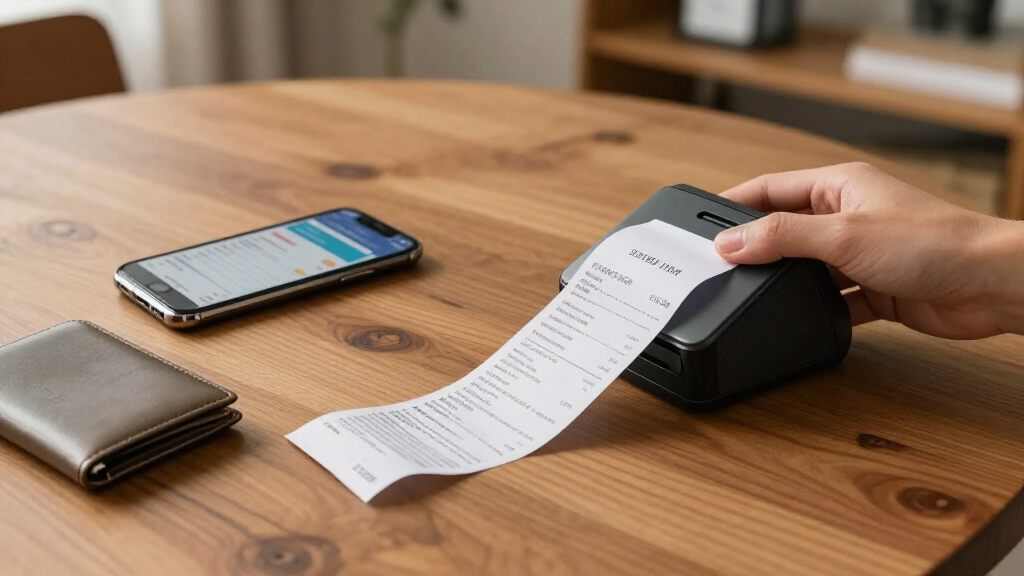
We evaluated each scanner based on performance, ease of use, build quality, and value for expense receipt management. Speed, especially duplex scanning capability, was a key factor because it directly impacts efficiency. Portability was considered for mobile users, while connectivity options like wireless and cloud integration determined ease of access. Durability and user interface also played roles, ensuring that each model offers a reliable, user-friendly experience. Our ranking reflects a balance between these factors, favoring models that deliver consistent results for typical expense management workflows.| scanner for expense receipt management | Technology |
|---|---|
| Epson RapidReceipt RR-400W Wir | — |
| Epson WorkForce ES-50 Compact | — |
| Epson RapidReceipt RR-70W Comp | ScanSmart AI PRO, HyperClear Technology |
| Brother DS-640 Compact Mobile | — |
| Epson RapidReceipt RR-400W Wir | ScanSmart AI PRO |
| Epson RapidReceipt RR-600W Wir | ScanSmart AI PRO |
| NeatReceipts Mobile Scanner an | — |
| Epson RapidReceipt RR-60 Compa | ScanSmart AI PRO |
| Epson RapidReceipt RR-600W Wir | ScanSmart AI PRO |
| ScanSnap iX1300 Wireless or US | — |
Factors to Consider When Choosing Scanner For Expense Receipt Management
Choosing the right scanner for expense receipt management involves more than just features; it requires understanding how your specific needs align with scanner capabilities. Consider factors like scanning speed, duplex functionality, portability, and connectivity. Making the wrong choice can lead to wasted money or workflow bottlenecks, especially if the scanner isn’t compatible with your existing systems or if it can’t handle your volume efficiently. Keep these key factors in mind to find a model that offers the best overall value and performance for your expense management tasks.Scanning Speed and Duplex Capabilities
Speed is essential if you process many receipts regularly. Look for models with duplex scanning to save time by capturing both sides of a receipt simultaneously. This feature is especially valuable for busy professionals or small businesses managing large volumes. However, faster scanners tend to be more expensive, so consider your volume and whether investing in duplexing provides a real workflow benefit rather than just convenience.
Portability and Size
If you frequently scan receipts outside your office or travel often, portable scanners like the Epson ES-50 or Brother DS-640 can be game-changers. These compact models are lightweight and don’t require a dedicated desk space, but they often lack advanced features like duplex scanning or high-speed processing. Conversely, larger desktop models offer higher speeds and more robust features but are less convenient for mobile use.
Connectivity and Compatibility
Wireless connectivity and app integration can significantly streamline your workflow by allowing direct uploads to cloud storage or expense management software. Check whether the scanner supports Wi-Fi, USB, or network connections compatible with your devices. Incompatibility or limited connectivity options can add steps or delay your expense reporting process, so prioritize models that align with your existing tools.
Ease of Use and Maintenance
A user-friendly interface reduces setup time and minimizes errors, especially if multiple users will operate the scanner. Look for models with straightforward controls and reliable paper handling. Also, consider ease of maintenance, such as simple cleaning or replacing rollers, which can extend the device’s lifespan and maintain consistent performance over time.
Cost and Overall Value
While budget options may suffice for low-volume users, investing in a higher-quality scanner can pay off through increased speed, durability, and features like duplex scanning. Balance your initial investment against ongoing costs such as replacement parts or software subscriptions. A slightly more expensive model with better durability and features can often be more economical long-term if it reduces downtime and manual effort.
Frequently Asked Questions
Should I prioritize duplex scanning or portability for expense receipts?
This depends on your workflow. If you process large volumes of receipts regularly, duplex scanning can greatly improve efficiency by capturing both sides at once. However, if you often scan receipts on the go or from different locations, portability might be more valuable even if it means sacrificing some speed or features. Ideally, choose a model that balances both, but focus on your most frequent use case to make the best decision.
Can I use a standard document scanner for expense receipts?
While many document scanners can handle receipts, they are often optimized for standard-sized documents and may struggle with small or irregularly shaped receipts. Expense receipt scanners typically have features like auto-crop, image enhancement, and small document handling that make the process smoother. Investing in a dedicated receipt scanner ensures higher accuracy and reduces manual corrections afterward.
Is wireless connectivity essential for expense receipt management?
Wireless connectivity adds convenience by enabling direct uploads to cloud storage or expense management apps, reducing manual transfer steps. However, wired models can still be effective if you prefer a more stable connection or work primarily at a desk. Consider your workflow—if mobility and quick access are priorities, wireless models are worth the extra investment.
How important is scanning speed for small business expense management?
Speed is often critical for small businesses dealing with a high volume of receipts. Faster scanners with duplex capabilities can process more receipts in less time, preventing bottlenecks during busy periods. For infrequent users, slower models might suffice, but if expense reporting is a daily task, prioritizing speed can save significant time.
Are premium scanners worth the extra cost?
Premium models generally offer faster speeds, duplex scanning, better build quality, and more advanced features like automatic document feeders and cloud integration. If your expense management volume is high or accuracy is paramount, investing in a higher-end scanner can improve efficiency and reduce manual correction time. For light or occasional use, a more affordable model may be sufficient and more cost-effective.
Conclusion
For most users, the Epson RapidReceipt RR-400W offers the best overall balance of speed, features, and ease of use, making it ideal for busy professionals or small teams. Budget-conscious buyers aiming for solid core functionality should consider the Epson RapidReceipt RR-70W, which offers duplex scanning at a lower price point. Those seeking portability will find the Epson WorkForce ES-50 or Brother DS-640 perfect for mobile workflows, though they lack some desktop features. For heavy users or larger organizations, investing in the ScanSnap iX1300 or the Epson RapidReceipt RR-600W provides faster processing and more advanced capabilities. Tailor your choice to your volume, mobility needs, and budget to maximize your expense receipt management efficiency.Fall Picks
fall essentials
As an affiliate, we earn on qualifying purchases.